
Benefits of Single Sign-On Software for IT Teams
Discover the benefits of single sign-on software for IT teams. Enhance security, simplify access, and boost productivity with one authentication method.

Single sign-on (SSO) is defined as an authentication method that grants users access to multiple applications through one set of credentials, and the benefits of single sign-on software extend far beyond convenience. According to Cloudflare and Okta, two of the most cited authorities on identity security, SSO reduces password reuse risk, shrinks the attack surface, and gives IT administrators centralized control over every user session in the organization. For IT managers weighing the case for SSO, the core value proposition is this: one authentication layer protects everything, and that protection compounds as you add applications.
1. Benefits of single sign-on software start with stronger password security
The biggest security win from SSO is not fewer login screens. It is the elimination of password reuse across services. When users authenticate once, they stop creating weak, recycled passwords for every application they need. Cloudflare confirms that centralized authentication enables better password policy enforcement because there is only one credential set to govern. That single point of control means your security team can mandate complexity rules, expiration schedules, and lockout policies without chasing compliance across a dozen separate app directories.
SSO also reduces the attack surface by limiting the number of passwords stored across different applications. Fewer credential databases mean fewer targets for attackers. If one application’s password database is breached, the cascading damage stops there because users are not reusing the same password everywhere.

Pro Tip: Pair SSO with a password manager policy that prohibits storing application passwords locally. If users authenticate only through the SSO provider, there are no local credentials to steal.
2. Centralized MFA enforcement closes the authentication gap
Multi-factor authentication (MFA) is only as strong as its coverage. Organizations that manage MFA app by app inevitably end up with gaps where legacy tools or low-priority systems skip the requirement entirely. Huntress identifies centralized MFA enforcement as one of the most practical administrative advantages of SSO. When authentication flows through a single identity provider, MFA applies universally without exceptions carved out for inconvenient applications.
This matters because attackers target the weakest link. A single application without MFA can become the entry point for credential stuffing or phishing attacks that then pivot to more sensitive systems. SSO removes that weak link by making the identity provider the only authentication gate in the organization.
3. How SSO reduces IT help desk costs
Password reset requests are one of the most documented sources of IT help desk volume, and SSO addresses the root cause directly. Dashlane notes that SSO reduces login friction by eliminating repeated authentication across applications, which means users encounter fewer lockouts and forgotten credentials. Fewer lockouts translate directly into fewer tickets.
The operational math is straightforward:
- Users authenticate once per session instead of once per application.
- Forgotten password incidents drop because there is only one password to remember.
- IT staff redirect time from routine recovery tasks to higher-value work.
- Self-service password reset portals at the identity provider level handle edge cases without human intervention.
- Onboarding new employees accelerates because access provisioning happens in one system, not twenty.
Pro Tip: Track your help desk ticket categories for 30 days before SSO deployment. Password-related tickets typically represent 20 to 50 percent of total volume. That baseline makes the post-deployment ROI case concrete and defensible to leadership.
4. Faster provisioning and deprovisioning of user access
Access governance is where SSO delivers some of its most underappreciated operational value. Huntress points out that a central dashboard for user access lets administrators manage permissions across all connected applications from one interface. When a new employee joins, access is granted once at the identity provider level and propagates automatically. When someone leaves, one action revokes everything simultaneously.
That instant revocation capability is not just operationally convenient. It is a security control. Delayed deprovisioning is a documented vector for insider threats and post-termination data access. SSO with a well-configured identity provider closes that window to near zero.
5. Compliance readiness and audit support
Compliance frameworks including SOC 2, ISO 27001, and HIPAA require organizations to demonstrate who has access to what, and when that access was granted or revoked. SSO consolidates that evidence in one place. Huntress confirms that centralized identity management speeds up revocation and supports audit readiness by creating a single record of authentication events across all connected applications.
The table below shows how SSO maps to common compliance requirements:
| Compliance requirement | How SSO supports it |
|---|---|
| Access control documentation | Single identity provider logs all authentication events centrally |
| Least-privilege enforcement | Centralized role assignments prevent permission sprawl across apps |
| Offboarding verification | Instant revocation provides auditable proof of access termination |
| MFA coverage | Universal MFA enforcement through one provider closes coverage gaps |
SCIM (System for Cross-domain Identity Management) provisioning, used alongside SSO protocols like SAML and OIDC, handles the synchronization of user groups and permissions. Databricks and Okta demonstrate this in practice: separating authentication from provisioning with SCIM avoids the common deployment error of assuming SSO alone manages authorization.
6. Device-bound SSO: the next generation of session security
Standard SSO tokens can be stolen and replayed from a different device if an attacker intercepts a session. Device-bound SSO eliminates that risk. Okta defines device-bound SSO sessions as cryptographically protected tokens tied to a verified device identity, meaning the token is useless outside the device it was issued to.
The practical implications for IT security teams are significant:
- Session replay attacks become technically infeasible because the token cannot authenticate from a different device.
- Users on trusted corporate devices experience fewer re-authentication prompts, improving workflow without sacrificing security.
- Hybrid environments where employees work across office, home, and field locations benefit from device-level trust policies that adapt to context.
- The device login itself serves as the initial authentication factor, reducing friction while adding a cryptographic layer.
“Device-bound SSO represents a defense-in-depth approach where the session itself becomes a security boundary, not just the password.” Okta’s product innovation team frames this as the next evolution beyond traditional token-based authentication.
7. Improved user experience across the organization
Security tools that frustrate users get worked around. SSO is one of the rare security controls that users actively prefer because it removes friction rather than adding it. Employees access every application they need from a single login event, without re-entering credentials when switching between tools during the workday.
For organizations running multiple specialized platforms, this matters at scale. A construction subcontractor using separate tools for estimating, change order management, labor tracking, and plan takeoff faces a real productivity cost if each application requires independent login. SSO eliminates that cost entirely. The security advantages of SSO for field-to-office workflows are particularly pronounced when mobile users need fast, uninterrupted access to project data.
8. SSO software comparison: protocols and deployment options
Not all SSO solutions are equivalent. The choice of protocol, provisioning method, and identity provider determines both the security posture and the administrative workload of your deployment.
| Feature | SAML 2.0 | OIDC | SCIM provisioning |
|---|---|---|---|
| Primary use case | Enterprise web app federation | Modern API and mobile apps | Automated user provisioning |
| Token format | XML assertions | JSON Web Tokens (JWT) | Not applicable (directory sync) |
| MFA integration | Supported via IdP | Supported via IdP | Complements SSO, not auth |
| Deployment complexity | Moderate to high | Lower for modern stacks | Requires separate configuration |
| Example implementation | Okta with Databricks | Okta with cloud-native apps | Okta SCIM with Databricks |
Okta integrates with platforms like Databricks using both SAML for authentication and SCIM for user group synchronization. IT teams evaluating SSO solutions should treat these as separate configuration tracks. Misconfiguring the relationship between authentication and provisioning is one of the most common sources of deployment failures.
One deployment consideration that rarely appears in vendor documentation: testing SSO configurations requires parallel console windows and pre-configured emergency access keys to prevent organization-wide lockouts if a misconfiguration blocks the primary login path.
Key takeaways
SSO software delivers compounding security and operational value when deployed with centralized MFA, device-bound sessions, and SCIM-based provisioning working together.
| Point | Details |
|---|---|
| Security improvement | Centralized authentication eliminates password reuse and reduces the credential attack surface across all applications. |
| IT cost reduction | Fewer password reset requests and faster provisioning directly lower help desk volume and onboarding time. |
| Compliance readiness | A single identity provider creates consolidated audit logs and enables instant access revocation for departing users. |
| Device-bound sessions | Cryptographically tied tokens prevent session replay attacks and reduce re-authentication friction for trusted devices. |
| Deployment discipline | Separating SSO authentication from SCIM provisioning and testing with emergency access safeguards prevents operational outages. |
Why SSO is the foundation, not the finish line
By Jen Reese
After watching organizations deploy SSO and immediately declare their identity security problem solved, I want to offer a more honest framing. SSO is the foundation. It is not the finish line.
Okta’s identity security fabric model makes this explicit: SSO and MFA form the first layer, and organizations that stop there leave identity governance, privileged access management, and threat detection entirely unaddressed. I have seen companies with excellent SSO configurations suffer breaches because no one was monitoring for anomalous authentication patterns after the initial login.
The deployment phase is where I see the most avoidable mistakes. Teams rush to enable SSO across all applications simultaneously without testing fallback access. Databricks and Okta both document this risk explicitly: misconfiguration can lock out every user in the organization until an admin with emergency access intervenes. The fix is simple. Test in parallel sessions. Maintain an emergency access key. Treat the rollout as a phased migration, not a single cutover event.
Device-bound SSO is the next capability I would prioritize after a stable SSO and MFA foundation is in place. The session replay risk in standard token-based SSO is real and underappreciated. Tying sessions to device identity closes that gap without adding any friction for legitimate users on managed devices. That combination of stronger security and better user experience is rare. When you find it, adopt it.
— Jen Reese
How Won2Build uses SSO to protect construction project data
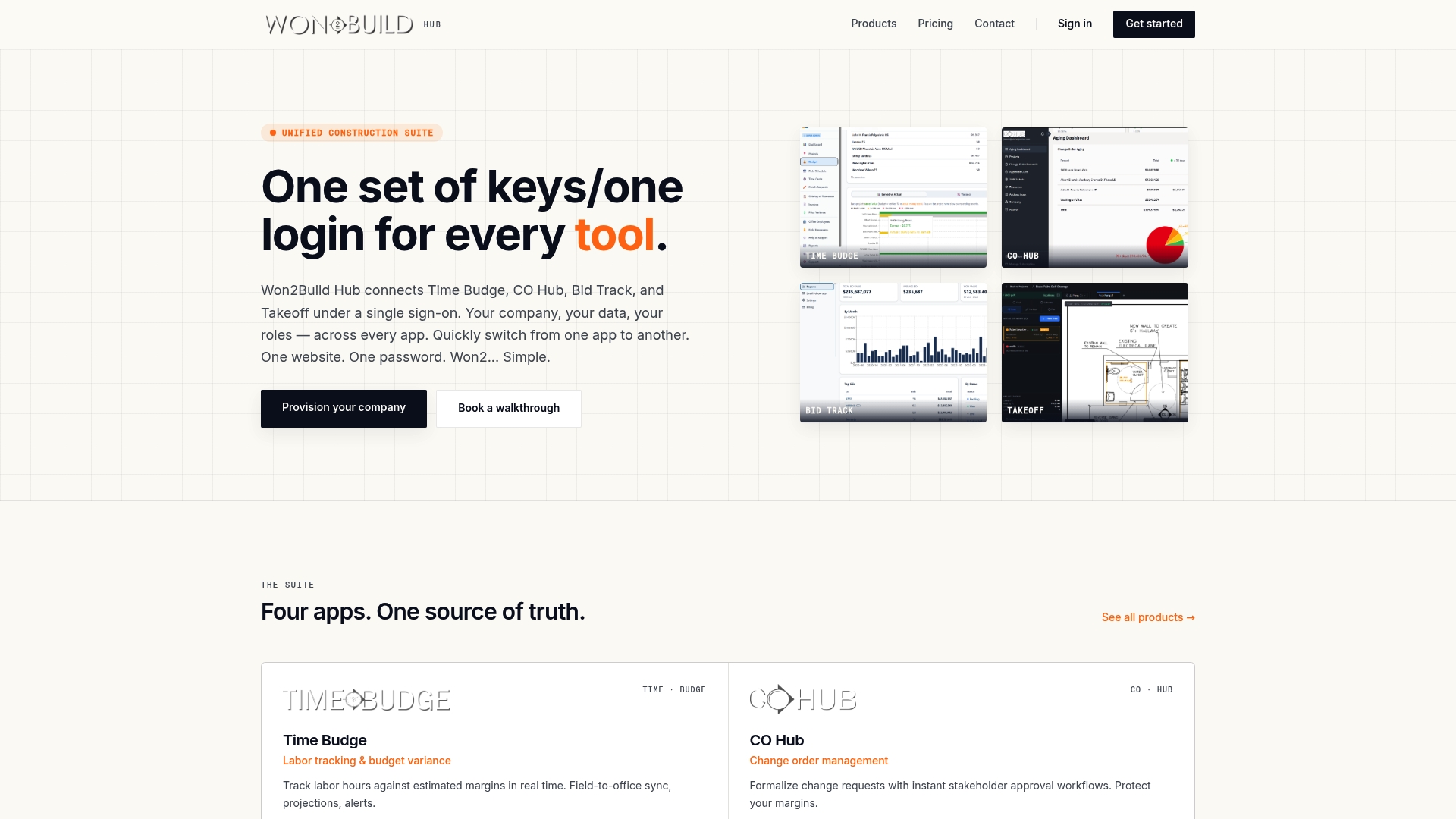
Won2Build is built specifically for construction subcontractors who manage multiple workflows across estimating, change orders, labor tracking, and digital plan takeoff. The Won2Build Hub platform uses a single login to connect all four applications, Time Budge, CO Hub, Bid Track, and Takeoff, so your field and office teams access everything they need without re-entering credentials between tools.
For subcontractors managing tight margins and fast-moving projects, that centralized access model eliminates double entry, prevents data loss between applications, and gives project managers real-time visibility across every workflow. If you are evaluating construction estimating software or change order management tools that integrate under one secure login, Won2Build Hub is worth a close look. The SSO architecture is not a feature add-on. It is the core of how the platform is designed.
FAQ
What is single sign-on software?
Single sign-on (SSO) software is an authentication system that allows users to log in once and access multiple applications without re-entering credentials. It centralizes authentication through a single identity provider, reducing password management complexity for both users and IT administrators.
How does SSO improve security?
SSO improves security by eliminating password reuse across applications and enabling centralized enforcement of strong password policies and MFA. Cloudflare confirms that fewer stored credentials across separate systems also reduces the overall attack surface.
Does SSO reduce IT help desk costs?
SSO directly reduces help desk volume by decreasing password reset requests and login lockouts. Dashlane identifies reduced login friction as a primary operational benefit, freeing IT staff from routine credential recovery tasks.
What is device-bound SSO?
Device-bound SSO ties authentication tokens to a specific verified device using cryptographic methods, preventing session replay attacks where stolen tokens are used from a different machine. Okta identifies this as a next-generation security layer that also reduces re-authentication prompts for users on trusted devices.
What protocols does SSO use?
SSO commonly uses SAML 2.0 for enterprise web application federation and OIDC for modern API and mobile environments. User provisioning is handled separately through SCIM, which synchronizes group memberships and permissions alongside the authentication layer.
Recommended
One login for estimating, bid tracking, change orders, and labor.
The Hub is free. Pay only for the apps you turn on.
Create your free Hub account- Photo Documentation for T&M Work: A Subcontractor's GuideHow to photograph time and materials work so your T&M tickets hold up: shot lists, timestamps, naming, privacy, safety and a same-day routine.
- Time Theft in Construction: How Subcontractors Stop ItTime theft in construction is rarely just buddy punching. Learn the real forms, the controls that work, the FLSA guardrails and a daily review routine.
- Construction Software ROI: How Subcontractors Measure ItA practical way for commercial subcontractors to calculate construction software ROI: full costs, real benefits, a worked example and the mistakes that inflate it.