
The Role of Estimate Templates for Subcontractors
Discover the vital role of estimate templates for subcontractors. They streamline bids, protect profits, and enhance professionalism. Learn more!

Subcontractor estimate templates are structured bidding tools that organize trade-specific labor, materials, markup, and overhead into a single, auditable document. The role of estimate templates for subcontractors goes far beyond price generation. They create legally significant records that define scope, protect profit margins, and communicate expectations to general contractors before a single nail is driven. Professional estimates carry markup ranges of 15–25% and remain valid for 30–60 days, two standards that only a structured template can consistently enforce. Subcontractors who skip templates don't just risk underbidding. They risk losing disputes, missing costs, and appearing unprofessional to the GCs who decide who gets the work.
What is the role of estimate templates for subcontractors?
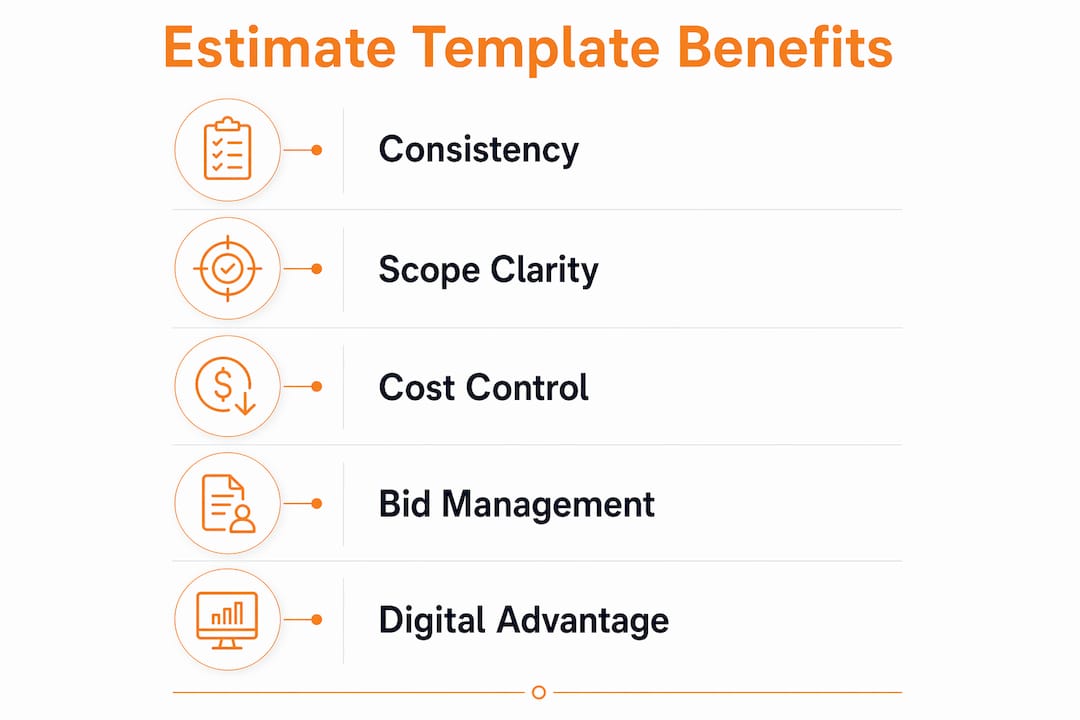
Estimate templates are the backbone of a subcontractor's bidding operation. They enforce consistency across every quote, regardless of project size or trade complexity. Without a fixed structure, each bid becomes a custom document built from scratch, which multiplies errors and eats time that could go toward winning more work.
Written estimates create a paper trail that protects subcontractors from scope disputes by clarifying materials, timelines, and deliverables before work starts. That protection matters most when a GC claims the subcontractor agreed to something that was never priced. A template with dated, signed fields eliminates that ambiguity.
Many subcontractors mistakenly treat estimates as simple price tags. They are actually formal records that define the commercial relationship between the sub and the GC. A well-built template captures that relationship in writing, every time, without relying on memory or informal agreements.

What critical components should an effective subcontractor estimate template include?
A professional template is not just a list of numbers. It is a structured document built to withstand scrutiny from GCs, owners, and auditors. The structure determines whether your bid is defensible or dismissible.
A complete construction estimate requires five non-negotiable components:
- CSI-based cost codes: The Construction Specifications Institute (CSI) MasterFormat divides construction work into numbered divisions. Using these codes ties your line items to a recognized industry standard, which GCs expect and auditors can verify.
- Separate labor and material columns: Failing to separate labor and material costs reduces auditability and makes it impossible to defend pricing or analyze margin losses after the job closes.
- Material takeoff quantities: Each line item needs a quantity tied directly to a plan measurement. This prevents scope gaps and gives you a defensible basis for every number.
- Markup, overhead, and contingency lines: These must appear as distinct line items, not buried inside unit prices. Typical profit markups run 15–25%, and hiding them inside labor rates makes them invisible to both you and the GC.
- Subcontractor bid slots: If you use lower-tier subs, the template needs dedicated rows to capture their quotes, so their costs flow into your total without manual recalculation.
A professional subcontractor bid form contains 4 organized sections and 16 standardized fields, covering project details, bid details, subcontractor information, and repeatable scope and pricing rows. That structure is not arbitrary. It reflects what GCs need to evaluate and approve a bid quickly.
Pro Tip: Add a "scope exclusions" section to every template. Listing what is NOT included protects you as much as listing what is. GCs cannot claim you agreed to work that your template explicitly excluded.
How do estimate templates help subcontractors manage multiple bids?
Managing a high volume of concurrent bids is one of the hardest operational challenges in subcontracting. Some subcontractors manage as many as 20 distinct quotations at the same time. Without a fixed template, each of those bids requires rebuilding the cost structure from scratch, which compounds errors and burns estimating hours.
A standardized template solves this in three concrete ways:
- Faster preparation: A pre-built template with trade-specific line items, standard markup fields, and pre-loaded cost codes can reduce estimate preparation to under 3 minutes for repeat project types. That speed lets you respond to more bid invitations without adding staff.
- Consistent pricing logic: When every estimate uses the same markup percentages and overhead allocations, your pricing stays consistent across bids. Inconsistent pricing is one of the leading causes of margin erosion when a low-margin bid wins unexpectedly.
- Reduced scope gaps: Templates enforce a checklist discipline. If insurance costs, mobilization fees, or administrative expenses appear as fixed line items in your template, you cannot accidentally omit them. Many subcontractors omit critical costs like insurance or administrative expenses when estimating, and those omissions collapse profit margins after contract signing.
The commercial bid estimating process for subcontractors becomes far more manageable when templates carry the structural load. Your estimators focus on quantities and pricing, not on rebuilding document architecture for every new job.
Understanding why subcontractors overbid projects often comes down to the same root cause: no consistent template forcing cost discipline from the first line item.
What are the key differences between manual and digital estimate templates?
The format of your template determines how much protection and efficiency it actually delivers. Manual templates built in Excel or PDF have real advantages. They cost nothing, require no training, and can be customized for any trade in an afternoon. The problem is that their flexibility is also their weakness.
| Feature | Manual templates (Excel, PDF) | Digital platform templates |
|---|---|---|
| Setup cost | Low | Moderate |
| Error risk | High (manual entry) | Low (automated fields) |
| Cost code discipline | User-dependent | System-enforced |
| Takeoff integration | None | Direct data link |
| Pricing updates | Manual | Real-time |
| Audit trail | Limited | Full version history |
| GC submission format | Inconsistent | Platform-standard |
Using disconnected tools like separate spreadsheets, emails, and PDFs creates liabilities. Integrated digital workflows prevent scope gaps and produce defensible estimates by tying quantity takeoffs directly to pricing. That connection is what manual templates cannot replicate.
Digital platform-based quoting has become a market access requirement. General contractors now favor subcontractors who submit structured, platform-based estimates over manual PDF or email submissions. That preference is not just about convenience. It reflects GC confidence in the accuracy and completeness of the bid.
For trade-specific context on what GCs actually look for in subcontractor submissions, the DFW roofing subcontractor guide from Rock Enterprise Contracting offers a useful field perspective on required fields and key sections.
Pro Tip: If you are not ready to move to a full digital platform, start by locking your Excel template with protected cells. This prevents estimators from accidentally overwriting formulas and enforces the same discipline a digital system would.
How to implement estimate templates effectively in your workflow
Adopting a template is not the same as using it well. The implementation determines whether the template actually improves your bids or just adds a layer of formatting to the same old process.
Follow these steps to get real value from your templates:
- Match the template to your trade. A mechanical subcontractor's template needs different line items than a framing sub's. Start with a base structure that includes CSI cost codes, then add trade-specific rows for your most common scope items.
- Connect the template to your takeoff. Quantities from your digital plan measurements should flow directly into the template's line items. Manual re-entry between takeoff and estimate is where errors enter. Won2build's Takeoff application handles this connection, pushing measured quantities into your bid structure without re-keying.
- Lock your markup and overhead rates. Set your standard markup percentage and overhead allocation as fixed fields in the template. Adjust them only when project conditions justify it, and document the reason. This protects your margin discipline across every bid.
- Set a validity period on every estimate. The industry standard is 30–60 days. Print it on the face of every template. Material prices shift, and an open-ended estimate is a liability you carry indefinitely.
- Audit your template quarterly. Labor rates, material costs, and insurance premiums change. A template built on last year's numbers will underprice your work this year. Schedule a review every quarter to update unit costs and verify that all overhead categories still reflect your actual expenses.
Improving commercial bid accuracy depends on this kind of systematic discipline. A template is only as good as the data and habits behind it.
Pro Tip: Never combine labor and material costs into a single line item, even when the math works out the same. Separate columns let you spot where margin is leaking after the job closes, which is the only way to improve your next estimate.
Key takeaways
Subcontractor estimate templates are the most direct tool for protecting bid accuracy, enforcing cost discipline, and building the professional credibility that wins repeat work from general contractors.
| Point | Details |
|---|---|
| Templates are legal records | Written estimates define scope and protect subcontractors from post-contract disputes. |
| Five components are non-negotiable | CSI cost codes, separate labor and material columns, takeoff quantities, markup lines, and sub bid slots must all appear. |
| Volume management requires structure | Subcontractors handling up to 20 concurrent bids need templates to maintain pricing consistency and speed. |
| Digital templates outperform manual ones | Platform-based estimates enforce cost code discipline and meet GC submission standards that PDFs cannot match. |
| Quarterly audits protect margins | Unit costs and overhead rates must be updated regularly to keep templates accurate and defensible. |
Templates are the foundation, not the finish line
I have reviewed hundreds of subcontractor bids over the years, and the pattern is consistent. The subs who lose margin don't lose it on bad pricing. They lose it on missing costs. A line item for insurance that never made it into the estimate. A mobilization fee that got absorbed into labor. An administrative overhead that was never quantified at all.
Templates fix that. Not because they are magic documents, but because they force you to answer the same questions on every bid. Did you price insurance? Did you separate labor from materials? Did you include your markup as a visible line item? A good template makes those questions impossible to skip.
What I find most subcontractors get wrong is treating template adoption as a one-time event. They build a template, use it for a year, and never update it. Meanwhile, labor rates climb, material costs shift, and the template quietly underprices their work. The subs who actually protect their margins treat their templates like living documents. They review them, challenge them, and update them on a schedule.
The move to digital templates is not optional anymore. GCs are filtering bids by submission format, and a PDF emailed from a personal account does not clear that filter at many large commercial projects. The subcontractors who adopted platform-based estimating two years ago are now the ones getting invited to bid on the jobs worth winning.
— Jen Reese
Won2build Bid Track: built for subcontractor estimating
Subcontractors who need to move from manual templates to a connected digital workflow have a direct path through Won2build's Bid Track software. Bid Track integrates professional estimate templates with live bid pipeline management, so your quotes, follow-ups, and awarded jobs all live in one place.

Bid Track enforces cost code discipline, separates labor and material columns by default, and connects directly to Won2build's Takeoff application so measured quantities flow into your estimates without re-entry. Subcontractors managing high bid volumes use it to cut estimate preparation time and submit platform-standard bids that GCs expect. If your current process relies on spreadsheets and email, Bid Track is the structured alternative that protects your margins from the first line item.
FAQ
What is a subcontractor estimate template?
A subcontractor estimate template is a structured document that organizes trade-specific labor costs, material costs, markup, overhead, and scope details into a standardized format for bidding on construction projects.
How many fields should a subcontractor bid template include?
A professional subcontractor bid form contains 4 organized sections and 16 standardized fields, covering project details, bid details, subcontractor information, and repeatable scope and pricing rows.
What markup percentage should subcontractors use in estimates?
Industry-standard profit markups for subcontractors run 15–25%, and estimates should carry a stated validity period of 30–60 days to prevent pricing disputes after material costs change.
Why should labor and material costs be separated in an estimate?
Separating labor and material costs increases auditability and preserves margin visibility. Combined line items make it impossible to identify where margin was lost after a project closes.
Do general contractors prefer digital estimate submissions over PDFs?
General contractors increasingly favor platform-based estimates over manual PDF or email submissions. Digital submissions signal bid accuracy and professionalism, and some large commercial projects now filter bids by submission format.
One login for estimating, bid tracking, change orders, and labor.
The Hub is free. Pay only for the apps you turn on.
Create your free Hub account- 7 Concrete Takeoff Steps Estimators Use to Avoid Ordering ShortfallsFollow seven concrete takeoff steps to calculate cubic yards, size rebar and formwork, convert volumes to supplier units, and verify quantities before bid...
- Are E-Signature Change Orders Legal and Worth the Switch?E-signature change orders streamline your workflow, ensuring faster approvals, fewer disputes, and quicker invoicing—discover the benefits now!
- How to Link Takeoff to Estimate for Accurate BidsLink your takeoff quantities to your estimate for accurate bids. Discover the seamless integration method that reduces errors and saves time.