
Single Sign-On for Construction: What IT Teams Need to Know
Discover what single sign-on construction means for IT teams. Simplify access and enhance security across all project management applications.

Single sign-on (SSO) is an authentication system that lets construction professionals access every project management application they use with one set of credentials, verified once through a central identity provider. In construction environments running multiple platforms for estimating, change orders, time tracking, and field reporting, SSO eliminates the friction of separate logins and the security gaps that come with them. Platforms like Microsoft Azure AD, Okta, and Zepth have made SSO a standard feature in enterprise construction software. The SSO market reached $4.5 billion in 2024 with a 13.1% compound annual growth rate projected through 2030, which signals that construction IT teams delaying adoption are falling behind an accelerating baseline.
What is single sign-on in construction software?
SSO, formally known as Single Sign-On, is defined as a federated identity mechanism where one authentication event grants a user access to multiple connected applications without requiring separate logins for each. The distinction matters because many vendors misuse the term. True SSO issues tokens that create active sessions across apps without repeated logins. Entering the same password on five different login screens is not SSO. It is just password reuse, and it carries all the same risks.
In construction, the practical difference is significant. A project manager who needs to move between a bid tracking tool, a change order system, a takeoff application, and a time tracking platform should authenticate once and move freely. Without true SSO, that same manager logs in four times, resets forgotten passwords regularly, and creates four separate attack surfaces for credential theft.

The standard protocols behind SSO are SAML 2.0 (Security Assertion Markup Language) and OIDC (OpenID Connect). Both enable the identity provider to issue a signed token that connected applications trust. SAML is the dominant protocol in enterprise construction platforms. OIDC is more common in cloud-native and mobile-first tools. Your SSO implementation will likely need to support both.
How does single sign-on work in construction software?
The authentication flow follows a consistent pattern regardless of which identity provider you use.
- User attempts access. A field supervisor opens a project tracking application on a tablet. The app detects no active session and redirects the user to the identity provider login page.
- Identity provider authenticates. The user enters credentials once. The IdP, whether Microsoft Azure AD, Okta, or another provider, verifies the identity against its directory.
- Token issuance. The IdP issues a signed SAML assertion or OIDC token. This token contains the user’s identity, role, and permission claims.
- Application trusts the token. Each connected application validates the token signature without re-authenticating the user. The session is established.
- Session management. The IdP manages session duration and timeout policies centrally. When the session expires or an admin revokes access, all connected applications lose the session simultaneously.
Centralized authentication through a trusted IdP eliminates repeated logins across every connected module. For construction firms running five to fifteen software tools across field and office, this is not a minor convenience. It is a structural change in how identity is managed.
The integration layer matters as much as the protocol. Construction software platforms must be configured as Service Providers (SPs) that trust your IdP. Most enterprise platforms, including project management, financial, and document control tools, support SAML-based SP configuration natively. Lightweight tools may require OIDC or a middleware connector.
Pro Tip: When integrating multiple construction apps with a single IdP, map user roles and permission groups in the IdP directory before configuring any SP connections. Retrofitting role claims after deployment creates access policy conflicts that are difficult to untangle.
What are the security benefits of SSO in construction project management?
SSO does not just simplify access. It fundamentally changes the security posture of a construction firm’s entire software stack.
“SSO is a critical layer that enables enforcement of conditional access policies impossible with standalone logins, strengthening security posture in construction IT.” — Plane.so
The most direct security gain comes from pairing SSO with multi-factor authentication (MFA) at the IdP level. SSO combined with MFA blocks up to 99.2% of account compromise attacks, given that the majority of web attacks originate from stolen credentials. That figure means a construction firm with 200 users and a properly configured SSO plus MFA setup is statistically near-immune to credential-based intrusion.
The security benefits extend beyond attack prevention:
- Reduced attack surface. SSO shifts password management to a single source of truth, eliminating the fragmented credential stores that exist when every application manages its own user database. Fewer credential stores mean fewer breach points.
- Real-time deprovisioning. When a subcontractor’s employee leaves a project, an admin disables the account in the IdP. Access to every connected application is revoked instantly. Enterprise construction software with real-time deprovisioning prevents the orphan account problem where former employees retain access to sensitive project data for weeks after departure.
- Centralized policy enforcement. SSO in construction software applies access rules globally, meaning a policy change in the IdP propagates to every connected application simultaneously. Compliance requirements, such as restricting access to financial modules outside business hours, are enforced consistently without touching each application individually.
- Phishing resistance. Users who authenticate through a single, familiar IdP login page are less likely to fall for spoofed login pages for individual applications. The attack surface for phishing shrinks proportionally.
One critical caveat: SSO must be coupled with MFA at the IdP level to prevent a single compromised credential from granting access to every connected application simultaneously. SSO without MFA trades multiple weak doors for one unguarded front door.
What operational efficiencies does SSO bring to construction IT teams?
The productivity case for SSO is concrete and measurable. Employees lose an average of 11 hours per year managing passwords across multiple systems. For a construction firm with 50 office and field staff, that is 550 hours annually spent on authentication overhead rather than project work.
The table below summarizes the primary operational gains construction IT teams report after SSO deployment:
| Efficiency area | Impact |
|---|---|
| Login time per user | Reduced from multiple daily authentications to one per session |
| Password reset requests | Significant drop in help desk tickets tied to forgotten credentials |
| Onboarding speed | New users provisioned once in the IdP, access granted across all apps immediately |
| Offboarding speed | Single deprovisioning action removes access from all connected systems |
| Compliance auditing | Centralized access logs replace fragmented per-application audit trails |
Onboarding and offboarding speed deserves particular attention in construction, where project teams are assembled and disbanded frequently. A subcontractor bringing on ten new field workers for a three-month project cannot afford a week-long IT provisioning process. With SSO and a properly configured IdP, those ten users are active across every required application within hours of account creation.
Pro Tip: Build user groups in your IdP that mirror your project roles, such as field supervisor, estimator, and project manager. Assign application access at the group level, not the individual level. When someone joins or leaves a project team, a single group membership change handles all access adjustments automatically.
How to implement SSO effectively in construction organizations
A structured implementation approach prevents the most common failure modes: token conflicts, incomplete integrations, and security gaps from misconfigured MFA.
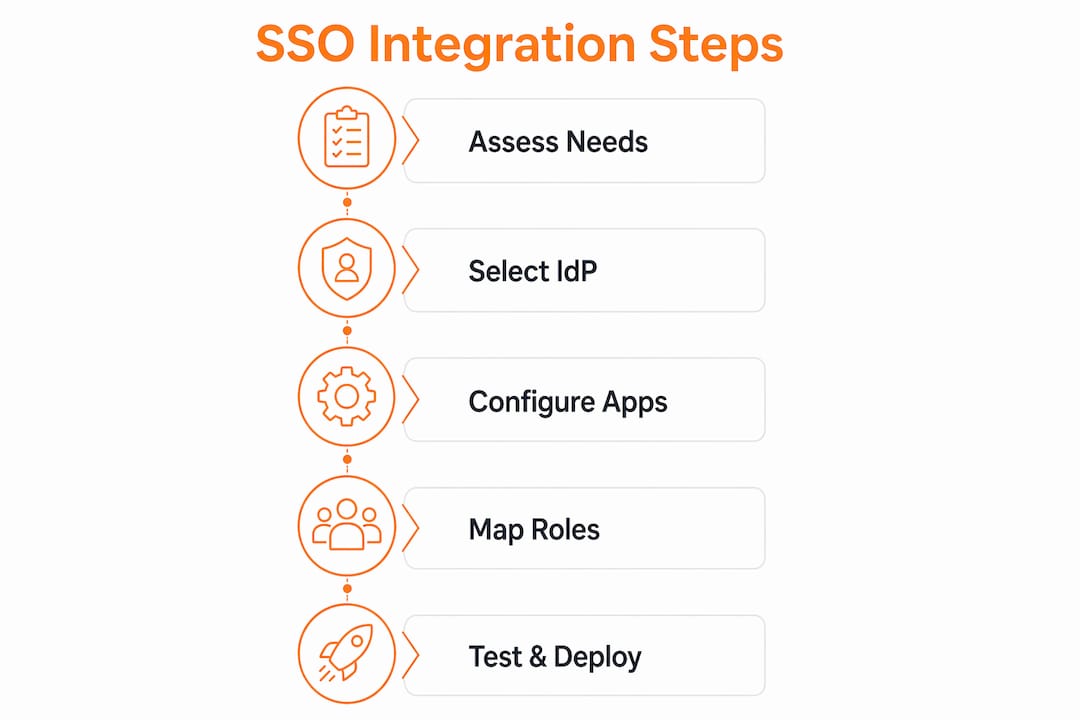
- Select your identity provider first. Microsoft Azure AD integrates natively with Microsoft 365, which most construction firms already use. Okta offers broader third-party application connectors and more granular conditional access policies. Evaluate based on your existing software stack, not on feature lists in isolation.
- Audit your application portfolio. Catalog every application your team uses and confirm which protocols each supports. SAML 2.0 is the safe assumption for enterprise tools. Cloud-native and mobile applications may require OIDC. Some legacy construction software may need a middleware SAML proxy.
- Enforce MFA at the IdP level before enabling SSO. Enabling SSO without MFA creates a single point of failure. Configure MFA as a required condition for all users before connecting any service providers.
- Isolate test and production environments. SSO testing requires strict environment separation to prevent token collisions and login conflicts between test accounts and live user sessions. Use distinct email domains or subdomains for test users.
- Configure role-based access claims in the IdP. Each application should receive only the role and permission claims it needs. Over-permissioned tokens create lateral movement risks if a session is hijacked.
- Plan user lifecycle management from day one. Define the process for provisioning new hires, modifying access when roles change, and deprovisioning departures. Automate where possible using SCIM (System for Cross-domain Identity Management) provisioning supported by most major IdPs.
- Document your SP configurations. Each service provider connection requires specific metadata, assertion consumer service URLs, and certificate management. Undocumented configurations become maintenance liabilities when certificates expire or applications update their SAML endpoints.
Comparing SSO solutions for construction project management
Not every identity provider fits every construction environment. The comparison below focuses on the three most commonly deployed options in construction IT.
| Provider | Best fit | Protocol support | Construction integrations | Scaling cost |
|---|---|---|---|---|
| Microsoft Azure AD | Firms already on Microsoft 365 | SAML, OIDC, WS-Fed | Broad, native Microsoft ecosystem | Included in M365 E3/E5 plans |
| Okta | Multi-platform environments | SAML, OIDC, SCIM | 7,000+ pre-built connectors | Per-user monthly pricing |
| Lightweight SAML providers | Small to mid-size subcontractors | SAML 2.0 | Limited, requires custom config | Lower entry cost |
Microsoft Azure AD is the default choice for construction firms already running Microsoft 365, SharePoint, or Teams for project communication. The licensing is bundled, and the integration with Windows-based field devices is native.
Okta’s strength is breadth. With over 7,000 pre-built application connectors, it handles mixed software environments where construction teams use a combination of specialized tools alongside general project management platforms. The per-user pricing scales predictably but adds up for large field workforces.
Lightweight SAML providers work for smaller subcontractors who need basic SSO without enterprise pricing. The trade-off is manual configuration for each service provider and limited support for advanced conditional access policies. For firms managing sensitive financial data or operating under compliance requirements, the enterprise options are worth the investment.
Key takeaways
SSO in construction is not optional for firms running integrated project management software. It is the authentication foundation that makes centralized security, fast provisioning, and cross-application access control possible.
| Point | Details |
|---|---|
| SSO definition | One authentication event grants access to all connected construction apps via IdP-issued tokens. |
| Security impact | SSO paired with MFA blocks up to 99.2% of credential-based attacks across all connected systems. |
| Operational gain | Employees recover up to 11 hours per year previously lost to password management overhead. |
| Implementation priority | Configure MFA at the IdP level before enabling SSO to avoid creating a single point of failure. |
| Provider selection | Match your IdP to your existing stack: Azure AD for Microsoft environments, Okta for mixed platforms. |
Why SSO adoption in construction is still behind where it should be
I have worked with construction IT teams long enough to know that SSO adoption in this industry lags behind comparable sectors by a meaningful margin. The reason is not technical. It is organizational. Construction firms run lean IT departments, project timelines dominate every resource conversation, and authentication infrastructure feels like a back-office problem until a breach makes it a front-page one.
The firms I have seen get this right share one habit: they treat SSO implementation as a project, not a task. They assign an owner, define a scope, and run it through the same rigor they would apply to deploying a new estimating platform. The firms that struggle treat it as something IT will “get to eventually” and end up with a patchwork of half-integrated applications and inconsistent MFA enforcement.
The other mistake I see repeatedly is deploying SSO without pairing it with adaptive MFA. Pairing SSO with adaptive MFA that uses device and behavior signals enhances security without sacrificing ease of use in construction workflows. A field worker logging in from a recognized device on a known network should face minimal friction. The same account logging in from an unrecognized device at 2 a.m. should face additional verification. That context-aware approach is what separates a well-configured SSO deployment from a false sense of security.
SSO has moved from a nice-to-have to an enterprise expectation, and construction is not exempt from that shift. The firms building that foundation now will have a measurable advantage in security posture, IT efficiency, and software integration capability over the next five years.
— Jen Reese
How Won2build connects your construction tools with one login
Won2build was built specifically for construction subcontractors who need multiple specialized tools to work as one system. The Won2build Hub platform connects Time Budge, CO Hub, Bid Track, and Takeoff under a single login, so your team authenticates once and moves between labor tracking, change order management, bid estimates, and digital plan quantification without re-entering credentials or losing data between applications.
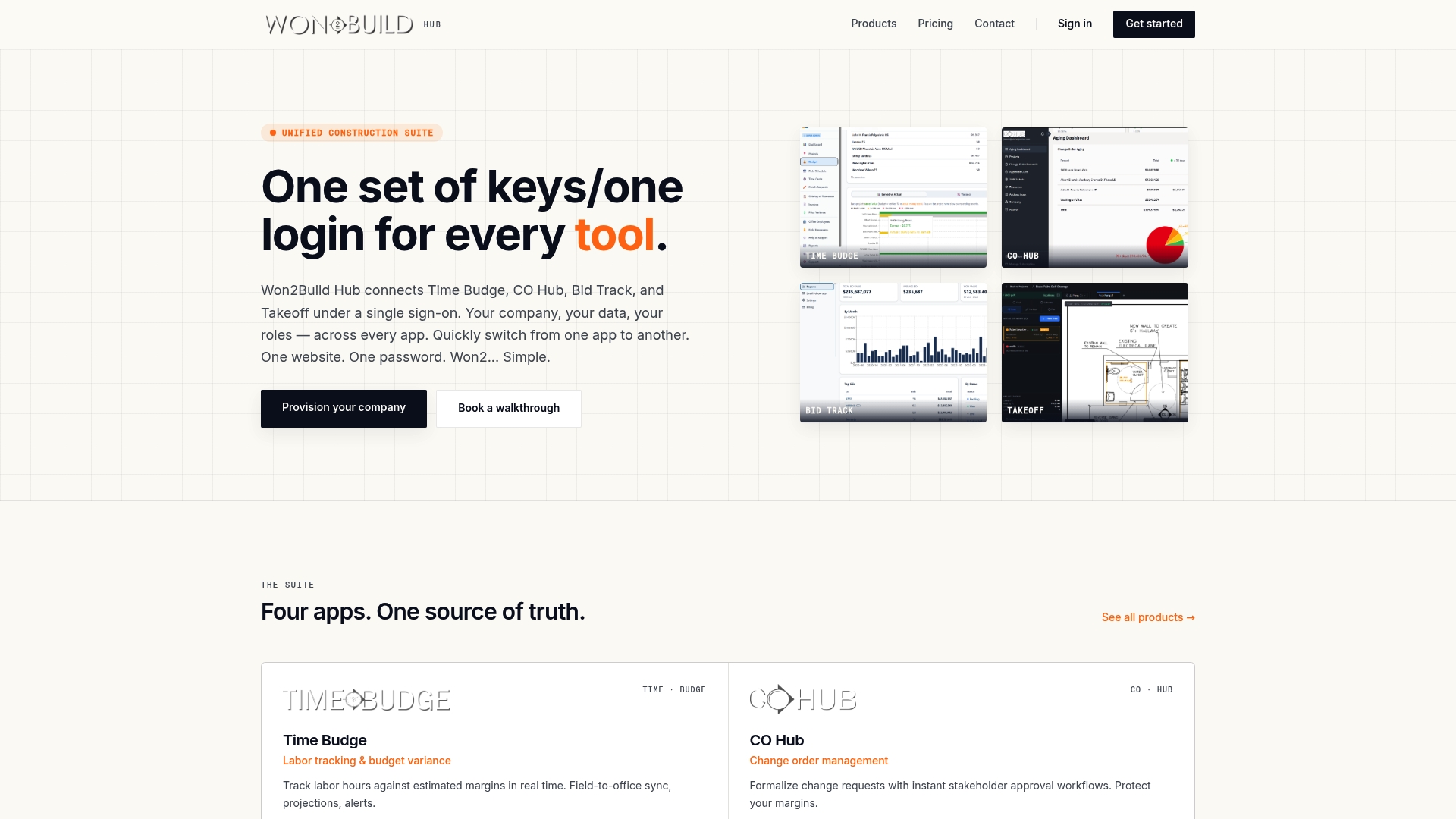
For IT teams managing access across field and office, Won2build’s architecture eliminates the provisioning overhead that comes with managing separate user accounts across disconnected tools. Real-time data synchronization means the access your team has in the office reflects instantly in the field. If you are evaluating integrated construction software that treats SSO as a core feature rather than an add-on, Won2build is built for exactly that requirement.
FAQ
What is single sign-on in construction?
Single sign-on in construction is an authentication system that allows project teams to access multiple software applications, such as estimating, change order, and time tracking tools, using one set of credentials verified through a central identity provider.
How does SSO improve security for construction firms?
SSO paired with MFA at the identity provider level blocks up to 99.2% of account compromise attacks and enables real-time access revocation across all connected applications when an employee leaves a project.
What protocols does SSO use?
SSO relies primarily on SAML 2.0 and OIDC (OpenID Connect) to issue signed tokens from an identity provider to connected applications, creating authenticated sessions without repeated logins.
Which identity provider is best for construction companies?
Microsoft Azure AD suits firms already using Microsoft 365, while Okta is better for mixed-platform environments with diverse application portfolios. The right choice depends on your existing software stack and team size.
Does SSO work with construction project management software?
Most enterprise construction platforms support SAML-based SSO configuration natively. Smaller or legacy tools may require OIDC connectors or middleware to integrate with a central identity provider.
Recommended
One login for estimating, bid tracking, change orders, and labor.
The Hub is free. Pay only for the apps you turn on.
Create your free Hub account- 7 Concrete Takeoff Steps Estimators Use to Avoid Ordering ShortfallsFollow seven concrete takeoff steps to calculate cubic yards, size rebar and formwork, convert volumes to supplier units, and verify quantities before bid...
- Are E-Signature Change Orders Legal and Worth the Switch?E-signature change orders streamline your workflow, ensuring faster approvals, fewer disputes, and quicker invoicing—discover the benefits now!
- How to Link Takeoff to Estimate for Accurate BidsLink your takeoff quantities to your estimate for accurate bids. Discover the seamless integration method that reduces errors and saves time.