
Top 4 Accu-Build.com Software Alternatives 2026
Discover the top 4 accu-build.com alternatives for improved project management and efficiency in subcontractor construction software.
Relying on outdated or fragmented subcontractor construction management software creates delays when integrating bids, field reports, and budget updates across multiple crews. Many incumbent platforms restrict critical automation, real-time data sync, or customizable trade-specific modules behind high minimum contracts or per-user fees that do not scale with growing teams. This comparison outlines pricing, automation, and feature coverage across four leading alternatives so you can match the right platform to your workflow and company size without vendor lock-in.
Table of Contents
- Won2Build Hub
- ConstructTrue
- Build IG.ai
- Procore
- Comparative Analysis: Construction Management Software Options
Won2Build Hub
At a Glance
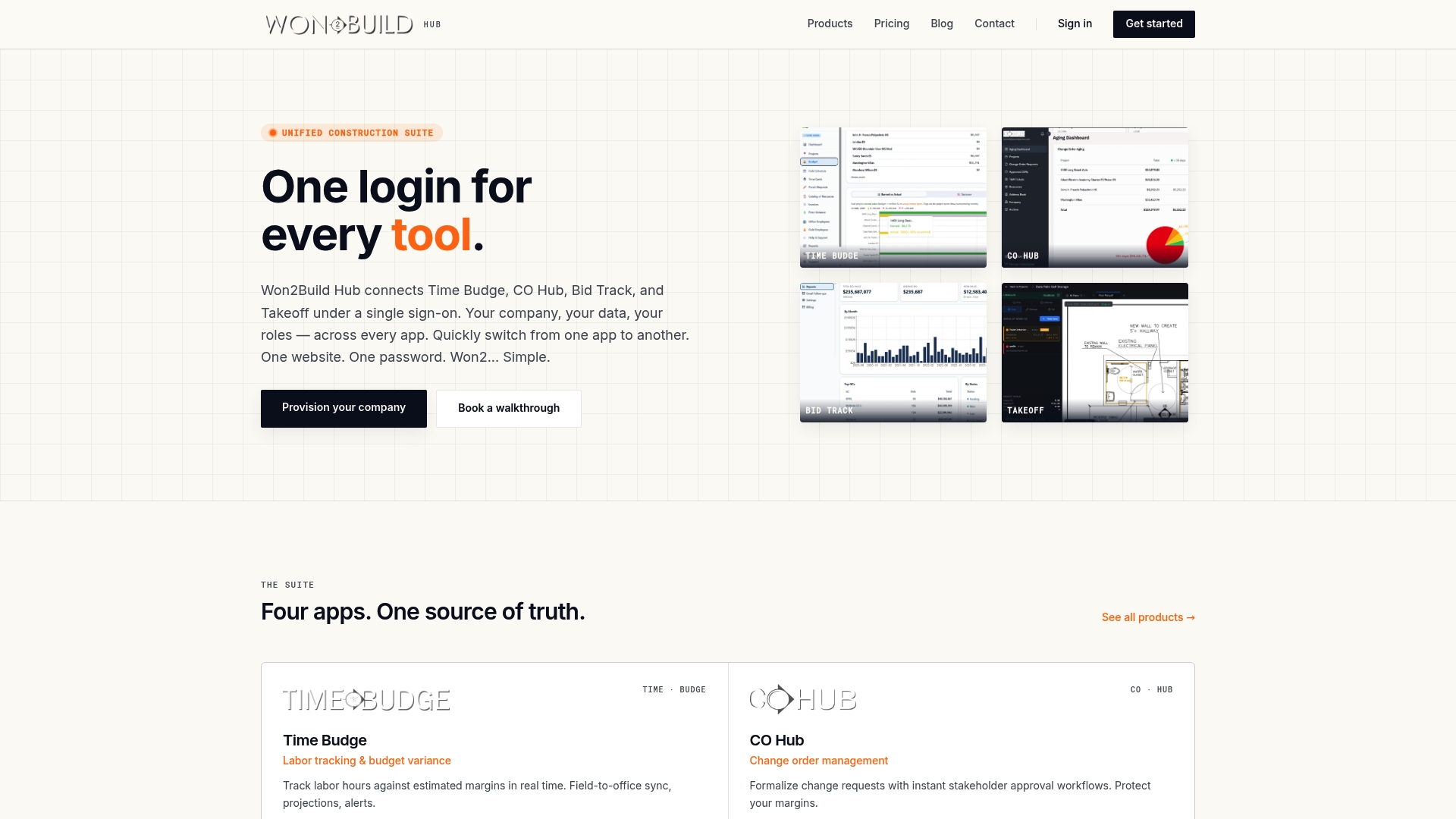
Takeoff and the Hub are always free while the full bundle starts at $400 per company per month. The suite links estimating, bid tracking, time capture, and change orders into one session so field updates appear in office budgets in near real time.
Core Features
Won2Build Hub gives you four purpose-built apps under one login: Time Budge, CO Hub, Bid Track, and Takeoff. Each app focuses on a construction workflow rather than generic project management.
- Real-time labor tracking and budget updates that reflect crew hours back to the office.
- Change order management with digital signatures to capture approvals on the jobsite.
- Estimating and bid pipeline automation to track opportunities and conversion status.
- Digital plan quantification and live progress tracking tied to estimates.
Key Differentiator
The platform’s single sign-on experience connects estimating, bid management, time capture, and change order workflows so information moves without double entry. That integration reduces reconciliation work between field and office and keeps budgets and schedules aligned during change events.
Pros
-
Integrated data flow reduces manual data entry. Field time recorded in Time Budge updates budgets and rollups automatically so your PM spends less time reconciling spreadsheets.
-
Built specifically for construction workflows. The apps use construction vocabulary and steps so foremen and estimators see familiar inputs rather than generic task boxes.
-
Pricing model favors companies over seats. There are no per-user fees and the bundle includes savings compared with buying apps individually.
-
Change orders captured with digital signatures in CO Hub shorten approval cycles and lower the risk of missed extras on closed projects.
-
Takeoff ties quantities to the bid pipeline. Estimators can move from measurement to a tracked estimate without exporting files.
Cons
- Teams new to digital construction tools will likely need training time and a short onboarding phase before workflows feel natural.
Who It’s For
If you are a subcontractor, estimator, project manager, or foreman handling multiple projects and you want field-collected data to drive bids and budgets, this fits. Won2Build Hub suits firms that prefer company-level pricing and want fewer systems to maintain.
Unique Value Proposition
No per-user fees combined with always-free Takeoff and Hub components changes the math for growing crews. The cost structure plus single sign-on makes adding foremen and field staff inexpensive while keeping data synchronized across estimating, time, and change order records.
Real World Use Case
A subcontractor estimates work in Bid Track, performs measurements in Takeoff, and sends crews who log hours in Time Budge. When a scope change occurs, CO Hub captures signatures on site and budgets update automatically so the superintendent and PM see the impact immediately.
Pricing
Bundle price is $400 per company per month. Individual apps range from $59 to $199 per company per month. Takeoff and the Hub components remain free. The vendor advertises no per-user fees and unlimited team members on company plans.
Website: https://won2build.com
ConstructTrue
At a Glance
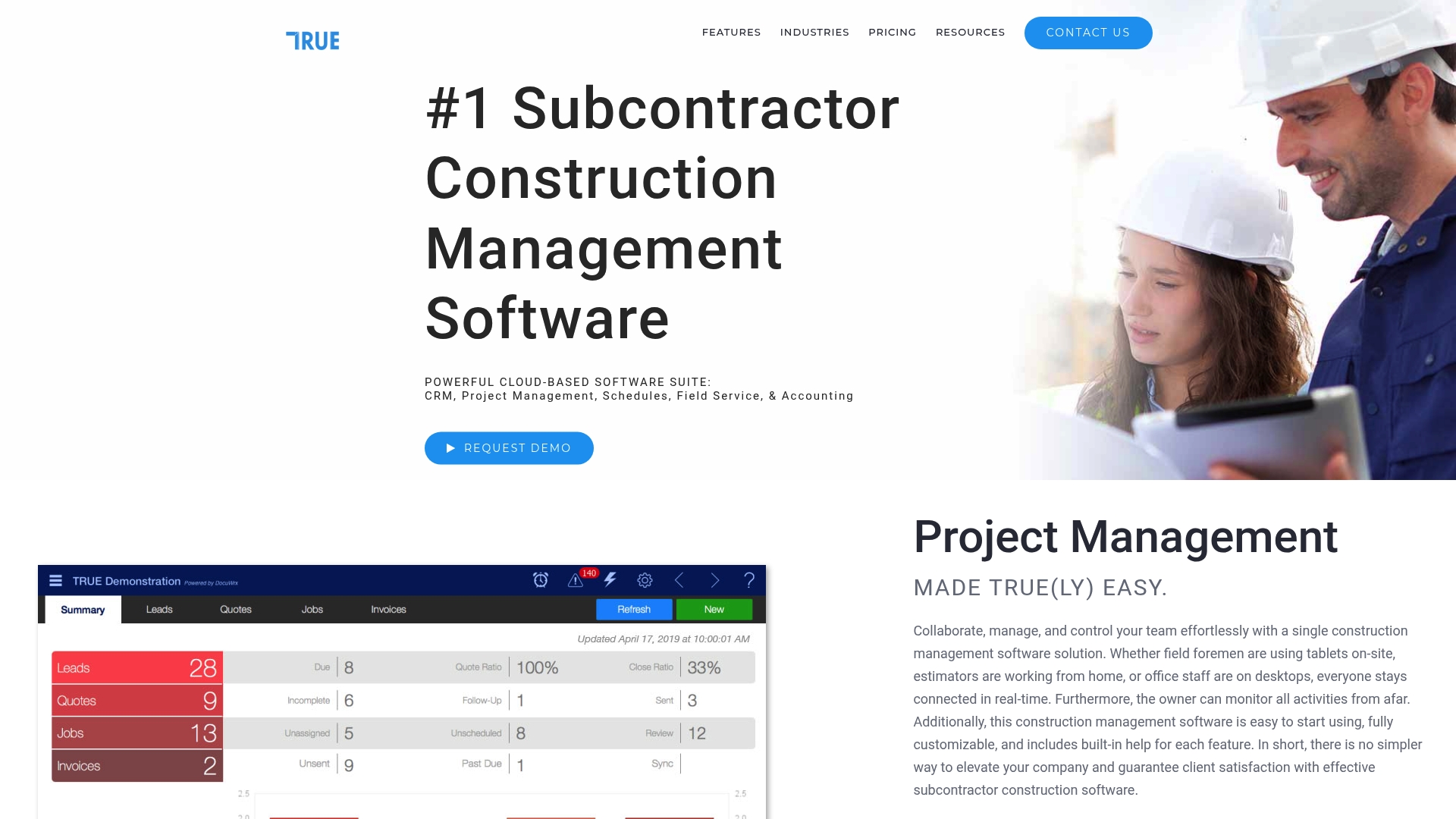
Starts at $99 per month for a single user with modular add-ons available. The vendor positions ConstructTrue as an all-in-one construction management suite built for subcontractors who need quoting, field reporting, inventory, and accounting sync in one place.
Core Features
Project management with real-time collaboration and a mobile field app that automates daily reports. Scheduling includes auto-assignment and push notifications for crews and supervisors.
- TRUE Field app for work tickets and daily field reports
- Job costing, WIP reporting, and invoicing tied to procurement
- Inventory control with barcoding and mobile scanning plus eSignatures for contracts
Key Differentiator
ConstructTrue emphasizes trade-specific modules for glass, fencing, paving, door hardware, and MEP work while bundling CRM, estimating, and accounting connectors. That vertical tilt reduces the need to bolt on niche add-ons for common subcontractor tasks.
Pros
-
Comprehensive feature set removes the need to stitch multiple point solutions. Office and field data live in the same record which reduces double entry.
-
QuickBooks and financial connectors let your accounting team close books faster because invoices and cost lines flow digitally into accounting software.
-
Automation such as AI autofill for bids and templated contracts speeds proposal cycles and reduces repetitive entry for frequent job types.
-
Mobile scanning and barcoding make inventory audits and material issue tracking practical for crews on site rather than back at the trailer.
Cons
-
The platform packs many modules which third-party reviews say can feel complex for new users. Expect a learning curve for admins and superusers.
-
Pricing details beyond the base tier appear limited in public materials, so large deployments will likely require a custom quote.
-
Support and documentation depth for highly specialized trades outside the main modules is reported as limited by some customers.
When It May Not Fit
If you run a tiny one or two person shop that only needs estimating and a simple invoicing flow, ConstructTrue’s breadth may be overkill. Also, firms needing highly specialized niche workflows not covered by the listed trade modules should check feature coverage before buying.
Notable Integrations
ConstructTrue connects to common finance and ops tools including QuickBooks, Stripe, and Sage Intacct. Other connectors listed are Mailchimp, Avaware, TOAD, and Liberty SMS which cover payments, ERP parts lookups, and messaging.
Who It’s For
Subcontractors and small to medium-sized construction firms that want a single system for leads, estimating, field reporting, inventory, and accounting integration. Best for multi-trade crews and companies ready to invest in setup and admin training.
Real World Use Case
A fencing contractor uses ConstructTrue to capture leads, generate quotes, assign crews from the office, collect daily field reports via the TRUE Field app, and sync invoices with QuickBooks. That flow cuts duplicate entry and shortens billing cycles.
Pricing
Subscription-based pricing starts at $99 per month for a single user. Additional modules and user seats carry extra charges and the vendor offers custom packages for larger deployments.
Website: https://constructtrue.com
Build IG.ai

At a Glance
Build IG.ai’s marketing materials claim 99.5% accuracy in automated quantity takeoffs and report time savings of more than 80 hours per bid. Those vendor figures position the product as a rapid takeoff and estimating engine for firms that already use digital plans.
Core Features
- Automated blueprint analysis and quantity takeoffs that export to standard estimating formats.
- AI-generated bills of materials and cost estimates with multiple analysis modes for full scope, trade specific, or description based estimates.
- Project timelines and scheduling updated in real time and a marketplace for vendor RFQs and subcontractor bids.
- MASON AI assistant for on demand code, material, and estimating support and AI document generation for quotes and invoices.
Key Differentiator
The product’s standout claim is that accuracy figure above. That accuracy claim, if it holds on your file types, reduces the typical manual cleanup after a takeoff and shortens estimate review cycles. Build IG.ai emphasizes verified results from senior quantity surveyors as its primary credibility signal.
Pros
- Significant bid prep speed. The time savings figure above gives estimators a defensible reason to shift early takeoffs to AI for repeatable scopes.
- Flexible analysis modes. Running a trade specific or a job description based estimate is faster than rebuilding a full scope from scratch.
- Export capability. Data can be moved into existing estimating software so you do not lose your current workflows.
- Built in vendor and subcontractor RFQ handling which helps centralize bid collection and comparison in one place.
- Continuous product updates are planned, including a mobile app and drone scanning features that expand input options over time.
Cons
- Limited input types. The tool requires digital blueprints to work best and has weaker support for non PDF drawings despite accepting DWG and DXF.
- Complex projects still need manual adjustments after AI analysis, especially where drawings are nonstandard.
- Price point. Annual subscriptions start at a level that may be steep for sole practitioners or very small subcontractors.
- Reliance on digital detail. Sparse or ambiguous project descriptions degrade output quality and raise review overhead.
When It May Not Fit
Firms that still rely heavily on scanned hand markups or hard copy plans will not get full value. If your work routinely includes bespoke architectural details or one off assemblies the AI outputs will often need significant manual correction.
Who It’s For
Estimators, general contractors, project managers, and subcontractors who already use digital plan files and want to shift early takeoffs from manual work to a machine assisted process. Best suited to firms running frequent repeatable projects or handling many competitive bids.
Real World Use Case
A general contractor uploads commercial plans and receives a bill of materials and a preliminary cost estimate in under 15 minutes. The estimator reviews flagged areas, exports quantities into the firm’s spreadsheet, and delivers a bid faster while keeping the original estimating templates intact.
Pricing
Build IG.ai offers a free seven day trial. Paid plans range from about $1,790 per year for Essential to approximately $4,400 per year for Premium to match different firm sizes and bid volumes.
Website: https://buildig.ai
Procore
At a Glance
Pricing bundles include unlimited users and unlimited data storage, which removes per-seat fees as teams grow. The vendor advertises that Procore has been used on more than 3 million projects and connects to over 500 partner apps; that adoption claim appears across its marketing.
Core Features
Procore groups tools to manage work from preconstruction to closeout and ties field teams to office functions.
- AI-powered insights and automation for proactive risk signals and reporting.
- Project planning, safety, quality, and cost control modules working against a single project record.
- Mobile access that lets foremen and superintendents update RFIs, submittals, and punch lists on site.
- Custom workflows and real-time collaboration across companies to reduce duplicated data entry.
Key Differentiator
A unified platform that combines wide module coverage with enterprise-grade training and support. Procore’s scale and included unlimited users suit mid to large firms that need a single source of truth across many projects. That scope is narrower for specialty subcontractors who prefer focused point tools and lighter onboarding like Won2Build’s four-app suite.
Pros
- Central project records cut down on misplaced documentation and keep owners, GCs, and subs aligned across sites.
- Strong training program and dedicated customer support reduce ramp time for large teams.
- Mobile functionality supports on-the-go approvals and field reporting, which keeps daily logs and photos current.
- Templates and bidding tools speed the RFI, submittal, and bid workflows for repeatable packages.
- AI and analytics give managers early warning on cost trends and schedule risk when compared with historic project data.
Cons
- The platform has a steep learning curve; new users report significant training time before proficiency.
- Pricing is custom and reported as high by some smaller firms, which can block adoption at the subcontractor level.
- Users occasionally report bugs or downtime, which disrupts field-office sync on critical days.
- Certain financial workflows and advanced integrations lack the flexibility some accounting teams expect.
When It May Not Fit
If you run a small specialty subcontractor business and want light, app-specific tools that mirror field workflows without heavy setup, Procore is likely more than you need. If your finance team requires highly flexible ledger workflows or your IT budget is constrained, look elsewhere.
Notable Integrations
- Bluebeam
- Microsoft Project
- Oracle Primavera P6
- Sage 100 Contractor
- Smartsheets
- Zoom
Who It’s For
Mid to large sized construction companies, owners, and project managers who need an integrated platform with enterprise support and the ability to manage many stakeholders across multiple simultaneous projects.
Real World Use Case
A major commercial contractor uses Procore to coordinate architects, subs, and owners across several towers. Project financials, safety logs, and field photos live in one record, and AI reports flag cost variance trends before they become change orders.
Pricing
Pricing is custom and based on product scope and project volume. The vendor describes fixed and predictable pricing models that include unlimited users and data storage, so expect a proposal tailored to your portfolio size rather than a published per-seat rate.
Website: https://procore.com
Comparative Analysis: Construction Management Software Options
When evaluating construction management software for subcontractors, factors like workflow integration, feature scope, and customization are crucial. Here, we compare the offerings of Won2Build Hub, ConstructTrue, Build IG.ai, and Procore to determine their strengths and appropriate use cases.
Integration and Workflow Efficiency
Won2Build Hub excels in providing an integrated suite that spans estimating, bid tracking, time tracking, and change order management through a unified interface. This reduces data reconciliation efforts, a significant pain point for multitasking subcontractors. However, Procore also provides cohesion across multiple construction workflows but with a focus suitable for larger firms handling broader projects. For individuals emphasizing bid preparation, Build IG.ai’s automated blueprint analyses offer specialized efficiency through its advanced AI features, albeit requiring digital-native input formats.
Feature Scalability and Customization
ConstructTrue’s approach in offering trade-specific modules benefits subcontractors with unique needs. Its customization options for fields like glass, fencing, and paving work provide directly relevant tools, reducing the need for third-party add-ons. By comparison, Procore’s extensive module suite suits larger companies seeking enterprise-level tools, though smaller operations may find it unwieldy or cost-prohibitive. Won2Build Hub’s consistent pricing model per company, rather than per user, offers scalability for growing firms without incremental user expenses.
Best Fit Scenarios
- Won2Build Hub: For subcontractors managing integrated workflows spanning bidding, labor tracking, and change orders, particularly those wanting a team-friendly pricing model.
- ConstructTrue: For those needing trade-specific functionalities or tighter integration with finance and inventory controls;
- Build IG.ai: For subcontractors prioritizing AI-accelerated takeoffs and material estimation workflows that complement existing digital processes;
- Procore: For larger companies coordinating multiple teams and projects across stakeholder-heavy environments.
Our Pick: Won2Build Hub
Won2Build Hub stands out due to its pricing simplicity and its construction-specific apps that address core subcontractor workflows. That said, highly specialized trade operations or larger enterprises may benefit more from ConstructTrue’s modules or Procore’s scale. Firms should align their choices with their workflow needs to maximize software compatibility.
Subcontractor Construction Management Software Comparison
Explore software options that streamline construction workflows, enhance field-office integration, and optimize bid and cost management.
| Product | Key Features | Differentiator | Best For | Pricing | Notable Limitation |
|---|---|---|---|---|---|
| Won2Build Hub | Integration of estimating, time tracking, workflows | Unified platform connecting all workflow data | Subcontractors managing multiple projects | Starts at $400/month company-wide | Training phase required for adoption of digital tools |
| ConstructTrue | Field app, scheduling, accounting sync | Dedicated trade-specific modules | Small to medium subcontractor firms | Starts at $99/month per user | Complexity for new users |
| Build IG.ai | Automated quantity takeoffs, AI support | Emphasis on accuracy and speed for digital files | Contractors seeking rapid and precise estimation | From $1,790/year | Limited support for non-digital blueprints |
| Procore | Comprehensive project management suite | Unlimited user licenses and broad integration options | Larger firms with extensive portfolios | Custom pricing | Higher cost and onboarding requirements |
Discover a Focused Alternative to Accu-Build.com for Construction Subcontractors
If managing complex construction workflows feels overwhelming with Accu-Build.com alternatives, Won2build offers a targeted solution designed specifically for subcontractors. Won2Build Hub integrates four core apps—Time Budge, CO Hub, Bid Track, and Takeoff—under one login. This eliminates repetitive data entry while providing real-time labor tracking, bid management, and digital plan quantification that keep field and office budgets in sync.
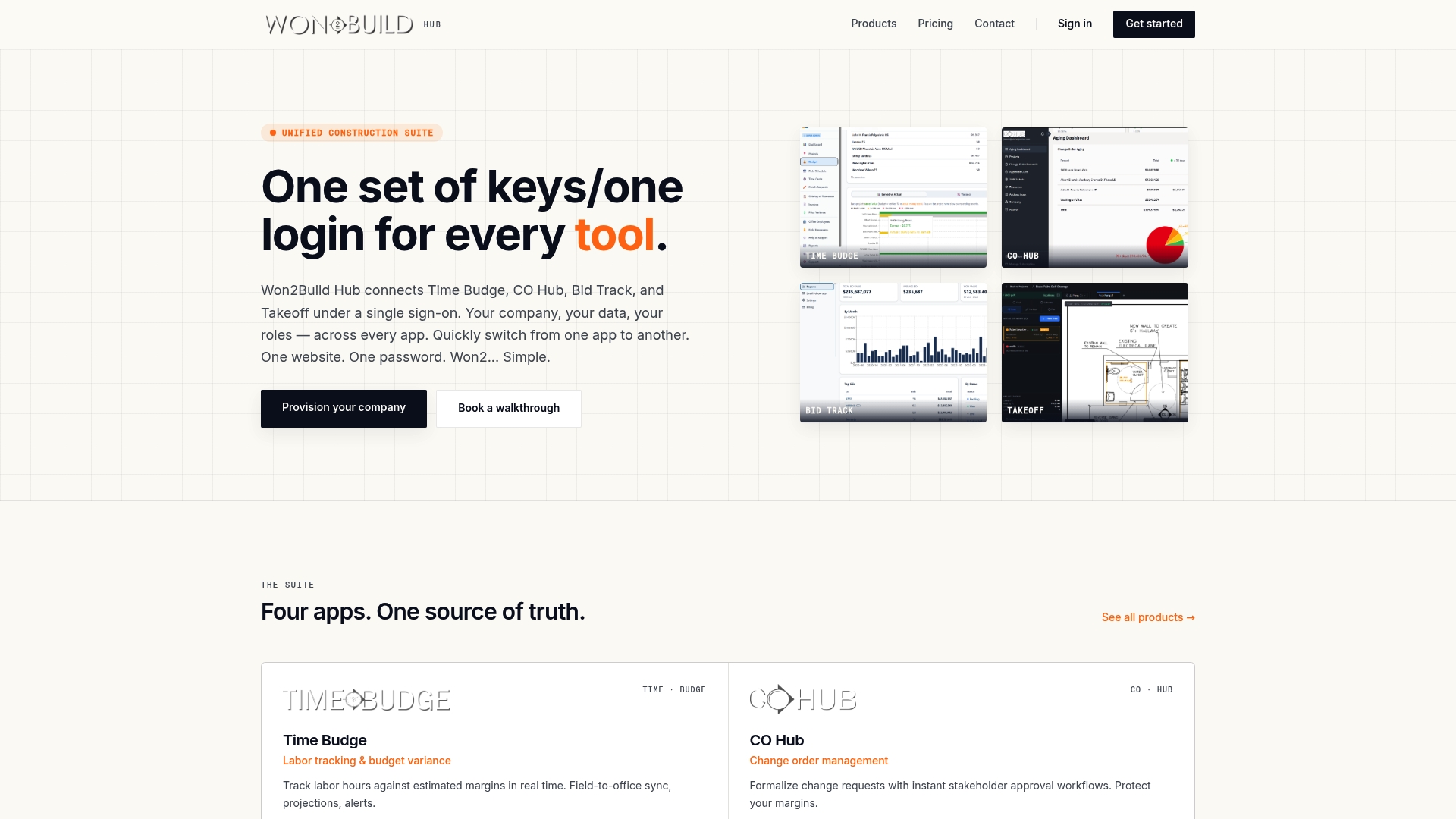
Experience how Won2build reduces reconciliation headaches and protects your profit margins by uniting your estimating and project tracking. Visit Won2Build Hub to see how you can import your bid data and have live budget updates reflecting crew hours on site instantly.
Frequently Asked Questions
How does Won2Build’s pricing compare for larger teams?
Won2Build has a pricing model that starts at $400 per company per month, with no per-user fees, making it cost-effective for larger teams. This structure allows unlimited team members and includes savings compared to purchasing applications individually. If you’re looking to scale without incurring additional costs, Won2Build is an excellent option.
What is the difference between Won2Build and ConstructTrue in terms of project management capabilities?
ConstructTrue excels with its modular approach that offers various trade-specific modules, making it suitable for specific fields like glass or fencing. Won2Build, on the other hand, integrates all its functionalities under one platform for comprehensive construction workflow management, reducing the need for multiple solutions. Consider switching to Won2Build if your focus is on an all-encompassing system without the complexity of multiple modules.
Which platform offers easier change order management during projects?
Won2Build simplifies change order management by allowing digital signatures directly in its CO Hub, thus shortening approval cycles and mitigating the risk of missed extras. This feature is particularly beneficial for contractors who manage multiple scopes and need real-time updates. If change management is critical for your operations, Won2Build stands out as the effective choice.
Can I use Won2Build if my team is new to digital construction tools?
Yes, Won2Build can be utilized by teams new to digital construction tools, although a brief onboarding phase may be necessary to get accustomed to its features. The platform is designed for construction workflows, making it user-friendly despite the initial learning curve. Starting with Won2Build can ease your team into adopting digital tools effectively.
How does Won2Build handle real-time labor tracking and budget updates?
Won2Build offers real-time labor tracking through its Time Budge app, enabling crew hours to update budgets automatically. This functionality allows project managers to spend less time reconciling data and ensures accurate financial monitoring. Utilizing Won2Build means you can keep project finances aligned with labor efforts efficiently.
Recommended
One login for estimating, bid tracking, change orders, and labor.
The Hub is free. Pay only for the apps you turn on.
Create your free Hub account- How to Compare Plan Revisions and Control Estimate ChangesA practical guide for commercial subcontractors on comparing plan revisions, catching scope changes, and keeping estimates and change orders in step.
- Drywall Takeoff Basics: A Step-by-Step Guide for SubsLearn drywall takeoff basics: how to measure walls and ceilings, deduct openings, convert to sheets, set waste and finish levels, and avoid costly misses.
- How to Reduce Profit Fade on Subcontractor JobsProfit fade usually starts in the field and hides until closeout. Here is how subcontractors can catch it weekly and protect the margin they bid.