
Takeoff & field progress in one tool
From plans to progress — in one tool.
Upload your plans, draw your takeoffs, and track real field progress against them — without juggling five apps and a spreadsheet. The fastest way to turn a set of drawings into measurable scope, live field progress, and a clean BidTrack push.
Estimating shouldn't end at the bid.
Most takeoff tools stop the moment you win the job. Your scope lives in a PDF, your progress lives on a clipboard, and your billing lives in someone else's head. By the time numbers reach the office, they're already a week old.
Takeoff closes the loop. The same polygons you drew to bid the job become the polygons your crew paints in the field — so quantities, percent complete, and earned value all stay in sync, automatically.
Three steps. No spreadsheets.
Drop your plans in
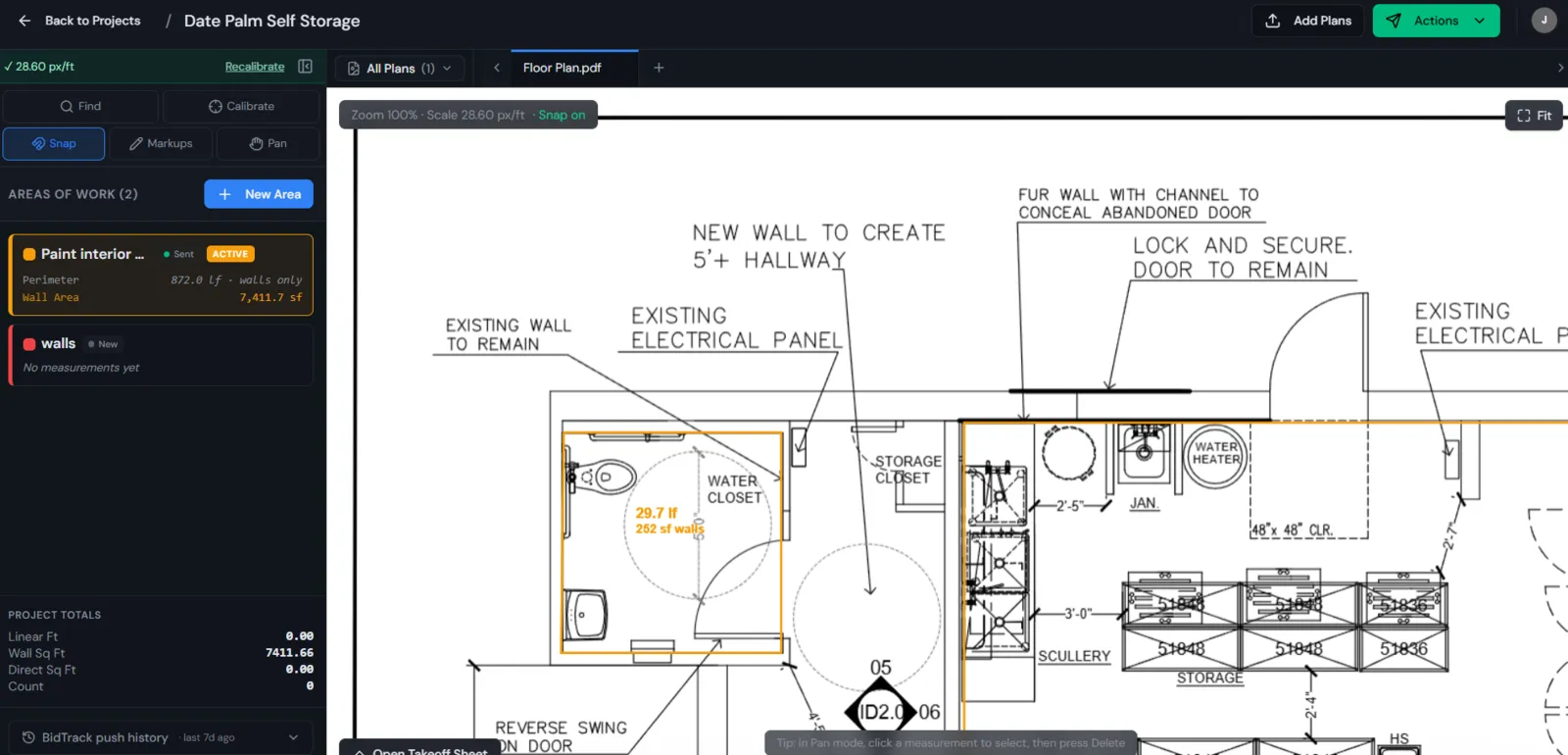
PDFs split into pages automatically. Calibrate scale once and every polygon you draw is measured in real square feet.
Take off the scope
Trace areas, counts, and linear runs with snap-to-grid precision. Each shape becomes a row with auto-calculated quantities you can label, group, and export.
Track progress in the field
On a tablet, your crew picks a stage — Form, Pour, Finish, Cure — and paints what's complete. Earned value updates instantly against your stage budgets.
Built for the plan and the jobsite.
Plan-aware takeoffs
Calibrated polygons, counts, and linear measurements right on the drawing. No more scaling rulers or screenshots.
Stage-based progress
Define stages once (Form, Pour, Finish, whatever your trade needs). Crews mark progress per stage; percent complete and earned value calculate themselves.
Offline-ready field work
Job sites lose signal. Takeoff doesn't lose your work. Progress syncs the moment you're back online.
One-click BidTrack push
Send areas, quantities, and progress straight into BidTrack as a synced bid. No re-keying, no CSV imports.
Team & permissions
Invite your estimators, PMs, and foremen. Admins control who sees what — and can revoke access company-wide in one click.
Live collaboration
Two people on the same plan? See each other's cursors and edits in real time.
Part of one connected job.
One scope, end to end.
If you measure it and build it, Takeoff fits.
- General contractorswho want their bid scope and field progress to be the same numbers
- Concrete, drywall, paint, and flooring subswho live in square footage and need fast, defensible takeoffs
- Estimatorstired of re-tracing the same plan three times for bid, billing, and progress
- Project managerswho need percent complete that didn't come from a guess
Native BidTrack sync.
Areas, quantities, and progress push as a structured bid update — no spreadsheets in between. More integrations coming online.
Quick answers.
- Do I need to install anything?
- No. Takeoff runs in your browser on desktop and tablet. Crews in the field use the same link as the office.
- What file types can I upload?
- Multi-page PDFs and common image formats. PDFs are split into individual sheets automatically.
- Does it work offline?
- Yes. Field progress is captured locally and syncs the moment you're back online.
- How does it talk to BidTrack?
- Through a direct, authenticated push from the project workspace. Configure your BidTrack URL and key once in Settings, then it's a one-click send from any project.
- Can I invite my team?
- Yes — unlimited team members per company. Admins control access and can remove anyone in one click.
- Who owns the data?
- You do. Your drawings, takeoffs, and progress are yours; export anytime.
Stop redrawing the same job three times.
Bid it once. Build against it. Bill from it. Takeoff makes the polygon on day one the same polygon you're tracking on day ninety.
Takeoff — measure it. Build it. Track it. Done.