
How to Track Multiple Bids Simultaneously in 2026
Learn how to track multiple bids simultaneously with effective tools and strategies to streamline your bidding process in 2026.

Simultaneous bid tracking is the practice of managing multiple subcontractor bid records within a centralized system that supports bulk actions, real-time status updates, and organized filtering across an entire bid pipeline. For construction project managers and estimating professionals, the ability to track multiple bids simultaneously is the difference between a controlled bidding cycle and a chaotic one where deadlines slip and pricing decisions get made on incomplete data. The main productivity bottleneck in multi-bid management is administrative re-entry and repetitive updates, and the right software eliminates that bottleneck entirely. This guide covers the tools, workflows, and strategies that make managing dozens of bids at once both accurate and fast.
What tools and features let you track multiple bids simultaneously?
Bid management software is the recognized industry term for platforms built to handle simultaneous bidding management at scale. Spreadsheets can work for three or four bids. They break down fast when you are juggling 20 subcontractor packages across two active projects.
The core feature that separates dedicated bid management software from a spreadsheet is multi-select with bulk edit. ConstructionOnline supports multi-select and bulk edit capabilities that let users update bid status, deadlines, and owners across multiple records in a single action. That means a project manager can close out 15 bids after a contract award without opening each record individually.
Tags and filters are the second critical feature. Tags and filters within bid tracking tools allow you to organize bids by trade, project phase, and workflow status for fast group management. When you need to see every electrical bid across three active projects, a single filter pull replaces 20 minutes of manual sorting.
Here is how dedicated software compares to spreadsheet-based tracking across the features that matter most:
| Feature | Spreadsheet | Dedicated bid management software |
|---|---|---|
| Bulk status updates | Manual, row by row | Multi-select and apply in one action |
| Real-time collaboration | Version conflicts common | Live sync across team members |
| Tagging and filtering | Limited, manual formulas | Built-in tag and filter system |
| Reporting and export | Manual formatting required | One-click Excel export or dashboard report |
| Deadline alerts | No native alerts | Automated notifications to bid owners |
Key capabilities to prioritize when evaluating multi-bid tracking tools:
- Multi-select and bulk edit to update status, deadlines, or owners across many bids at once
- Tag-based organization by trade, project phase, or bid package type
- Real-time dashboards showing bid pipeline status without manual refresh
- Excel export for generating spreadsheets from bid data for detailed offline analysis
- Integration with estimating tools so bid data flows directly into cost models
How to set up and organize multiple bids for real-time tracking
Getting the setup right before a bidding cycle opens saves hours of cleanup later. The goal is a structure where every bid has an owner, a deadline, a status, and at least one tag before it enters the active pipeline.
Follow these steps to build a tracking structure that holds up under volume:
- Create a master bid list with one record per subcontractor package. Include the trade, project name, bid due date, and the estimator responsible.
- Assign bid owners immediately. Every bid record needs a named person accountable for updates. Unowned bids go stale fast.
- Apply tags at creation. Tag each bid by trade (electrical, mechanical, concrete) and project phase (schematic, design development, GMP). This makes filtering instant later.
- Set status fields consistently. Use a fixed set of statuses: Invited, Received, Under Review, Awarded, Declined. Inconsistent status labels are the single most common cause of reporting errors.
- Configure deadline alerts. Set automated notifications to fire 48 hours before a bid due date so owners have time to follow up with non-responsive subcontractors.
- Run a weekly pipeline review. Pull a filtered view of all bids in “Invited” or “Under Review” status and confirm each has a recent update. This catches stalled bids before they become missed deadlines.
Effective multi-bid tracking relies on both strong software capabilities and disciplined workflow setups, including tagging, ownership, and deadline management. The software handles the mechanics. The workflow discipline is on your team.
Pro Tip: Create a bid template with pre-filled tags, status fields, and owner assignments for each recurring trade package. When a new project opens, duplicate the template and update the project name. Setup time drops from 30 minutes to under five.

How do you compare and analyze multiple bids at the same time?
Bid comparison, also called bid tabulation, is the process of evaluating competing subcontractor proposals side by side on price, scope, schedule, and qualifications. Done manually in a spreadsheet, it is slow and error-prone. Done inside bid management software with built-in comparison views, it becomes a 15-minute task.
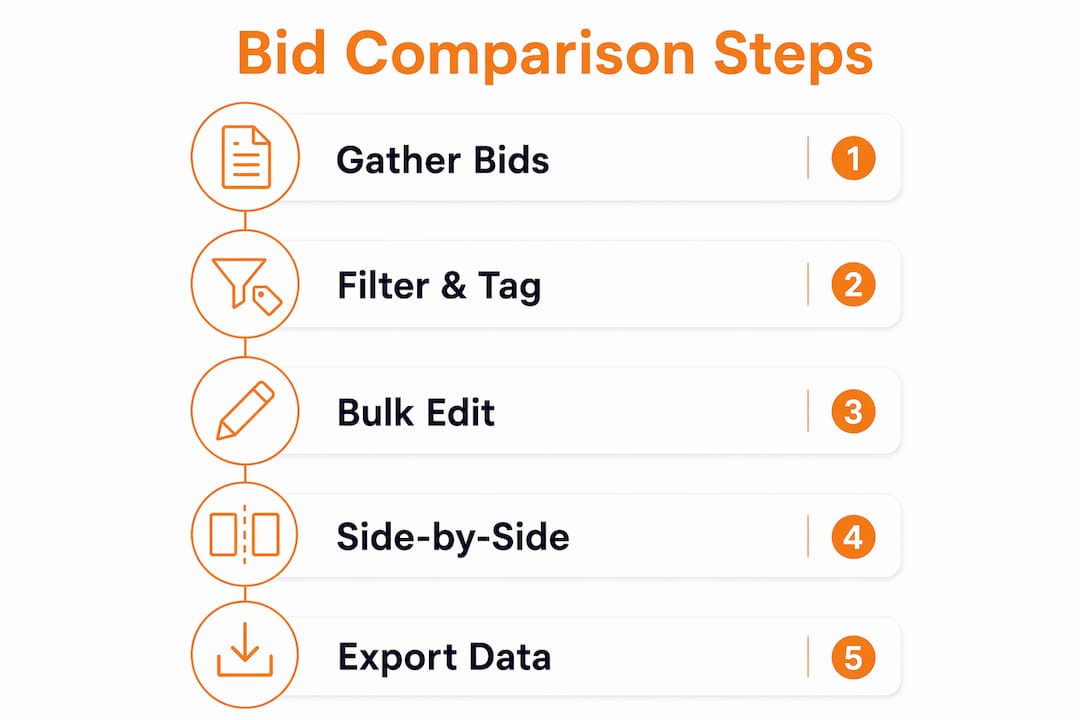
Excel export options enable generation of spreadsheets from bid data for detailed reporting and analysis outside the platform. This matters because some stakeholders want a formatted document for a decision meeting, not a software login.
The most effective comparison workflow uses three layers:
| Comparison layer | What to evaluate | Tool or method |
|---|---|---|
| Price | Base bid, alternates, unit prices | Side-by-side bid tab in software or Excel |
| Scope | Inclusions, exclusions, clarifications | Checklist review against bid package scope |
| Qualifications | License, bonding, past project experience | Prequalification database or manual review |
When filtering bids for a comparison meeting, pull only bids in “Received” status and tag them as “Under Review” before the session starts. This prevents double-counting and keeps the pipeline status accurate in real time.
Additional practices that improve bid analysis quality:
- Score bids against weighted criteria. Assign weights to price, schedule, and qualifications. A bid that is 5% higher on price but 20% stronger on schedule may be the better value.
- Flag outliers automatically. Software analytics can identify bids that fall more than 15% above or below the median, which signals either a scope gap or a pricing error worth investigating.
- Generate a comparison report before every award meeting. A formatted report forces the team to review all bids on the same criteria rather than defaulting to the lowest number.
Construction bidding software platforms help manage the complexity of multiple bids by centralizing tracking to improve win rates and budgeting accuracy. That centralization is what makes side-by-side analysis possible without rebuilding a spreadsheet from scratch every time.
Common mistakes when managing multiple bids simultaneously
The most damaging errors in simultaneous bid management are not dramatic. They are quiet: a status field that never gets updated, a deadline that slips because no one owned the follow-up, a bid that gets awarded twice because two estimators were working from different versions of the pipeline.
The most frequent pitfalls, and what causes each one:
- Partial updates. An estimator updates 12 of 15 bids after a scope change and misses three. Those three now carry incorrect data into every downstream report. Bulk operations reduce the risk of partial or inconsistent updates by applying changes across all selected records at once.
- Inconsistent status labels. When one person uses “Pending” and another uses “In Review” for the same stage, filtered reports become unreliable. Standardize your status vocabulary before the first bid goes out.
- No bid ownership. Bids without assigned owners get updated last, or not at all. Every record needs a named person.
- Over-tagging. Adding 10 tags to every bid sounds organized. It creates filter noise. Limit tags to three categories: trade, project phase, and priority level.
- Ignoring deadline alerts. Automated alerts only work if someone acts on them. Assign a specific team member to review and respond to all bid deadline notifications.
“The administrative overload of managing bid volume without bulk edit features is not a minor inconvenience. It is the primary reason estimating teams miss bid deadlines and award contracts on incomplete information.”
Automating repetitive updates through bulk edit features is the key to scaling bid management without increasing errors or time spent. That is not a feature preference. It is a workflow requirement once your bid volume crosses 10 active packages.
Advanced strategies for optimizing bid tracking at scale
Once your baseline workflow is solid, the next level of bid tracking efficiency comes from integration and automation. Platforms that connect bid tracking directly to estimating and takeoff tools eliminate the manual transfer of quantities and pricing between systems.
Integrating bid tracking with estimating and takeoff solutions enhances workflow continuity and decision speed, especially when bids are numerous and complex. Won2Build’s Bid Track connects directly with the Takeoff tool so that digital quantity takeoffs feed directly into bid estimates without re-entry. That connection removes one of the most common sources of estimating error: transcription mistakes between systems.
Pro Tip: Set up a real-time dashboard filtered by project and bid status as your default view when you open the software each morning. A 60-second scan of that dashboard replaces a 15-minute status email chain.
Additional advanced practices worth building into your workflow:
- Automate subcontractor follow-up notifications. Configure alerts to fire automatically when a bid invitation has not received a response within five business days.
- Use dashboard analytics to spot capacity issues. If one estimator owns 18 active bids and another owns four, the workload imbalance shows up immediately in a dashboard view.
- Connect bid data to budget tracking. When awarded bids feed directly into project budget models, the gap between estimated and committed costs becomes visible in real time. Won2Build’s project budget tracking integration makes this connection without manual export.
- Review bid cycle performance monthly. Track metrics like average time from invitation to receipt, bid response rate by trade, and award rate. These numbers tell you where your process is losing time.
Platforms like BidPulse demonstrate where the market is heading: live dashboards, real-time bid updates, and secure transaction handling built for high-volume simultaneous bidding environments. The direction is clear. Manual tracking is not a long-term strategy for any estimating team managing more than a handful of packages at once.
Key takeaways
Efficient simultaneous bid tracking requires centralized software with bulk edit, tagging, and real-time reporting, combined with disciplined workflows that assign ownership and standardize status fields before bidding opens.
| Point | Details |
|---|---|
| Bulk edit is non-negotiable | Updating bids one by one creates partial updates and data errors at volume. |
| Tags and filters replace manual sorting | Organize every bid by trade, phase, and priority before the cycle opens. |
| Bid comparison needs structure | Use weighted scoring and a formatted report, not just a lowest-price review. |
| Ownership prevents stalled bids | Every bid record needs a named person accountable for updates and follow-up. |
| Integration multiplies efficiency | Connecting bid tracking to takeoff and budget tools removes re-entry errors entirely. |
What I have learned from watching estimating teams hit their limits
By Jen Reese
The teams that struggle most with bid volume are not the ones using bad software. They are the ones using decent software badly. I have watched estimating departments invest in capable platforms and then replicate their old spreadsheet habits inside them: no tags, no ownership fields, no bulk actions, just a digital version of the same manual process.
The turning point I see most often is when a team loses a bid award because two estimators were working from different versions of the pipeline. That moment makes the case for centralized, real-time tracking better than any feature demo. It is not about the tool. It is about the discipline to use the tool the way it was designed.
My honest recommendation: before you evaluate any new software, map your current workflow and identify where bids go stale. Is it at the invitation stage? The follow-up stage? The comparison stage? The answer tells you which features to prioritize. A team that loses bids at the follow-up stage needs automated alerts more than it needs a better comparison view.
The other thing I would push back on is the instinct to over-engineer the tagging system. Three tag categories, applied consistently, beat 10 tag categories applied inconsistently every time. Simplicity that gets used is worth more than sophistication that gets ignored.
— Jen Reese
Track and win more bids with Won2Build Bid Track
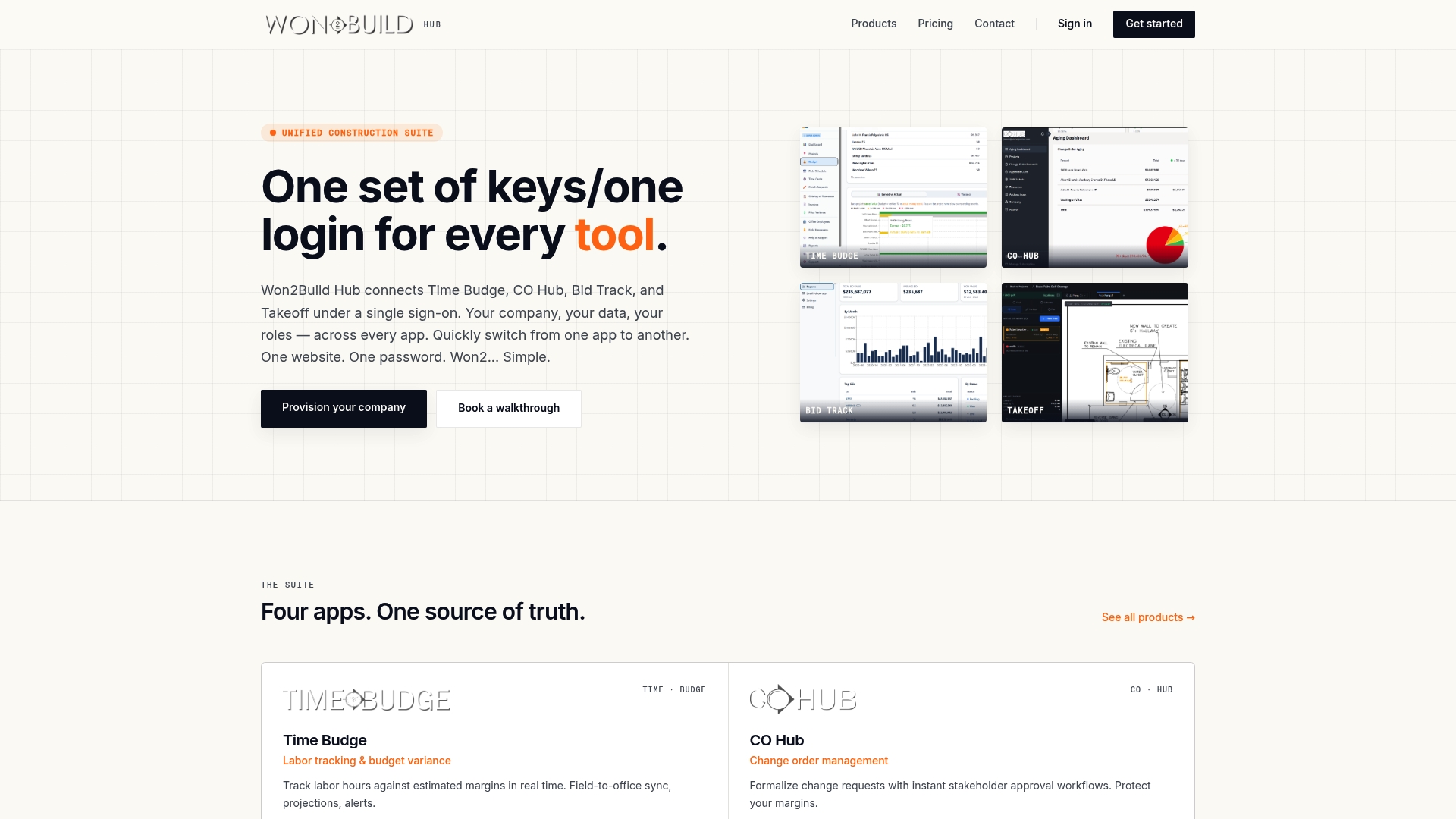
Won2Build’s Bid Track is built specifically for construction subcontractors who need to manage multiple bid packages without drowning in administrative work. The platform supports multi-select and bulk edit across your entire bid pipeline, tag-based organization by trade and project phase, and real-time status dashboards that give your whole team a single source of truth. Bid Track integrates directly with Won2Build’s Takeoff and CO Hub tools, so data moves between estimating, bidding, and change order management without re-entry. If your team is managing more than 10 active bid packages at any point in a project cycle, Bid Track is the tool that keeps the process from breaking down. Explore Bid Track and see how it fits your workflow.
FAQ
What does it mean to track multiple bids simultaneously?
Tracking multiple bids simultaneously means managing numerous subcontractor bid records within a centralized system that supports bulk status updates, real-time filtering, and organized deadline monitoring across an entire active pipeline at once.
What is the most important feature for managing multiple bids at once?
Bulk edit is the most critical feature. It allows project managers to update status, deadlines, and ownership across many bid records in a single action, which prevents the partial updates and data inconsistencies that occur with record-by-record editing.
How do tags improve simultaneous bid tracking?
Tags let you group and filter bids instantly by trade, project phase, or priority level. This replaces manual sorting and makes it possible to pull a targeted view of any subset of your pipeline in seconds rather than minutes.
Can I compare multiple bids side by side in bid management software?
Yes. Dedicated bid management software supports side-by-side bid tabulation filtered by status and trade. Combined with Excel export for offline reporting, this gives estimating teams a structured comparison process for every award decision.
How does integrating bid tracking with takeoff tools improve accuracy?
When bid tracking connects directly to a takeoff tool, quantity data flows into bid estimates without manual re-entry. This removes transcription errors and keeps bid pricing aligned with the actual scope measured in the field.
Recommended
One login for estimating, bid tracking, change orders, and labor.
The Hub is free. Pay only for the apps you turn on.
Create your free Hub account- Photo Documentation for T&M Work: A Subcontractor's GuideHow to photograph time and materials work so your T&M tickets hold up: shot lists, timestamps, naming, privacy, safety and a same-day routine.
- Time Theft in Construction: How Subcontractors Stop ItTime theft in construction is rarely just buddy punching. Learn the real forms, the controls that work, the FLSA guardrails and a daily review routine.
- Construction Software ROI: How Subcontractors Measure ItA practical way for commercial subcontractors to calculate construction software ROI: full costs, real benefits, a worked example and the mistakes that inflate it.