
How to Track Prevailing Wage Time Cards Efficiently
Learn how to track prevailing wage time cards effectively. Ensure compliance, avoid fines, and simplify payroll management for construction jobs.

Prevailing wage time card tracking is the process of recording each worker’s daily hours, job classification, and project code on government-funded construction jobs to prove compliance with federal and state wage laws. The Davis-Bacon Act requires certified payroll reports submitted weekly, within 7 days after the payroll period ends, and records kept for 3 years or risk fines and contract loss. Many subcontractors confuse prevailing wage law with certified payroll reporting. Prevailing wage sets the pay rate standard; certified payroll is the reporting mechanism that proves you met it. Getting both right starts with understanding exactly what data you need to capture before payroll ever runs.
What data do you need to track prevailing wage time cards?
Accurate prevailing wage payroll tracking starts with collecting the right data points at the job site, not in the office after the fact. Federal Form WH-347 requires worker name, address, Social Security number, work classification, daily and weekly hours, gross wages, deductions, and fringe benefit contributions. Missing any one of these fields creates a deficient report that triggers correction requests or audits.
State requirements add another layer. California’s electronic Certified Payroll Reporting system (eCPR) requires XML file uploads through the DIR portal. Illinois uses the IDOL portal for monthly submissions. These state systems do not accept the same format as WH-347, which means subcontractors working across state lines must maintain separate data structures for each jurisdiction.

| Data Field | Federal WH-347 | California eCPR |
|---|---|---|
| Worker name and ID | Required | Required |
| Daily hours by classification | Required | Required |
| Project and contract number | Required | Required |
| Fringe benefit breakdown | Required | Required |
| Electronic XML upload | Not required | Required |
| Apprentice ratio documentation | Not required | Required |
The table above shows why a single generic timesheet fails multi-state jobs. Build your data collection around the most demanding requirement in your project mix, and you will satisfy the simpler ones automatically.
Pro Tip: Set up your time card system to capture fringe benefit type (paid to plan vs. cash in lieu) at the worker level, not just the project level. Auditors check this field closely on Davis-Bacon jobs.
How can subcontractors implement effective time tracking methods?
Daily time tracking beats weekly totals every time on prevailing wage jobs. Granular daily entries tagged by project and classification at the point of work are the foundation of an audit-eligible certified payroll report. Weekly summaries hide the data auditors actually want: which classification worked which hours on which day.
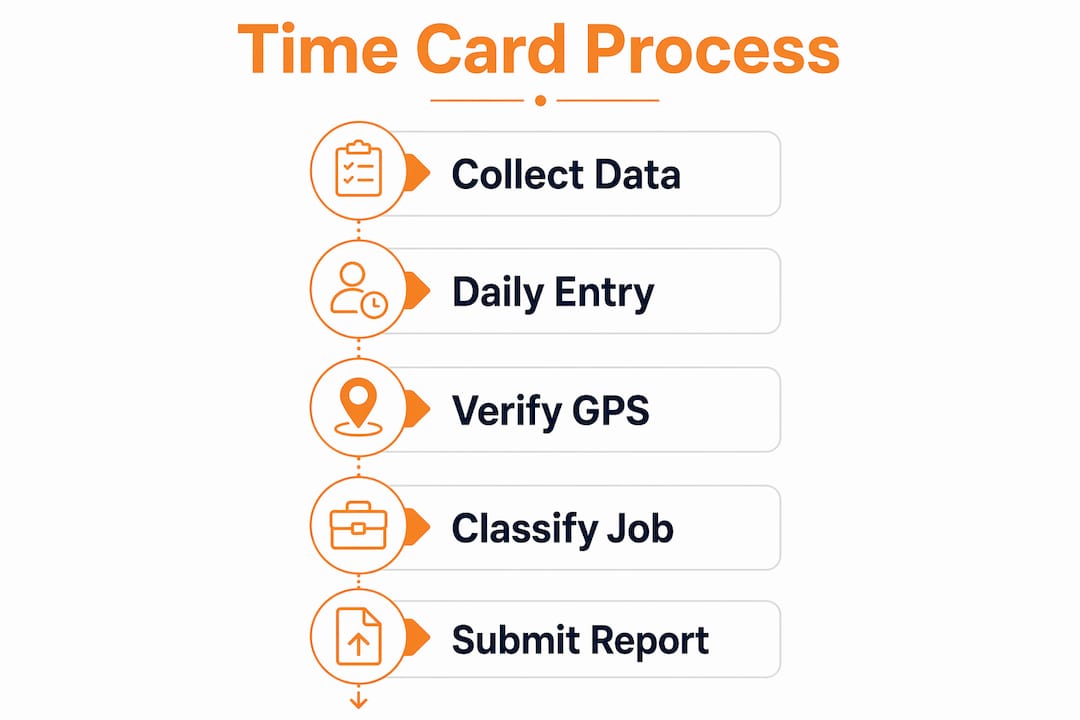
GPS-verified mobile punch apps solve the biggest compliance gap in field time capture. When a worker punches in through a mobile app, the system records the GPS location, the timestamp, and forces a classification and job code selection before the punch completes. Generic timesheets without GPS verification and classification selection are a leading cause of federal audit flags. The fix is structural: make it impossible to clock in without selecting the right trade classification.
Split-time scenarios are common and frequently mishandled. An electrician who spends four hours on rough-in work and three hours on finish work in the same day must have both classifications recorded separately. A system that only captures total daily hours will merge those entries and produce a non-compliant report. Your time card management software must support multiple classification entries per worker per day.
The efficiency gains from automation are significant. Subcontractors who switch to automated time tracking systems reduce weekly admin time by 80–90% compared to manual transcription into WH-347 forms. That time savings compounds across every project and every payroll cycle.
- Require classification selection at punch-in, not as a post-shift edit
- Tag every time entry with a project code and cost code
- Capture split-classification days as separate line items
- Use GPS verification to confirm job site presence at punch time
- Sync field time data to the office in real time to catch errors before payroll runs
Pro Tip: Require workers to select specific job codes and classifications at punch-in, not at the end of the week. Post-hoc edits are the single biggest source of audit risk on prevailing wage jobs.
What are the steps to prepare compliant certified payroll reports?
Certified payroll reporting follows a clear sequence. Skipping or rushing any step creates errors that cost far more to fix after submission than to prevent beforehand.
- Collect daily time data. Pull verified daily hours for every worker on the project, confirmed by GPS punch records and classification tags. Do not wait until the end of the week.
- Verify classifications against wage determinations. Cross-reference each worker’s recorded classification against the applicable wage determination from SAM.gov or the relevant state agency. Automated software applies updated wage determinations directly, eliminating manual lookups.
- Calculate gross wages and fringe benefits. Apply the correct base rate and fringe benefit rate for each classification. Flag any worker whose total compensation falls below the prevailing wage threshold.
- Generate Form WH-347 or state equivalent. Export directly from your payroll platform. Manual re-entry from time cards into WH-347 introduces transcription errors and defeats the purpose of digital tracking.
- Run a pre-submission audit check. Verify that every required field is populated, that daily hours add up to weekly totals, and that fringe benefit contributions match the wage determination.
- Submit and archive. Submit within 7 days of the payroll period end. Archive the submitted report, the wage determination in effect at the time of work, and the underlying time records together.
| Step | Manual process | Automated process |
|---|---|---|
| Time data collection | Paper sheets, end-of-week entry | Real-time GPS mobile punch |
| Wage determination lookup | Manual SAM.gov search | Auto-applied from software database |
| WH-347 generation | Manual form completion | One-click export |
| Pre-submission check | Visual review, error-prone | System validation flags |
| Record retention | Physical files or scattered folders | Centralized digital archive |
Maintaining historical wage rates alongside payroll data for the full 3-year retention period is non-negotiable. The wage determination in effect when the work was performed is what auditors check, not the current rate.
What mistakes should subcontractors avoid in wage tracking?
The most costly mistake in prevailing wage compliance is treating it as a payroll problem. Payroll accuracy is determined upstream by proper classification and job data capture at the point of work. By the time payroll runs, the data should require confirmation, not correction.
“Payroll is confirmation, not correction. If you are fixing classification errors during payroll, you already lost the compliance battle upstream.” — Certified Payroll Solutions by Passport Workforce
Common mistakes that trigger audits and fines:
- Using weekly hour totals instead of daily breakdowns. Auditors want to see which classification worked which hours on which specific day.
- Relying on generic timesheets. A timesheet without project codes, classification fields, and GPS verification is not compliant documentation.
- Making manual post-hoc corrections. Editing time records after the fact creates inconsistencies that auditors flag immediately.
- Failing to archive historical wage determinations. Storing current rates only leaves you defenseless if audited two years after project completion.
- Ignoring fringe benefit documentation. Fringe benefits paid to a bona fide plan versus paid as cash in lieu of benefits are treated differently and must be documented separately.
Pro Tip: Run a pre-payroll validation check every week before submitting certified payroll. Catching a misclassified worker before submission costs minutes. Catching it during an audit costs thousands.
How do you manage multi-state prevailing wage reporting?
Multi-state prevailing wage compliance is a data management problem before it is a payroll problem. Multi-state contractors face a 4x increase in reporting complexity without integrated payroll solutions that handle both state and federal forms from a single data source.
The core challenge is divergent reporting schemas. California’s eCPR system requires electronic XML uploads through the DIR portal. Illinois requires monthly submissions through the IDOL portal. Neither accepts a standard WH-347 PDF. Subcontractors who re-enter data manually for each state portal multiply their error risk with every additional jurisdiction.
A practical workflow for multi-state reporting:
- Map all active projects to their applicable wage determinations. Federal projects use SAM.gov. State projects use the relevant state agency database. Confirm which determination governs each project before work begins.
- Configure your payroll platform for each state’s requirements. Set up separate report templates for California eCPR, Illinois IDOL, and any other active state portals. Do this at project setup, not at submission time.
- Maintain separate wage rate tables per jurisdiction. A worker traveling from Illinois to California carries different fringe benefit obligations in each state. Your system must apply the correct rate by location, not by home state.
- Submit federal and state reports from the same underlying time data. Any platform that requires separate data entry for federal versus state forms creates unnecessary re-entry risk. The role of electronic time tracking is to capture data once and output it in every required format.
- Archive state submissions separately from federal submissions. State audit timelines and retention requirements differ from federal ones. Keep them organized by jurisdiction from day one.
The subcontractors who handle multi-state work without compliance breakdowns are the ones who treat their payroll platform as a reporting engine, not just a check-writing tool.
Key Takeaways
Accurate prevailing wage time card tracking requires daily, classified, GPS-verified time data captured at the job site and archived with wage determinations for a minimum of 3 years.
| Point | Details |
|---|---|
| Capture daily, not weekly | Daily hours by classification are required for audit-eligible certified payroll reports. |
| Force classification at punch-in | Requiring job code and trade selection at clock-in prevents costly post-hoc corrections. |
| Automate wage determination lookup | Software that auto-applies current rates eliminates manual SAM.gov errors and audit flags. |
| Archive wage determinations with payroll | Storing historical rates alongside time records is the only defensible audit position. |
| Build for the strictest state | Designing your data collection around the most demanding state requirement satisfies all others. |
What I have learned about prevailing wage compliance after years in the field
The contractors who stay out of trouble on prevailing wage jobs are not the ones with the best payroll staff. They are the ones who solved the data problem before payroll ever runs. I have watched subcontractors spend entire weekends reconstructing time records from memory because their foremen filled out paper sheets with weekly totals and no classification breakdown. That is not a payroll failure. That is a data collection failure that showed up at the worst possible moment.
The shift that changes everything is moving compliance upstream. When workers select their classification at punch-in through a GPS-verified app, the payroll report writes itself. The office is confirming data, not creating it. That mental shift, from payroll correction to payroll confirmation, is the single biggest change I recommend to any subcontractor taking on their first Davis-Bacon job.
Automation does not remove the need for expertise. You still need someone who understands fringe benefit calculations, apprentice ratios, and state-specific portal requirements. But automation removes the manual transcription errors, the missed daily breakdowns, and the scramble to find a wage determination from three years ago when an auditor calls. The benefits of electronic time tracking for subcontractors go well beyond convenience. They are the difference between a clean audit and a contract loss.
— Jen Reese
Won2build’s approach to prevailing wage time card compliance
Won2build’s Time Budge application is built specifically for construction subcontractors who need accurate, classified time records on prevailing wage jobs. It captures daily hours by worker, classification, and project code, and syncs field data to the office in real time.
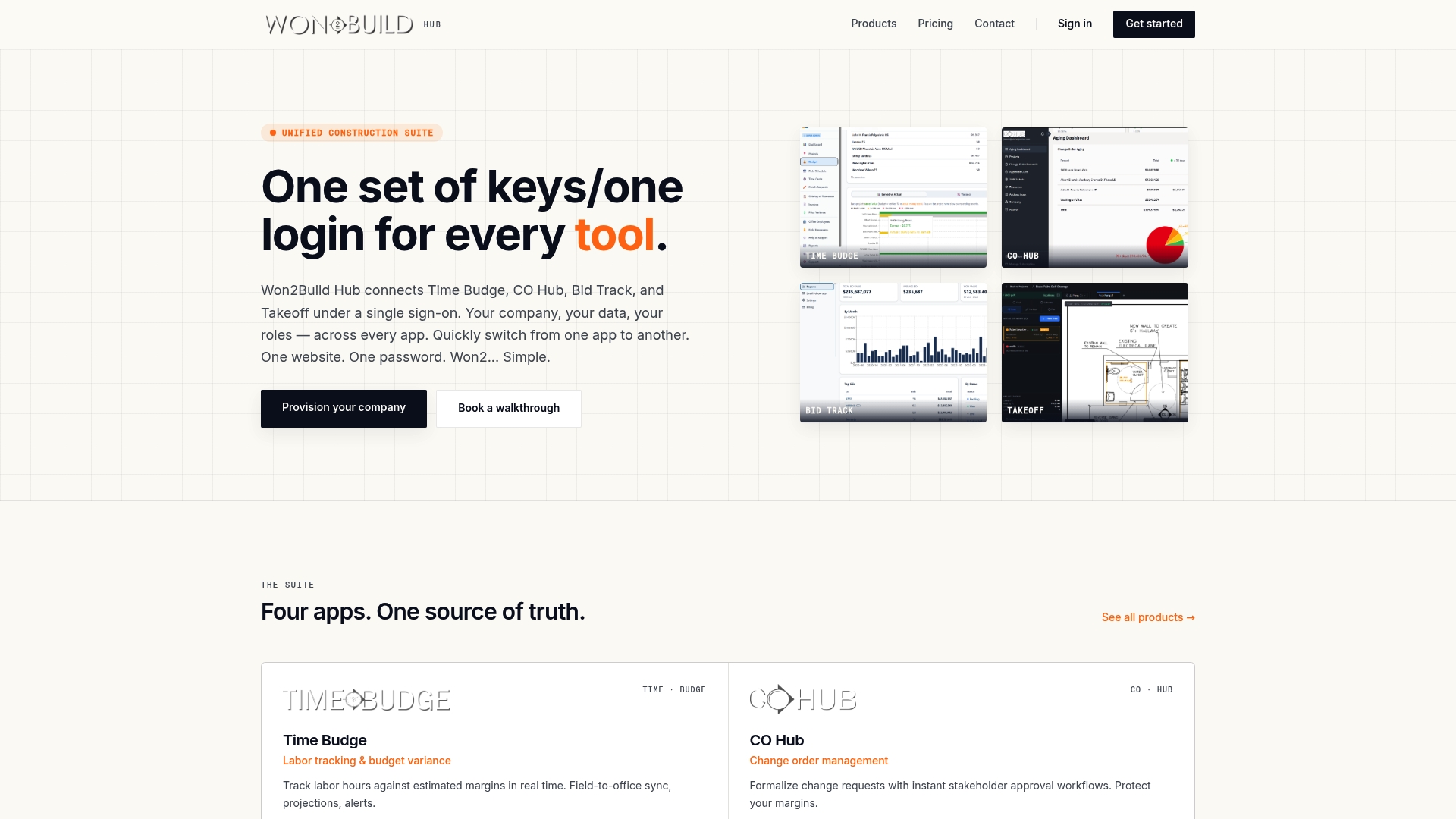
Time Budge connects directly with Won2build’s broader suite, so time data flows into job cost reporting and bid tracking without re-entry. Subcontractors managing multiple federally funded projects can configure wage determinations per project and generate certified payroll reports from the same time records used for job costing. If you are ready to cut administrative overhead and reduce audit risk, explore Time Budge labor tracking or see how Won2build’s construction estimating tools connect compliance data to your bid pipeline.
FAQ
What is the difference between prevailing wage and certified payroll?
Prevailing wage is the legally required minimum pay rate for workers on government-funded construction projects. Certified payroll is the weekly report that proves each worker was paid at least that rate.
How often must certified payroll reports be submitted?
The Davis-Bacon Act requires certified payroll reports submitted weekly, within 7 days after the payroll period ends. Late or missing submissions can result in fines and contract suspension.
Why do daily time records matter more than weekly totals?
Auditors verify which classification worked which hours on which specific day. Weekly totals cannot provide that breakdown and will fail a Davis-Bacon audit.
How long must prevailing wage time records be kept?
Federal law requires subcontractors to retain certified payroll records, including the wage determinations in effect at the time of work, for a minimum of 3 years after project completion.
What makes a timesheet non-compliant on prevailing wage jobs?
A timesheet that lacks GPS-verified location, trade classification, and project code selection at punch-in is not compliant. Generic timesheets without these fields are a leading cause of federal audit flags.
Recommended
One login for estimating, bid tracking, change orders, and labor.
The Hub is free. Pay only for the apps you turn on.
Create your free Hub account- 7 Concrete Takeoff Steps Estimators Use to Avoid Ordering ShortfallsFollow seven concrete takeoff steps to calculate cubic yards, size rebar and formwork, convert volumes to supplier units, and verify quantities before bid...
- Are E-Signature Change Orders Legal and Worth the Switch?E-signature change orders streamline your workflow, ensuring faster approvals, fewer disputes, and quicker invoicing—discover the benefits now!
- How to Link Takeoff to Estimate for Accurate BidsLink your takeoff quantities to your estimate for accurate bids. Discover the seamless integration method that reduces errors and saves time.