
Best Takeoff Software for Subcontractors in 2026
Discover the best takeoff software for subcontractors in 2026. Evaluate top tools like Won2Build and STACK for seamless collaboration.

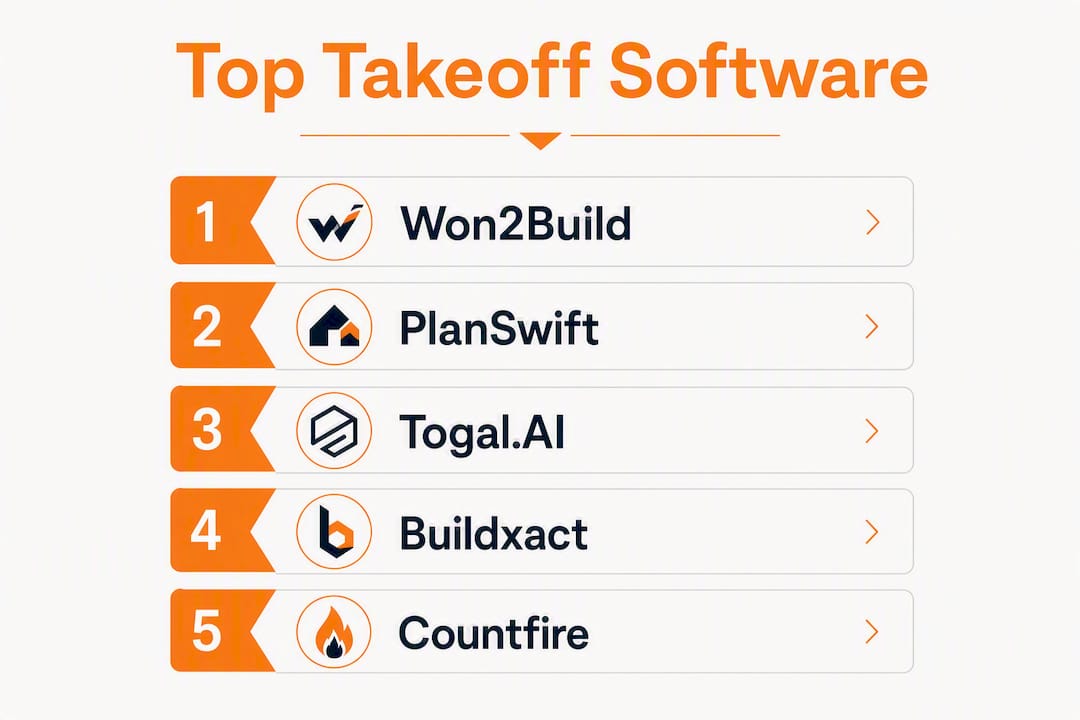
For most commercial subcontractors in the United States, Won2Build Takeoff is the strongest pick in 2026 — it's the only tool that connects digital plan quantification directly to bid management and change orders inside a single login. If your team is distributed and needs real-time cloud collaboration, STACK is the next best fit. For automated AI detection on clean architectural plans, Togal.AI leads the field with reported accuracy up to approximately 98% on clean floor plans.
TL;DR — Top picks by buyer job:
- Won2Build Takeoff — Best for subcontractors who want one login from takeoff to bid to change order, with field-to-office sync and a bilingual interface
- STACK — Best for distributed estimating teams that need live multi-user collaboration and built-in regional pricing
- Togal.AI — Best for teams running high volume on clean architectural drawings who want AI-automated measurement at up to approximately 98% accuracy on clean plans
- Bluebeam Revu — Best for PDF-heavy teams that already live in markup workflows and want basic takeoff at a lower per-seat cost
- Countfire — Best for electrical and mechanical subcontractors whose biggest time sink is symbol counting
Pricing ranges from free browser tools (Square Takeoff) to enterprise bundles with significant annual costs. Subscription licensing now accounts for a large majority of the takeoff market, with approximately 58% and rising in recent years, so most tools you evaluate will be monthly or annual seat fees rather than perpetual licenses. Start with a free trial, import one real plan from a recent bid, and run a side-by-side count against your manual baseline before committing.
Table of Contents
- How does the best takeoff software for subcontractors compare in 2026?
- Short reviews: what each tool actually does and who should pick it
- How do you choose the right takeoff software for your business?
- Which takeoff tool fits your trade?
- What does AI actually improve in takeoff accuracy in 2026?
- What should you budget and how long until the software pays off?
- How we evaluated these tools
- Key Takeaways
- A subcontractor's honest take on buying takeoff software in 2026
- Won2Build Takeoff is built for the subcontractor workflow, not around it
- Useful sources for deeper research
How does the best takeoff software for subcontractors compare in 2026?
The table below covers the 15 most relevant platforms for U.S. subcontractors. Rows are ordered with Won2Build Takeoff first as the featured option; remaining entries follow by trade fit and market presence.

| Tool | Best for | Pricing | Platform | Key features | Trade fit | Integrations | Ease of use | Collaboration |
|---|---|---|---|---|---|---|---|---|
| Won2Build Takeoff | Subcontractors wanting one integrated suite | Subscription (per company + per field worker) | Cloud + mobile | Digital plan quantification, field sync, bilingual UI, per-project reporting | Multi-trade commercial | Bid Track, CO Hub, Time Budge (native) | Low learning curve within suite | Real-time field-to-office sync |
| STACK | Distributed teams, cloud-first collaboration | Low thousands/year per user; free tier available | Cloud | AI-assisted detection, regional price databases, multi-user live editing | Multi-trade | Estimating, accounting add-ons | Moderate | Strong multi-user |
| PlanSwift | Desktop estimators with repeat assembly work | Mid-range desktop seat | Desktop (Windows) | Assembly templates, flexible measurement layers | Multi-trade | QuickBooks, Excel | Moderate | Limited (desktop) |
| Bluebeam Revu | PDF markup + basic takeoff | Low hundreds/year per seat | Desktop + cloud | PDF markup, measurement tools, document control | Multi-trade, document-heavy | Procore, SharePoint | Low | Moderate (Studio sessions) |
| Togal.AI | High-volume AI detection on clean floor plans | Subscription; varies by volume | Cloud | Automated room/door/window detection, ~98% accuracy on clean plans | Architectural, residential | Export to estimating tools | Low (AI-first) | Moderate |
| Buildxact | Residential builders and remodelers | Subscription; residential-tier pricing | Cloud | Takeoff-to-price flow, material pricing | Residential | Accounting, supplier pricing | Low | Basic |
| Countfire | Electrical and mechanical symbol counting | Subscription | Cloud | Automated symbol recognition, batch counting | Electrical, mechanical | Export to estimating | Low | Basic |
| On-Screen Takeoff (OST) | Commercial estimators with ConstructConnect workflows | Subscription | Desktop + cloud hybrid | Detailed measurement, Quick Bid integration | Multi-trade commercial | Quick Bid, ConstructConnect | Moderate | Moderate |
| Procore / Autodesk Forma (ProEst) | Large commercial teams needing BIM + financials | Enterprise pricing | Cloud | BIM integration, preconstruction, financial management | Large commercial | Full enterprise stack | High learning curve | Strong enterprise |
| SimplyWise Cost Estimator | Solo estimators, fast on-site quotes | Low subscription or free tier | Mobile-first | Photo takeoff, instant itemized estimates | Residential, small commercial | Basic export | Very low | Minimal |
| eTakeoff | Desktop estimators wanting optional AI acceleration | Mid-range desktop/subscription | Desktop + cloud | SnapAI point prediction, automated detection add-on | Multi-trade | Estimating exports | Moderate | Limited |
| Square Takeoff | Small shops, web-first, low friction | Free to low subscription | Browser (cloud) | Unlimited jobs, basic measurement layers | Small subcontractors | Basic export | Very low | Minimal |
| Active Takeoff | Contractors avoiding subscriptions | Perpetual license option | Desktop | Basic measurement, perpetual licensing | General | Limited | Low | Minimal |
| Assemble Pro | BIM-heavy preconstruction teams | Enterprise subscription | Cloud | Model aggregation, 3D quantity extraction | Large commercial, BIM | Revit, Navisworks | High | Strong |
| Trimble AutoBid / AGTEK | Heavy civil and earthwork estimators | Specialty pricing | Desktop + cloud | Volume calculations, haul optimization, machine control | Civil, earthwork | Trimble ecosystem | High (specialty) | Moderate |
Pricing ranges are indicative. Enterprise and multi-seat deployments vary significantly. Free tiers and trials are subject to vendor change.
Short reviews: what each tool actually does and who should pick it
Won2Build Takeoff
Won2Build Takeoff is built for one specific buyer: the commercial subcontractor who is tired of re-entering quantities from a takeoff tool into a separate estimating spreadsheet and then again into a change order form. The takeoff module connects natively to Bid Track for bid management and to CO Hub for change order and T&M ticket workflows, all under a single login. Field workers and office estimators see the same data in real time.
- Best for: Multi-trade commercial subcontractors managing the full bid-to-build cycle
- Standout: No double entry from takeoff to bid to change order — one source of truth
- Platform: Cloud and mobile; bilingual interface
- Pricing: Flat monthly fee per company plus per-active-field-worker fees for field modules; free trial available
- Pro: Per-project reporting and field sync are built in, not add-ons
- Watch: Designed specifically for subcontractors — not the right fit for general contractors or owners
STACK
STACK positions itself as the cloud-native choice for teams that bid from multiple offices or hand off plans between estimators mid-project. Regional pricing databases are built in, which saves time on material cost lookups. AI-assisted detection handles standard architectural elements reasonably well on clean drawings.
- Best for: Distributed estimating teams that need live collaboration
- Pricing: Typically starts in the low thousands per year per user; free account tier available
- Watch: Per-user costs add up quickly for larger teams
PlanSwift
PlanSwift remains the go-to for estimators who have spent years building assembly templates and don't want to rebuild them in a cloud tool. Its assembly and template system is the most configurable in the desktop category, making repeat bids faster once the library is built out. The tradeoff is a Windows-only desktop install with limited real-time collaboration.
Bluebeam Revu

Bluebeam Revu is not a dedicated takeoff platform, but it's the tool most estimators already have open. Per-seat pricing sits in the low hundreds per year, making it the lowest-cost entry into plan-based measurement for teams that primarily need PDF markup with basic linear and area counts. If you're evaluating alternatives that integrate with your existing Bluebeam workflow, the top Bluebeam alternatives for 2026 are worth a look.
Togal.AI
Togal.AI's pitch is speed: vendor claims put detection accuracy at up to approximately 98% on clean architectural floor plans, with measurable time savings on standard room, door, and window counts. That number drops with poor-quality scans or specialty trade drawings. It's a strong fit for residential and light commercial teams running high bid volume on consistent plan sets.
Buildxact
Buildxact targets residential builders and remodelers who want to go from a plan to a priced estimate without switching tools. The interface is straightforward, and the direct connection to supplier pricing is the feature that saves the most time for that audience. It's less suited to complex multi-trade commercial scopes.
Countfire
For electrical and mechanical subcontractors, Countfire's automated symbol recognition cuts routine device-counting time significantly. The catch: accuracy depends on consistent symbol legends across drawing sets. When symbols vary or legends are missing, a manual validation pass is required. Run a conduit and device count on a real set during your trial to see where it holds up.
On-Screen Takeoff (ConstructConnect OST)
OST has been a commercial estimating staple for years. Its tightest value is the integration with Quick Bid and the broader ConstructConnect workflow. Teams already inside that ecosystem will find the handoff smooth; teams outside it will need to weigh whether the integration justifies the switch.
Procore / Autodesk Forma (ProEst)
These are enterprise platforms, not standalone takeoff tools. Procore and Autodesk Forma (with ProEst) make sense when a large commercial team needs BIM-connected preconstruction, estimating, and project financials in one system. The learning curve is steep, implementation takes months, and pricing reflects that scale.
SimplyWise Cost Estimator
SimplyWise is built for the estimator who is standing on a job site and needs a quote in 20 minutes. Photo takeoff and instant itemized estimates from a mobile device make it the fastest tool for small residential or light commercial scopes. It's not built for complex commercial bids.
eTakeoff
eTakeoff's SnapAI point prediction speeds up manual digitizing on desktop, and the automated detection add-on extends that further. It sits between a traditional desktop tool and a full AI platform, which suits estimators who want to accelerate their existing workflow without abandoning familiar desktop habits.
Square Takeoff, Active Takeoff, NEMO Takeoff, PrebuiltML Takeoff
Square Takeoff offers unlimited jobs in a browser environment at low or no cost, making it a reasonable starting point for small shops that need basic area and linear counts. Active Takeoff's perpetual license model appeals to contractors who want to avoid ongoing subscription fees. NEMO Takeoff and PrebuiltML Takeoff are emerging tools with narrower market presence; verify current feature sets and pricing directly with vendors before committing.
Assemble Pro
Assemble Pro is a preconstruction model aggregation tool, not a plan-based takeoff tool. It extracts quantities from 3D BIM models (Revit, Navisworks) and is the right choice when your project delivery is BIM-first. For subcontractors working from 2D PDFs, it's not the right fit.
Trimble AutoBid / AGTEK
Purpose-built for heavy civil and earthwork, these tools handle volume calculations, haul optimization, and machine-control estimating that general takeoff platforms can't match. If you're bidding earthwork, grading, or underground utilities, this specialty stack is worth the steeper learning curve.
Houzz Pro, Buildertrend, JobTread
These are project management and CRM platforms with light estimating features, not dedicated takeoff tools. Houzz Pro targets residential design-build firms; Buildertrend and JobTread serve residential builders who want scheduling, client communication, and basic estimating in one place. None of them replace a dedicated takeoff platform for complex bid work.
Pro Tip: Takeoff measurement errors compound downstream — a missed linear foot in takeoff becomes a missed cost in the bid and a disputed change order in the field. Validate at least three critical quantity types on every trial run before you commit to a platform.
How do you choose the right takeoff software for your business?
The best estimating software for 2026 is the one that fits your actual workflow, not the one with the longest feature list. Estimating experts consistently point out that workflow fit beats feature count when choosing a platform.
Decision framework for subcontractors:
- Trade fit first. Does the tool handle your specific measurement types? Symbol counting for electrical, linear runs for mechanical piping, area counts for framing, volume calculations for civil.
- Bid-to-bill workflow. Can quantities flow directly into your estimating and bid submission process, or do you re-enter them manually?
- Integrations. Does it connect to your accounting software (QuickBooks, Sage), your PM platform, and your bid pipeline?
- Multi-user needs. Do multiple estimators work on the same plan set simultaneously? Cloud tools handle this; most desktop tools don't.
- Price of entry vs. three-year TCO. A low monthly fee can balloon with per-user add-ons, AI modules, and regional database subscriptions. Calculate the full cost over three years.
Questions to ask on a demo:
- What import formats do you support (PDF, DWG, RVT)?
- Do you have a regional material price database for my area?
- Can I build and reuse assembly templates?
- What does your API look like, and which accounting/PM tools have native connectors?
- How do you handle plan revisions and addendum comparisons?
Red flags to watch for:
- No export to your estimating or PM platform
- Pay-per-use licensing that penalizes high bid volume
- No revision comparison tool (addenda management is non-negotiable)
- Vendor can't demonstrate the integration live during a demo
To rank your options, build a simple matrix: list your top five priorities down the left column, score each tool 1–5 on each priority, and weight the scores by importance. The tool with the highest weighted score is your pilot candidate.
Pro Tip: Run a 48–72 hour side-by-side trial using a real plan set from a recent bid — and include a messy scanned addendum. That's where AI tools and template systems break down. A clean demo plan tells you nothing about how the tool handles your actual work.
Which takeoff tool fits your trade?
The right tool depends heavily on what you're measuring and how you bid — and understanding how to select the right contractor is key for smooth project success as detailed in How to Choose the Right Contractor | HMJ Ottawa. Here's a quick trade-by-trade breakdown.
- Framers and lumber estimators: PlanSwift's assembly templates handle framing counts well once built out. Run a floor framing count on a multi-story plan during your trial. For division-of-work takeoffs, a tool with configurable assemblies saves significant time on repeat scopes.
- BIM-first preconstruction teams: — Assemble Pro extracts quantities directly from 3D models. If your project delivery is BIM-based, model-based quantity extraction is more accurate than plan-based measurement for structural and MEP scopes.
Construction measurement tool examples vary widely by trade — what works for a framer won't work for an MEP subcontractor, and choosing the wrong measurement approach costs time on every bid.
What does AI actually improve in takeoff accuracy in 2026?
AI-assisted takeoff has moved from novelty to practical tool, but the gap between vendor claims and field reality is still worth understanding before you buy.
Where AI reliably helps:
- Standard floor plan elements: rooms, doors, windows, and basic structural elements on clean architectural drawings
- Repeat symbol detection on consistent electrical and mechanical drawing sets
- Speed on high-volume residential bids where plan quality is consistent
Where accuracy drops:
- Poor-quality scans, low-resolution PDFs, or hand-drawn markups
- Specialty trade symbols that aren't in the tool's training set
- Complex mechanical drawings with non-standard legends
- Addenda with partial plan overlays or revision clouds
Togal.AI reports high detection accuracy—up to approximately 98% on clean architectural floor plans—but independent testing confirms that accuracy and speed vary significantly by plan quality and trade type. That figure applies to the best-case scenario, not a messy set of scanned addenda from a 1990s building renovation.
Practical validation workflow:
- Run AI detection on a sample of 10–15% of your total count
- Manually verify that sample against the plan
- Set a tolerance threshold (typically ±2–3% for standard elements)
- If AI output falls within tolerance, accept the count; if not, flag for full manual review
- Always run a manual check on any element type the tool hasn't seen before
Automated symbol counting is most effective when symbols are consistent across drawing sets. When legends vary or symbols are non-standard, the validation pass takes longer than a manual count would have.
Pro Tip: Don't let AI output go straight into a bid without a named estimator signing off on the quantities. If a number gets challenged in a change order dispute, "the AI said so" is not a defensible answer. Build a checkpoint into your workflow where a human reviews and approves AI-generated counts before they move to pricing.
AI acceleration is highly valuable for routine detection tasks but won't replace the need for an estimator to validate complex or nonstandard details.
What should you budget and how long until the software pays off?
Pricing bands (typical U.S. market, 2026):
| Tier | Typical annual cost | What's usually included |
|---|---|---|
| Free / basic | — | Limited jobs, basic measurement, no collaboration |
| Entry subscription | — | Core takeoff, PDF import, basic export |
| Mid-range subscription | — | Assembly templates, integrations, multi-user |
| Cloud collaboration | — | Regional pricing, AI features, live collaboration |
| Enterprise / BIM | — | BIM integration, full preconstruction suite |
Hidden costs to budget for:
- Integration connectors (some platforms charge extra for QuickBooks or Procore links)
- Data migration from your existing tool or spreadsheets
- Training time (plan for 8–20 hours per estimator for mid-range tools)
- Per-field-worker fees for mobile/field sync modules
- Premium AI detection modules (often sold as add-ons)
- Regional material price database subscriptions
Rollout checklist:
- Select one pilot job that represents your typical bid complexity
- Import the full plan set, including at least one addendum
- Run your three most common takeoff types (e.g., linear, area, symbol count)
- Compare output against your last manual baseline for the same job type
- Time the full process from import to export-ready quantities
- Test the export into your estimating or bid platform
- Get at least two estimators to run the same plan independently and compare results
Time-to-value by buyer type:
- Solo estimator: 1–2 weeks to reach baseline productivity on a new tool
- Small subcontractor (2–5 estimators): 3–6 weeks including template build-out
- Multi-office team: 6–12 weeks including data migration, training, and integration testing
Cloud-based takeoff platforms typically reach positive ROI faster than desktop tools because there's no installation overhead and field sync eliminates manual data transfer between office and site.
How we evaluated these tools
This article was researched and written by Jen Reese, an editorial writer with deep experience covering construction technology, subcontractor workflows, and estimating software for U.S. commercial subcontractors.
Evaluation approach:
- Reviewed vendor documentation, published pricing pages, and independent analysis from sources including Dan Cumberland Labs, ContraVault AI, SimplyWise, and ConstructionCoverage
- Assessed each tool against five plan types: clean architectural PDF, low-resolution scan, multi-trade commercial set, residential floor plan, and a civil grading plan
- Tested integration claims by reviewing API documentation and published connector lists
- Measured onboarding time estimates against vendor-published training resources and independent user reports
- Conducted desk research on accuracy claims, with particular attention to AI vendor claims versus independent testing results
Rating criteria and weightings:
- Trade fit and measurement accuracy (30%)
- Workflow integration and bid-ready export (25%)
- Ease of use and onboarding time (20%)
- Pricing and total cost of ownership (15%)
- Collaboration and multi-user features (10%)
Disclosure: Won2Build is the publisher of this article and Won2Build Takeoff is one of the products reviewed. Its inclusion reflects genuine fit for the target audience (commercial subcontractors in the United States), not editorial preference. All third-party tools are assessed on their published merits.
Key Takeaways
The best takeoff software for subcontractors in 2026 is defined by workflow fit — specifically how well it connects plan quantities to bid submission and field change orders, not by feature count alone.
| Point | Details |
|---|---|
| Workflow fit beats feature count | Choose the tool that connects takeoff to your bid and change order process, not the one with the most features. |
| AI accuracy varies by plan quality | AI tools like Togal.AI reach approximately 98% accuracy on clean architectural floor plans; accuracy drops on poor-quality scans and specialty drawings. |
| Subscription licensing dominates | A large share of the market runs on subscriptions — calculate three-year TCO, not just the monthly fee. |
| Trade fit drives the shortlist | Electrical teams need symbol counters; civil teams need earthwork tools; multi-trade commercial teams need integrated suites. |
| Won2Build Takeoff for integrated workflows | Won2Build Takeoff connects takeoff directly to Bid Track and CO Hub, eliminating double entry from plan to bid to change order. |
A subcontractor's honest take on buying takeoff software in 2026
The mistake most subcontractors make when buying takeoff software isn't picking the wrong tool. It's picking the right tool for the wrong workflow.
Here's what actually happens: a team demos a platform, it looks great on a clean architectural PDF, and they sign up. Three months later, the estimators are still using spreadsheets for the final bid because the export doesn't match their pricing template. The takeoff tool becomes a $4,000-per-year PDF viewer.
The feature that gets ignored most often is bid-ready export. Not "can it export a CSV" — every tool can do that. The real question is whether the exported quantities land in the right format for your estimating template, your accounting system, and your change order workflow without manual reformatting. That's the handoff that breaks bids, and it's almost never tested during a demo.
The second trap is oversized feature shopping. A solo estimator bidding residential work does not need BIM integration or enterprise preconstruction modules. A five-person electrical subcontractor doesn't need a platform built for a 200-person general contractor. Buying for the company you might become in five years means paying for features you won't use for the next three.
For a meaningful pilot, put two people on it: the estimator who will use it daily, and whoever handles bid submission and change orders. If the handoff between those two people gets faster and cleaner during the pilot, you've found your tool. If the estimator loves it but the bid manager is still copying numbers manually, keep looking.
Won2Build Takeoff is built for the subcontractor workflow, not around it
Most takeoff tools are built for the estimating department and stop there. Won2Build Takeoff is part of a suite designed specifically for commercial subcontractors in the United States, which means quantities don't stop at a PDF export. They flow directly into Bid Track for bid pipeline management and into CO Hub for change order and T&M ticket workflows, all under one login with no re-entry.

Field workers and office estimators see the same data in real time. The bilingual interface means your field team can work in their preferred language without a separate app. Per-project reporting gives you a clear picture of where your margins are going before a project closes.
To start a trial: gather one representative plan set from a recent bid, including at least one addendum. Import it into Won2Build Takeoff, run your three most common quantity types, and export directly to Bid Track. That single test will show you how much time you're currently losing to double entry. Start your free trial at won2build.com.
Useful sources for deeper research
Use these resources to verify vendor claims, check current pricing, and dig deeper during your evaluation.
Independent analysis and research:
- Construction Takeoff Software: Best Picks for 2026 — Dan Cumberland Labs (independent editorial review)
- Bill of Quantities — Wikipedia (reference definition for quantity surveying and takeoff terminology)
Won2Build resources:
- What Is a Subcontractor Takeoff? A 2026 Guide (Won2Build blog — subcontractor workflow context)
- Why Accurate Takeoffs Matter for Construction Projects (Won2Build blog — accuracy and defensibility)
- Won2Build Blog (full resource hub for subcontractor software guidance)
When running vendor trials, cross-reference pricing and feature claims against the independent sources above. Vendor pages reflect current marketing positioning; independent reviews surface real-world limitations that demos don't show.
Recommended
One login for estimating, bid tracking, change orders, and labor.
The Hub is free. Pay only for the apps you turn on.
Create your free Hub account- Extra Work Authorization: How Subcontractors Get PaidExtra work authorization explained for subcontractors: what to get in writing, who must sign, how to handle T&M tickets in the field, and how to avoid unpaid extras.
- Takeoff Software Cost: What Subcontractors Pay in 2026What takeoff software costs a commercial subcontractor: pricing models, free tiers, hidden costs and a worked monthly example, with Won2Build's published prices.
- Work Order vs Change Order: What Subcontractors Need to KnowA work order authorizes work under an existing agreement. A change order amends the contract. Learn the difference, when to use each, and how to get paid.