
How to Prepare Division of Work Takeoffs Effectively
Learn how to prepare division of work takeoffs effectively. Improve cost accuracy and save on material costs with expert insights and tips.

Preparing division of work takeoffs means quantifying and organizing construction materials and tasks by CSI MasterFormat divisions to improve cost accuracy and resource allocation. The CSI MasterFormat standard structures project scope into numbered divisions, giving estimators a shared language across trades, suppliers, and project managers. Organizing takeoffs by CSI divisions delivers 3–8% potential savings on material costs through better accuracy and bid leveling. That margin difference can determine whether a subcontractor wins or loses a bid. This article walks through the prerequisites, step-by-step process, and common mistakes that affect takeoff integrity.
How do you prepare division of work takeoffs?
A division of work takeoff is the process of measuring and recording quantities for each CSI MasterFormat division separately before combining them into a full estimate. The industry standard term is “quantity takeoff organized by division,” and it maps directly to accounting cost codes from day one. Takeoffs structured by division support integrated project management by feeding data directly into procurement, scheduling, and change order management instead of siloed spreadsheets. Treating takeoffs as structured data, not just measurements, is the single most important shift an estimating team can make. The 100% rule in project management requires the Work Breakdown Structure (WBS) to cover all project scope, meaning any omitted division excludes its costs from the estimate entirely.

What do you need before starting a takeoff?
Strong takeoffs start with complete inputs. Missing a current drawing set or an outdated specification document will corrupt every quantity you measure downstream.
Required inputs before you begin:
- Complete and current architectural, structural, MEP, and civil drawing sets
- Project specifications aligned with CSI MasterFormat division numbers
- Takeoff templates aligned with CSI divisions and standard cost codes, which save time and reduce omissions across projects
- A defined WBS that satisfies the 100% rule, covering all scope with no gaps or overlaps
- Clear trade boundary definitions to prevent double counting between divisions
Digital takeoff tools and construction measurement tools for contractors include on-screen measurement software, digital plan viewers, and laser distance meters for field verification. Manual methods using scale rulers and printed plans remain common but carry higher error risk. Scope definition is the most overlooked prerequisite. Estimators who skip a formal WBS review before measuring often discover missing scope only after submitting a bid.
Pro Tip: Before measuring a single line, print or display the CSI division list and check off each division against the project specifications. Any division with no specification section still needs a scope decision, either zero scope or a confirmed exclusion.
Step-by-step process for division-based takeoffs
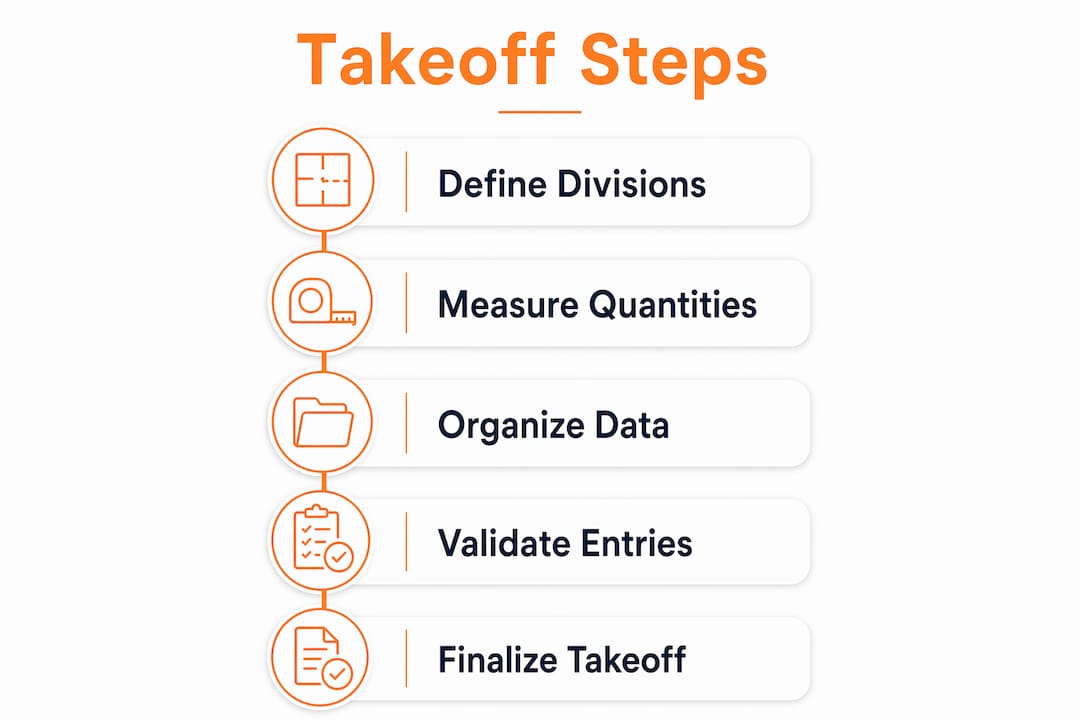
Follow this sequence to build a takeoff that maps cleanly to cost codes and supports downstream bid leveling.
-
Organize drawings by division. Sort all drawings into CSI division groups before measuring. Architectural drawings feed Division 03 (Concrete) and Division 04 (Masonry). MEP drawings feed Divisions 21–28. Mixing drawing sets during measurement is the fastest way to create double counts.
-
Set up your takeoff template. Open a template with CSI division headers and pre-loaded cost code columns. Standardized templates improve consistency and reduce omissions across projects.
-
Measure net quantities by division. Record dimensions, units, and drawing references for each item. Use square feet for flooring, linear feet for piping, and each count for fixtures. Record the drawing sheet number next to every measurement for auditability.
-
Apply color coding and markup. Highlight each measured element on the drawing in a distinct color per division. This visual audit trail prevents re-measuring the same item and makes peer review faster.
-
Record references systematically. Every quantity row should include the drawing number, revision date, and specification section. This detail matters when a change order arrives and you need to prove the original scope.
-
Keep waste factors out of the measurement sheet. Waste factors belong at the procurement stage, applied separately from net quantities to preserve clean bid-level comparisons. A concrete takeoff showing 500 cubic yards net stays clean. The 5% waste factor appears only when pricing.
-
Structure takeoff output for bid packages. Group quantities by division and sub-trade so each subcontractor receives only the scope relevant to their bid. Cross-referencing quantities with subcontractor bids organized by CSI division improves bid leveling and procurement decisions.
| CSI Division | Typical unit | Common items |
|---|---|---|
| Division 03 Concrete | CY, SF | Footings, slabs, walls |
| Division 04 Masonry | SF, EA | CMU block, brick veneer |
| Division 09 Finishes | SF, LF | Drywall, flooring, paint |
| Division 22 Plumbing | LF, EA | Pipe, fixtures, valves |
| Division 26 Electrical | LF, EA | Conduit, panels, devices |
Pro Tip: Define the division structure before measuring, not after. Performing takeoffs according to the division structure first prevents lumping labor and material costs from different phases, which creates complex adjustments later.
Digital vs. manual takeoff workflows: which is faster and more accurate?
Manual takeoffs take 2–3 times longer than digital workflows and carry a higher risk of errors. That speed gap compounds on large commercial projects where a single drawing set can exceed 500 sheets.
Digital tools address the two biggest manual failure points: scale misinterpretation and manual entry errors. AI-powered digital tools use machine learning and symbol detection to automate quantity extraction, reducing human counting errors that are common in manual workflows. The result is faster output and a documented audit trail that manual methods cannot replicate.
Where digital workflows outperform manual methods:
- Automatic CSI division categorization reduces sorting time per drawing set
- On-screen measurement eliminates scale ruler errors on reduced or enlarged prints
- Bid leveling tools compare subcontractor quantities against your takeoff by division
- Change tracking flags revised drawing sheets so estimators re-measure only affected areas
- Data exports feed directly into scheduling and procurement systems without re-entry
Manual workflows still have a place for small residential scopes or quick budget checks. For commercial projects, the types of commercial construction takeoffs involved require digital tools to manage volume and maintain accuracy across dozens of divisions.
The shift to digital is driven not just by speed but by accountability. Digital tools create a time-stamped record of every measurement decision, which matters when a dispute arises over scope or quantities.
Pro Tip: Run a parallel check on your first digital takeoff by manually spot-checking three to five line items per division. This calibration step builds confidence in the tool’s output and catches any setup errors in your template.
Common mistakes when preparing division of work takeoffs
Takeoff errors are not random. They follow predictable patterns that experienced estimators recognize and prevent.
The most frequent mistakes:
- Violating the 100% rule. Skipping a CSI division because it looks minor leaves its costs out of the estimate entirely. Every division needs a scope decision, even if the answer is zero.
- Mixing net quantities with waste factors. Adding waste during measurement inflates quantities on the takeoff sheet and makes bid comparisons unreliable. Keep raw quantities clean.
- Misaligning cost codes. Recording masonry labor under Division 03 instead of Division 04 corrupts cost tracking and makes job cost reports meaningless after award.
- Skipping cross-reference checks. Failing to compare takeoff quantities against subcontractor bids by division means scope gaps and overlaps go undetected until the project is underway.
- Double counting at trade boundaries. Concrete formwork and carpentry rough framing overlap at certain details. Without clear trade boundary definitions in the WBS, both trades may include the same scope.
- No second-estimator review. A single estimator reviewing their own work misses errors at a much higher rate than a peer review. Build a second-check step into every takeoff workflow.
Takeoffs are data structures, not just measurements. Every quantity recorded is a commitment that flows into procurement, scheduling, and change order management. An error at the takeoff stage multiplies in cost and time as the project progresses.
The commercial bid process requires detailed takeoffs precisely because downstream decisions depend on the accuracy of those quantities. Treating the takeoff as a rough estimate rather than a structured data set is the root cause of most bid disputes.
Key takeaways
Accurate division of work takeoffs require CSI MasterFormat alignment, clean quantity separation, digital tools, and a peer review step to prevent errors that compound through procurement and scheduling.
| Point | Details |
|---|---|
| Start with CSI division structure | Define all divisions before measuring to prevent cost lumping and misaligned cost codes. |
| Apply the 100% rule | Every division needs a scope decision; omissions exclude costs and cause budget overruns. |
| Keep waste factors separate | Record net quantities only during measurement; apply waste at pricing to keep bids comparable. |
| Use digital tools for speed and accuracy | Digital workflows are 2–3 times faster than manual and reduce scale and entry errors. |
| Cross-reference with subcontractor bids | Comparing takeoff quantities against bids by division catches scope gaps before award. |
What I’ve learned from years of watching takeoffs go wrong
The most expensive takeoff mistakes I’ve seen share one trait: the estimator treated the measurement sheet as the final product. A takeoff is not done when the last quantity is recorded. It is done when every division has been reviewed against the WBS, waste factors are staged separately, and a second set of eyes has checked the trade boundaries.
CSI MasterFormat divisions exist for a reason. They create a shared vocabulary between the estimator, the project manager, the procurement team, and the subcontractor. When an estimator skips that structure and builds a custom breakdown, the data becomes an island. It cannot feed scheduling software, it cannot support bid leveling, and it becomes nearly impossible to audit when a change order arrives.
Digital tools have changed the speed equation, but they have not changed the discipline requirement. I’ve watched teams adopt on-screen takeoff software and immediately start making the same errors they made with scale rulers, just faster. The tool is only as good as the template and the process behind it. Standardized CSI-aligned templates, combined with a formal WBS review before measuring, are the two practices that separate consistently accurate estimators from the rest.
The teams that win more bids and protect their margins are the ones that treat their takeoff data as a living document tied to cost codes, not a one-time calculation. That mindset shift is harder than learning any software, and it matters more.
— Jen Reese
Won2build tools for division-based takeoff workflows
Construction subcontractors who need accurate, division-organized takeoffs without the manual overhead have a direct path forward with Won2build.

Won2build’s Takeoff software structures quantities by CSI division on digital plans, reducing measurement time and eliminating manual re-entry into cost code sheets. Bid Track organizes subcontractor bids by division so you can compare scope line by line and catch gaps before award. Both tools operate within the Won2build Hub under a single sign-on, meaning takeoff data flows directly into bid tracking and change order management without duplicate entry. For subcontractors protecting margins on commercial work, that data connection between estimating and execution is where profit is preserved.
FAQ
What is a division of work takeoff?
A division of work takeoff is a quantity takeoff organized by CSI MasterFormat divisions, mapping each measured item to a numbered division and cost code. This structure supports accurate cost tracking, bid leveling, and procurement from a single data set.
Why use CSI MasterFormat divisions for takeoffs?
CSI MasterFormat provides a universal numbering system that aligns takeoff quantities with cost codes, subcontractor scopes, and procurement categories. Organizing takeoffs by CSI divisions delivers 3–8% potential savings on material costs through improved accuracy and bid leveling.
When should waste factors be applied in a takeoff?
Waste factors belong at the pricing or procurement stage, not during measurement. Keeping net quantities separate from waste preserves clean bid-level comparisons and prevents inflated quantities from distorting subcontractor bid analysis.
How does a WBS relate to a division of work takeoff?
The Work Breakdown Structure defines the full project scope before measurement begins. The 100% rule requires the WBS to cover all scope, so every CSI division must have a scope decision to prevent cost omissions in the estimate.
What is the biggest risk in manual takeoff workflows?
Manual takeoffs take 2–3 times longer than digital workflows and carry a higher risk of scale misinterpretation and manual entry errors. Digital tools with AI-powered symbol detection reduce these errors and create an auditable measurement record.
Recommended
One login for estimating, bid tracking, change orders, and labor.
The Hub is free. Pay only for the apps you turn on.
Create your free Hub account- 7 Concrete Takeoff Steps Estimators Use to Avoid Ordering ShortfallsFollow seven concrete takeoff steps to calculate cubic yards, size rebar and formwork, convert volumes to supplier units, and verify quantities before bid...
- Are E-Signature Change Orders Legal and Worth the Switch?E-signature change orders streamline your workflow, ensuring faster approvals, fewer disputes, and quicker invoicing—discover the benefits now!
- How to Link Takeoff to Estimate for Accurate BidsLink your takeoff quantities to your estimate for accurate bids. Discover the seamless integration method that reduces errors and saves time.