
Track Labor Hours on Job Sites: 2026 Field Guide
Learn how to effectively track labor hours on job sites with cutting-edge tools. Maximize profit and efficiency with our 2026 Field Guide.

Labor hour tracking on job sites is the process of recording when, where, and on which tasks each worker spends time, then linking that data directly to job costs and payroll. For subcontractors and project managers, getting this right is the difference between a profitable job and one that bleeds money quietly until closeout. Tools like Workyard, TimeTrakGO, and Connecteam now make it possible to track labor hours on job sites with GPS precision and real-time cost visibility. This guide covers the technology, the setup, and the crew adoption strategies that actually work in 2026.
What tools do you need to track labor hours on job sites?
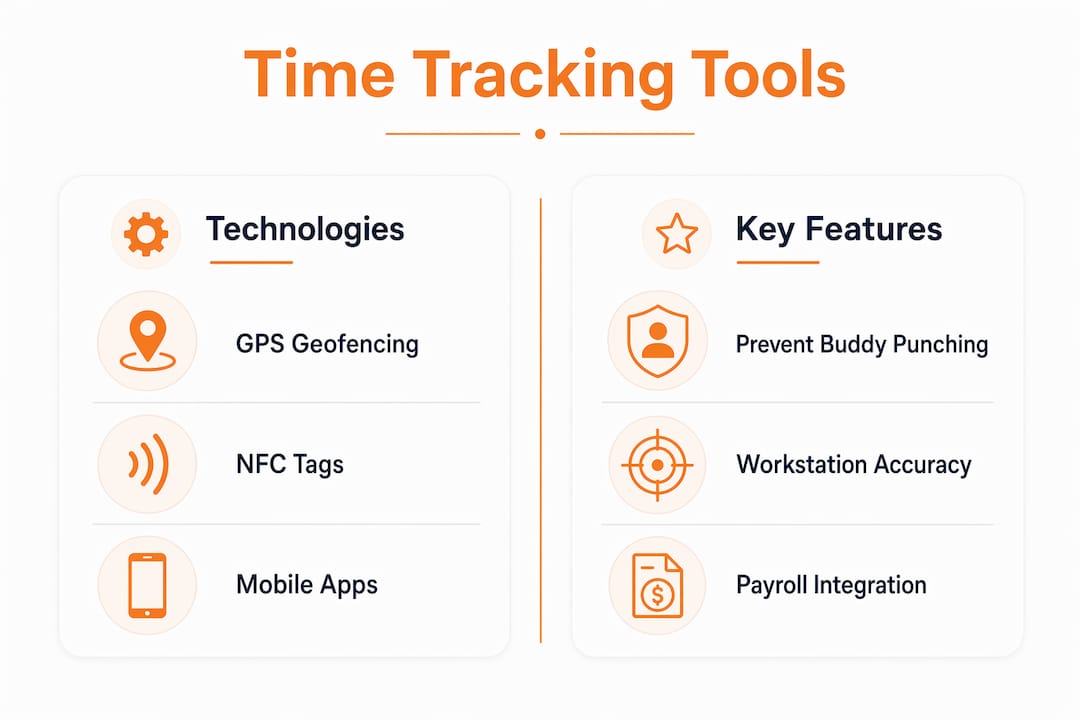
The three core technologies for reliable job site time tracking are GPS geofencing, NFC tags, and mobile clock-in apps. Each solves a different problem, and the strongest setups use all three together.
GPS Geofencing defines a virtual boundary around your job site. When a worker tries to clock in outside that boundary, the system rejects the punch. Geofencing rejects clock-ins outside approved zones, which eliminates buddy punching and prevents inflated labor costs before they hit your payroll. This matters most on open sites where a supervisor cannot physically watch every entry point.
NFC Tags go one step further. GPS tells you someone is on the property. NFC tells you they are at the right workstation or entry point. NFC taps verify the right person at the right place and time, which is critical on multi-story buildings or large commercial sites where GPS signal drift can place a worker in the wrong zone. Connecteam’s NFC time tracking is built specifically for this use case.
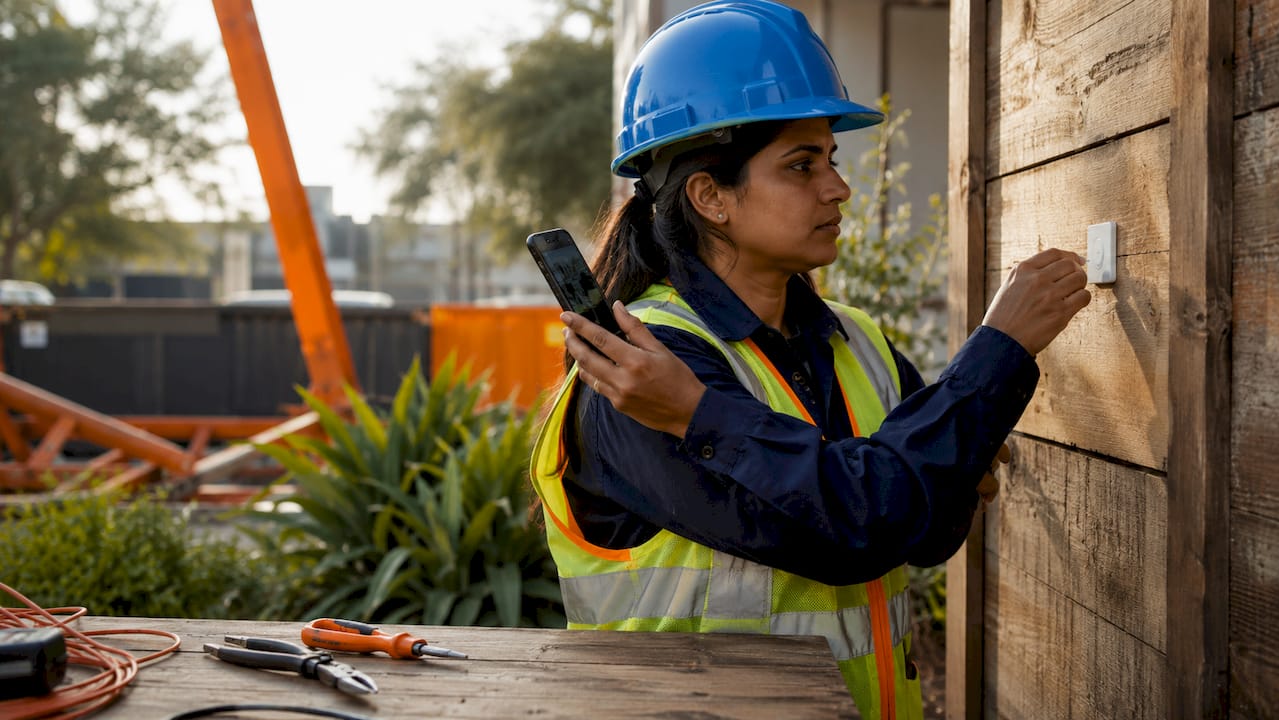
Mobile Apps are the interface your crew actually touches every day. The best ones are built for speed. A worker should be able to clock in, select a job, and assign a cost code in under 30 seconds. Overly complex interfaces deter accurate logging and slow adoption across your crew. TimeTrakGO is designed around minimal button presses for exactly this reason.
Comparing key features of leading construction time tracking tools
| Feature | GPS Geofencing | NFC Tags | Mobile App Clock-In |
|---|---|---|---|
| Prevents buddy punching | Yes | Yes | Partial |
| Works on large/multi-floor sites | Partial | Yes | Yes |
| Requires hardware on site | No | Yes | No |
| Real-time cost code allocation | Yes | Yes | Yes |
| Payroll system integration | Yes | Yes | Yes |
Pro Tip: Pair NFC tags at site entry points with GPS geofencing as a backup. If a worker’s phone loses signal, the NFC tap still records a verified clock-in.
Most leading tools also connect directly to payroll platforms. Integrations with ADP and QuickBooks eliminate manual payroll entry and reduce calculation errors, which saves your office staff hours every pay period.
Why do cost codes make or break real-time labor cost tracking?
Cost codes are the backbone of job cost reporting. Without them, you know how many hours were worked. With them, you know exactly where every dollar went and whether you are over or under budget on each phase of work.
Matching estimating cost codes with field entry codes is foundational for reliable labor cost reporting and variance analysis. The problem most subcontractors face is that their estimating spreadsheet uses one set of codes and their time tracking app uses another. The result is reports that cannot be compared, which makes job profitability analysis nearly impossible.
Setting up cost codes correctly requires three steps. First, export your estimate’s cost code structure before the job starts. Second, load those exact codes into your time tracking software so workers select from the same list. Third, lock the code list so no one can create ad hoc entries in the field that do not map back to the estimate.
Common cost code categories in commercial and residential construction include:
- Concrete and Foundations (site prep, forming, pouring, finishing)
- Framing (rough framing, sheathing, structural steel)
- MEP Rough-In (mechanical, electrical, plumbing)
- Finishes (drywall, paint, flooring, trim)
- Site Work (grading, utilities, paving)
Mismatched cost codes produce inaccurate real-time job costing and reports that are useless for decision-making. When your field data and your estimate speak different languages, you cannot catch a budget overrun until it is too late to fix it.
Pro Tip: Build your cost code list in your time tracking software before mobilization day. Handing workers a clean, pre-loaded list on day one prevents improvised entries that corrupt your reports.
Connecting labor tracking to project budget tracking turns raw hours into a live financial picture of each job.
How do you deploy labor tracking technology with your crew?
Successful deployment follows a clear sequence. Skipping steps, especially the crew onboarding phase, is the single biggest reason time tracking rollouts fail on job sites.
-
Select your tools and define site boundaries. Choose a platform that supports GPS geofencing and, if your site is complex, NFC hardware. Set geofence boundaries before the first worker arrives. Include parking areas if workers are expected to clock in before entering the building.
-
Load jobs, phases, and cost codes. Every active job should be in the system with its full cost code tree before mobilization. Workers should never see a blank dropdown when they try to assign their time.
-
Run a 15-minute crew onboarding session. Show workers exactly how to clock in, switch jobs mid-day, and clock out. Use the actual app on their phones. Address questions about why the system exists before they ask. Transparency here prevents resistance later.
-
Set a daily clock-in window. Require all punches within 15 minutes of the scheduled start time. Most platforms let you configure alerts for late or missing punches so your foreman can follow up immediately rather than discovering the gap on Friday.
-
Monitor the live dashboard daily. Real-time dashboards showing labor hours by job, phase, and cost code let you spot budget overruns while work is still in progress. Check the dashboard each morning before the crew starts. A 10-minute review can prevent a week of overspending.
-
Run a weekly labor cost variance report. Compare actual hours by cost code against your estimate. Any code running more than 10% over budget deserves a conversation with your foreman that day, not at job closeout.
Pro Tip: Assign one foreman per site as the “time tracking lead.” Give that person authority to approve or correct punches before the weekly payroll cutoff. Distributed accountability catches errors faster than a centralized office review.
The role of electronic time tracking in construction goes beyond payroll. It creates a documented record of labor allocation that protects you in disputes and supports change order claims.
What are the most common mistakes in tracking job site hours?
Most labor tracking failures trace back to four recurring mistakes. Knowing them in advance lets you build safeguards before they cost you money.
-
Buddy punching without enforcement. GPS geofencing and NFC tags exist specifically to prevent one worker from clocking in for another. If you deploy these tools but do not enforce them, you get the cost of the technology without the protection. Enforcing clock-in from approved locations and requiring job selection at every punch are the two controls that prevent payroll fraud.
-
Unmapped cost codes. When workers cannot find the right code, they pick the closest one or create a new entry. Both outcomes corrupt your reporting. Lock the code list and train workers on the correct selections during onboarding.
-
No communication about purpose. Workers who do not understand why they are being tracked assume the worst. Transparency about tracking goals, specifically that the system exists for fair payroll and accurate project management rather than surveillance, increases acceptance and reduces deliberate workarounds.
-
Ignoring missed punches. A missed clock-out looks like an employee worked a 24-hour shift in most systems. Set automated alerts for punches that exceed your longest expected shift. Resolve exceptions the same day they occur.
“The goal of monitoring is accurate management, not micromanagement. When workers understand that, compliance goes up and complaints go down.”
Subcontractor compliance tools like Tradie Pass can complement your time tracking setup by adding a layer of workforce compliance documentation alongside your labor records.
Key takeaways
Accurate labor hour tracking on job sites requires GPS geofencing, NFC verification, standardized cost codes, and transparent crew communication working together as a system.
| Point | Details |
|---|---|
| Use layered location technology | Combine GPS geofencing with NFC tags to prevent buddy punching on complex sites. |
| Standardize cost codes before mobilization | Load estimate cost codes into your tracking app before day one to keep reports accurate. |
| Monitor dashboards daily | Check real-time labor cost data each morning to catch budget overruns while you can still act. |
| Communicate purpose to your crew | Tell workers the system exists for fair payroll, not surveillance, to reduce resistance. |
| Resolve missed punches same day | Set automated alerts and correct exceptions immediately to protect payroll accuracy. |
The part nobody talks about: monitoring vs. trust
I have watched more than a few labor tracking rollouts fall apart not because the technology failed, but because the foreman introduced it wrong. The crew heard “we’re tracking your location” and immediately assumed they were being watched for discipline. Within a week, half the team was clocking in from the parking lot and forgetting to clock out, which is exactly the behavior the system was supposed to prevent.
The fix is not a better app. It is a better conversation. When I work with subcontractors on time tracking implementation, I tell them to lead with the payroll angle. Tell your crew: “This system makes sure you get paid for every minute you work, including overtime.” That framing is true, and it lands completely differently than “we’re monitoring your hours.”
The tools themselves have gotten genuinely good in 2026. Mobile interfaces from platforms like TimeTrakGO require almost no training. NFC tap-in takes three seconds. The technology is no longer the hard part. The hard part is still human, and it always will be.
What I have found works best is pairing a simple tool with a clear policy document that workers sign during onboarding. The document explains what is tracked, why, and who sees the data. That transparency, combined with a user-friendly mobile interface, produces the highest compliance rates I have seen. Workers do not resist systems they understand and trust.
The subcontractors who get the most value from labor tracking are not the ones with the most sophisticated software. They are the ones who treat their crew as partners in the process rather than subjects of it.
— Jen Reese
How Won2build connects labor tracking to your bottom line
Tracking hours is only half the equation. The other half is knowing what those hours cost against your original bid.
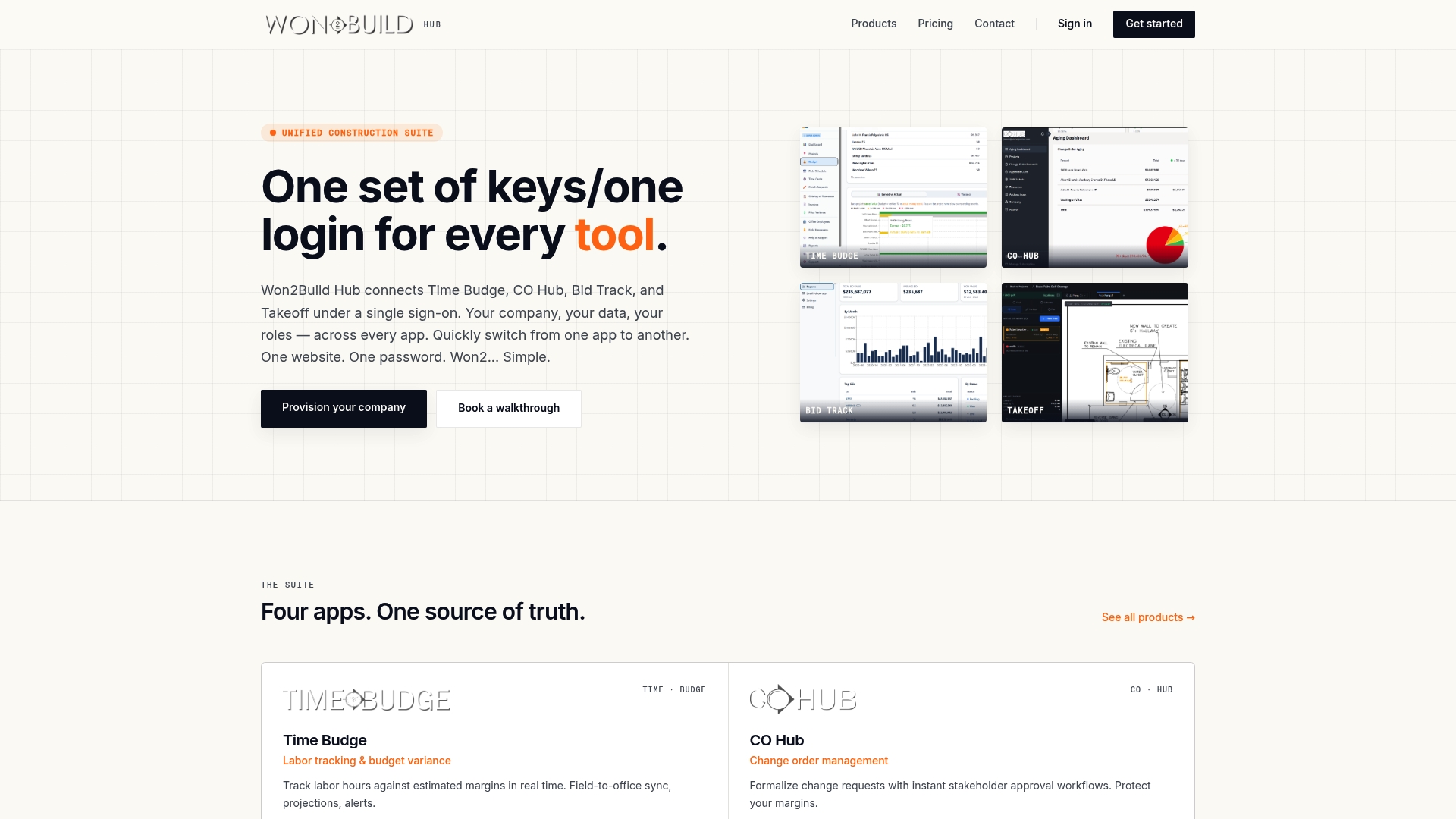
Won2Build’s Time Budge application connects field labor data directly to your project budget, giving you a live view of cost versus estimate without manual reconciliation. When you combine that with Bid Track, your bid pipeline and your actual labor costs speak the same language. Won2Build’s Takeoff tool closes the loop by feeding digital plan quantities into your estimates from the start, so the cost codes you build in estimating match exactly what your crew tracks in the field. For subcontractors who want their field data and office data to stay in sync, Won2Build is built for that specific problem.
FAQ
What is the most reliable way to prevent buddy punching on job sites?
GPS geofencing combined with NFC tag verification is the most reliable method. Geofencing rejects clock-ins from outside the site boundary, while NFC tags confirm the worker is at the correct workstation or entry point.
How do cost codes improve labor hour tracking accuracy?
Cost codes link each hour worked to a specific budget line in your estimate. When field entries match your estimating codes exactly, you get real-time variance reports that show exactly where a job is over or under budget.
Can job site time tracking software integrate with payroll systems?
Yes. Leading construction time tracking tools integrate directly with payroll platforms like ADP and QuickBooks, automating overtime calculations and eliminating manual data entry between systems.
How do i get my crew to actually use time tracking apps?
Choose an app with minimal steps for clock-in and clock-out, then explain clearly that the system protects their pay accuracy. Workers comply at much higher rates when they understand the purpose is fair payroll, not surveillance.
What should i do when a worker misses a clock-in or clock-out?
Set automated alerts in your platform to flag punches that exceed your longest expected shift. Assign a foreman to review and correct exceptions the same day they occur, before the weekly payroll cutoff.
Recommended
One login for estimating, bid tracking, change orders, and labor.
The Hub is free. Pay only for the apps you turn on.
Create your free Hub account- 7 Concrete Takeoff Steps Estimators Use to Avoid Ordering ShortfallsFollow seven concrete takeoff steps to calculate cubic yards, size rebar and formwork, convert volumes to supplier units, and verify quantities before bid...
- Are E-Signature Change Orders Legal and Worth the Switch?E-signature change orders streamline your workflow, ensuring faster approvals, fewer disputes, and quicker invoicing—discover the benefits now!
- How to Link Takeoff to Estimate for Accurate BidsLink your takeoff quantities to your estimate for accurate bids. Discover the seamless integration method that reduces errors and saves time.