
Subcontractors: Protect Margins With 48 Hour Change Order Management
A subcontractor's playbook: capture field evidence in 48 hours, document entitlement/cause/quantum, and speed approvals to protect margins.

A change order is a legally binding amendment to the contract, and it only protects you once it’s signed. The single rule that matters more than any other: document the scope, cost, and schedule impact and get it signed before the crew touches the new work. Skip that step and you’re financing the owner’s change order out of your own pocket.
TL;DR:
- Signing a change order is essential to enforce its scope, cost, and schedule adjustments; unsigned ones leave you liable for costs.
- The appropriate pricing method should match scope certainty, with time and material for fuzzy scopes and lump sum or unit prices for clear definitions.
- Processing a change order within 48 hours, including capturing, pricing, routing, and signing, maximizes your chances of getting paid on time.
- Maintaining a detailed change log with backup documentation and approval timelines helps protect your budget and identify delays early.
- Using dedicated tools like CO Hub streamlines field capture, approval routing, and documentation, reducing disputes and speeding up the change order process.
Table of Contents
- What Is Change Order Management and Why Signatures Matter?
- What Types of Change Orders Should Subcontractors Use?
- How Do You Process a Change Order Step by Step?
- How Should You Price and Value a Change Order?
- How Do You Track Change Orders to Protect Your Budget?
- How Do You Negotiate Change Orders Without Losing Leverage?
- What Belongs in a Change Order Template?
- What Tools Help Manage Change Orders Better?
- What Field Habits Actually Prevent Change Order Losses?
- Get Faster Change Order Approvals With Won2Build
- Where to Find Standard Change Order Templates and Guidance
- Sources
What Is Change Order Management and Why Signatures Matter?
Change order management is the discipline of capturing, pricing, approving, and tracking every deviation from the original scope so nobody eats the cost of someone else’s decision. A change order becomes enforceable once both parties sign it, which is what separates it from a verbal promise on the jobsite.
Three terms get used interchangeably, and that sloppiness costs subcontractors money:
- Change request — an informal ask, often verbal, with no cost or schedule commitment attached.
- Change directive — a written order to proceed with work before price and time are fully negotiated, common on public jobs and large commercial projects.
- Change order — the final, signed document that fixes scope, cost, and schedule adjustments into the contract.
Authority to sign scales with dollar exposure. A field superintendent might approve a $2,000 tweak; anything crossing into five figures usually needs a project executive or owner’s representative. Know your contract’s signature matrix before you start work, not after the invoice bounces. This overlaps with, but isn’t identical to, a commercial construction addendum, which typically modifies contract terms rather than field scope.
What Types of Change Orders Should Subcontractors Use?
The pricing method you choose determines who carries the risk if your estimate is wrong.
- Lump sum — a fixed price for a defined scope. Works well when drawings and quantities are clear; if scope creeps after signing, you’re stuck.
- Unit price — a rate per unit (per linear foot, per square foot) multiplied by actual quantity. Good for repetitive work with uncertain final counts, like trenching or drywall.
- Time and material (T&M) — billed on actual labor hours and material cost plus markup. Protects you when scope is genuinely unknown, but owners hate open-ended exposure.
- Deductive/additive — adds or removes scope and dollars from the base contract, often paired with substitutions or value-engineering requests.
When scope is fuzzy, T&M with a not-to-exceed ceiling beats guessing at a lump sum. Guess wrong on a lump sum and the loss is yours alone.
How Do You Process a Change Order Step by Step?
A change order dies or survives based on what happens in the first 48 hours after the field notices something’s different. Here’s the sequence that keeps you paid and on schedule.
- Identify and capture. The foreman or PM logs the change the moment it’s discovered, with photos, the relevant RFI, and marked-up drawings attached. This isn’t optional paperwork for later; immediate field capture materially improves your negotiating position because memory fades and disputes get reconstructed from guesswork otherwise.
- Price preliminarily. Issue a rough order of magnitude (ROM) within the window your contract specifies, usually 3 to 5 business days. This isn’t your final number, it’s a placeholder that keeps the owner informed and stops schedule drift.
- Route for approval. Route the priced change through whoever holds signature authority at that dollar level. Bundling several small changes into one submission to save time just delays payment on all of them.
- Execute. Get signatures, update the schedule of values, cut a purchase order if materials are involved, and confirm how the added scope gets invoiced going forward.
- Close out. Reconcile actual cost against the estimate, update the change log with final numbers, and file the backup documentation where it can be retrieved for years, not months.
Pro Tip: Assign one person per project to own the change log. When five people touch it, entries go stale and nobody’s sure which version is current.
How Should You Price and Value a Change Order?
Every defensible change order rests on three pillars: entitlement (do you have a contractual right to more money or time), causation (can you tie the event directly to the cost or delay), and quantum (can you prove the dollar amount). AACE International’s 100R-19 framework treats these three as inseparable. Skip causation and even a fair price gets rejected.
Pricing tactics that hold up under scrutiny:
- Use a ROM for speed, then convert to a firm lump sum or unit price once quantities are confirmed.
- For T&M, always attach a not-to-exceed cap. It protects the owner’s budget and keeps your invoice from looking speculative.
- Calculate fully burdened labor rates (wages plus payroll tax, insurance, and benefits) rather than base hourly pay. Markup on materials and labor should reflect your actual overhead, not an arbitrary round number.
On federal work, timing isn’t optional. DFARS requires unpriced change orders to be definitized within 180 days or before 40% of the work is complete, and a negotiated settlement exceeding a certain high-value threshold can trigger a Small Business Subcontracting Plan revision. Miss that window and you risk a unilateral price determination instead of a negotiated one.
How Do You Track Change Orders to Protect Your Budget?
A change order package needs enough backup that a stranger could approve it without asking a single follow-up question. That means the priced scope, schedule impact, cost breakdown by labor and material, and supporting evidence: photos, marked drawings, RFI references, and vendor quotes.
Your change log should carry, at minimum:
- Status code (BIC, submitted, approved, rejected)
- Date submitted and date approved
- Requested amount versus approved amount
- Linked RFI or directive number
Three numbers tell you whether the process is working: approval turnaround time, cumulative change order percentage against original contract value, and remaining contingency versus actual burn rate. When cumulative changes exceed a moderate percentage of contract value without a corresponding schedule extension, that’s your signal to escalate before the owner does. Timestamped mobile capture, as field-tested guidance recommends, turns “he said, she said” into a dated record nobody can dispute later.
How Do You Negotiate Change Orders Without Losing Leverage?
Never start work on a verbal promise, full stop. If a superintendent tells you to proceed and “we’ll sort the paperwork later,” get that instruction in writing, even if it’s just a text message you follow up with a formal RFI.
When you sit down to negotiate, lead with documentation, not opinion:
- Present entitlement first (the contract clause or directive giving you the right to claim), then causation (the specific event and its measurable impact), then quantum (the dollar figure, backed by receipts and labor logs).
- Get an independent estimate when the owner’s number is dramatically lower than yours. A second opinion from a estimator outside the dispute carries more weight than repeating your own number louder.
- Escalate to a formal change order board or dispute review process when a change sits unresolved past 30 days. Waiting longer just buries the paper trail under new problems.
Watch for red flags: definitization dragging past your contract’s stated window, someone trying to bundle a disputed change into an unrelated one, or a signature from someone without actual authority to bind the contract.
Pro Tip: If a change directive shows up without a not-to-exceed number attached, push back before you mobilize. An open-ended directive is how subcontractors end up financing someone else’s scope creep.
What Belongs in a Change Order Template?
A reusable template beats rebuilding a change order from scratch every time, and it forces you to include the fields that actually get scrutinized during approval.
- Header fields — project name, change order number, date, contract reference, and requesting party.
- Scope description — a plain-language summary of what’s changing, referenced against the original drawings or spec section.
- Cost breakdown — labor, material, equipment, markup, and total, itemized rather than lumped.
- Schedule impact — days added or saved, tied to the critical path if relevant.
- Signature block — space for both parties, with printed name, title, and date.
- Attachments list — photos, marked-up drawings, labor logs, purchase orders, and vendor quotes referenced by exhibit number.
The ConsensusDocs 202 form is a widely recognized industry model worth comparing your own template against. For changes that run months rather than days, bill in interim monthly increments rather than waiting for final closeout. Waiting on payment for a six-month T&M change is how cash flow problems start.
What Tools Help Manage Change Orders Better?
Manual change order tracking, spreadsheets, email chains, printed forms in a truck console, breaks down exactly when volume goes up, which is exactly when you need it most. Jen Reese, writing for the Won2Build blog, has documented how the change order approval process stalls most often at the handoff points: field to office, office to owner, owner back to field for execution.
CO Hub, part of the Won2Build Hub suite, maps directly onto the workflow described above:
- Field capture happens on the same mobile session where the crew notices the change, timestamped automatically.
- Pricing and approval routing follow your signature thresholds instead of a guessing game over email.
- The change log syncs in real time between field and office, so nobody’s working off a stale version.
- T&M tickets convert into change orders without re-entering the same data twice.
The proprietary result: fewer disputes over “what actually happened,” because the record was built the same day the change occurred.
What Field Habits Actually Prevent Change Order Losses?
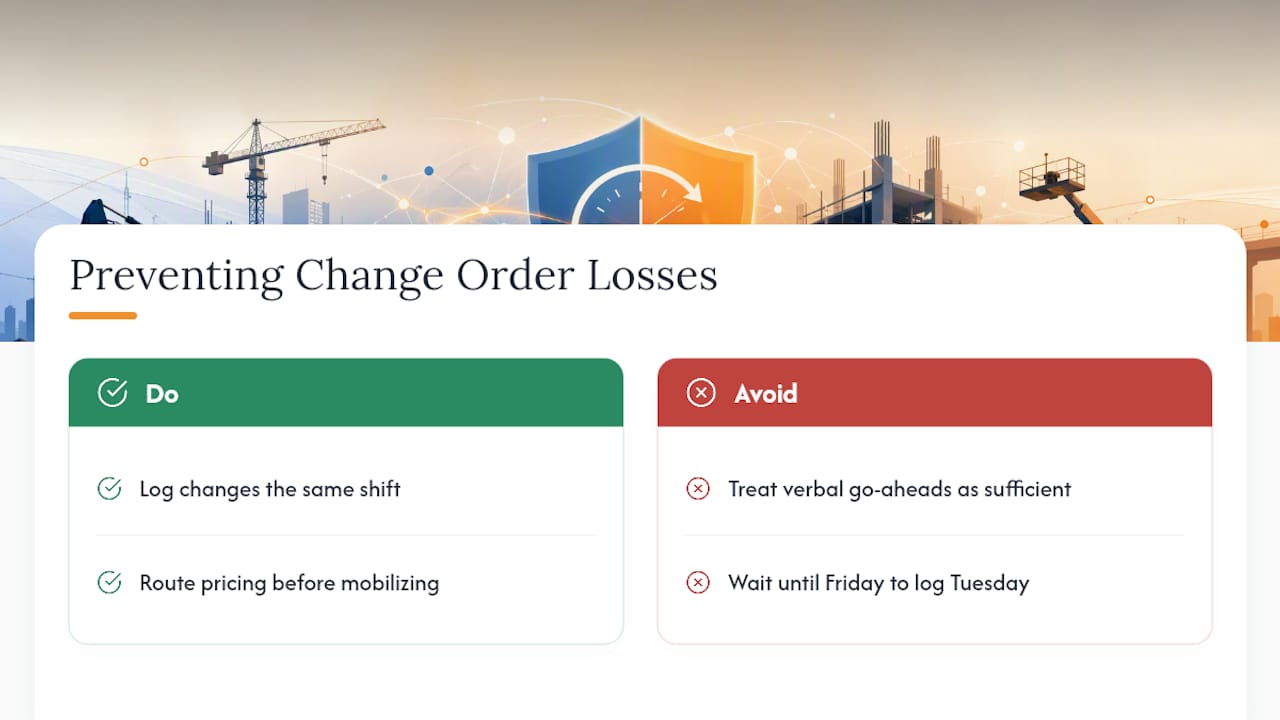
The costliest habit on most crews is treating verbal go-aheads as good enough. They’re not, and by the time the paperwork catches up, the cost data is already fuzzy. Stop letting superintendents verbally authorize extra work, and stop waiting until Friday’s meeting to log what happened Tuesday.
Fix both today: log changes the same shift they happen, and route pricing before mobilizing. For the mechanics of getting approvals moving faster, see Won2Build’s approval process breakdown.
— Jen Reese
Get Faster Change Order Approvals With Won2Build
Won2Build is the direct fix for the manual change order chaos this article just walked through. CO Hub replaces the spreadsheet-and-email shuffle with a single workflow: field capture, pricing, signature routing, and invoicing all live in one place, synced between the jobsite and the office in real time.

That matters because every hour a change order sits unpriced or unsigned is an hour you’re financing someone else’s scope. CO Hub shortens that gap and keeps a defensible, timestamped record for every approval, which is exactly what protects your margin when a dispute lands months later. Pair it with Takeoff to generate firm quantities fast when you need backup for a priced change order, instead of eyeballing a number under deadline pressure. Start a free trial and see how much faster a signed change order can move through your pipeline.
Where to Find Standard Change Order Templates and Guidance
A handful of primary sources are worth bookmarking before your next dispute, not after.
- AACE International’s 100R-19 lays out the entitlement, causation, and quantum framework in detail and recommends building change management into the design phase, not bolting it on after problems start.
- The Department of Energy’s change order template shows what a government-grade template and definitization schedule actually look like.
- Washington State’s public-works change order guidance covers notification matrices and interim invoicing for long-running T&M changes.
- ConsensusDocs 202 offers a private-sector template widely accepted across commercial construction.
For broader process improvement beyond the paperwork itself, construction teams looking at end-to-end coordination will find the planning principles apply directly to change management too.
Sources
- Free Change Order: Make, Sign & Download - Rocket Lawyer
- 100R-19: Contract Change Management – As Applied in EPC
- Practices and Guideline Change Orders on Public Works Projects (BE/DBI)
- Change Order Template and Guidance — U.S. Department of Energy
Recommended
One login for estimating, bid tracking, change orders, and labor.
The Hub is free. Pay only for the apps you turn on.
Create your free Hub account- Managers: Make Mobile Field Workflows Resilient for 72 Hour OutagesPlaybook for field managers: offline first mobile workflows, resilient sync and conflict handling, compliance first AI guardrails, and practical pilot steps.
- Daily Signed Records: Force Account Tracking for Managers & InspectorsField checklist for project managers and inspectors to keep force account tracking audit-ready: use daily signed records for labor, equipment, and...
- Stop Timecard to Report Drift: Labor Cost Codes for SubcontractorsFix the timecard to report chain with labor cost codes that tie crews to budgets. Includes a 6 code starter and a burdened rate example.