
T&M Rate Sheet for Subcontractors: What to Include and How to Build One
Build a T&M rate sheet that covers labor burden, overhead, equipment, materials and markup, with a worked example, contract terms and a ticket checklist.

A T&M rate sheet is the price list attached to a time-and-materials contract or change order. It sets your hourly rate for each labor category, your equipment rates, your material markup and the rules for billing them. Build it from fully loaded costs (wages, burden, overhead and profit) and tie it to a ticket process, and every hour of extra work is billed at a rate you already agreed to. Leave any of those out and you absorb the difference.
This guide shows what goes on the sheet, how to calculate each rate, which contract terms to pair with it and how to keep the paperwork clean enough to get paid.
TL;DR
- A T&M rate sheet lists labor categories with hourly rates, equipment rates, material markup and billing rules, all agreed before the work starts.
- Build each labor rate in layers: base wage, then labor burden, then overhead, then profit. Billable rates typically land at 1.5x to 2.5x the worker’s base wage.
- Give equipment and materials their own lines and markups, separate from labor.
- Pair the rates with a not-to-exceed ceiling, defined cost inclusions and daily signed tickets.
- Review the sheet every year. Old rates underbill every job.
Table of Contents
- What a T&M rate sheet is and where it fits
- What to put on the sheet
- How to calculate a labor rate
- Markups: what to charge and how to state them
- Contract terms that make the rates enforceable
- Back the rates with tickets that get paid
- Common mistakes on a T&M rate sheet
- A short build checklist
- Perspective
- Put your rate sheet to work with Won2Build
- FAQ
- Sources
What a T&M rate sheet is and where it fits
Time and material billing charges for actual labor hours, materials and equipment used on a job, at agreed rates, instead of a fixed contract price. The rate sheet is the part that makes those “agreed rates” concrete. A well-built one builds in labor burden, equipment cost and markup up front, so each ticket you submit is profitable by design instead of by luck.
You will use it in three common situations:
- A T&M contract. The whole scope is billed on time and materials, usually because the work can’t be estimated accurately ahead of time.
- Change orders and extra work. A lump-sum job hits unforeseen conditions or owner-directed changes, and the contract says extra work is billed at the rates in an exhibit.
- Standing rate schedules. The general contractor asks every sub to submit rates with the bid so that small add-ons can be priced quickly.
In each case the sheet does two jobs. It protects your margin, and it removes arguments, because both sides signed the numbers before anyone picked up a tool. For a look at when T&M beats a fixed price, see our piece on T&M versus lump sum.
What to put on the sheet
Standard T&M contracts require you to list employees’ hourly rates, including overhead and profit. You can also mark up those rates for small tools and expendables, and add rates for involved employees who aren’t on site, such as designers, drafters and project managers, according to Electrical Contractor magazine. Here is a layout that covers the ground.
Labor categories
List each classification you actually send to the field, and the office roles you will bill:
- Foreman
- Journeyman
- Apprentice (by level, if your rates differ)
- General laborer
- Project manager, estimator or detailer (when the contract allows billing off-site time)
State the straight-time rate for each, and state your overtime and premium-time rates separately. If prevailing wage applies, say so and show the rate that corresponds to each classification.
Equipment
List each piece you own or rent, with an hourly or daily rate. Owned equipment should bill at a rate that reflects ownership cost, not just fuel and an operator. Otherwise every T&M job ends up subsidizing the fleet. For rented equipment, state that you bill invoice cost plus the agreed markup.
Materials
Split materials into two groups:
- Pre-approved materials, which you can order and bill without asking each time.
- Billable-on-use materials, which require approval and a receipt before they hit the invoice.
Add the markup, the approval rule and the receipt rule to each group. If you buy items in minimum quantities, add a note that lets you charge for the purchase cost when you use fewer. Ittig also points out that T&M gives you an essentially automatic adjustment for material price escalation, which is one more reason to state material pricing as cost plus markup rather than fixed unit prices.
Other charges
Add lines for anything you expect to bill, so it can’t be called a surprise later:
- Small tools and consumables (as a percentage or a flat daily charge)
- Travel, mileage and per diem, when applicable
- Mobilization for small, unplanned callouts
- Subcontracted work, with its own markup
- Permits, disposal and testing fees at cost plus markup
How to calculate a labor rate
A billable labor rate is built in layers: employee wage plus labor burden gives your loaded labor cost. Add an overhead allocation to reach your break-even rate. Add profit to reach the billable rate. Skipping a layer is the most common reason a T&M sheet loses money.
- Base wage. What you pay per hour, including any union or prevailing-wage rate.
- Labor burden. Payroll taxes, workers’ compensation, general liability tied to payroll, benefits and paid time off, expressed as a percentage or a dollar amount per hour. A longer look at why this layer matters is in this piece on labor burden for contractors. Our own labor cost calculator guide walks through fully burdened rates.
- Overhead allocation. Your yearly overhead (office, trucks, insurance, software, admin staff) divided across billable hours.
- Profit. A margin you choose and defend.
A worked example
The numbers below are illustrative, not a benchmark. Replace them with your own.
| Layer | Foreman example |
|---|---|
| Base wage | $40.00 per hour |
| Labor burden at 35% | $14.00 |
| Loaded labor cost | $54.00 |
| Overhead allocation | $8.00 |
| Break-even rate | $62.00 |
| Profit at 10% of break-even | $6.20 |
| Billable rate | $68.20 per hour |
The billable rate here is 1.7 times the base wage, inside the typical band of 1.5x to 2.5x. If your multiplier comes out well below that, check whether you have left out a burden item or part of your overhead.
Trade rates differ widely, and public examples of how a single trade publishes its hourly pricing, such as these plumber hourly rates, show how much the final number depends on burden, overhead and market. Your sheet should come from your own cost data.
Check the inputs
Your labor rate is only as good as your overhead number. Pull last year’s actual overhead, divide by the billable hours you really expect, and update when either figure moves. Keep field hours tied to cost codes too. Our guide to labor cost codes explains how to stop timecards and reports from drifting apart.
Markups: what to charge and how to state them

Markups are negotiated in the contract, and the numbers vary by owner, region and trade. Commonly cited ranges are 10 to 15 percent on labor and equipment, 10 to 25 percent on materials and 5 to 10 percent on subcontracted work. Treat these as a starting point for the conversation, not a rule.
A few points keep the markup section clean:
- Say what the markup covers. If your hourly labor rate already includes overhead and profit, say so and don’t stack a second markup on it. If it doesn’t, say exactly what the markup is for.
- Keep labor, equipment and materials separate. Materials and equipment get their own markup lines, separate from labor.
- State the tier for subs. If you hire a lower-tier sub for part of the work, put your markup on their invoice in writing.
- Define the basis. Markup on cost, or markup on cost plus other markups? Write the formula in one line.
Contract terms that make the rates enforceable
A rate sheet without contract language is a suggestion. Three terms matter most.
Define what the rates include. A sample T&M construction contract from Princeton University’s facilities office is a good model of the structure. It defines the costs included in labor rates and the applicable markups, sets a not-to-exceed ceiling and requires invoices with enough detail and supporting documentation.
Understand the ceiling. A not-to-exceed (NTE) clause caps total project cost. Payment is limited to actual permissible T&M costs up to that ceiling, per the same Princeton model. If you see the work approaching the cap, raise it in writing before you cross it and get a revised ceiling or a change order.
Know the public-sector rules. Public owners often write their own requirements. The U.S. Postal Service’s purchasing manual, for example, says the buyer and supplier agree on a fixed hourly rate for each labor category, and each rate is inclusive of cost elements such as direct labor, labor overhead, general and administrative expenses and profit. The same section says a T&M contract is most commonly used when the labor required can’t be adequately estimated in advance, and must set a ceiling price. Federal and other public work follows its own rules, so read the contract’s rate and ceiling clauses before you submit rates.

Back the rates with tickets that get paid
The rate sheet sets the price. Tickets prove the quantity. A complete T&M ticket lets someone who wasn’t on site reconstruct what happened that day. At a minimum, include:
- Date and location
- Description of the work and who directed it
- Labor: names, trade classifications and hours
- Materials: itemized, with quantities and unit costs
- Equipment: owned or rented, with hours or daily rates
- Project or cost code
- An authorized signature
These fields match what a T&M ticket guide recommends, and they line up with the lines on your rate sheet, which is the point. If your ticket uses the same classifications as your rates, the invoice almost writes itself.
A few habits cut rejections:
- Fill out the ticket the same day. Our 4-step daily T&M ticket checklist covers the routine.
- Get a signature before the crew leaves the area. The 5-minute field sign-off checklist shows how.
- Take dated photos of the conditions and the work. See our guide to photo documentation for T&M work.
- Match each ticket, timecard and invoice line before submitting. The 48-hour T&M ticket process uses a three-way match for this.
- Keep field-to-office backup together so a rejected line can be answered in minutes. See how to stop T&M invoice rejections.
Common mistakes on a T&M rate sheet
- Rates set once and forgotten. Wages, insurance and fuel move. A sheet built two years ago underbills every job it touches.
- Burden left out or averaged too low. Use your real payroll burden, not a rule of thumb.
- One blended labor rate. Foremen and apprentices cost different amounts. Blended rates also invite pushback on who was on site.
- No equipment ownership cost. Fuel and an operator aren’t the full cost of a machine.
- No overtime or premium-time line. If it isn’t on the sheet, expect an argument.
- Markup stacked without definition. Be clear about what each percentage applies to.
- Tickets that don’t match the sheet. If the ticket uses categories your rate sheet doesn’t list, the invoice gets questioned.
A short build checklist
- Pull current wages and payroll burden for each classification.
- Calculate overhead per billable hour from last year’s actuals.
- Pick a profit margin for each category.
- Price owned equipment on ownership cost plus operating cost.
- Set markups for materials, equipment and subcontractors.
- Add overtime, travel, small tools and other charges.
- Write the inclusions, the NTE language and the invoicing requirements.
- Put the effective date on the sheet and schedule a yearly review.
Perspective
We built Won2Build for subcontractors because we know where T&M money leaks. It rarely leaks on the rate. It leaks between the field and the office: a foreman’s hours that never reach the change order, a ticket that sits unsigned for a week, a crew billed in one app and priced in another.
A good rate sheet only works if the same numbers follow the work. That is why the Hub gives you one login across Time Budge, CO Hub, Bid Track and Takeoff. Field labor and office pricing live in the same place, so you aren’t typing the same hours twice and losing some of them on the way.
Our advice is simple. Build your rates from fully burdened cost, write them down, and make every daily ticket use the same categories. Then the invoice is a summary of what your crews already recorded, not a reconstruction after the fact.
Jen Reese
Put your rate sheet to work with Won2Build
Once the sheet is built, the next problem is making sure the field follows it. Time Budge tracks labor hours by project and cost code from the field, and CO Hub manages change orders and T&M tickets so the extra work you do gets documented and billed. Both sit inside the Won2Build Hub with a single login and real-time sync between field and office.
Published pricing is $199 per month per company for Time Budge, $59 per month per company for CO Hub and $2 per month per active field worker. See the pricing page for the full list, or look at Time Budge if labor tracking is the first thing you want to fix.
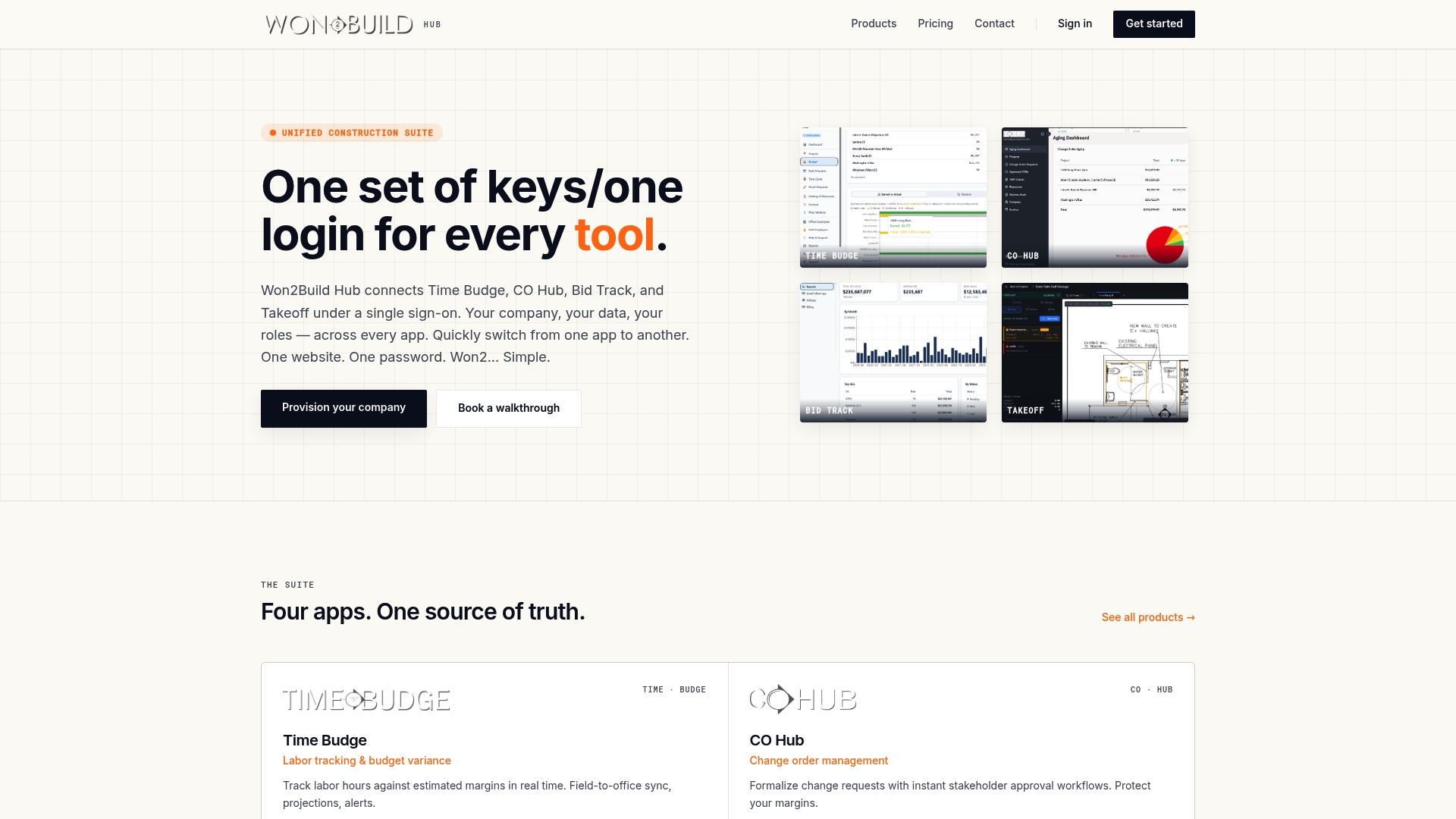
If you also price new work, Bid Track handles estimating and your bid pipeline, and the same cost data can inform the rates you put on your next sheet. You can see everything in the suite on the Won2Build Hub products page.
FAQ
What is the difference between a T&M rate sheet and a T&M ticket?
The rate sheet lists the agreed prices: hourly labor rates, equipment rates and markups. The ticket records what was actually used on a given day: who worked, how long, which materials and which equipment. The invoice multiplies the ticket quantities by the rate sheet prices.
How often should I update my T&M rate sheet?
Review it at least once a year and whenever wages, insurance costs or overhead change meaningfully. Put an effective date on the sheet so everyone knows which version applies to which work. Rates already agreed in a signed contract generally stay as written unless the contract allows adjustments.
Should overtime be on the rate sheet?
Yes. State your overtime and any premium-time rates as separate lines, along with the conditions that trigger them. If the contract is silent, expect the owner or general contractor to assume straight time for every hour.
Can I bill project management time on T&M?
Often yes, if the contract says so. Standard T&M contracts allow rates for involved employees who aren’t on site, such as designers, drafters and project managers. List those roles on the sheet with their own rates so the billing is agreed in advance.
Sources
- If You’ve Got the Money, I’ve Got the Time: A Short T&M Course (Electrical Contractor)
- T&M billing guide for subcontractors (ConstructionCFO)
- T&M Construction Contract model (Princeton University Facilities)
- 2-18.7 Time-and-Materials Contracts (USPS Supplying Principles and Practices)
- T&M Tickets: What to Include and How to Get Paid (Legal Clarity)
- Labor Burden for Contractors (Rebuilding the Trades)
- U.S. Plumber Hourly Rates 2026 (PSV Plumbing)
Recommended
One login for estimating, bid tracking, change orders, and labor.
The Hub is free. Pay only for the apps you turn on.
Create your free Hub account- Change Order Disputes: How Subcontractors Prevent and Win ThemWhy change order disputes happen on commercial jobs, what records and notices protect a subcontractor, and how to get paid for disputed extra work.
- Takeoff Checklist for Commercial SubcontractorsA practical takeoff checklist for commercial subcontractors: what to gather, what to measure, how to verify, and the mistakes to catch before you submit a bid.
- Extra Work Authorization: How Subcontractors Get PaidExtra work authorization explained for subcontractors: what to get in writing, who must sign, how to handle T&M tickets in the field, and how to avoid unpaid extras.