
Field Extra Work Tickets for Subcontractors: 5-Minute Sign-Off Checklist
Subcontractor field guide to capturing signed extra work tickets: copyable on-site ticket lines, a 5-minute checklist, and an office-to-billing workflow.

A field extra work ticket is the on-site record that proves you did work beyond the original contract scope, and the single most important thing you can do with it is get it signed before you walk off the job. Capture the exact scope, quantities, and location, get an on-site authorization signature. That ticket becomes the paper trail that turns into a change order and, eventually, a paid invoice.
TL;DR:
- Precise scope descriptions with measurements and locations are essential to prevent ticket rejection and ensure proper payment.
- Timely field signatures, photo attachments, geotags, and timestamps create stronger evidence and reduce disputes during review.
- Integrating digital tools that enforce required fields and connect field capture with billing streamlines approval and speeds up payments.
- Most rejected extra work claims stem from poor documentation practices, such as doing work first or writing vague scope lines.
- Using formal change order forms like G701 and proven templates supports legal compliance and reduces the risk of non-payment.
Table of Contents
- What Are Field Extra Work Tickets and What Types Exist?
- The Field-Ready Checklist: What Every Extra Work Ticket Needs
- How an EWA Becomes a Signed Change Order
- Sample Ticket Entries You Can Copy in the Field
- Best Practices That Prevent Disputes and Speed Up Payment
- Tools That Move Tickets From the Field to the Invoice
- What Most Subcontractors Get Wrong About Extra Work Tickets
- Get Extra Work Tickets Paid Faster With CO Hub
- Templates and Standards Worth Keeping on Hand
- Sources
- FAQ
What Are Field Extra Work Tickets and What Types Exist?
Crews use three overlapping documents to capture extra work, and knowing which one applies saves arguments later. An Extra Work Authorization (EWA) is the field document your crew fills out the moment work outside the original scope starts. It answers the question “what are extra work tickets” in the most literal sense: proof that something changed on site, signed before or as the work happens.
A time-and-material (T&M) ticket tracks hours, equipment, and materials when the scope is fuzzy and billing has to happen on actual costs rather than a fixed price. A labor and equipment record (LEM) ticket focuses narrowly on crew hours and machine time, common on oilfield service jobs where equipment rental clocks matter as much as labor.
Here’s when each one fits:
- EWA — a client asks for a change mid-job, or you hit an unforeseen condition like a buried utility line
- T&M ticket — the scope can’t be priced up front, so you’re billing hours plus materials as you go
- LEM ticket — you need a clean record of crew and equipment time separate from the material cost breakdown
Skip the paperwork in the moment and you’re negotiating from memory a month later. That’s a losing position every time.
The Field-Ready Checklist: What Every Extra Work Ticket Needs
A ticket missing even one of these fields gives a client’s office an easy excuse to reject it. Before your crew leaves site, every extra work ticket needs:
- Project ID and sequential ticket number, plus the date
- Crew names, start and stop times, and equipment IDs for anything billed by the hour
- Exact scope language with quantities, units, dimensions, and fixed locations, not general descriptions
- Unit rates, markups, and price-book references, with the extended dollar amount shown
- Photo attachments, geotags, and timestamps documenting the condition before and after the work
- An on-site signature, with the signer’s printed name and role
The scope line is where most tickets fall apart. “Repaired water line” gets rejected. “Installed a specified length of 3/4 inch copper piping from the existing main at MH-2 to the new fixture at gridline B-12” gets paid, because it survives scrutiny.
Pro Tip: Write the scope description as if you’re explaining it to someone who never saw the job site. If a stranger couldn’t locate and measure the work from your sentence alone, rewrite it.
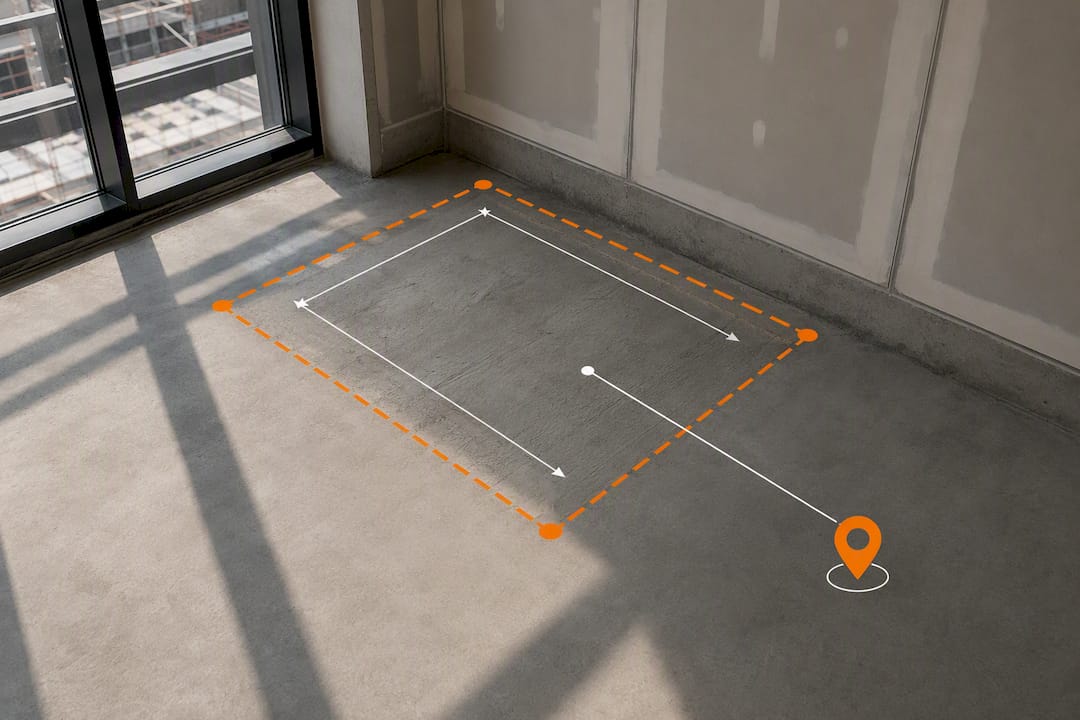
How an EWA Becomes a Signed Change Order
Getting a signature in the field is only step one. The document has to travel through office review before it turns into money on an invoice. The industry-standard chain runs in three stages:
- Field capture. Your crew fills out and signs the EWA on site, with a timestamp and a photo attached. This is the moment that protects you if the client later disputes that the work happened at all.
- Office pricing and rollup. The office reviews the EWA, prices it against your rate sheet, and drafts a Change Order Request (COR). When several small EWAs relate to the same area of work, rolling them into one COR cuts down on back-and-forth review.
- Client signature and contract amendment. The COR goes to the client or general contractor for review. Once signed, it becomes a formal change order that updates the contract sum and, where applicable, extends the schedule.
- Billing. The signed change order adjusts the schedule of values, and the added amount appears on your next progress invoice.
The AIA Document G701, the most widely used change order form in commercial construction, formalizes step three by tracking the original contract sum, the net change, and the new contract sum on one document, along with any added calendar days. Subcontractors working under a subcontract agreement will often see similar language echoed in a ConsensusDocs 202 style change order too. Miss step three and you’ve done the work with nothing but a field ticket to show for it, which is a weak position if the general contractor disputes the amount later.
Sample Ticket Entries You Can Copy in the Field
The difference between a paid ticket and a rejected one usually comes down to five or six words. Compare these side by side:
- Vague: “Extra excavation near foundation.” Enforceable: “Excavated additional 6 cubic yards at northwest corner, foundation wall grid A1 to A3, depth 4 feet below original plan elevation.”
- Vague: “Additional electrical work per owner request.” Enforceable: “Installed 2 additional 20 amp circuits, panel B, circuits 14 and 16, per owner change request dated [date], including 40 linear feet of 12 AWG conduit.”
- Vague: “Repaired unexpected damage.” Enforceable: “Replaced 8 linear feet of 4 inch PVC sewer line, damaged during excavation at station 3+50, materials and 3.5 labor hours billed T&M.”
A minimal single-line phone template covers date, ticket number, location, scope in one sentence, quantity and unit, and signature. Attach photos with captions like “Before, MH-2 connection point” or “Receipt, copper fittings, [supplier]” so evidence maps directly to a specific line item rather than sitting in a generic photo folder.
Best Practices That Prevent Disputes and Speed Up Payment
Most rejected extras aren’t rejected because the work wasn’t real. They’re rejected because the paperwork gave the payer a legitimate reason to say no. A few habits close that gap:
- Get client sign-off on site every time, not “we’ll get it signed later”
- Use time-stamped e-signatures when the client’s system supports them; e-signatures are enforceable under the federal ESIGN Act when executed properly
- Attach photos with short captions tied directly to the line item they support
- Run a pre-submit checklist so no ticket goes out with vague scope language
- Track time extensions (where applicable) explicitly, and keep a running contract-sum tally so nobody loses count across multiple change orders
- If a client tells you to proceed under dispute, get a written directive first and negotiate a partial payment rather than working entirely on faith
Pro Tip: An e-signature with a timestamp and a photo attached is a stronger evidence package than a signed paper ticket sitting in the truck’s glove box, and it can’t get left behind or rained on. Some contracts include a “no oral modification” clause, and courts often enforce it, meaning starting extra work without a signed authorization can leave you unpaid even if the client verbally approved it.
Tools That Move Tickets From the Field to the Invoice
Three categories handle this workflow today, and they perform very differently under pressure. Paper tickets plus an office log still work for small crews, but they depend entirely on someone remembering to enter the data before it’s lost. Field-ticket mobile apps improve capture speed but often stop short of connecting to change orders and invoicing. Integrated change-order platforms handle the whole chain, field capture through billing, in one system.
Whatever category you use, require these capabilities:
- Required-field enforcement so a ticket can’t be submitted with a blank scope line
- Built-in e-signature capture with a timestamp
- Photo and geotag attachment tied to specific line items
- An audit trail showing who approved what and when
- Sync to your accounting or invoicing system, not a manual re-entry step
A CO Hub software solution is built around exactly this chain: field crews capture EWAs with photos and signatures, the office rolls related tickets into a single COR, and approved change orders sync forward into billing without anyone retyping numbers.
What Most Subcontractors Get Wrong About Extra Work Tickets
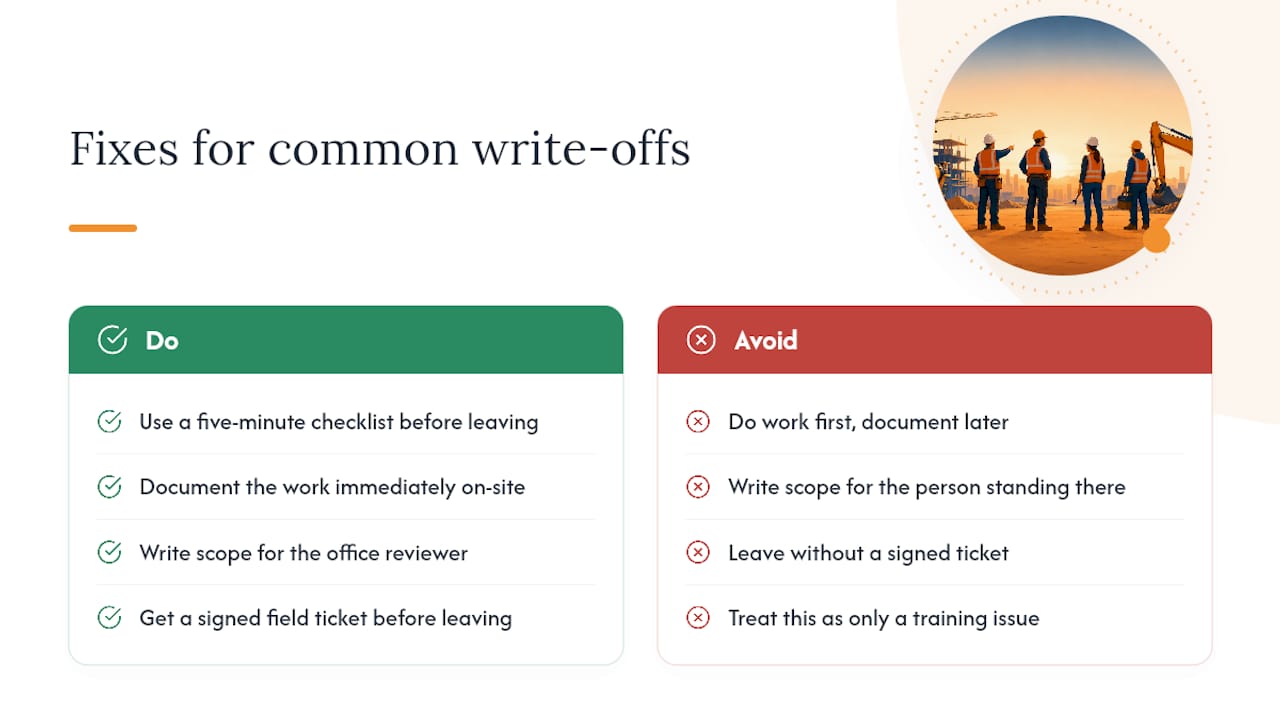
The write-offs I see most often trace back to two habits: crews doing the work first and documenting it later, and scope lines written for the person who was already standing there instead of the person reviewing the paperwork weeks after. Neither is a training problem. Both are process problems, and they’re fixable with a five-minute checklist before anyone leaves the truck.
The EWA to COR chain looks bureaucratic until you’ve watched a $40,000 change order get disputed because nobody could produce a signed field ticket. That chain is what turns “we did extra work” into “here’s the signed document proving it, with the price attached.” For a deeper walkthrough of how office review should work, see the change order approval process and how to track labor hours accurately so your T&M tickets hold up.
— Jen Reese
Get Extra Work Tickets Paid Faster With CO Hub
A CO Hub software solution offers an alternative to chasing paper tickets and re-keying numbers into a separate invoicing system. It captures EWAs in the field with e-signatures, photos, and geotags, rolls related tickets into a single COR for office review, and syncs approved change orders straight into billing and accounting records.

That means no lost paper tickets, no manual data entry between field and office, and a running contract-sum tally that updates automatically as change orders get approved. If your crews are also using a manual takeoff process to price the extra work itself, pair CO Hub with Takeoff to get from field measurement to priced change order without switching tools. Start a trial and see how many days you shave off your next round of change order billing.
Templates and Standards Worth Keeping on Hand
For formal change-order language, the AIA Document G701 and ConsensusDocs equivalents remain the industry standard. Free downloadable work order templates and a sample PDF change-order form give you a field-ready starting point, and material suppliers like The Build can help you organize procurement receipts that back up your cost documentation.
Sources
- How to Fill Out an Additional Work Authorization Form for Contractors - LegalClarity
- Free Additional (Extra) Work Order Template (PDF, Word, XLS) | Invoice Maker
FAQ
What Are the Different Types of Field Extra Work Tickets?
The three most common are an Extra Work Authorization (EWA) for field-captured changes, a time-and-material (T&M) ticket for billing actual hours and materials, and an LEM ticket for tracking labor and equipment hours specifically.
What Is a T&M Ticket in Construction?
A T&M ticket records actual time and materials used on work that can’t be priced with a fixed quote up front, capturing hours, crew, equipment, and material costs as the work happens.
Do I Need a Signature Before Starting Extra Work?
Yes. Starting extra work without a signed authorization risks non-payment, especially under contracts with a “no oral modification” clause that courts routinely enforce.
How Do Field Extra Work Tickets Turn Into an Invoice?
A signed EWA becomes a priced Change Order Request in the office, the client signs off to make it a formal change order, and that signed document updates the schedule of values on your next progress invoice.
What Happens if a Client Disputes an Extra Work Ticket?
Get a written directive to proceed if the client wants work to continue, negotiate partial payment while the dispute is resolved, and lean on your photo, timestamp, and signature documentation to support your position.
Recommended
One login for estimating, bid tracking, change orders, and labor.
The Hub is free. Pay only for the apps you turn on.
Create your free Hub account- Managers: Make Mobile Field Workflows Resilient for 72 Hour OutagesPlaybook for field managers: offline first mobile workflows, resilient sync and conflict handling, compliance first AI guardrails, and practical pilot steps.
- Daily Signed Records: Force Account Tracking for Managers & InspectorsField checklist for project managers and inspectors to keep force account tracking audit-ready: use daily signed records for labor, equipment, and...
- Stop Timecard to Report Drift: Labor Cost Codes for SubcontractorsFix the timecard to report chain with labor cost codes that tie crews to budgets. Includes a 6 code starter and a burdened rate example.