
Addenda Tracking in Construction: A Sub's Playbook
How commercial subcontractors track addenda: build a log, read each change against your scope, update takeoffs and quotes, and confirm acknowledgment before bid day.

Addenda tracking means logging every formal change issued to a bid package, checking each one against your scope, quantities and pricing, and confirming you acknowledged it before you submit. For a commercial subcontractor, the system that works is simple: one log per bid, one person accountable for it, and one final sweep before the number goes out. This guide shows how to build that system step by step, and where a connected bid and takeoff workflow keeps it from depending on memory.
TL;DR
- An addendum is a written or graphic change to the bid documents issued before bids open. It becomes part of the contract documents when the contract is signed, so your price has to reflect it.
- Keep one addenda log per bid: number, issue date, what changed, which trades it touches, who reviewed it, and whether your takeoff and quotes were updated.
- Triage every addendum by impact on your scope, not by the order it arrived. Many are only clarifications, but one line in a spec section can move a price.
- Pass each change to suppliers and lower-tier subs who are quoting you, and get a response back.
- Before submitting, reconcile the log against the bid form. The form usually asks you to acknowledge each addendum by number.
Table of Contents
- What an addendum is, and what it is not
- Why addenda slip past careful estimators
- Step 1: Build a one-page addenda log
- Step 2: Read the change against the documents
- Step 3: Triage by impact, not by arrival order
- Step 4: Update the takeoff and the price
- Step 5: Close the loop with suppliers and lower-tier subs
- Step 6: Run a final sweep and match the bid form
- Timing rules: what you can reasonably expect
- Where software fits in
- Our point of view
- FAQ
- Sources
What an addendum is, and what it is not
An addendum is a written or graphic instrument issued before bids are opened that clarifies, corrects or changes the bid documents. The same Virginia state newsletter notes that both “addenda” and “addendums” are accepted plurals, and that bidders must acknowledge addenda on the bid form. The professional association SDA puts it plainly: addendum is singular and addenda is plural. You will see both in the wild. Pick one for your log and stay consistent.
Two points matter for your pricing:
- Addenda change what you are bidding. A university construction glossary describes them as information that adds to, clarifies or modifies the bidding documents and is intended to become part of the contract documents when the construction contract is executed. If you win, you are held to the documents as amended.
- They arrive before award. Once the contract is in place, changes come through other instruments. The National Park Service’s specifier guide separates the phases: an amendment (formerly called an addendum) revises bidding requirements during the bidding period, while a modification (formerly called a change order) is used during the contract period.
Addendum vs. change order
The simplest way to separate them is by timing and by who carries the cost risk.
| Addendum | Change order | |
|---|---|---|
| When | Bidding period, before award | After award, during the contract |
| What it changes | Bid documents: drawings, specs, bid form, dates | Scope, price or schedule of the signed contract |
| Your move | Reprice before you submit | Document, price and get approval before doing the work |
| Cost of missing it | You bid the wrong job and eat the difference | Unpaid extra work |
The handoff matters. An addendum you missed during bidding often shows up later as a change order request you cannot win, because the change was already in the documents when you priced the job. For the post-award side, our guide to change order fields and templates covers what a clean request contains.
Why addenda slip past careful estimators
Most missed addenda are not carelessness. They are process gaps:
- Multiple channels. An addendum may land in an email, a plan room, an owner portal or a general contractor’s invitation system. Nobody sees all of them in one place.
- Late timing. Addenda tend to cluster in the final days before bid day, when you are busiest.
- Hidden changes. The cover sheet says “clarifications to Division 09,” but the revised sheet also moved a wall type on the second floor.
- Split ownership. The estimator reads the addendum, the project manager hears about it second-hand, and the supplier never hears about it at all.
- Quiet acknowledgments. Checking the box on the bid form is easy. Actually processing the change is the part people under-do.
Every step below targets one of those gaps.
Step 1: Build a one-page addenda log
Start each bid with a log that lives next to the bid, not in someone’s inbox. A spreadsheet is enough to begin. Each row is one addendum, with these columns:
- Addendum number as the architect or owner numbered it.
- Date issued and the date you received it. The gap between the two is a warning sign about your intake channels.
- Source: plan room, portal, GC email.
- Summary of what changed, in your own words, one or two lines.
- Documents affected: sheet numbers and spec sections.
- Trades or scopes it touches, so you know whether it is your problem.
- Bid date or time change, if any.
- Reviewed by and the review date.
- Takeoff updated? Yes, no, or not applicable.
- Quotes updated? Supplier and lower-tier responses.
- Acknowledged on bid form?
Two habits keep the log honest. First, number the log the same way the issuer does, so the bid form and your records match line for line. Second, keep one controlled copy of the current drawings and specs, and move superseded sheets to a clearly labeled archive instead of deleting them. You will want the old sheet when you need to prove what changed.
If you track more than a handful of bids at once, the log belongs inside your bid pipeline, not beside it. Our digital bid tracking guide walks through how to structure that pipeline, and our bid calendar article shows how to keep deadlines visible so addenda that move a bid date do not catch you off guard.
Step 2: Read the change against the documents
Do not rely on the addendum’s narrative alone. The narrative tells you what the architect thinks changed. Your job is to find what changed for your scope.
Read the text first. Scan the addendum for any item that names your trade, your spec sections, or the systems that touch yours: fire-rated assemblies, ceiling heights, finishes, penetrations, access panels, equipment schedules. Substitution approvals and “or equal” changes belong here too.
Then compare the sheets. When an addendum reissues drawings, overlay the new sheet on the old one. Clouds and revision triangles help, but they are not always complete. Comparing the actual sheets is what catches an unclouded change. Our walkthrough on how to compare plan revisions and control estimate changes goes through that process.
Mark it in the working set. Confirm each addendum has been incorporated into the drawings and specs your team is actually estimating from. A common failure is a reviewed addendum that never made it into the working set, so the takeoff still reflects the old sheet.
A useful test at the end of this step: can you state, in one sentence per addendum, whether it adds, deletes or only clarifies work in your scope? If not, it has not been reviewed yet.

Step 3: Triage by impact, not by arrival order
When three addenda arrive in the last 48 hours, reading them in order is a mistake. Sort them by how much they can move your number:
- High impact: new or revised drawings in your scope, changed specifications, added alternates, altered bid requirements, a changed bid date.
- Medium impact: clarifications that narrow or widen an ambiguous scope line, responses to questions that affect how you price risk.
- Low impact: administrative items, pre-bid meeting minutes, changes to other trades with no interface to your work.
Process high-impact items first, then the others. Record the triage level in the log so a second reviewer can see why you spent your time where you did.
Watch interfaces, not just your own sheets. A change to the ceiling grid affects the sub hanging above it. A revised partition type affects the drywall, framing, insulation and painting scopes. Your trade rarely lives alone on a drawing.
Step 4: Update the takeoff and the price
Once you know what changed, rework the numbers at the level where the change lives.
- Quantities. Re-measure only the affected areas, but record the before and after. A takeoff that keeps revision history lets you show exactly why the quantity moved. Our PDF takeoff workflow for tracking revisions lays out a five-step method.
- Labor and productivity. A changed detail can change install time even when material quantity does not.
- Material pricing. If the change swaps a product or spec, your supplier’s earlier quote may no longer apply.
- Net effect. Total the plus and minus across all addenda so you see the cumulative change, not just the latest one. Several small changes can add up to a meaningful number, and it is easy to miss that when each one is reviewed alone.
Write the net change in the log or the estimate summary. When the owner or GC asks why your number differs from a rival’s, or when you review the bid after award, that record is your answer. For more on keeping an estimate disciplined as the documents move, see our estimating best practices guide.
Step 5: Close the loop with suppliers and lower-tier subs
A bid is only as current as its weakest quote. If your supplier priced the original set and never saw Addendum 4, your number rests on a stale quote.
For each addendum that touches a quoted scope:
- Forward the addendum, or the relevant sheets and sections, to every supplier and lower-tier sub quoting you.
- Ask for a written confirmation: either “no change” or a revised number.
- Log the response next to the addendum.
- Chase the silent ones before bid day. Silence is not agreement.
Be specific in the message. “See attached addendum” invites a skim. “Addendum 4, sheet A-501, revises the door hardware schedule, please confirm your quote still holds” gets a real answer.
Step 6: Run a final sweep and match the bid form
Before you submit, stop estimating and reconcile.
- Count. Does the number of addenda in your log match the number the plan room or portal shows as issued? Check the source again, not just your inbox.
- Acknowledge. Does the bid form list every addendum by number? Industry bidding guidance says the bid form should provide for acknowledgment of each addendum by number and date of issue, and the Virginia newsletter above confirms bidders acknowledge addenda on the form. A missing acknowledgment can put your bid at risk of being rejected as nonresponsive, depending on the rules of the owner.
- Reflect. Is every addendum marked reviewed, with the takeoff and quotes updated or marked not applicable?
- Dates. Did any addendum move the bid date or time? Confirm the final deadline and where the bid is delivered.
- Second pair of eyes. Have someone other than the estimator read the log against the form. Our bid submission checklist for subcontractors covers the rest of the pre-submission review.
Timing rules: what you can reasonably expect
Rules on when addenda must be issued vary by owner and jurisdiction, so read the instructions to bidders on every job. As one example, Virginia’s state construction office states that addenda should go out at least six days before the bid receipt date for clarifications, with at least ten days for major changes to price, time, quality or quantity, or else the bid date must be pushed back by at least ten days. It also sets only 24 hours’ notice for a change or cancellation of the bid date itself. The AIA-MBA Joint Committee’s guidance suggests interpretations be issued as addenda at least four working days before bid receipt.
These are examples of how owners think about timing, not universal law. For your bid, the instructions to bidders control. If an addendum arrives too close to the deadline for you to price it responsibly, ask the issuer in writing whether the date will move, and keep that message in your bid file.

Where software fits in
A spreadsheet log works. It also depends on someone remembering to open it, update it and share it. The trouble starts when the log, the takeoff, the quotes and the bid pipeline live in four places and nobody owns the connection.
That is the problem Won2Build Hub is built around. It is a software suite for construction subcontractors that connects four apps under a single sign-on: Time Budge for labor tracking, CO Hub for change orders and T&M tickets, Bid Track for bid management and estimating, and Takeoff for digital plan quantification. Because the apps share one login and real-time data sync between field and office, you avoid double entry between the bid, the takeoff and what follows award.
The pricing is published at won2build.com/pricing: Bid Track is $199 per month per company, CO Hub is $59 per month per company, Time Budge is $199 per month per company with a $2 per month fee per active field worker, and Takeoff and The Hub are $0 per month. You can subscribe to the all-in-one bundle or to individual apps. If bid tracking is your starting point, look at Bid Track, or see the full Won2Build Hub suite.
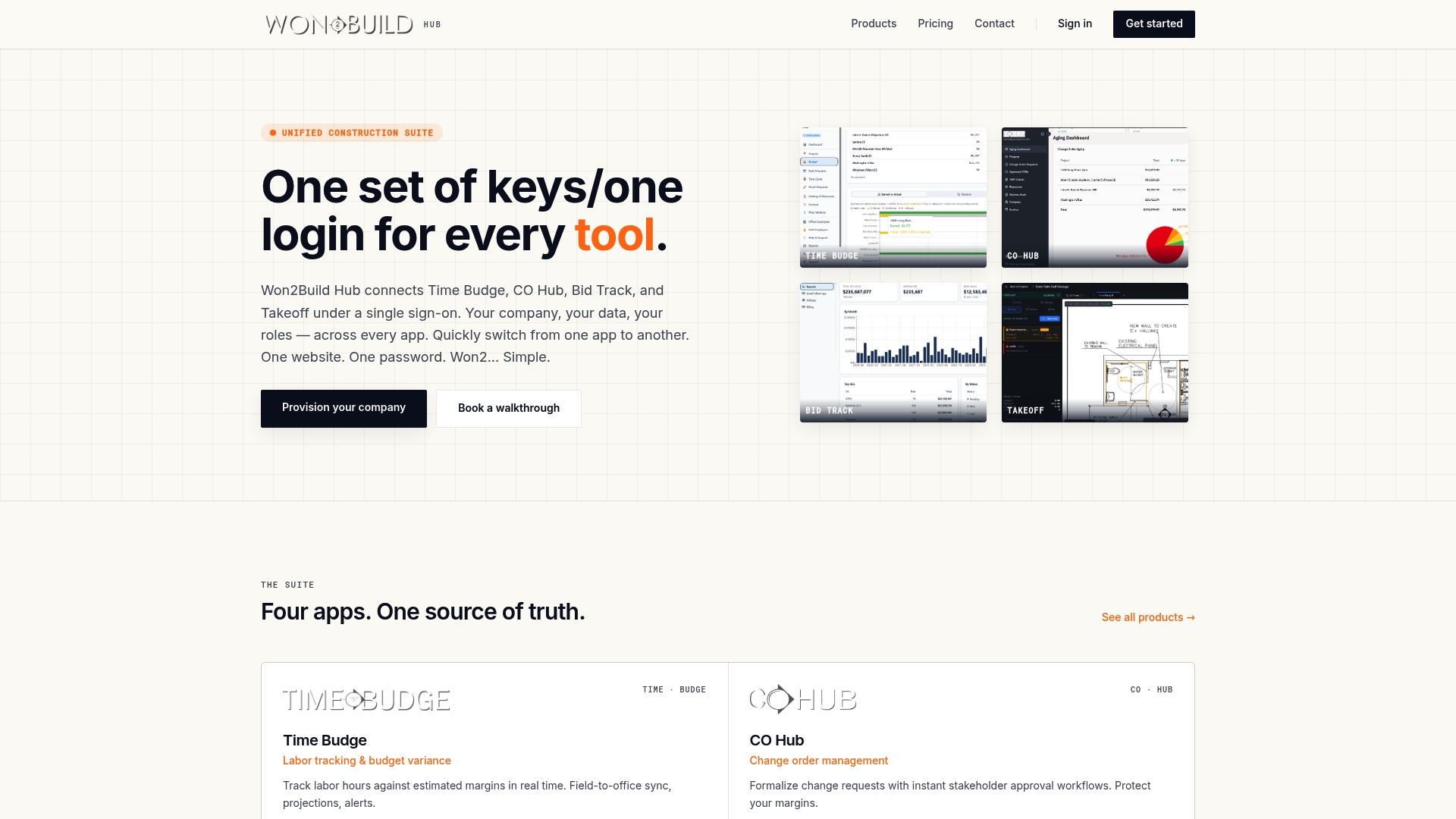
The benefit is continuity. The same project data that carries your bid forward also carries into change orders and labor tracking after you win, so the scope you priced stays connected to the work you run. For a wider look at what that means for a bid team, read our piece on bid tracking software benefits, and for the contract-language side of addenda, our commercial construction addendum guide.
Our point of view
Most subcontractors we talk about with in this industry do not lose a bid because they cannot estimate. They lose it, or lose margin after winning it, because a change in a document never reached the number.
We built Won2Build Hub from a working subcontractor’s perspective, and that shapes how we think about addenda. An addendum is not a paperwork event. It is the first change to the job you are pricing, and everything that happens after award, from change orders to labor tracking, depends on how cleanly you captured the starting scope.
That is why we put bidding, takeoff, change orders and labor under one login. When the data moves with the project instead of being retyped between tools, the scope you bid is the scope you manage, and your margin has a record behind it. Start with a log, make one person responsible, and give every addendum a written disposition. The discipline matters more than the tool, and the right tool makes the discipline easier to keep.
Jen Reese
FAQ
What is the difference between addenda and addendum in construction?
Addendum is the singular and addenda is the plural, so one change is an addendum and several are addenda. Some references also accept addendums as a plural. Either way, each one gets its own line in your log.
What is an addenda log?
It is a running record of every addendum issued for a bid. Each entry shows the number, issue date, what changed, which scopes it affects, who reviewed it, and whether your takeoff, quotes and bid form acknowledgment are up to date. It gives you one place to confirm nothing was missed before you submit.
Are addenda part of the contract?
Yes, in general. Addenda issued during bidding are intended to become part of the contract documents when the construction contract is executed. That is why you price the documents as amended, and why a missed addendum is your cost, not the owner’s. Check your own contract language for the specifics.
How do I know if I have every addendum?
Compare your log against the original source, such as the plan room, the owner portal or the GC’s invitation page, not just your email. Then check the bid form’s acknowledgment lines against your log. If the counts differ, ask the issuer which addenda have been released.
Do I need to acknowledge addenda that do not affect my trade?
If the bid form lists them, acknowledge all of them. The form usually asks for each addendum by number, and leaving one off can create a problem with your bid’s responsiveness. Mark the ones outside your scope as reviewed with no impact, so your log shows a decision, not an omission.
Sources
- BCOM Newsletter, Virginia Department of General Services
- Guide for Specifiers, National Park Service
- Construction Terminology Cheat Sheet, CSUSM
- Word Nerd: Addendum versus Addenda, SDA
- Bidding, AIA-MBA Joint Committee
Recommended
One login for estimating, bid tracking, change orders, and labor.
The Hub is free. Pay only for the apps you turn on.
Create your free Hub account- Sheet Set Organization for Subcontractors: A Plan Set SystemHow commercial subcontractors can organize a construction sheet set: sort by discipline, track revisions, name files, and keep takeoff, bids and change orders tied to it.
- Data Security for Construction Subcontractors: A Practical GuideWhat data a commercial subcontractor must protect, where it leaks between field and office, and the controls that cut the risk: MFA, access, backups, contracts.
- Bid Management Software Cost: What Subcontractors PayWhat bid management software costs a U.S. subcontractor in 2026: price ranges by tier, fees that add up, and a simple way to work out your annual cost.