
Data Security for Construction Subcontractors: A Practical Guide
What data a commercial subcontractor must protect, where it leaks between field and office, and the controls that cut the risk: MFA, access, backups, contracts.

For a commercial subcontractor, data security comes down to three things: fewer places where project data lives, tighter control over who can log in, and a backup you can restore from. Every extra app, spreadsheet and shared password adds a door an attacker can try. Fewer systems, each with one controlled login, is the simplest way to shrink the problem. Small and mid-size subs are targeted in part because they are a way into the larger contractors they work for.
This guide covers what you need to protect, where subcontractor data actually leaks, the controls that matter most, and the contract and compliance rules that now reach subs.
TL;DR
- Your exposure is bids, takeoffs, change orders, time records, payroll data and bank details. Most of it moves between jobsite phones, office email and cloud tools.
- The most common attacks are phishing, stolen logins and fake payment-change emails. Multifactor authentication (MFA), patching, backups and training are the core defenses.
- Remove access when a person’s scope ends, and verify every bank-detail change by phone using a number you already have.
- Consolidating onto one suite with one sign-on means fewer accounts, fewer spreadsheets and fewer copies of the same data to defend.
- If you touch Department of Defense work, federal cybersecurity clauses can flow down to you. Check your contract.
Table of Contents
- Why subcontractors are a target
- What data you actually hold
- Where subcontractor data leaks
- The controls that matter most
- Fewer apps, fewer doors
- Promo: one login for the four jobs that carry your data
- What the contract and the law now ask of you
- A 30-day plan for a small sub
- FAQ
- Sources
Why subcontractors are a target
Construction is a data-heavy business that still runs on email attachments and text messages. The ABC and Egnyte report Fortifying Construction found that 59% of architecture, engineering and construction firms experienced a cybersecurity threat in the past two years. It also found that 77% of firms cannot go more than five days without access to their documents before serious schedule impacts begin.
That second number is the one to take to your next owners’ meeting. A crew that cannot see drawings, a PM who cannot approve a change order and a payroll that cannot run are all the same outage. You are not only protecting secrets. You are protecting your ability to keep working and keep billing.
There is also a supply-chain angle. Law firm Bassford’s paper for the AGC, Digital Risk and the Construction Contract, argues that a shared digital project environment is only as secure as its least secure participant. Attackers can go after smaller subcontractors as an access point into larger contractors’ and owners’ systems. When a GC’s security questionnaire lands on your desk, that is why.
What data you actually hold
Before you secure anything, list it. The National Association of Home Builders’ data security guide names the main categories for builders: project documents on computer systems or shared by email, sensitive financial information, employee personal information, and data from drones and other connected devices. For a commercial sub, that translates into:
- Estimating data. Bid pricing, labor rates, markups, takeoff quantities and your bid history. A competitor who sees these can undercut you.
- Change order and T&M records. Pricing, backup documentation and signed tickets. They drive your cash flow and your disputes.
- Labor and payroll data. Names, hours, pay rates, and often Social Security numbers and bank details for direct deposit.
- Plans and specifications. Often under confidentiality terms in your subcontract.
- Banking and invoicing details. The target of payment-redirect fraud.
Sort each into two buckets: what would hurt if it leaked, and what would hurt if you lost it for a week. The first bucket needs access control and encryption. The second needs backups and a recovery plan.
Where subcontractor data leaks
Most incidents are ordinary failures of access and habit, not Hollywood hacking.
Jobsite devices and networks
The managed IT firm Core Managed IT describes jobsite risks: tablets and phones on cellular or public Wi-Fi, personal devices on shared networks, connected sensors, and field-to-office data moving without controls. A foreman texting a photo of a marked-up drawing from a personal phone is normal. It is also a copy of your data that you cannot see or remove.
Email, phishing and stolen credentials
Phishing is the usual front door. The ABC and Egnyte report says 85% of construction firms experienced phishing attacks in 2023 and that unauthorized log-in attempts were the most commonly reported threat, at 45%. Once an attacker has one password, they can read email, impersonate you and find the next target.
Payment-change fraud
Business email compromise is the expensive one. A compromised subcontractor mailbox can send a payment-change request from a sender everyone already trusts. Da-Com’s vendor cybersecurity guide advises verifying any payment change through a separate trusted channel, such as a phone number already on file. The Bassford paper notes that standard construction contracts do not require MFA on payment systems or independent verification of banking changes, so the protection has to come from your own procedure.
Access that never gets turned off
Bassford gives a concrete example: a sub finishing work in month four of a twenty-month project may keep active platform access through project completion unless someone manually revokes it. The same applies to your own side: seasonal employees, former estimators and outside bookkeepers who still have logins. GreenBean IT’s review of subcontractor risk lists vendors keeping scheduling-platform access after their scope ends and file sharing through email or consumer-grade storage among the typical weak points. It also makes the point that most subcontractors are not malicious. The problem is visibility and control.
Ransomware
The ABC and Egnyte report says 30% of general contractors experienced a ransomware attack in the last two years. It also reports that construction was the third most targeted sector globally for ransomware between April 2023 and March 2024. Ransomware locks your files and demands payment. The question that decides how bad it gets is whether you have a clean backup.
The controls that matter most
The Construction Management Association of America’s guide, Improving Cyber Defenses in the Construction Industry, boils resilience down to a short list: MFA for all users, automatic updates, endpoint detection and response (EDR) software, regular backups, a written incident response plan, and security awareness training with phishing simulations. Here is how to apply each one at the size of a subcontractor.
1. Turn on MFA everywhere it is offered
MFA means a password plus a second proof, such as a code from an app. CMaA cites Microsoft’s 2023 report saying it makes a business 99.2% less likely to be hacked. Da-Com’s protection guide says to require it for email, remote access, cloud storage, project management platforms, accounting systems and administrator accounts. Start with email and the accounting and payment systems. Those are where the money moves.
2. Give each person their own login, and only what they need
Shared passwords are the opposite of control: you cannot tell who did what, and you cannot remove one person without changing it for everyone. The NAHB guide advises strong password policies that prohibit shared credentials. Da-Com recommends role-based access controls and audit logs. In practice:
- Estimators see bids and takeoffs, not payroll.
- Foremen see their own crews and jobs.
- Office staff see billing and change orders.
- Only one or two people hold administrator rights.
Construction Dive’s reporting on contract provisions puts the principle simply for GCs: give subcontractors only the data they need, because there is less to lose. The same logic applies to what you hand your own vendors and field staff.
3. Revoke access when scope ends
Make offboarding a checklist item, for people and for project platforms. Bassford recommends that contracts require credentials to be deactivated when each party’s scope is complete. Do not wait for the contract to say so. When a crew member leaves or a job closes, remove the access that day.
4. Keep systems patched and endpoints protected
The NAHB guide advises always installing security patches and using endpoint security against malicious email. Turn on automatic updates for laptops, phones and tablets. Replace devices that no longer receive updates.
5. Back up so a ransomware attack is an inconvenience
The NAHB guide recommends backing up regularly to a solution not connected to the network, offsite or on another server, which it says can neutralize ransom demands. An attacker who can reach your backup can encrypt it too, so one copy has to be out of reach. Then test a restore. A backup you have never restored is a hope, not a plan.
6. Train people, and make reporting easy
CMaA calls employees the first line of defense. A 20-minute session on spotting fake invoice emails, fake platform notifications and urgent requests from “the boss” is worth more than most software. Da-Com identifies malicious files in shared document workflows and fake platform-notification emails as common attack methods, so show your team examples.
7. Lock down payment changes
Adopt one rule: no bank-detail change is processed from an email alone. Call the number on file. Bassford recommends exactly this kind of independent confirmation, plus MFA on any platform used to approve or transmit payments. Speed matters after a loss: the SecurEveryone incident review, citing FBI data, reports that only about 28% of fraudulent business email compromise funds are frozen after the initial wire, so prevention beats recovery.
8. Write a one-page incident plan
Name who you call first (your IT provider or insurance carrier), who can shut off accounts, where the backup lives and who tells your GC. Keep a paper copy. If email is down, a plan stored in email is useless.
Fewer apps, fewer doors
Every separate tool a sub adds is another set of passwords, another vendor to evaluate, another export to a spreadsheet and another place where an ex-employee still has access. The typical stack of a time app, an estimating tool, a takeoff program and a change order spreadsheet means the same job data is retyped between them and emailed around. Each copy is a copy you must protect.
Two habits shrink this problem. First, audit what you use and retire what overlaps; our guide to app sprawl in construction walks through a 6 to 12 month approach. Second, move to systems that share one sign-on so access can be granted and removed in one place. Our piece on single sign-on for construction explains what that means for the person running IT, even when that person is the owner. The ABC report’s description of Hensel Phelps’s practices shows large contractors going the same direction: role-based access with MFA, least-privileged per-project access, unique user IDs tied to a demonstrated business need, and single sign-on for internal users.
Real-time data between field and office also removes a quieter risk. When time cards, change orders and bids sync automatically, there is less data in text messages and email attachments. See why subcontractors need real-time data for the business case beyond security.
Promo: one login for the four jobs that carry your data

Won2Build Hub is a software suite built for construction subcontractors. It brings four apps behind a single sign-on: Time Budge for labor tracking, CO Hub for change orders and T&M tickets, Bid Track for bids and estimates, and Takeoff for digital plan quantification. Data syncs between field and office, so nobody retypes it or emails a spreadsheet.
Pricing is published on the pricing page: Time Budge is $199 per month per company, Bid Track is $199 per month per company, CO Hub is $59 per month per company, and the active field worker fee is $2 per month per active field worker. Takeoff and The Hub are $0 per month. Pricing is flat per company with unlimited team members, so you can give each person their own login rather than sharing one to save money.
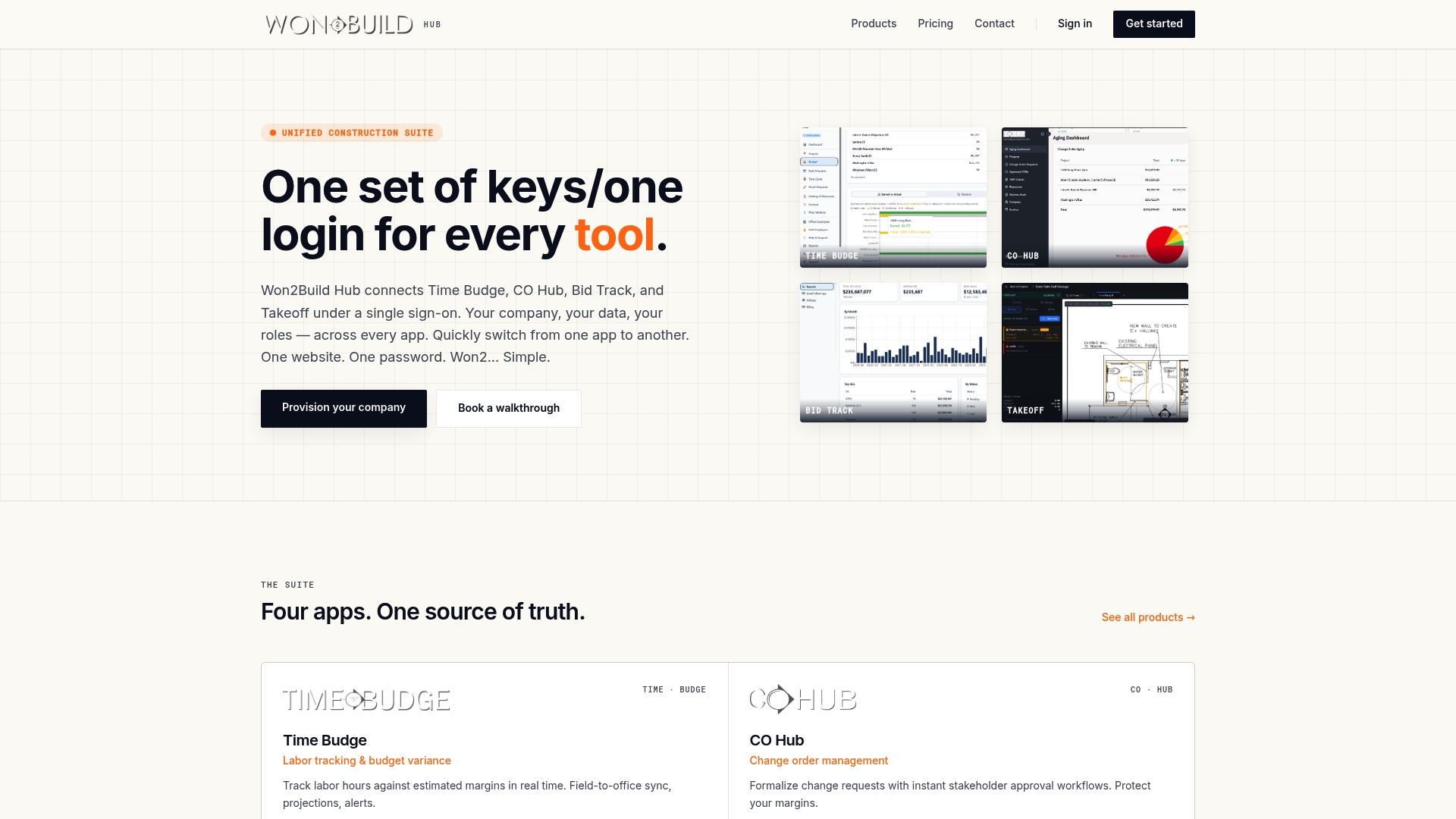
If you want to see how the suite fits your own stack, start at the Won2Build Hub and the products overview. If you are planning a move, our software implementation plan for subcontractors covers the rollout steps.
What the contract and the law now ask of you
Most commercial subs are not directly regulated on data security, but contracts push obligations down to you.
GC contract clauses
Construction Dive reports that GCs are advised to put several things in subcontractor agreements: good data security practices, deletion of data at project completion, confidentiality, indemnification for third-party breach claims, and cyber insurance requirements. Read these clauses before you sign, and make sure you can meet them. Bassford adds that contracts should define confidential information and require two-step authentication that the owner or GC can turn on and off.
When a GC asks for proof of your security posture, the NexusTek guide for general contractors recommends documenting it for client questionnaires and federal audits. A short written record of your MFA, access and backup practices answers most questionnaires.
Defense and federal work
If your work involves the Department of Defense, the rules are stricter. According to AM General’s subcontractor compliance guide, the Cybersecurity Maturity Model Certification (CMMC) 2.0 final rule took effect December 16, 2024. DoD began adding requirements to select solicitations on November 10, 2025, with full implementation expected by 2028. The guide also says DFARS 252.204-7012 requires 110 NIST SP 800-171 controls, flows down to subcontractors handling controlled unclassified information, and requires incident reporting within 72 hours.

The National Association of Surety Bond Producers’ CMMC primer states that CMMC applies only to firms that process, store or transmit federal contract information or controlled unclassified information, and that primes are responsible for making sure their subcontractors hold the required certificate or self-assessment. If your jobs are private commercial work, it probably does not apply to you. If you do any federal or military work, ask your prime what level your contract requires. The same primer notes that firms with a CMMC exercise behind them have an easier cyber insurance renewal.
A 30-day plan for a small sub
- Week 1: List your data and every app, device and person with access. Turn on MFA for email, accounting and banking.
- Week 2: Give every user a unique login. Remove shared passwords and old accounts. Limit admin rights to one or two people.
- Week 3: Set up an offsite or disconnected backup and test one restore. Turn on automatic updates.
- Week 4: Run a 20-minute phishing session, write the payment-change rule and the one-page incident plan, and decide which overlapping tools to retire.
After that, review access every quarter and at every job closeout.
Our view: security is a side effect of a tidy stack
We built Won2Build as working subcontractors’ software, and the pattern is plain to us: data gets exposed where it gets copied. A time card typed into a spreadsheet, a change order emailed as a PDF, a bid pasted into a second tool. Each copy is a place nobody is watching.
That is why we put four jobs, labor tracking, change orders, bids and takeoff, behind a single sign-on and keep the data flowing between field and office in real time. You manage one set of keys instead of four, and the numbers your crew enters are the numbers your office sees.
Flat per-company pricing with unlimited team members matters here too. When adding a person costs nothing, nobody has a reason to share a login. Give each person their own access, take it away when they leave, and your security habits get simpler as your company grows.
Jen Reese
FAQ
What is the biggest data security risk for a construction subcontractor?
Stolen or phished logins, especially on email. Once an attacker is in a mailbox they can read bids, impersonate you and send payment-change requests. MFA and a phone-verification rule for bank changes address the most damaging version of this.
Do I need CMMC certification?
Only if you process, store or transmit federal contract information or controlled unclassified information for a defense contract. Your prime contractor is responsible for confirming what you need, so ask them which level your subcontract requires. Private commercial work generally does not trigger it, but your contract may still carry its own security clauses.
How often should I back up project data?
Often enough that losing everything since the last copy would not stop your jobs. Daily is common for active estimating, payroll and change order data. Keep at least one copy disconnected from your network or offsite, and test a restore.
How do I handle access for crews and outside vendors?
Give each person a unique login with access only to what their role needs, and remove it when their scope or employment ends. Never share one password across a crew. A single sign-on suite makes granting and removing access a one-step job.
Sources
- Fortifying Construction (ABC and Egnyte)
- Digital Risk and the Construction Contract (Bassford)
- Data Security for Home Builders (NAHB)
- Jobsite to Back Office cybersecurity strategy (Core Managed IT)
- Construction Vendor Cybersecurity: 2026 Guide (Da-Com)
- Construction Cybersecurity: 2026 Protection Guide (Da-Com)
- The Hidden Cyber Threats Subcontractors Bring (GreenBean IT)
- Improving Cyber Defenses in the Construction Industry (CMaA)
- How and why to add cybersecurity provisions to contracts (Construction Dive)
- GCs: Your Biggest Project Security Risk (NexusTek)
- Subcontractor Cybersecurity Compliance Guide (AM General)
- CMMC Primer for the Construction Industry (NASBP)
- Construction Sector Cyber Incidents 2024–2025 (SecurEveryone)
Recommended
One login for estimating, bid tracking, change orders, and labor.
The Hub is free. Pay only for the apps you turn on.
Create your free Hub account- Sheet Set Organization for Subcontractors: A Plan Set SystemHow commercial subcontractors can organize a construction sheet set: sort by discipline, track revisions, name files, and keep takeoff, bids and change orders tied to it.
- Addenda Tracking in Construction: A Sub's PlaybookHow commercial subcontractors track addenda: build a log, read each change against your scope, update takeoffs and quotes, and confirm acknowledgment before bid day.
- Bid Management Software Cost: What Subcontractors PayWhat bid management software costs a U.S. subcontractor in 2026: price ranges by tier, fees that add up, and a simple way to work out your annual cost.