
Why Subcontractors Need Real-Time Data to Win in 2026
Discover why subcontractors need real-time data to outperform competitors, boost revenue, and enhance project efficiency in 2026.
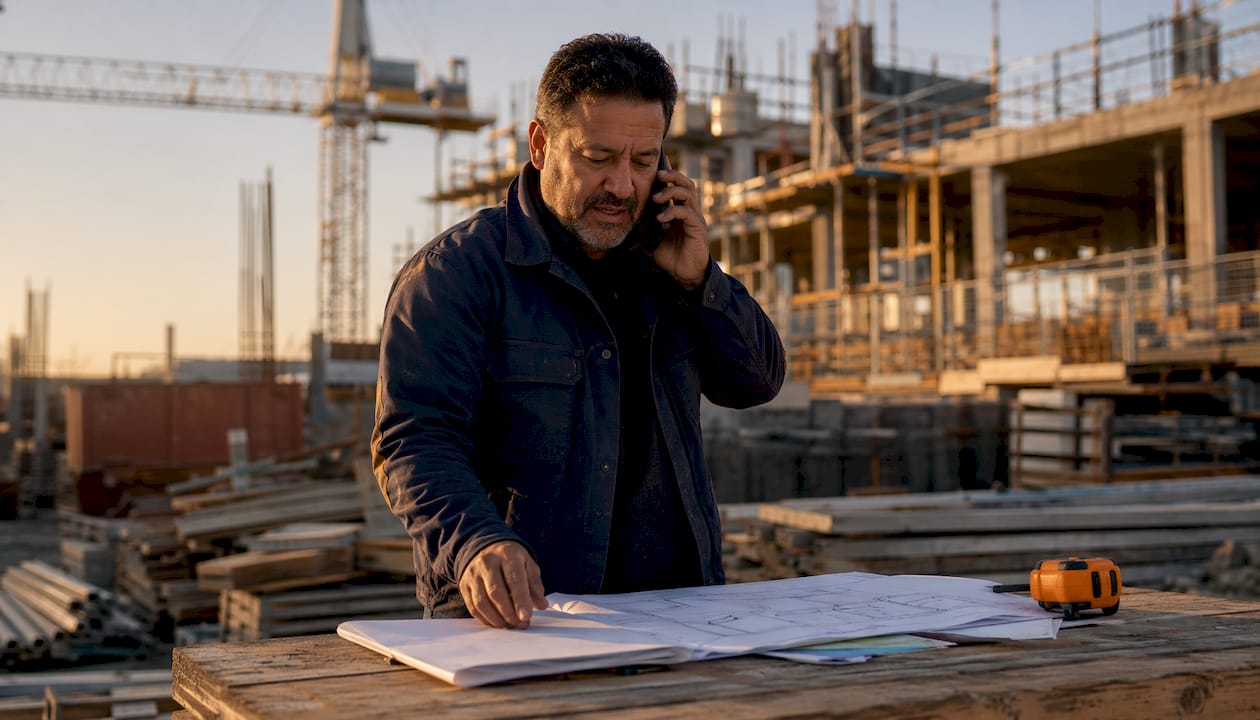
Subcontractors who operate on real-time data consistently outperform those who don’t. Not by a small margin, either. Research from MIT CISR found that companies in the top quartile of “real-time-ness” achieved more than 50% higher revenue growth and net margins compared to bottom-quartile peers. For a subcontractor running tight labor budgets and razor-thin margins, that gap is the difference between a profitable year and a painful one.
Real-time data, in the subcontractor context, means any project information that is captured, processed, and made available for decisions within minutes rather than hours or days. Think labor hours logged from the field the moment a crew clocks in, change order status visible to both the foreman and the office simultaneously, and material delivery updates that ripple through the schedule before anyone wastes a day waiting on parts that aren’t coming.
The core reasons subcontractors need it:
- Faster decisions with current field information instead of yesterday’s spreadsheet
- Fewer costly errors from outdated labor records, missed change orders, or stale budgets
- Better collaboration between field crews, project managers, and general contractors
- Tighter resource control over labor, materials, and equipment
- Earlier risk detection before a small problem becomes a schedule-killing delay
Table of Contents
- Why traditional data management fails subcontractors
- What real-time data actually gives you
- The three pillars every subcontractor needs for real-time data
- How real-time data fixes the problems manual methods create
- How to start collecting real-time construction data seriously
- Real-world scenarios where real-time data changes the outcome
- Protecting your data: security and privacy on real-time systems
- How real-time data sharpens decisions and cuts project risk
- Getting your team to actually use real-time data systems
- Key Takeaways
- Won2build gives subcontractors the real-time edge they’ve been missing
Why traditional data management fails subcontractors
Most subcontractors still rely on some version of the same system: paper timesheets collected at the end of the week, phone calls to relay field updates, and spreadsheets that are accurate for about 48 hours before someone forgets to update them. The information exists, but it travels slowly and arrives distorted.
Legacy batch workflows force teams to react to yesterday’s information rather than act on what is actually happening on site. A project manager reviewing last Friday’s report on Monday morning is making decisions based on a four-day-old snapshot. By then, the problem that snapshot hinted at has already grown.
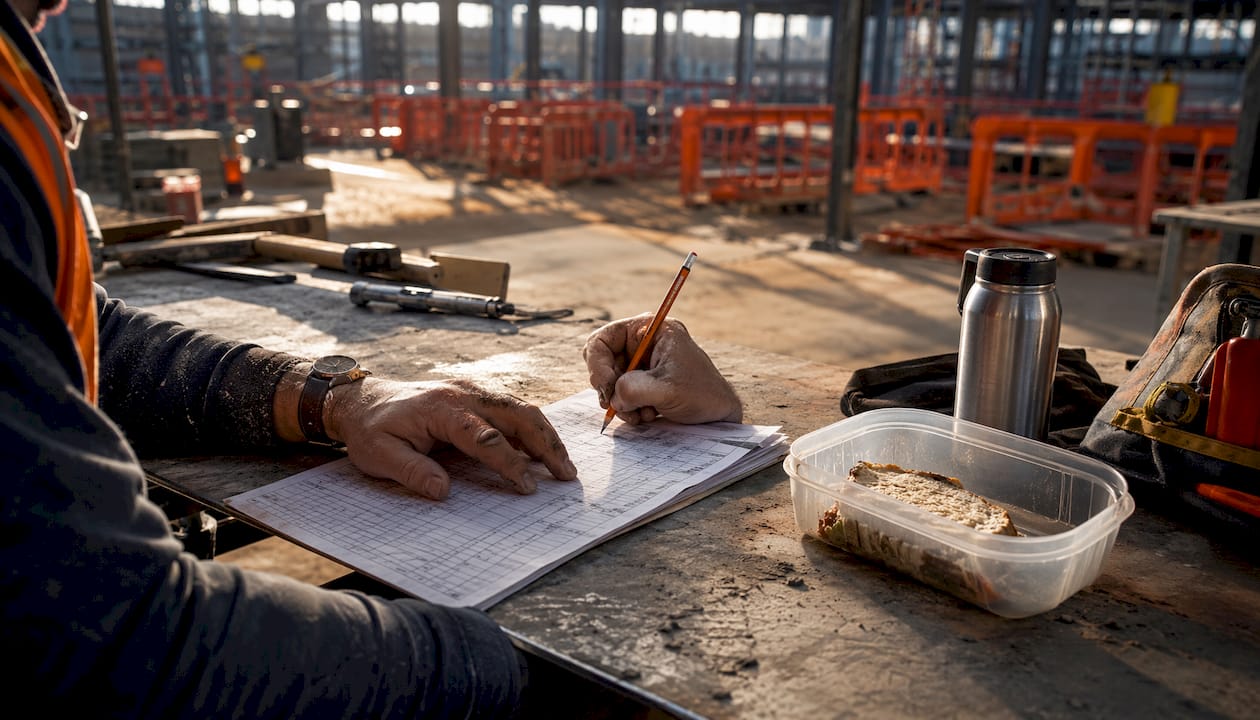
The human cost is just as real. A large majority of subcontractors know about project issues several days before they officially report them. That 96-hour gap is not laziness. It is a survival mechanism built into a system that punishes bad news. Foremen spend those four days trying to solve the problem quietly at the edge rather than trigger a cascade of blame from the trailer. The result: mitigation windows close, schedules slip, and the project burns money that nobody budgeted for.
Manual timekeeping compounds the problem. Errors like time padding and buddy punching cause overpayments of 2–8% on labor costs, and labor typically represents 40–60% of total project costs. That is a significant leak in a budget that was already tight.
What real-time data actually gives you
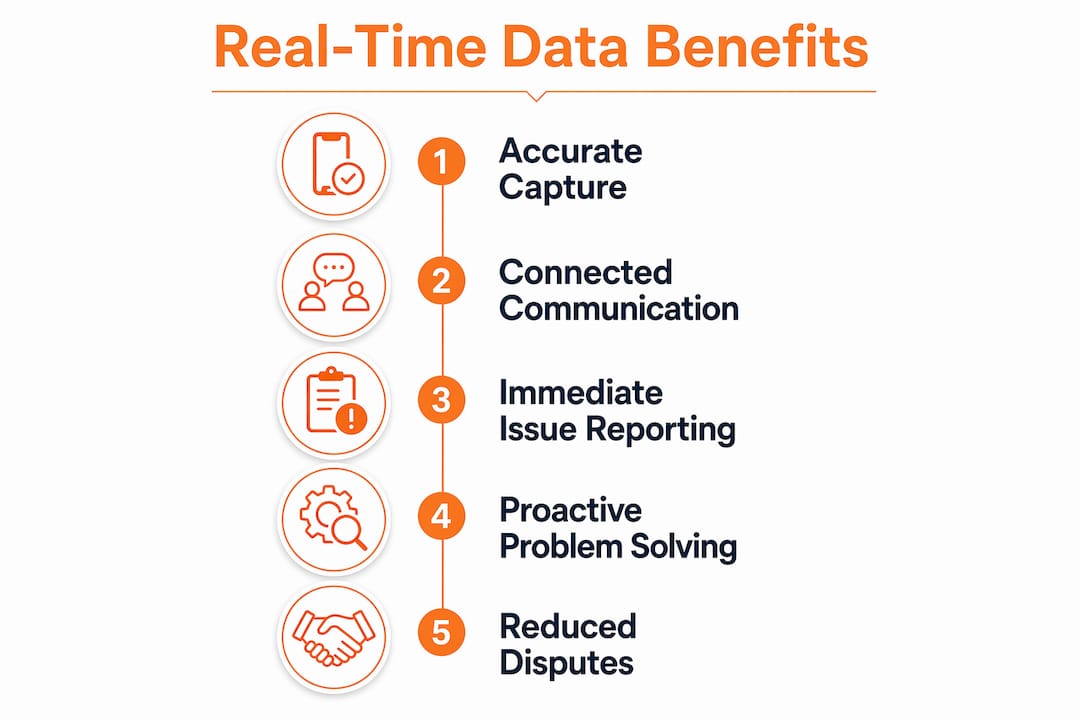
The benefits are concrete, not abstract. Here is what changes when subcontractors shift to real-time information:
- Productivity gains. Digital time tracking can reduce productivity leaks by up to 80% and raise efficiency by 20%.
- Immediate project visibility. Field supervisors and office staff see the same data at the same time, eliminating the phone-tag loop that eats up hours every week.
- Fewer disputes. When labor hours, change orders, and material deliveries are logged in real time, there is a clear, timestamped record that resolves disagreements before they escalate. Accurate time records are one of the most effective tools for keeping commercial projects dispute-free.
- Better risk management. Real-time data reduces redundant approvals and gives every stakeholder trusted, immediate information to act on.
- Proactive scheduling. When a material delay hits the field at 9 AM, the downstream crews can adjust the same morning instead of showing up Monday to find nothing to do.
- Stronger GC relationships. General contractors trust subcontractors who surface problems early and bring data, not excuses.
Pro Tip: Track your labor hours at the task level, not just the project level. That granularity is what lets you spot a cost overrun while you still have time to fix it.
The three pillars every subcontractor needs for real-time data
Getting real-time data right is not about buying one app. It rests on three foundational capabilities that work together.
Accurate data capture at the source. The data has to be right before it can be useful. That means field crews logging time on mobile devices with GPS verification, not filling in paper cards at the end of a shift from memory. It means change orders documented the moment scope changes, not reconstructed a week later. Tools with mobile access and GPS tracking close the gap between what happens on site and what the office sees.
Connected communication across the project. Real-time data only helps if the right people see it. A foreman who spots a problem needs a direct line to the project manager, the affected downstream trades, and the GC, without routing everything through a weekly meeting. Lateral communication between subcontractors, not just vertical reporting up the chain, is what prevents the 96-hour delay described above.
Centralized, accessible data storage. Scattered data is almost as bad as no data. When labor hours live in one system, change orders in another, and budget tracking in a spreadsheet on someone’s laptop, the full picture never assembles. A single platform where field and office data sync automatically gives every decision-maker the same view. Real-time budget tracking built on centralized data is what separates subcontractors who catch overruns early from those who discover them at closeout.
How real-time data fixes the problems manual methods create
63% of enterprise use cases require data processed within minutes to be useful for decision-making. Construction is no exception. A four-day-old field report is not a decision-making tool. It is a history lesson.
The specific problems real-time data addresses:
Time padding and buddy punching. When crews log hours on paper, there is no verification. Digital tracking with GPS geofencing confirms a worker was actually on site when they clocked in, which directly cuts the 2–8% overpayment problem.
Data lag in issue reporting. The 96-hour gap between a subcontractor knowing about a problem and officially reporting it exists because the reporting system is slow and punishing. When field data flows directly into a shared platform, the friction of “official reporting” drops, and problems surface faster.
Delayed problem detection. By the time a weekly report flags a schedule risk, the window to act cheaply has often closed. Real-time dashboards let project managers see a trend forming, not a crisis already in progress.
Disconnected teams. When the drywaller does not know the plumber has a three-day material delay, they show up Monday with a full crew and nowhere to work. Real-time data shared laterally across trades prevents that waste. AI-driven tools on construction sites are extending this further, using live field data to flag hazards and operational risks before they escalate.
How to start collecting real-time construction data seriously
Adopting real-time data is a process, not a one-time purchase. These steps make the transition stick:
- Start with time tracking. It is the highest-impact, lowest-friction entry point. Mobile time tracking with GPS verification gives you immediate visibility into labor costs, which represent the largest share of your project budget. The cost savings from digital tracking compound quickly once the overpayment leaks are closed.
- Standardize data entry. Pick one format for how field data gets logged and enforce it. Inconsistent entry is what turns a real-time system into a messy one.
- Integrate payroll and project management. Data that has to be manually re-entered between systems is data that will contain errors and arrive late. Look for tools that connect directly to your payroll workflow.
- Train the field crew, not just the office. The people logging data are the ones who determine its quality. A 30-minute walkthrough on how to use the mobile app correctly pays back in cleaner data for the rest of the project.
- Review data daily, not weekly. The whole point of real-time information is acting on it while the window is open. A daily five-minute check of labor hours and open change orders catches problems before they compound.
- Secure your data pipeline. Real-time construction data often includes labor records, contract details, and financial figures. Role-based access controls, encrypted storage, and clear policies on who can see what are not optional extras. They protect you legally and commercially.
Real-world scenarios where real-time data changes the outcome
Consider a mechanical subcontractor running a 12-person crew on a commercial build. Under a paper-based system, the foreman collects timesheets Friday afternoon, the office enters them Monday, and payroll runs Wednesday. By the time anyone notices that two crew members have been logging eight hours on a task budgeted for four, the project is already two weeks over on that line item.
With real-time tracking, the project manager sees the overrun on day three. The foreman gets a call. The task gets reassigned or the scope gets documented as a change order. The budget stays intact.

The same logic applies to material delays. Underground utility subcontractors, for example, depend on tight coordination between equipment operators, material deliveries, and permit windows. A real-time platform that flags a delivery delay the morning it happens lets the crew shift to a different task rather than stand idle. Underground construction operations that run on live field data avoid the cascading schedule damage that a single missed delivery can cause under a manual system.
Change order management is another area where the gap between real-time and manual is measured in dollars. When scope changes are documented immediately in the field and routed for approval through a connected system, subcontractors get paid for the work they actually do. When change orders are reconstructed from memory at the end of a phase, money gets left on the table.
Protecting your data: security and privacy on real-time systems
Real-time construction data is sensitive. Labor records, bid figures, change order values, and project schedules are all commercially valuable and, in some cases, legally protected. A few non-negotiable practices:
Role-based access. Not every crew member needs to see project financials. Set permissions so field workers see what they need to do their job, and financial data stays with the people responsible for it.
Encrypted data transmission. Data moving between a mobile device on site and your office server should be encrypted in transit. Most modern cloud-based construction platforms handle this by default, but verify it before you sign up.
Offline functionality with secure sync. Construction sites often have poor connectivity. A system that stores data locally and syncs when a connection is available prevents data loss, but that local storage also needs to be protected against device theft.
Audit trails. A timestamped log of who entered what data and when is your best defense in a dispute. Real-time systems that maintain a full audit trail give you documentation that paper records simply cannot match.
How real-time data sharpens decisions and cuts project risk
The MIT Sloan Management Review research on real-time businesses points to a specific mechanism: when everyone across an organization sees and trusts the same data simultaneously, operational efficiency improves and risk management becomes more effective. For subcontractors, that translates directly to fewer surprises at closeout.
Real-time data also shifts decision-making from reactive to proactive. A foreman who can see that labor hours on a task are running 15% over budget on day four does not need to wait for a project manager to notice it on day fourteen. The decision to adjust crew allocation, document a scope change, or renegotiate a deadline happens while there is still room to maneuver.
Predictive capabilities are the next step. Real-time data feeds AI-driven tools that can flag patterns before they become problems, from predicting which tasks are likely to run over based on current burn rates to identifying crew scheduling conflicts before they hit the schedule.
Getting your team to actually use real-time data systems
Technology adoption fails when the people doing the work do not understand why the new system matters to them personally. A foreman who sees digital time tracking as surveillance will find ways around it. A foreman who understands that accurate time logs protect his crew from underpayment disputes will use it consistently.
The training approach that works:
Tie the tool to a problem the crew already feels. If disputes over hours are a recurring frustration, show how digital logs resolve them. If schedule surprises are the pain point, show how real-time updates prevent them.
Keep the field interface simple. The office can handle complexity. The field needs one or two taps to log what matters. Any system that requires more than a minute to enter a time record will be skipped.
Designate a champion on each crew. One person who knows the system well and can answer questions on site removes the friction that kills adoption in the first two weeks.
Review data with the crew, not just about them. When foremen see that the data they enter directly influences project decisions and protects their budget, the system becomes something they own rather than something imposed on them.
The best practices for construction timecards consistently point to crew buy-in as the variable that separates successful rollouts from abandoned ones.
Key Takeaways
Subcontractors who adopt real-time data systems protect their margins, reduce disputes, and make better decisions faster than those still running on weekly reports and paper timesheets.
| Point | Details |
|---|---|
| The reporting gap costs money | 81% of subcontractors know about issues 4 days before reporting them, burning project profit in that window. |
| Labor tracking is the highest-ROI entry point | Manual timekeeping causes 2–8% overpayments; digital tracking can significantly reduce productivity leaks. |
| Three pillars drive success | Accurate capture, connected communication, and centralized storage must work together for real-time data to deliver value. |
| Security is not optional | Role-based access, encrypted transmission, and audit trails protect labor records and financial data from disputes and breaches. |
| Won2build connects field to office | Won2build’s integrated suite syncs labor tracking, change orders, and bid data in real time across field and office. |
Won2build gives subcontractors the real-time edge they’ve been missing
The gap between knowing about a problem and acting on it is where subcontractor profit disappears. Won2build is built specifically to close that gap, with four integrated applications that keep field and office working from the same live data.

Time Budge handles labor tracking with real-time field-to-office sync. CO Hub manages change orders the moment scope shifts, so nothing gets lost between the field conversation and the invoice. Bid Track keeps your pipeline visible, and Takeoff digitizes plans for accurate material estimates before the first shovel hits the ground. Single sign-on means your crew moves between tools without re-entering data, which is exactly the kind of friction that causes errors and delays in manual systems.
If your current setup still relies on Friday timesheets and Monday data entry, Won2build is the direct replacement. Visit won2build.com to see how subcontractors are using it to protect margins and stay ahead of project problems before they compound.
Recommended
One login for estimating, bid tracking, change orders, and labor.
The Hub is free. Pay only for the apps you turn on.
Create your free Hub account- Construction Change Directive: A Subcontractor's GuideWhat a construction change directive is, how it differs from a change order, and how subcontractors should document and price directed work to get paid.
- Notice of Change: What Subcontractors Must Send and WhenA notice of change protects a subcontractor's right to extra time and money. Learn what to include, who to send it to, and how to document changed work.
- Per Diem Tracking for Construction SubcontractorsHow construction subcontractors track per diem by worker, project and date, keep IRS-ready records, and write a policy that keeps payments tax-free.