
Why Commercial Time Tracking Reduces Disputes
Discover why commercial time tracking reduces disputes in construction. Protect your profits and enhance transparency with accurate records.

Commercial time tracking is the practice of recording work hours alongside task details, job codes, and location data to create verifiable proof of work performed on a project. For U.S. commercial subcontractors, this practice is the most direct way to prevent billing disputes before they start. Payroll errors alone can account for up to 7% of total payroll costs, a figure that reflects how much money slips through the cracks without accurate records. When clients and general contractors can see exactly what was done, when, and by whom, the question of “did you really work those hours?” rarely comes up.
Why commercial time tracking reduces disputes at the billing stage
Billing disputes in construction rarely come down to work quality. They come down to client doubt over hours billed. When a subcontractor submits an invoice without supporting detail, the general contractor has no way to verify the claim. That gap in visibility is where disputes are born.
Proof of work time tracking closes that gap. Unlike a simple timesheet that records clock-in and clock-out, proof of work captures task context: what crew members did, which cost codes they worked under, and where they were on site. This level of detail gives clients something concrete to review. Proof of work tracking reduces billing disputes by up to 30% and leads to 35% faster invoice processing. Faster processing means faster payment, which directly protects your cash flow.

Real-time visibility is the key mechanism. When clients receive interim progress reports tied to logged hours, they build confidence in the billing before the invoice arrives. Transparent interim reporting builds trust precisely because it removes the element of surprise from the billing cycle. A client who has watched hours accumulate against specific tasks is far less likely to dispute the final number.
The practical difference between hours logged and effort documented is significant. Hours logged tells a client you worked eight hours. Effort documented tells them your crew spent four hours on rough-in electrical in Unit 12 and four hours on panel terminations in the mechanical room. That specificity is what makes an invoice defensible.
- Record task descriptions alongside timestamps, not just start and end times.
- Assign every time entry to a specific cost code or work order.
- Use GPS or geofencing to confirm crew location at clock-in.
- Send weekly progress summaries to the general contractor tied to logged hours.
- Keep records accessible for client review before the invoice is issued.
Pro Tip: Send a brief weekly labor summary to your general contractor every Friday. Clients who see hours accumulating in real time almost never dispute the invoice that follows.
What other operational benefits come from effective time tracking?
Dispute prevention is the headline benefit, but the operational gains run deeper. Advanced time tracking cuts costs by up to 20% and increases productivity by up to 25%, according to industry analyses confirmed in 2026. Those numbers reflect what happens when supervisors can see where labor hours are actually going instead of guessing.
Budget management improves because time data feeds directly into job costing. When hours are tied to cost codes in real time, you can see a budget drift on tuesday instead of discovering it after the project closes. Integrated time data linked to cost codes gives leadership early visibility into capacity issues and budget overruns, enabling corrective action before a formal conflict emerges. That early warning function alone justifies the investment in a connected tracking system.
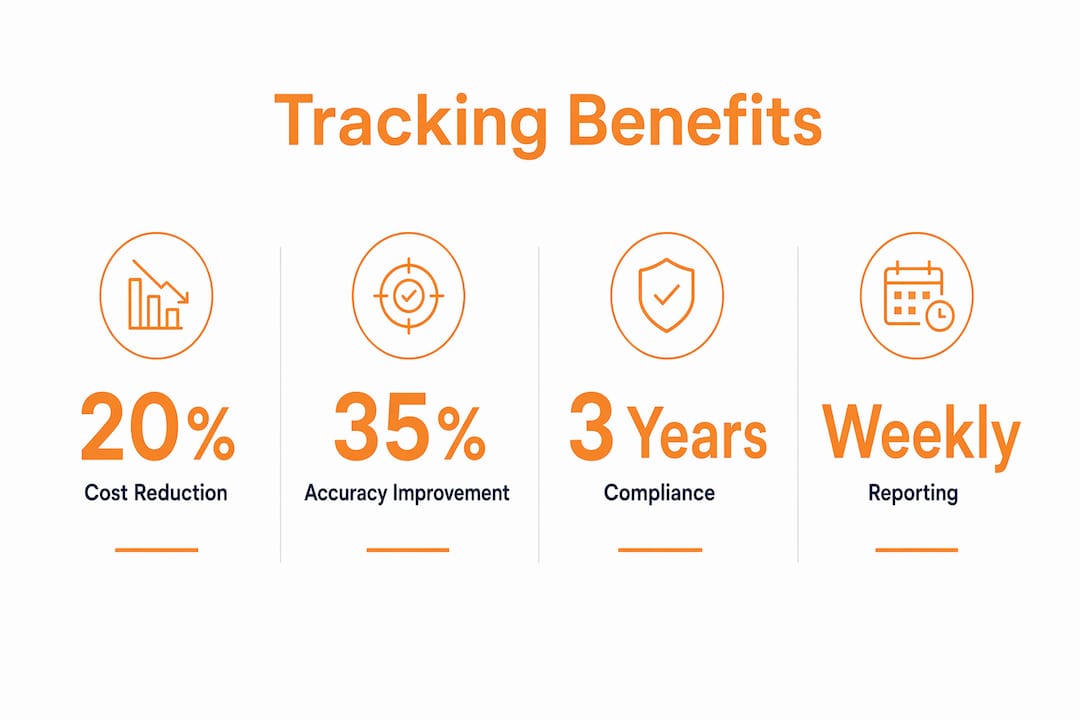
Compliance is a third benefit that subcontractors often underestimate. The Department of Labor requires employers to maintain accurate records of hours worked and wages paid. Subcontractors must retain wage data for at least three years to meet these recordkeeping requirements. A digital system that logs entries automatically and preserves edit histories makes that compliance straightforward rather than burdensome.
| Benefit | What it means in practice |
|---|---|
| Cost reduction up to 20% | Less labor waste identified through real-time hour analysis |
| Productivity increase up to 25% | Supervisors redirect crews faster when data shows bottlenecks |
| 30% fewer billing disputes | Clients verify hours before invoices arrive |
| 35% faster invoice processing | Detailed records remove back-and-forth approval delays |
| DOL compliance | Three-year digital records satisfy federal recordkeeping rules |
Pro Tip: Link your time tracking directly to your job cost codes from day one. Retrofitting that connection after a project starts is possible but painful, and you lose the early-warning benefit.
How do review processes and integration prevent disputes before billing?
Tracking hours without reviewing them is like taking measurements and never reading the tape. The data exists but does nothing. Consistent time tracking combined with weekly review loops improves estimation accuracy by 35% within eight weeks. That improvement comes directly from managers comparing actual hours to estimated hours on a regular basis and adjusting future bids accordingly.
The review process also protects the integrity of the records themselves. Time entries that sit unreviewed for weeks become unreliable. Crew members forget details, supervisors lose context, and the logs become harder to defend if a dispute arises. Weekly approval workflows keep entries accurate and current.
Digital logs serve a second function beyond project management: they become audit-ready evidence. Digital time logs with location and job codes create records that hold up in payroll disputes and speed processing. Employers who adopt mobile tracking with clear policies cut payroll preparation time from hours to minutes. That efficiency gain compounds across every pay period.
A connected system also changes how disputes get resolved when they do occur. Instead of a subcontractor and a general contractor arguing from memory, both parties can pull up the same timestamped, GPS-confirmed record. The dispute either resolves immediately or narrows to a specific entry that can be examined in detail.
Here is the review process that delivers the most consistent results:
- Require crew members to submit time entries daily before leaving the job site.
- Have field supervisors approve entries within 24 hours while context is fresh.
- Run a weekly summary report comparing actual hours to budgeted hours by cost code.
- Flag any line item where actual hours exceed budget by more than 10%.
- Share the weekly summary with the project manager and, where appropriate, the general contractor.
This cadence catches problems early. A crew running over budget on a specific task in week two is a manageable conversation. The same conversation in week eight, after the invoice is submitted, is a dispute.
What steps should subcontractors take to set up a dispute-resistant system?
A reliable time tracking system starts with clear written policies, not software. Before you choose a platform, define exactly what you expect from crews: when to clock in, how to record breaks, which job codes to use, and what counts as a complete entry. Vague policies produce vague data, and vague data loses disputes.
Mobile and GPS-enabled tracking is the right technology choice for field crews. Crew members clock in from the job site, and the system records their location automatically. That GPS confirmation removes the most common challenge in payroll disputes: whether a worker was actually on site. The role of electronic time tracking in construction is precisely this combination of convenience for the crew and verifiability for the office.
Training matters as much as technology. A system that crews do not understand or trust produces inconsistent data. Run a short training session before each new project, walk through the clock-in process, and explain why accurate entries protect everyone, including the crew members themselves. Workers who understand that accurate records protect their own wages take the process seriously.
- Write a one-page time tracking policy and have every crew member sign it before the project starts.
- Use a mobile app with GPS confirmation for all clock-ins and clock-outs.
- Assign a field supervisor as the daily approver for all time entries.
- Retain all edit logs and original entries, not just the final approved version.
- Integrate your time tracking with your billing and job costing system so hours flow directly into invoices.
Tracking prevailing wage time cards efficiently requires the same discipline: clear codes, daily submission, and supervisor approval. The habit you build on prevailing wage projects transfers directly to commercial work and strengthens your records across the board.
Key Takeaways
Commercial time tracking reduces disputes because it replaces client doubt with verifiable, real-time records tied to specific tasks, cost codes, and locations.
| Point | Details |
|---|---|
| Proof of work cuts disputes | Detailed task records reduce billing disputes by up to 30% and speed invoice approval. |
| Review loops improve accuracy | Weekly manager review of time entries improves estimation accuracy by 35% within eight weeks. |
| DOL compliance requires retention | Retain wage data and edit logs for at least three years to meet federal recordkeeping rules. |
| Integration prevents budget drift | Linking time entries to cost codes gives early warning of overruns before disputes arise. |
| Policy before platform | Clear clock-in and job code policies produce reliable data that holds up in any dispute. |
Why I think most subcontractors underestimate what tracking actually protects
After years of watching subcontractors fight billing disputes that should never have happened, I keep coming back to the same observation. The problem is almost never the work. The problem is the paper trail, or the absence of one.
Most subcontractors I have spoken with treat time tracking as a payroll function. Clock in, clock out, run payroll. That framing misses the bigger picture entirely. Your time records are your primary evidence in any billing dispute, any labor claim, and any scope disagreement. They are the document a judge or arbitrator will ask for first.
The subcontractors who avoid disputes consistently are not the ones doing better work. They are the ones who have built a culture where documentation is as automatic as showing up. Field supervisors approve entries the same day. Weekly summaries go to the general contractor without being asked. When a question comes up, the answer is already in the system.
The other thing I have seen trip up good subcontractors is the “track to judge” trap. When crews feel like time tracking is surveillance, they game it. They clock in early, pad entries, or avoid logging breaks. The data becomes unreliable, and you lose the protection you thought you had. Tracking that focuses on understanding workflows, not policing individuals, produces honest data. That distinction comes from how management communicates the purpose of tracking, not from the software itself.
Get the culture right first. The technology will do the rest.
— Jen Reese
Won2build’s tools for subcontractors who want fewer disputes
Subcontractors who want to put these practices into place need a system built for construction, not adapted from generic business software.
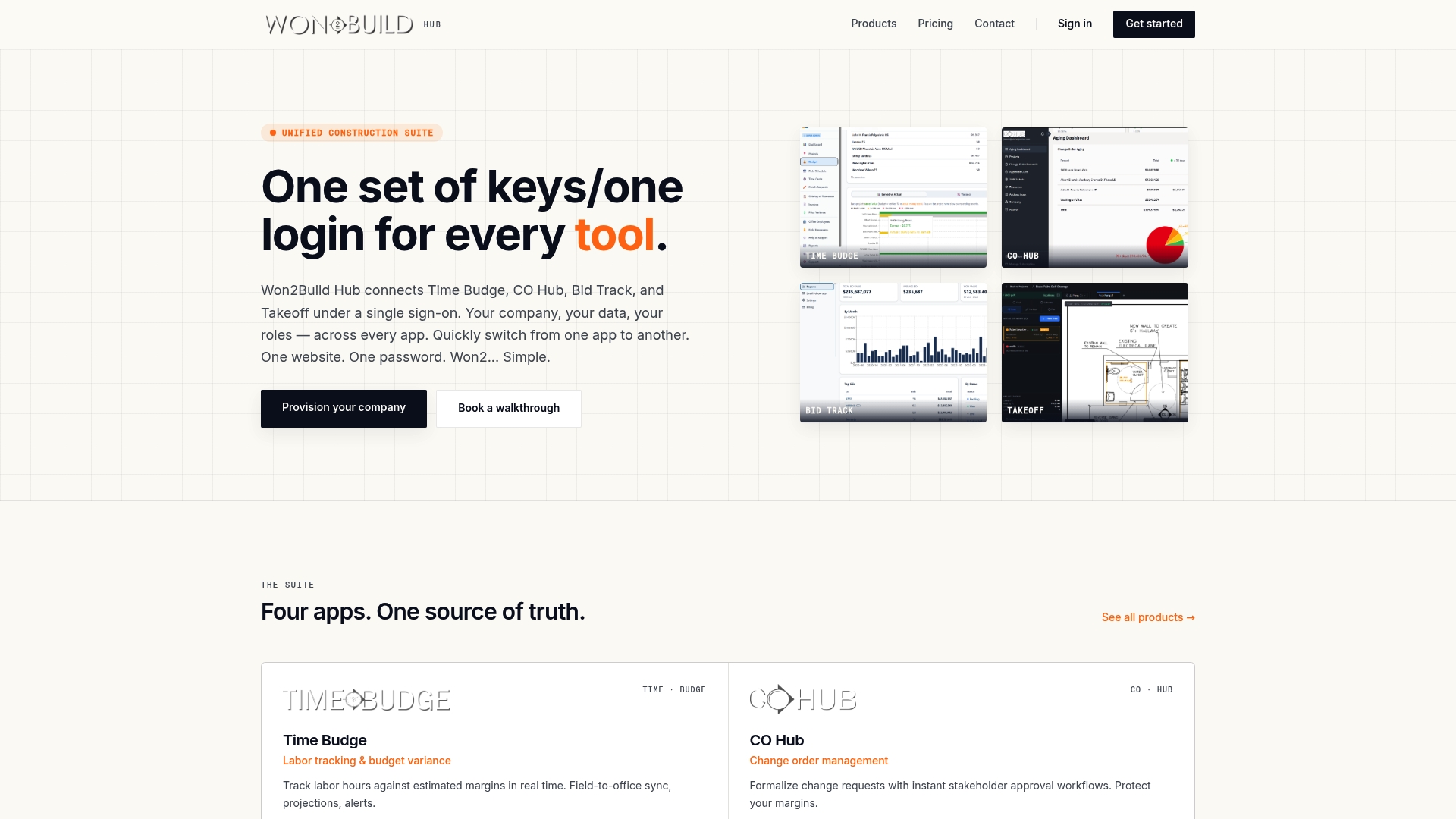
Won2build’s Time Budge application handles labor tracking and job costing in one connected workflow. Hours logged in the field flow directly into cost codes, giving office teams real-time budget visibility without manual data entry. Bid Track ties your labor estimates to actual hours so your next bid reflects what the work actually costs. Takeoff supports accurate digital plan quantification so your estimates start from solid numbers before a single hour is logged. All four applications run under a single sign-on, so data moves between field and office without duplication or loss. If reducing billing disputes and protecting your margins is the goal, Won2build is built for exactly that.
Explore Won2build’s bid and estimating tools to see how connected tracking supports every stage of a commercial project.
FAQ
What is proof of work time tracking?
Proof of work time tracking records not just clock-in and clock-out times but also task descriptions, cost codes, and GPS location. This level of detail creates verifiable records that reduce billing disputes by up to 30%.
How long must subcontractors keep time records?
The Department of Labor requires subcontractors to retain wage data and edit logs for at least three years. Digital systems that preserve original entries and edit histories satisfy this requirement automatically.
Why do billing disputes happen even when work is completed correctly?
Billing disputes arise from client doubt over hours billed, not work quality. Without detailed records showing what was done and when, clients have no way to verify the invoice, which creates the conditions for a dispute.
How quickly does consistent time tracking improve estimation accuracy?
Consistent time tracking combined with weekly review loops improves estimation accuracy by 35% within eight weeks. Subcontractors begin seeing meaningful insights within three to five days of starting the practice.
What is the biggest mistake subcontractors make with time tracking?
The most common mistake is treating time tracking as a payroll function rather than a project management and dispute prevention tool. Without connecting time entries to cost codes and reviewing them weekly, the data cannot protect you when a billing conflict arises.
Recommended
One login for estimating, bid tracking, change orders, and labor.
The Hub is free. Pay only for the apps you turn on.
Create your free Hub account- 7 Concrete Takeoff Steps Estimators Use to Avoid Ordering ShortfallsFollow seven concrete takeoff steps to calculate cubic yards, size rebar and formwork, convert volumes to supplier units, and verify quantities before bid...
- Are E-Signature Change Orders Legal and Worth the Switch?E-signature change orders streamline your workflow, ensuring faster approvals, fewer disputes, and quicker invoicing—discover the benefits now!
- How to Link Takeoff to Estimate for Accurate BidsLink your takeoff quantities to your estimate for accurate bids. Discover the seamless integration method that reduces errors and saves time.