
Construction Collaboration: A Practical Guide for Subcontractors
Unlock the power of construction collaboration! Discover essential tips for subcontractors to improve project efficiency and decision-making.
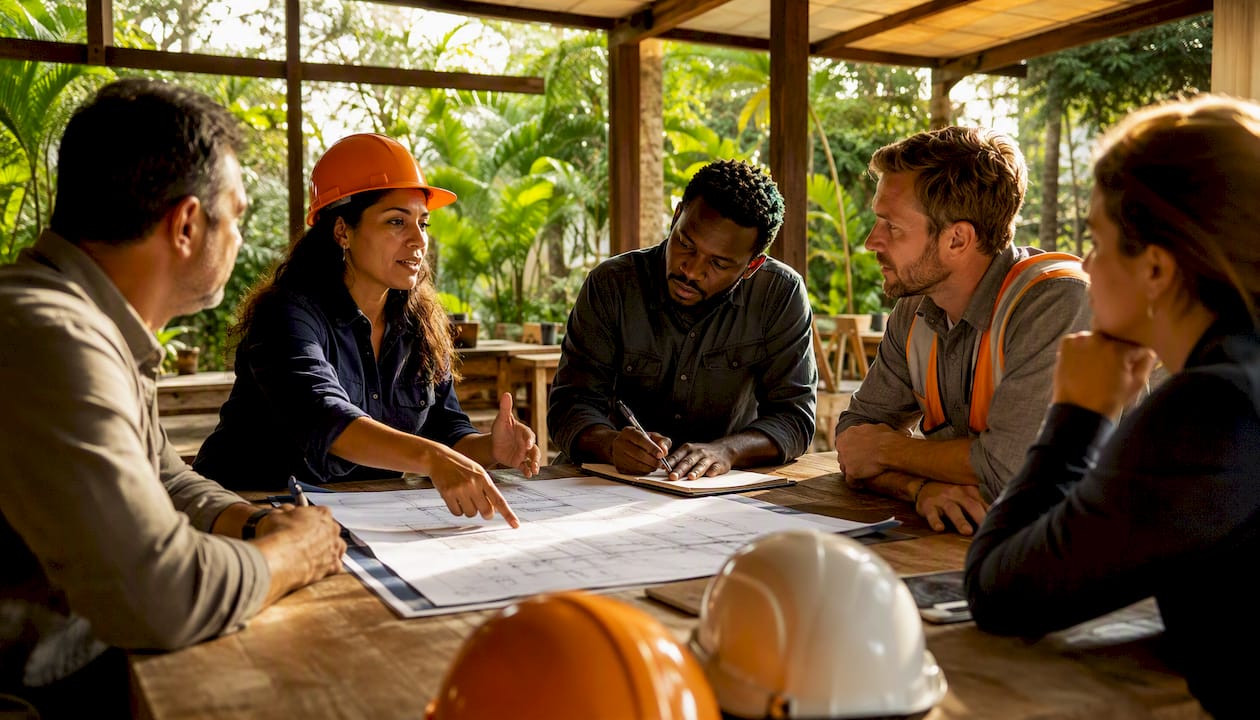
Construction collaboration is the set of practices and tools that align owners, architects, engineers, general contractors, and trade teams around a single reliable source of project data so decisions, schedules, and deliverables stay synchronized across every level of the job. The industry term you'll see in standards bodies like the AIA and in OSHA's multi-employer site guidance is integrated project delivery at the contract level and common data environment (CDE) at the information level. Both point to the same underlying discipline: everyone working from the same picture.
Three things you can do this week to start:
- Assign one decision owner per work zone or trade package. Not a committee. One person whose name goes on the decision register.
- Pick a single document repository and retire everything else. Whether that's a cloud folder, a BIM coordination platform, or a field app, the rule is one location, no exceptions.
- Start a twice-weekly 20-minute coordination huddle with your foreman, the GC superintendent, and any active sub-trades. Keep it standing, keep it short, and keep a written action log.
Won2build's field-to-office sync model is built around exactly this logic: one login, one data layer, no duplicate entry between field and office.
Table of Contents
- Why does construction collaboration actually move the needle?
- What are the six most common collaboration failures on construction projects?
- What does a genuinely collaborative construction project look like?
- How do you build a collaborative culture from scratch?
- Which tool categories actually support construction teamwork?
- What does a realistic implementation roadmap look like?
- How do you assess your team's collaboration health?
- Which KPIs tell you whether collaboration is working?
- Key Takeaways
- The part most guides skip about construction collaboration
- Won2build gives subcontractors a connected starting point
- Useful sources and further reading
Why does construction collaboration actually move the needle?
The case for investing in teamwork processes is not philosophical. It shows up in concrete project metrics.
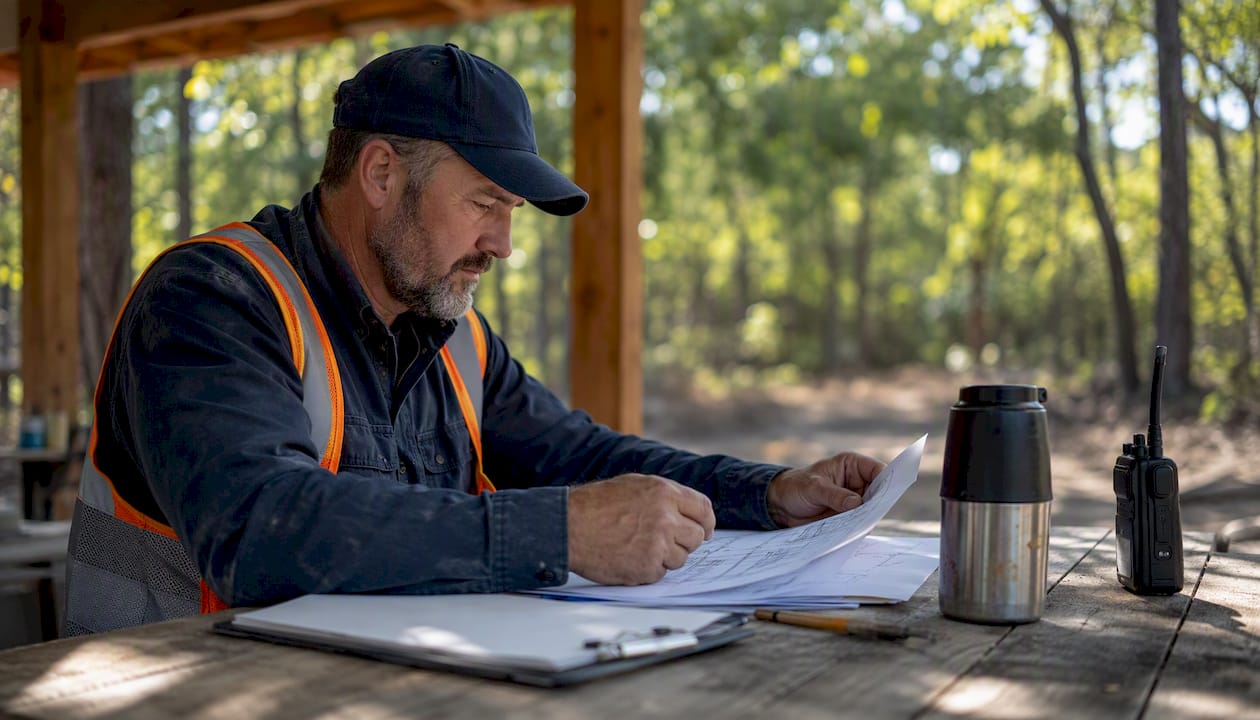
Less rework. Rework is one of the most expensive line items on any commercial project. Research published by the Construction Management Association of America documents the direct financial impact of rework on construction budgets, and the consistent finding across studies is that misaligned teams and poor information flow are the primary drivers. When crews work from conflicting drawings or receive late RFI responses, they build the wrong thing. That costs money twice: once to build it, once to fix it.
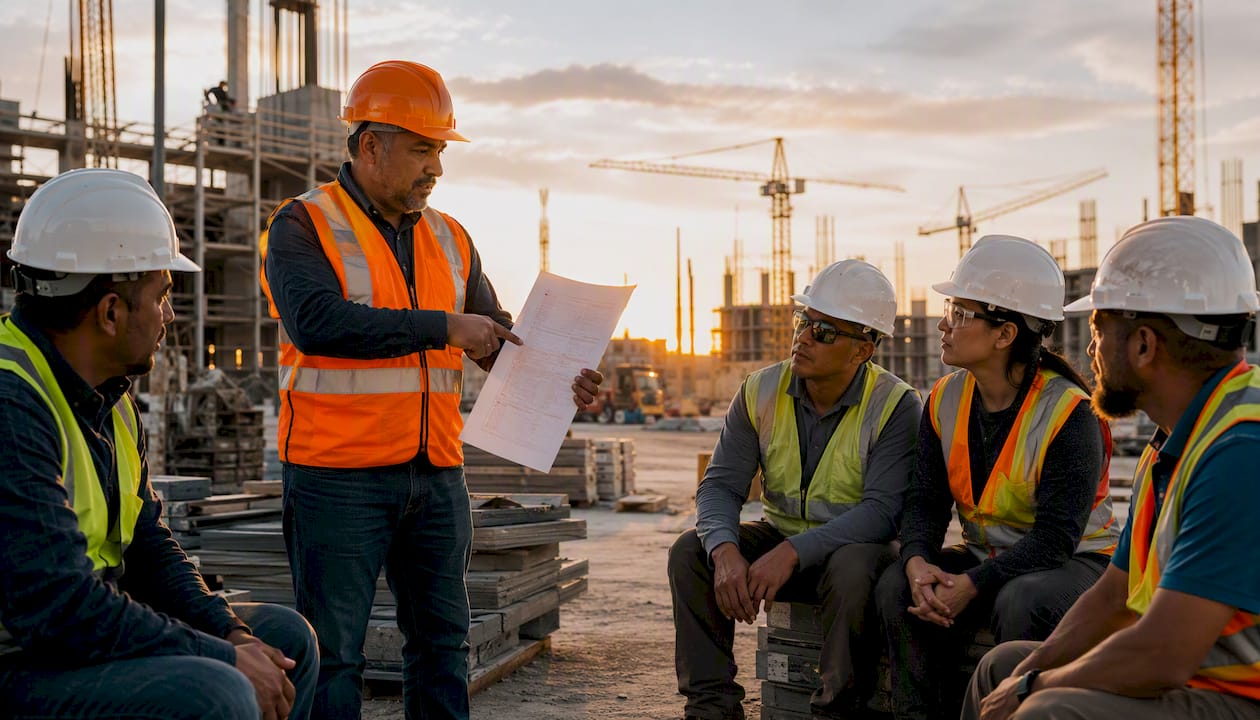
Faster approvals and fewer RFIs. A project team that runs disciplined coordination meetings and maintains a live issue log closes RFIs faster because the right people are already in the room when a question surfaces. The question becomes a five-minute conversation instead of a two-week paper trail.
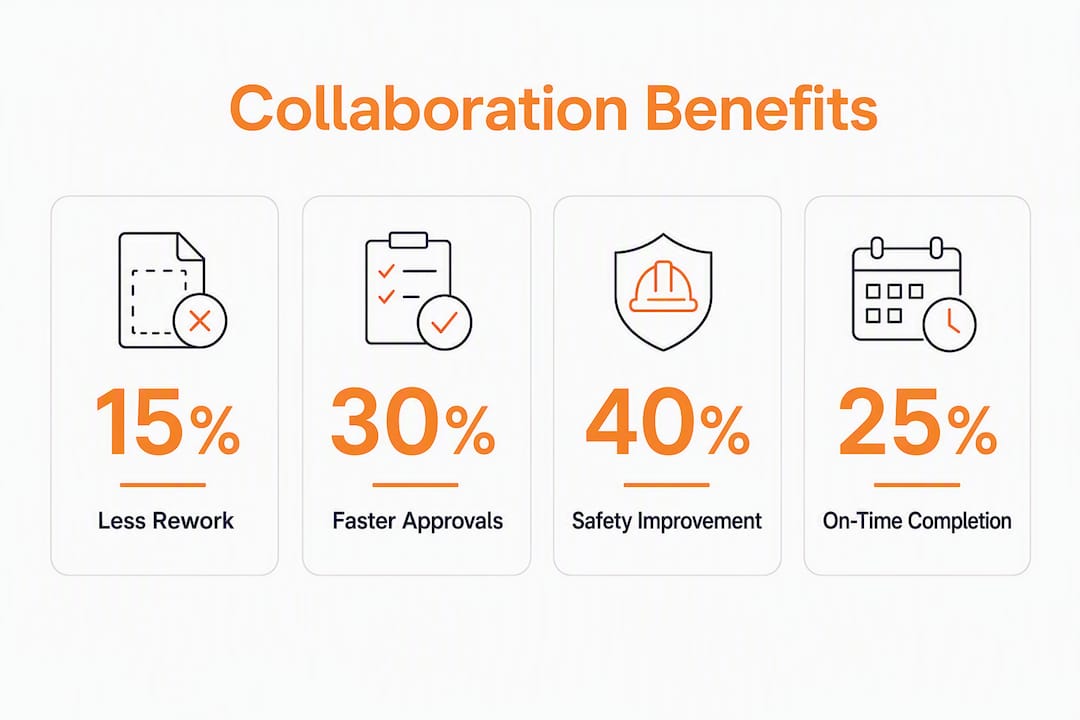
Safer sites. This one surprises people. A peer-reviewed multilevel framework published in Buildings links teamwork processes directly to construction safety outcomes, showing that how teams communicate and coordinate at the decision-making, site management, and production levels shapes safety climate and injury rates. Construction has one of the highest fatality rates of any US industry. Better collaboration isn't just a productivity play; it's a safety intervention.
Higher on-time completion. When subcontractors know what the GC needs from them by Friday, and the GC knows what the owner needs by end of month, the schedule becomes a shared commitment rather than a document nobody trusts.
The digital tools available to commercial teams in 2026 make measuring these outcomes easier than ever. But the measurement only matters if the underlying teamwork process is sound.
What are the six most common collaboration failures on construction projects?
Most collaboration breakdowns trace back to the same handful of root causes. Here's how to diagnose and fix each one.
-
Project misalignment at kickoff. Teams start work before everyone agrees on scope boundaries, handover criteria, or who owns what. Fix: Run a structured alignment session in the first week of mobilization. Produce a one-page team charter that names the project's top three priorities, the decision owner for each major work zone, and the escalation path when those owners disagree.
-
Scattered documentation. Drawings live in email, specs live on a shared drive, RFIs live in a separate platform, and nobody's version is current. Fix: Designate a single CDE before the first crew arrives. Set a file-naming convention, publish it in writing, and enforce it at the first coordination meeting. Cloud-based takeoff and document tools make this easier to enforce because the platform itself becomes the only place to access current plans.
-
Unclear roles and decision authority. Everyone thinks someone else is responsible for submittal review, or for approving a scope change. Fix: Build a RACI-style decision register at project kickoff. List the ten most common decision types on your project type, and name the Responsible, Accountable, Consulted, and Informed parties for each. Post it in the CDE.
-
Poor handovers and version control. A revised drawing gets issued, three crews keep working from the old one, and the problem surfaces during inspection. Fix: Tie drawing revisions to a notification workflow. Every time a document is superseded, the platform should push an alert to the foremen who have that drawing in their active set. Manual version control fails under schedule pressure.
-
Weak subcontractor engagement. Sub-trades show up to coordination meetings unprepared or not at all. Fix: Make attendance a contract requirement and make the meetings worth attending. That means a standing agenda, a written action log published within two hours, and a clear "I need X from you by Y" commitment format for every open item.
-
Communication gaps between field and office. The foreman knows about a condition change at 7 AM; the project manager finds out at 4 PM via a phone call. Fix: Use a field app with GPS-stamped photo logging so conditions are documented in real time and visible to the office without a phone call. Anchoring issues to model elements or precise site locations reduces reconciliation delays and keeps the single source of truth usable on a phone screen.
Pro Tip: Before you try to fix all six at once, run a quick team poll: ask each foreman and PM to rank the top two problems they personally experience. The problems that appear on everyone's list are your highest-leverage starting points. Fix those first and the others often get easier.
What does a genuinely collaborative construction project look like?
You know collaboration is working when you stop noticing it. Here are the observable signals.
Behavioral markers:
- Daily 10-minute field huddles happen without a reminder, and the foreman runs them, not the PM.
- Issues are logged in the field app before the crew leaves the floor, not reconstructed from memory the next morning.
- Submittal reviews come back within the agreed window, and late reviews trigger an automatic escalation, not a follow-up email.
- KPIs are posted somewhere the whole team can see them, not buried in a PM's spreadsheet.
- When a scope conflict surfaces, the first question is "who owns this decision?" not "whose fault is it?"
A practical meeting cadence that works:
- Daily 10-minute field huddle (foreman + crew leads): safety, sequence, "what do I need from you today?"
- Twice-weekly 20-minute coordination meeting (foreman, GC superintendent, active sub-trade leads): open RFIs, upcoming work fronts, material deliveries.
- Weekly leadership sync (PM, GC PM, owner rep when available): schedule, budget, escalated decisions, submittal log review.
The daily huddle is where most of the real coordination happens. The weekly sync is where decisions get made that the daily huddle can't resolve.
Core artifacts every collaborative project should maintain:
- A team charter (one page, signed at kickoff)
- A single CDE with enforced file-naming conventions
- An issue log linked to model elements or GPS locations
- A decision register with named owners and resolution dates
- A submittal log with agreed turnaround commitments
None of these require expensive software. A shared spreadsheet works for the decision register. The discipline of maintaining them is what matters.
How do you build a collaborative culture from scratch?
The Constructing Excellence guide on effective teamwork makes a point that most project leaders underestimate: collaboration does not happen by default. Bringing people together on a job site does not create a team. Formal processes for organizing, negotiating, and resolving issues are required. Here's a six-element framework that gives those processes structure.
The six-element framework:
- Team identity. Does the team have a name, a shared purpose, and a charter? Teams that co-create their own working agreements perform better than teams handed rules from above.
- Shared objectives. Are the project's top priorities written down and agreed on by everyone, not just the PM? "Finish on time" is not an objective. "Achieve substantial completion by October 15 with zero punchlist items in the mechanical scope" is.
- Single source of truth. One CDE. One file-naming convention. One place to find the current drawing set.
- Communication protocols. How do teams communicate urgent issues vs. routine updates? What's the response-time expectation for a field RFI? These need to be written down.
- Issue resolution. What happens when two trades disagree about scope? Who decides, and by when? A decision register with named owners prevents issues from stalling.
- Continuous reflection. Does the team run a brief retrospective at project milestones? Even a 30-minute "what's working, what isn't" conversation at the end of each phase catches problems before they compound.
30/60/90-day starter plan:
- Days 1–30: Run the alignment session. Produce the team charter. Stand up the CDE. Publish the RACI decision register. Start the twice-weekly coordination meeting.
- Days 31–60: Run the first team health check (see the assessment matrix below). Identify the top two collaboration weak spots. Assign an owner and a fix for each. Pilot the field app with one sub-trade on a defined scope.
- Days 61–90: Review KPIs from the first 60 days. Adjust the meeting cadence if needed. Expand the field app pilot to all active trades. Run a second health check and compare scores.
Quick wins that build momentum fast:
- A standing 10-minute daily huddle, started on day one, costs nothing and signals that coordination is a priority.
- A single file-naming convention, enforced from the first drawing issue, prevents version-control chaos later.
- Piloting one sub-trade on a small scope before rolling out to the full team lets you find the friction points without disrupting the whole project.
Pro Tip: Schedule an informal team lunch or off-site meeting in the first two weeks of mobilization. JE Dunn's project teams report that early relationship-building outside production meetings accelerates the forming-to-norming cycle and reduces downstream friction. It sounds soft. The schedule impact is real.
Which tool categories actually support construction teamwork?
The tool market is crowded. The categories matter more than the brand names, and the right category for your team depends on your project type, your crew's tech comfort level, and your existing workflows.
Core categories to evaluate:
- CDE / BIM coordination platforms: Store and version-control all project documents, drawings, and models. The key standard to look for is BCF (BIM Collaboration Format) support for issue tracking linked to model elements.
- Project management platforms: Schedule, RFI, and submittal tracking. Most GCs have a preferred platform; subcontractors need to confirm interoperability before signing a contract.
- Field apps (issues, RFIs, photos, GPS): The tool your foreman actually uses on the floor. Offline capability is non-negotiable on sites with poor connectivity.
- Document control / versioning: Can be part of the CDE or a standalone tool. The critical feature is automated supersession notifications.
- Handover / delivery tools: Punch lists, commissioning records, O&M documentation. Often overlooked until the last 10% of the project, when they become urgent.
Selection checklist for any tool you're evaluating:
- Does it work offline and sync when connectivity returns?
- Does it support BCF or IFC for model-linked issue tracking?
- Does it have granular permissions and a full audit trail?
- Can field staff log issues with GPS-stamped photos from a phone?
- Does it offer SSO so crews aren't managing separate logins? (SSO in construction apps matters more than most IT teams realize — login friction is one of the top reasons field adoption fails.)
- Does it sync data in real time between field and office?
Questions to ask vendors in procurement:
- What does the onboarding process look like for a 20-person field crew?
- How does the platform handle data when a subcontractor's contract ends?
- What's the API or export format if we need to migrate data later?
- Does the pricing model penalize you for adding field workers mid-project?
Integration with your existing payroll, estimating, and change-order workflows is where most platforms fall short. A tool that requires manual re-entry of labor data between field and office creates exactly the kind of information gap that collaboration is supposed to eliminate.
What does a realistic implementation roadmap look like?
Most teams underestimate the change management side and overestimate the technology side. The platform is the easy part. Getting a 40-person crew to use it consistently is the hard part.
Pilot-to-scale timeline:
| Phase | Weeks | Key Milestones |
|---|---|---|
| Pilot design | — | Select pilot scope, define success criteria, configure platform, train pilot crew |
| Pilot execution | 4–12 | Run daily huddles, log issues in platform, collect baseline KPIs |
| Review and adjust | 12 | Assess pilot KPIs, identify friction points, update training materials |
| Full-team scale | 24 | Expand to all trades, run team health check, establish recurring governance |
Ballpark cost guidance:
- Platform licenses: field collaboration apps are often priced per user per month, and project management modules are often priced per project or per company.
- Training: budget 4–8 hours per field worker for initial onboarding, plus a half-day for foremen and PMs.
- Internal change management time: often the largest hidden cost. A PM spending 20% of their time driving adoption for 12 weeks is a real budget line.
- Incremental field devices: if your crew doesn't carry smartphones, budget for ruggedized tablets or phones.
ROI framing: The return comes from two places. First, rework reduction. Second, time saved on administrative tasks like RFI tracking, timecard reconciliation, and change order documentation. Real-time budget tracking makes the ROI visible in near-real time rather than at project closeout, which is when most teams discover how much they lost.
Pilot design outline:
- Scope: One sub-trade, one defined work area, 4–8 weeks.
- Success criteria: Issue log adoption rate above 80%, RFI turnaround time reduced by at least two days, zero version-control incidents in the pilot scope.
- Measurement plan: Pull data from the platform weekly. Compare to the pre-pilot baseline for the same metrics.
How do you assess your team's collaboration health?
Constructing Excellence's team self-assessment framework organizes team health around six elements. Use the matrix below to score your team at project kickoff and at each major milestone.
Scoring guide: Rate each element 1–5. 1 = absent or broken. 3 = present but inconsistent. 5 = embedded and working well.
| Element | What to assess | Green (4–5) | Yellow (2–3) | Red (1) |
|---|---|---|---|---|
| Team identity | Shared charter, named purpose | Charter exists, team knows it | Charter exists, rarely referenced | No charter |
| Shared vision | Written, agreed objectives | Objectives posted and reviewed | Objectives written, not reviewed | No shared objectives |
| Communication | Protocols, response norms | Protocols followed consistently | Protocols exist, inconsistently used | No protocols |
| Participation | Meeting attendance, issue logging | All parties engaged | Partial engagement | Key parties absent |
| Issue resolution | Decision register, escalation path | Decisions made on time | Decisions slow but made | Decisions stall |
| Reflection | Retrospectives, health checks | Run at every milestone | Occasional | Never |
Interpreting your score:
- 24–30 (mostly green): Your team is performing well. Run a health check every 30 days to catch drift.
- 14–23 (mixed yellow/green): You have functional gaps. Identify the two lowest-scoring elements and assign an owner and a 30-day fix for each.
- Below 14 (red zones present): Stop and address the red elements before adding technology. A platform won't fix a team that doesn't have shared objectives or a working escalation path.
Recommended actions by score range:
- Green: Maintain cadence, add a peer recognition moment to the weekly sync, and document what's working for future projects.
- Yellow: Run a 60-minute team workshop focused on the lowest-scoring element. Co-create the fix with the team rather than imposing it.
- Red: Escalate to project leadership. A red score on team identity or issue resolution is a schedule risk, not just a people problem.
Recurring check-ups matter because construction teams are transient. A team that scores green at week four can drift to yellow by week twelve as crew composition changes and schedule pressure builds. Building a high-performing team requires intentional, scheduled check-ups, not a one-time assessment at kickoff.
Which KPIs tell you whether collaboration is working?
The right KPIs are ones your team can actually collect without adding significant administrative burden. Here's a compact set that covers the most important dimensions.
Practical KPI list:
- Rework percentage: Rework hours as a share of total labor hours. Collect from electronic time tracking by coding rework separately in the timecard system.
- RFI turnaround time: Days from RFI submission to response. Pull directly from your project management platform.
- Issue close rate: Percentage of logged field issues closed within the agreed resolution window. Pull from your field app.
- On-time milestone completion: Percentage of schedule milestones hit on or before the planned date.
- Safety incidents linked to coordination failures: Track separately from general safety incidents. A coordination-related near-miss (two crews in the same space, conflicting work sequences) is a collaboration KPI, not just a safety KPI.
- Meeting attendance rate: Percentage of required attendees present at coordination meetings. Low attendance is an early warning signal.
Measurement tips:
- Use model-linked or GPS-stamped issues so location data is captured automatically, not manually entered.
- Time-stamp every photo log entry so you have a verifiable record of conditions at a specific time.
- Keep the dashboard to six metrics or fewer. A dashboard nobody looks at is worse than no dashboard.
Sample KPI dashboard template:
| KPI | Target | Measurement source | Frequency |
|---|---|---|---|
| Rework % | Below 5% of labor hours | Timecard system | Weekly |
| RFI turnaround | Under 5 business days | PM platform | Weekly |
| Issue close rate | High percentage | Field app | Weekly |
| On-time milestones | Above 90% | Schedule | Monthly |
| Coordination safety incidents | — | Safety log | Monthly |
| Meeting attendance | Above 90% | Meeting log | Weekly |
Real-time reporting makes these metrics visible without waiting for month-end. When a foreman can see the issue close rate on a phone, the number becomes a team metric rather than a management report.
Key Takeaways
Strong construction collaboration requires a single source of truth, named decision owners, a disciplined meeting cadence, and a formal team health assessment at every project milestone.
| Point | Details |
|---|---|
| Single source of truth first | Designate one CDE and enforce one file-naming convention before the first crew arrives. |
| Decision owners, not committees | Assign one named person per decision type at kickoff using a RACI register. |
| Team health is a schedule risk | Score your team on six elements at kickoff and every 30 days; red scores need leadership escalation. |
| KPIs must be collectable | Track rework %, RFI turnaround, issue close rate, and meeting attendance from existing platform data. |
| Won2build for subcontractors | Won2build's integrated modules connect field labor, change orders, and estimating in one login, supporting the single-source-of-truth model this guide recommends. |
The part most guides skip about construction collaboration
The technology conversation dominates every discussion of collaboration in construction. New platform, new app, new integration. What gets skipped is the sequence problem: teams that deploy a collaboration platform before they've agreed on a decision register or a file-naming convention just move their chaos into the cloud.
The safety-collaboration link makes this concrete. Safety culture and collaboration culture share the same foundation: attention, discipline, and consistent communication. A team that can't agree on who owns a scope conflict is also the team where two crews end up in the same confined space on a Tuesday morning. The behaviors are the same behaviors.
What I'd push back on in most collaboration guides is the assumption that leadership buy-in is the hard part. It usually isn't. Most project executives will sign off on a new platform or a new meeting cadence without much resistance. The hard part is the foreman who's been running jobs for 22 years and sees the daily huddle as an insult to his experience. That person is your actual adoption problem, and no software solves it.
The fix is to involve that foreman in designing the process. Not consulting them after the fact. Actually asking them what information they need in the morning and building the huddle format around that answer. Teams that co-create their working agreements outperform teams that receive them. That's not a soft observation. It shows up in schedule performance.
One more thing: don't skip the informal relationship-building. The lunch in week one, the brief off-site meeting before mobilization. These feel like luxuries when the schedule is tight. They're actually the fastest path to a team that resolves conflicts in five minutes instead of five days, because the people involved already trust each other enough to be direct.
Won2build gives subcontractors a connected starting point
Subcontractors carry a disproportionate share of the coordination burden on any commercial project. They're managing labor hours, change orders, bid estimates, and plan quantities across multiple active jobs, often with a small office team and a field crew that can't afford to wait for the office to catch up.
Won2build is built for exactly that situation. The platform connects four modules under one login: Time Budge for labor tracking, CO Hub for change order and T&M ticket management, Bid Track for estimating and bid pipeline, and Takeoff for digital plan quantification. Field data syncs to the office in real time, so the PM sees what the foreman logged without a phone call. No duplicate entry. No version mismatch between field and office.

A practical pilot scope: run CO Hub on one active project for 30 days. Track every T&M ticket and change order through the platform. At the end of the pilot, compare the time spent on change order documentation to your pre-pilot baseline. That single metric usually makes the case for the rest of the suite. Start a free trial at won2build.com and see the difference one connected workflow makes.
Useful sources and further reading
The sources below back the claims in this guide and are worth reading in full if you're building a collaboration program from scratch.
-
Towards a Multilevel Framework of Teamwork Processes Affecting Construction Safety Outcomes — Peer-reviewed research in Buildings linking teamwork processes at decision-making, site management, and production levels to safety outcomes. The most rigorous academic source on the collaboration-safety connection.
-
Why Building a High-Performing Team Matters (JE Dunn) — A practitioner perspective from one of the US's largest construction firms on team charters, health checks, and the forming-to-norming cycle.
-
Five Tips to Power Project Collaboration (AIA) — The American Institute of Architects' guidance on collaboration practices across the design and construction team. Useful for understanding the owner-architect-contractor collaboration layer.
-
Impact of Rework on Construction (CMAA) — The Construction Management Association of America's research on rework costs and their relationship to information flow and team alignment.
-
ConSASS Assessment for Contractors (MOSAIC) — A contractor assessment framework that parallels the team health matrix in this guide; useful for teams that want a structured external assessment alongside their internal check-ups.
-
Won2build Blog: Real-Time Reporting in Commercial Projects — Practical guidance on dashboard metrics and reporting cadence for subcontractor teams tracking collaboration KPIs.
Recommended
One login for estimating, bid tracking, change orders, and labor.
The Hub is free. Pay only for the apps you turn on.
Create your free Hub account- Work Order vs Change Order: What Subcontractors Need to KnowA work order authorizes work under an existing agreement. A change order amends the contract. Learn the difference, when to use each, and how to get paid.
- Bid Calendar for Subcontractors: Build One That WorksBuild a bid calendar that keeps every due date, addendum and follow-up in view. Includes the fields to track, a countdown schedule and a review routine.
- Construction Change Directive: A Subcontractor's GuideWhat a construction change directive is, how it differs from a change order, and how subcontractors should document and price directed work to get paid.