
Construction Software Implementation: A Plan for Subcontractors
A step-by-step plan for rolling out construction software at a commercial subcontractor: goals, data cleanup, phasing, field buy-in, training and go-live.

A good construction software implementation at a commercial subcontractor comes down to one decision: start with the one workflow that is costing you the most money, put one person in charge of it, and get the field using it before you add anything else. Time tracking, change orders, bids and takeoff each touch different people, so rolling them all out at once is how rollouts stall. Our own suite, Won2Build Hub, is built around that phased approach: four connected apps behind one login, so you can adopt them one at a time without re-entering data.
TL;DR
- Implementation fails more often from weak planning and unprepared people than from bad software.
- Name one owner, write down your current workflows, and pick one measurable goal before you sign up.
- Clean your data first, then move active jobs and open bids, not ten years of history.
- Begin with one workflow, win over foremen and superintendents, then expand.
- Set a go-live date, train by role, and compare results to a baseline after 90 days.
Table of Contents
- Why construction software rollouts fail
- Step 1: Pick an owner and a goal before you pick a date
- Step 2: Choose the starting workflow
- Step 3: Clean and move your data
- Step 4: Roll out in phases
- Step 5: Win the field, not just the office
- Step 6: Train by role
- Step 7: Set a go-live date and measure
- What a subcontractor-specific implementation costs
- Start with the app that fits your biggest leak
- Our perspective
- FAQ
- Sources
Why construction software rollouts fail
Most subcontractors spend weeks comparing features and almost no time planning the rollout. That is the pattern a CMAA study on construction technology success describes: organizations invest heavily in evaluating software capabilities but little in the operational framework around the implementation. Readiness checks get skipped, governance arrives late, and timelines follow the vendor’s calendar rather than the company’s readiness.
The same study reports that 61.4% of leaders said a structured handoff from vendor contract to implementation would have reduced mid-project corrections, yet fewer than 10% had that discipline in place. For a subcontractor, “mid-project correction” looks familiar: timesheets that don’t match payroll, change orders logged in two places, estimators keeping their own spreadsheets because nobody trusts the new system.
A Construction Dive piece from October 2024 names underestimating complexity and thin project planning as top pitfalls. Its remedy is straightforward: understand your business processes, break the project into manageable phases, assign clear roles, and plan for setup, testing and support after go-live.
A useful distinction comes from a June 2026 article by Rock Road Recycle. It separates systems integration (configuration, data migration, testing) from business integration (who decides what, how workflows change, how people are prepared). The software can work perfectly and the rollout can still fail if the second part is missing. The steps below cover both.

Step 1: Pick an owner and a goal before you pick a date
Implementation without an owner becomes everyone’s side project. For a commercial subcontractor with a modest office, the owner is usually the operations manager, a senior project manager or the controller, depending on which workflow you start with. The owner does not need to be technical. They need the authority to settle arguments such as “which form do foremen use?” and the time to answer questions in the first weeks.
Then write down the goal in one sentence with a number attached. Weak: “get organized.” Strong: “every change order and T&M ticket is logged within 24 hours of the work,” or “payroll hours match job cost hours without the Friday cleanup.” A goal like that tells you which tool to start with and how you will know it worked.
Document how work actually flows today
Before you configure anything, map the real process, not the one in the handbook. For the workflow you are starting with, answer:
- Who captures the information first (foreman, lead, PM, estimator)?
- Where does it go (paper, text message, spreadsheet, email)?
- Who re-types it, and how many times?
- Who approves it, and what happens when they don’t?
- Where does the number finally land (payroll, invoice, job cost report)?
Every re-typing step is a place where hours, dollars and change order backup get lost. Those are the steps the new system should remove. If you want a structured way to find them, our 30/60/90 plan for fixing field to office communication walks through it for subcontractors.
Check for app sprawl
Many subs already run five or six tools that barely talk to each other: a timecard app, a spreadsheet for bids, a PDF viewer for plans, email for change orders. Before you add another, list what you already pay for and what each tool actually does. Our app sprawl audit guide gives a 6 to 12 month approach to consolidating. The goal is fewer places to enter the same information, not one more login.
Step 2: Choose the starting workflow
The right first workflow is the one where lost information costs you real money and where a small group can prove the fix quickly. For commercial subcontractors that is usually one of these:
| Starting point | Best when | What you gain first |
|---|---|---|
| Labor tracking | Payroll hours and job cost don’t line up | Accurate hours by job and cost code, captured from the field |
| Change orders and T&M tickets | Extra work is done but billed late or not at all | Documented extra work tied to the right project |
| Bid management and estimating | Bids live in inboxes and spreadsheets | One pipeline of open bids and consistent estimates |
| Plan takeoff | Quantities are counted by hand | Faster, more consistent quantities from digital plans |
Won2Build Hub maps to these four starting points: Time Budge for labor tracking, CO Hub for change orders and T&M tickets, Bid Track for bid management and estimating, and Takeoff for digital plan quantification. All four sit behind a single sign-on, so adding the second app later does not mean a second account or a second round of data entry. You can also subscribe to individual apps rather than the full bundle, which fits a phased rollout.
If the labor side is your pain point, a 2 to 4 week pilot for construction time tracking shows how to test with one crew before committing the company. For the field side specifically, the mobile timesheet guide covers what crews need on their phones.
Step 3: Clean and move your data
Bad data moved into a new system is still bad data, only now it looks official. A five-step migration sequence from Heinige & Sons Construction is a good frame, and it fits a subcontractor well:
- Inventory. List what you have: employees, crews, projects, customers, cost codes, open bids, historical records.
- Clean. Remove duplicates, fix errors, standardize formats and archive what you no longer need.
- Map. Decide how old fields and codes translate to the new ones.
- Test. Run a small sample and have the people who will use it check the result.
- Migrate in phases, starting with active data.
What to bring and what to leave behind
For a subcontractor, active data means current employees and crews, active projects with their cost codes, and open bids. Closed jobs from years ago can stay archived in a spreadsheet or folder. Moving everything slows the project and multiplies cleanup work without helping a foreman clock in tomorrow morning.
Cost codes deserve extra attention. If your field uses one set of codes, payroll another and estimating a third, the new system will faithfully reproduce the confusion. Agree on one list before migration. If you plan to start with takeoff or bids, standardize how you name projects and customers so the same job is not entered three ways.
Step 4: Roll out in phases
Phasing is the most consistent advice in the implementation research, and it is practical for small teams. The October 2024 Construction Dive article recommends splitting the project into manageable phases and reviewing and adjusting the plan as you go. Phasing lets people build confidence, and it keeps one bad week in one workflow from souring the whole company on the software.
A phased plan for a subcontractor might look like this:
- Weeks 1 to 2: Configure, load active data, and test with the owner and one or two power users.
- Weeks 3 to 6: Pilot with one crew or one project. Collect problems daily at first.
- Weeks 7 to 10: Expand to all active projects for that workflow. Retire the old method.
- Weeks 11 and later: Add the next workflow, using the same login and the same project data.
The last step is where connected tools pay off. When change orders, labor and bids share one set of project records, adding a workflow means switching on another app rather than starting a new migration. That is the case against assembling a patchwork of separate point solutions.
Step 5: Win the field, not just the office
Software that only the office likes does not get used. The field has to believe it makes the day easier, not just creates paperwork for someone else.
A well-known example is Rosendin Electric, described in a 2019 Construction Dive story. The company got superintendents and foremen involved first. After a few days of education and coaching, they became the sales team: the field sold it to the field. Usage spread across the company in about three months, and about 95% of employees were using the technology daily.
You can copy the approach at any size:
- Pick respected foremen as your pilot group, not the most tech-friendly person in the office.
- Show them what they get back. Faster approvals on extra work, fewer disputes about hours, no Friday-night timesheet reconstruction.
- Remove the old way on a date. If paper timecards keep working in parallel, the app stays optional.
- Fix their complaints visibly. When a foreman reports a problem and sees it solved, the rest of the crew notices.
Crews in the US often include Spanish-speaking workers. Our suite includes a bilingual interface and mobile access, so the people clocking in and logging T&M work can use it in the language they are comfortable with.
Step 6: Train by role
Generic training sessions waste everyone’s time. The Rock Road Recycle article reports that only 8.2% of organizations gave role-specific, workflow-based training tailored to how employees actually do their jobs. That gap is easy to close at a subcontractor, because you have only a handful of roles:
| Role | What they need to know | Format |
|---|---|---|
| Field worker | Clock in and out, select the job and cost code | Five-minute demo at the shop or on site |
| Foreman | Approve hours, log T&M work, flag extra work | Hands-on session on a real project |
| Project manager | Review job reports, manage change orders | Walkthrough using live project data |
| Estimator | Enter bids, track the pipeline, do takeoff | Working session with a live bid |
| Office or payroll | Reconcile hours, export to payroll | Run one pay period alongside the old process |
Keep it short and tied to real tasks. Record the demos so new hires can watch them. And plan for turnover: someone has to own adding and removing crew users when people start and leave, or the system drifts out of date within a quarter.
Step 7: Set a go-live date and measure
Choose a go-live date that is realistic and commit to it. Avoid your busiest closeout month, and align a labor tracking switch with the start of a pay period so hours do not split across two systems. A date makes the plan real: before it you train and test, after it the old method is retired.
Before go-live, record a baseline. Pick three or four numbers tied to your goal, for example:
- Days between work performed and change order submitted
- Hours spent each week reconciling timesheets to payroll
- Percentage of timesheets submitted on time
- Bids submitted versus bids invited
Check them again at 30, 60 and 90 days. If the numbers are moving, expand. If they are not, look at adoption first: are foremen using it daily, and is anyone still using the old method? Our guide to how subcontractors measure construction software ROI shows how to turn those numbers into dollars. Real-time visibility is also part of the payoff; the 2026 guide to real-time reporting in commercial projects covers what to expect once field data flows into the office as it happens.
What a subcontractor-specific implementation costs
Prices should be part of the plan, not a surprise at the end. On our pricing page, as read in October 2026, Time Budge and Bid Track are each $199 per month per company, CO Hub is $59 per month per company, and there is a $2 per month fee for each active field worker. Takeoff and the Hub itself are listed at $0 per month. Pricing is a flat monthly fee per company, and you can subscribe to the bundle or to individual apps, so you can start with one workflow and add others as the rollout proceeds. A free trial comes before the paid subscription.

A small example: a sub that starts with Time Budge for 12 active field workers pays $199 plus 12 times $2, which is $223 per month. Compare that to the weekly hours your office spends re-keying timesheets, and the baseline numbers from Step 7 tell you quickly whether it pays.
Start with the app that fits your biggest leak
If your biggest problem is hours that never match job cost, start with Time Budge. If bids are scattered across inboxes, start with Bid Track. Both run inside Won2Build Hub, where a single login connects the apps and keeps field and office data in sync as you add workflows.
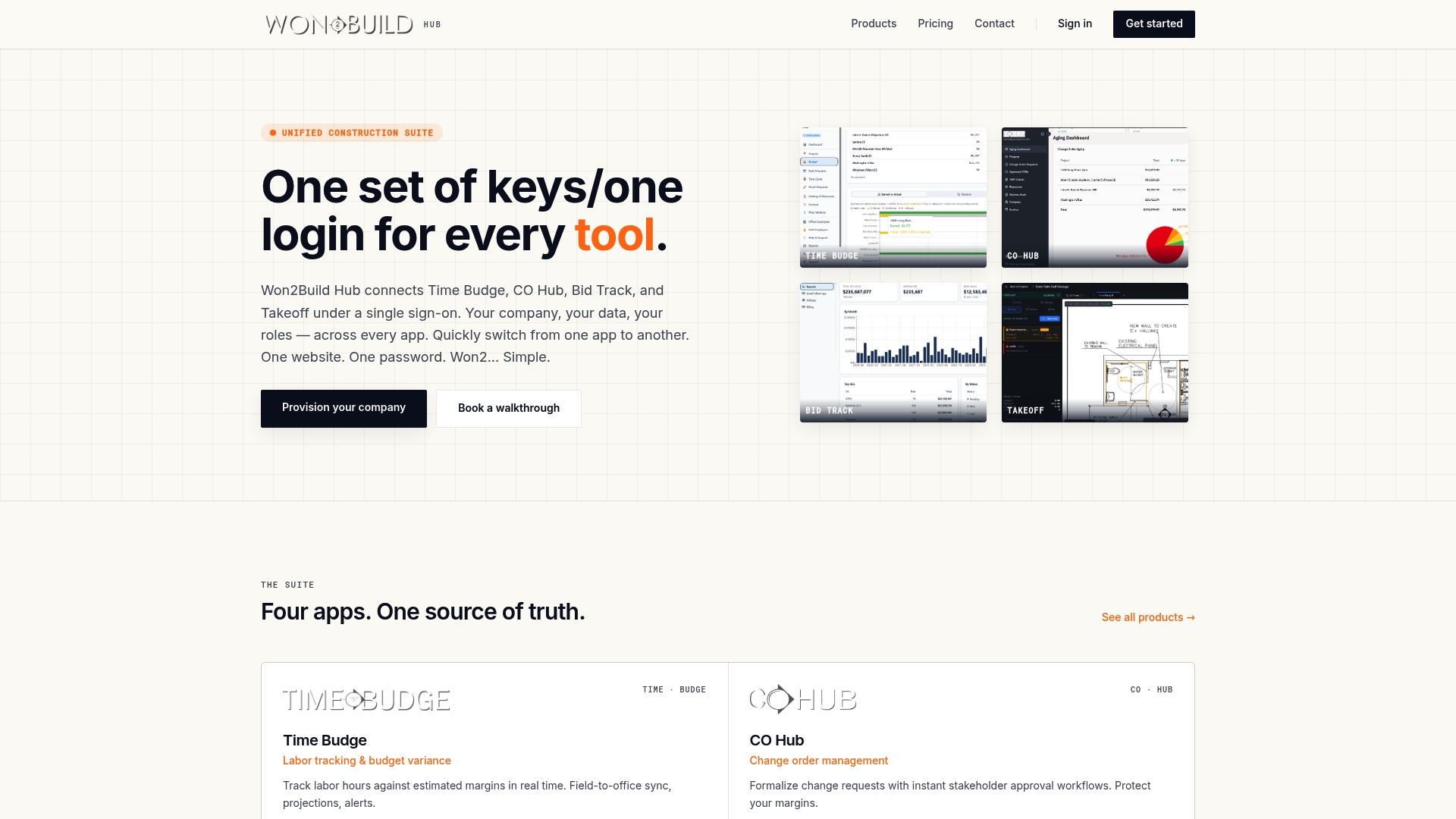
You can see the full lineup on our products page and current plan details on the pricing page. For help choosing among tools, our overview of construction software solutions for subcontractors and PMs is a good companion, and why commercial projects now require digital tools explains why general contractors increasingly expect it.
Our perspective
We built Won2Build because we saw how subcontractors lose money in the gaps: hours written on paper and typed again, extra work done on a handshake and never documented, bids tracked in someone’s head.
Our view is that the gaps are the real implementation problem. A tool that fixes one gap but leaves the others means more logins, more double entry and one more reason for a foreman to say the old way was easier. That is why we put four apps behind a single sign-on and keep the data flowing from field to office.
We also think subcontractors should not have to buy a giant platform on day one. Start with the app that stops your biggest leak, get the crew using it, and add the next one when you are ready. The data you already entered comes with you.
The software only matters if people use it. Involve your foremen early, keep the first goal small, and measure the result.
Jen Reese
FAQ
How long does construction software implementation take for a subcontractor?
A single-workflow rollout typically takes about 8 to 12 weeks from planning to company-wide use: setup and data cleanup, a pilot with one crew or project, then expansion. Timelines stretch when data is messy or no one owns the project. Adding later workflows is faster because accounts and project data are already in place.
Who should lead the implementation?
Choose one accountable person with real authority over the workflow, such as the operations manager, a senior PM or the controller. They coordinate setup, run the pilot and settle process questions. Pair them with one respected foreman so the field has a voice from the start.
Should we roll out everything at once or in phases?
Phases. Start with the workflow where lost information costs you the most, prove it on one crew or project, then expand. Phasing keeps training manageable and gives you a clear before and after. A suite with a single login lets you add the next app without a new migration.
How do I know the implementation is working?
Compare your baseline to results at 30, 60 and 90 days. Look at timesheet submission rates, days from extra work to change order, hours spent reconciling payroll, and daily usage by foremen. Rising usage with improving numbers means you are ready for the next phase.
What data should we migrate?
Bring current employees and crews, active projects with their cost codes, and open bids. Archive closed jobs rather than moving them. Clean duplicates and standardize cost codes before the move so the new system starts with data you trust.
Sources
- Construction Technology Success, CMAA
- Avoid these common mistakes around software implementation, Construction Dive
- Why construction technology projects fail even when the software works, Rock Road Recycle
- Just because you built it, doesn’t mean they’ll come, Construction Dive
- Construction Data Migration and Implementation, Heinige & Sons Construction
Recommended
One login for estimating, bid tracking, change orders, and labor.
The Hub is free. Pay only for the apps you turn on.
Create your free Hub account- Timecard Rounding Rules for Subcontractors: What's LegalFederal timecard rounding rules in plain English for US subcontractors: the 7-minute rule, the neutrality test, California limits, and a worked payroll example.
- Estimate Review Checklist for Commercial SubcontractorsA practical estimate review checklist for commercial subcontractors: scope, takeoff, pricing, markups, risks and sign-off, so errors are caught before you submit.
- Field Change Request: What Subcontractors Need to KnowWhat a field change request (FCR) is, what to put in it, who approves it, and how subcontractors protect cost and schedule when the field changes first.