
48 Hour Rule for Contractors: T&M Ticket Process With Three Way Match
Contractor first T&M workflow: capture signed field data, enforce a 48 Hour review, and run a three way match to speed payment.

Capture complete field data, get a signature on-site, and route the ticket for project manager review within 48 hours. Add a three-way match against the invoice and contract rate schedule before it hits accounts payable. That sequence, backed by a signed ticket, dated photos, and a clean job/cost code, is what separates subcontractors who get paid on time from those still chasing approvals a month later.
TL;DR:
- Accurate field capture, signed authorization, and quick office review within 48 hours are essential to prevent payment delays and disputes.
- Standardized data entry, immediate review, and weekly reconciliation significantly reduce backlog and improve invoice accuracy.
- Digital tools with offline, photo, timestamp, and signature features streamline process flow and help avoid batch delays.
- Enforcing the 48-hour review rule and assigning authorization numbers at capture are critical to preventing rate mismatches and repeat disputes.
- Using integrated workflows like Won2build’s platform ensures same-day data transfer, reduces paper-based errors, and shortens the overall payment cycle.
Table of Contents
- What Is the T&M Ticket Process, Step by Step?
- Best Practices That Shorten the Billing Cycle
- How Digital Tools Cut T&M Ticket Processing Time
- How Won2build Applies This Workflow in Practice
- Why the 48-Hour Rule Matters More Than Most Advice Admits
- Get Paid Faster With an Integrated T&M Workflow
- Sources
What Is the T&M Ticket Process, Step by Step?
A time and material ticket lives or dies on what happens in the first hour after work is done, not in the office three weeks later. The T&M ticket lifecycle runs through four stages: field capture, on-site authorization, prompt office review, and final billing. Miss any one of them and the whole chain slows down.
1. Field capture. Before the crew leaves the site, the ticket needs:
- Date, project name, and location
- Crew names and hours broken out by labor classification
- Task or activity codes tied to the scope of work
- Equipment ID and run hours for anything billed by usage
- Materials with unit quantities and attached receipts
- Photos showing the work performed and any site conditions relevant to the extra scope
- A short, specific work description (what was done, where, and why it fell outside contract scope)
Vague descriptions like “extra labor per GC request” get flagged almost every time. “Removed and reset (3) HVAC ductwork sections per RFI #22, GC verbal directive 3/4” survives review on the first pass.
2. On-site authorization. The general contractor’s superintendent or another authorized rep needs to sign before the crew demobilizes. A digital signature, a timestamped photo of a signed paper ticket, or a QR-code approval all count as acceptable proof, as long as the signer’s name and role are legible. Verify the signature belongs to someone with actual authority to approve extra work. A foreman’s initials on a $4,000 ticket is a common reason GCs later dispute the charge.
3. Office submission and triage. Once the ticket lands in the office, attach the photos and signature image, assign the job and cost code, and log a unique T&M authorization or change order number. This is also where categorization matters. Ticket management best practices call for standardized intake and routing to prevent a queue from silently backing up. Route the ticket to the project manager for review within 48 hours of submission.
4. Summarize and bill. Before anything posts to AP, run a three-way match between the ticket, the draft invoice, and the contract’s rate schedule. Flag any quantity or rate mismatch immediately rather than let it sit. Reconcile the open-ticket log weekly, then post to your ERP or AP system and retain the digital ticket images for the project file.

Pro Tip: Assign the T&M authorization number at the moment of field capture, not back at the office. A number tied to the ticket from the start prevents duplicate billing and makes the audit trail instantly searchable later.
Best Practices That Shorten the Billing Cycle
The gap between a ticket getting signed and a ticket getting paid is almost always an office problem, not a field problem. Standardizing a handful of habits closes that gap fast.
- Standardize labor classifications and field categories up front. Keep top-level buckets simple, labor, equipment, materials, extra scope, so intake doesn’t require a coding decision every time a ticket lands on someone’s desk.
- Enforce a 24 to 48 hour submission window. A ticket that sits in a truck for a week is a ticket the GC’s superintendent won’t remember signing.
- Assign unique T&M authorization numbers at capture, not later, and tie each ticket to a cost code the moment it’s written.
- Require photos and a specific description before the crew leaves site. “What, where, why” beats a generic note every time a dispute lands.
- Reconcile the open-ticket log weekly instead of letting it pile up until month-end close.
Practitioner reporting consistently links same-day signed capture and prompt submission to fewer payment disputes and faster reimbursement cycles.
Most disputes trace back to four repeat offenders: late submission (fix with the 24 to 48 hour rule), missing signatures (fix by verifying signer authority before the crew leaves), ambiguous descriptions (fix with a required detail field), and rate mismatches against the contract (fix with the three-way match, every time, no exceptions).
How Digital Tools Cut T&M Ticket Processing Time
Paper tickets and email PDFs are where most of the delay actually lives. A ClearStory analysis of construction time and material workflows found the lag between field sign-off and formal submission commonly stretches into weeks when tickets rely on manual handoffs, and that digitizing the capture step compresses that timeline significantly.
For a field app to actually help, it needs a specific set of features, not just a digital form:
- Offline capture, since job sites don’t always have reliable signal
- Built-in photo attachment tied directly to the ticket record
- Geo and time stamps that establish when and where the work happened
- Digital signature or QR-code approval captured on the same screen as the work log
- Job and cost code inference or a locked dropdown, not a free-text field
- Required-field enforcement so a ticket can’t submit incomplete
On the office side, look for automatic ticket ingestion, exception flags when a three-way match fails, and a direct connection to your ERP or AP system so nobody’s retyping data twice. Disconnected tools, a paper ticket here, a spreadsheet there, a separate invoicing system somewhere else, are exactly how audit trails go missing and duplicate entries slip through.
Pro Tip: Before adopting any field app, confirm it exports job-cost data in a format your accounting system actually accepts. A beautiful mobile capture tool that dumps a CSV nobody can import just moves the bottleneck instead of removing it.
Timely, standardized ticket capture also protects margin on the estimating side, a point covered well in this breakdown of contractor overspending and hiring mistakes that erode profit on T&M-heavy scopes.
How Won2build Applies This Workflow in Practice
Won2build built Time Budge to handle the field capture half of this process directly: crew hours by classification, photos, and signatures all get logged on-site and sync in real time rather than waiting for someone to enter them back at the trailer. That data flows straight into CO Hub, where the 48-hour PM review window gets enforced instead of hoped for, and where the three-way match runs against the contract rate schedule before anything routes to AP or your ERP.
What that consolidation typically changes for a subcontractor:
- Field data reaches the office the same day, not the same week
- One signed, photo-backed record replaces scattered paper tickets and email threads
- Fewer disputes, because the GC signed off on specifics, not a vague line item
| What changes | Before | With Time Budge + CO Hub |
|---|---|---|
| Field-to-office lag | Days to weeks | Same day |
| Audit trail | Scattered paper/email | Single digital record |
| Review discipline | Ad hoc | 48-hour SLA enforced |
More on how consistent field records affect payment timing is covered in why commercial time tracking reduces disputes. The full toolset lives on the Won2Build Hub products page.
Why the 48-Hour Rule Matters More Than Most Advice Admits
Most guidance on T&M tickets focuses on the form, what fields to fill in, what a template should look like. That’s the easy 20 percent. The part that actually determines whether you get paid on time is the discipline around the review window, and that’s where most shops quietly fail.
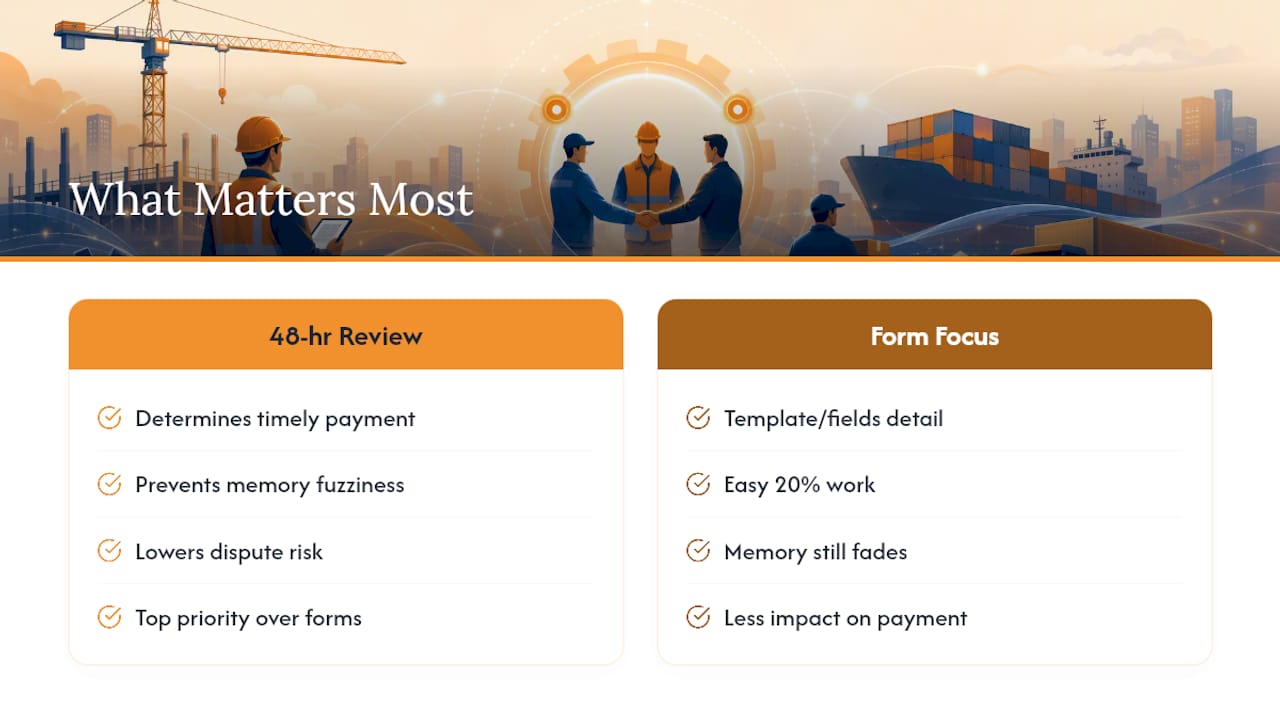
A 48-hour PM review isn’t a nice-to-have policy. It’s the difference between a superintendent who remembers approving a specific scope change and one who’s now looking at a ticket from three weeks ago and second-guessing it. Every day of delay between signature and review is a day the GC’s memory of the work gets fuzzier, and fuzzy memory is where disputes are born.
The conventional advice tells contractors to “submit tickets promptly.” That’s true but useless without a number attached. Prioritize the 48-hour clock and the three-way match over prettier forms or fancier categorization schemes. Get those two disciplines right, and the paperwork mostly takes care of itself.
— Jen Reese
Get Paid Faster With an Integrated T&M Workflow
Won2build built its Hub specifically for subcontractors who are tired of chasing signatures, retyping field data, and waiting weeks to find out a ticket got rejected over a rate mismatch. Instead of juggling separate apps for time tracking, change orders, estimating, and takeoffs, one login moves your field data straight into the office review process, no re-entry, no lost paper trail.

If your crews are already capturing quantities off digital plans, Takeoff feeds those same measurements into your change order documentation without a second data entry pass. And if disputed rates or missing job codes are your recurring headache, CO Hub enforces the three-way match automatically before anything reaches AP.
Start a trial of Won2Build Hub and run your next T&M ticket through the 48-hour review workflow yourself.
Sources
- Time and materials contract — Sirion
- What is asset ticket management? Process, workflows & tools | IBM
- How to process field tickets for time and material work in construction AP — Vergo
Recommended
One login for estimating, bid tracking, change orders, and labor.
The Hub is free. Pay only for the apps you turn on.
Create your free Hub account- Managers: Make Mobile Field Workflows Resilient for 72 Hour OutagesPlaybook for field managers: offline first mobile workflows, resilient sync and conflict handling, compliance first AI guardrails, and practical pilot steps.
- Daily Signed Records: Force Account Tracking for Managers & InspectorsField checklist for project managers and inspectors to keep force account tracking audit-ready: use daily signed records for labor, equipment, and...
- Stop Timecard to Report Drift: Labor Cost Codes for SubcontractorsFix the timecard to report chain with labor cost codes that tie crews to budgets. Includes a 6 code starter and a burdened rate example.