
Commercial Construction Bids: A Subcontractor's Shortlist
Unlock the secrets to winning commercial construction bids! Discover essential platforms for U.S. subcontractors to land valuable projects.

For most U.S. subcontractors, the fastest path to live commercial construction bids is a two-platform stack: one national project-data service for broad coverage and one state plan room for public-sector work in your region. Set up both accounts, configure trade-specific alerts, and run a plan download before you commit to a platform. That single test tells you more than any demo call.
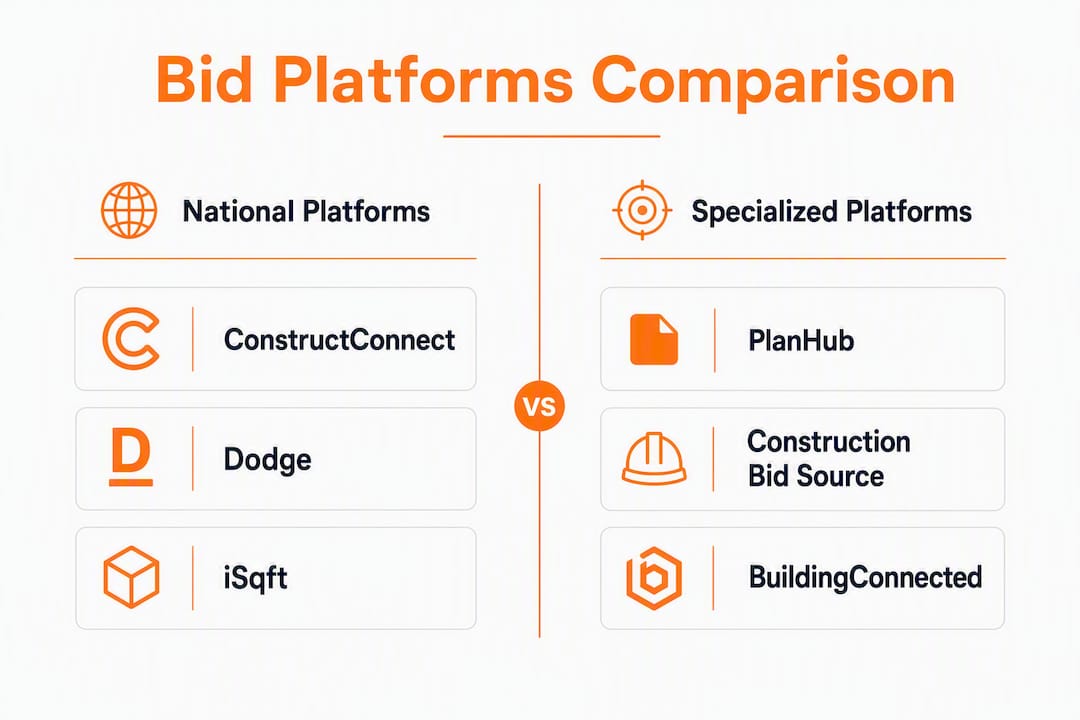
The platforms worth your time right now: ConstructConnect, PlanHub, Construction Bid Source, Dodge Data & Analytics, iSqft, and BuildingConnected (Autodesk). Each one serves a slightly different slice of the market. The contract type attached to a project, whether lump sum, GMP, or T&M, should also shape how you price your contingency before you submit. Lump-sum contracts shift nearly all cost risk to the contractor, so your bid assumptions need to be airtight. GMP and cost-plus arrangements give you more room, but they come with their own documentation obligations.
- Start with one national platform and one state plan room.
- Set email or mobile alerts filtered by trade and ZIP code.
- Download a sample plan set to verify file formats before subscribing.
- Review contract type on every invitation before pricing contingency.
- Use an integrated takeoff and bid-management tool to avoid duplicate entry.
Table of Contents
- What are the best platforms for finding commercial construction bids?
- How do you pick the right bid platform for your business?
- Where else can you find commercial bid opportunities?
- How do you prepare a competitive commercial construction bid?
- Key Takeaways
- Won2Build keeps your bid pipeline and change orders in one place
What are the best platforms for finding commercial construction bids?
The table below compares the seven leading sources side by side. Won2build’s Bid Track leads because it is the only option here that combines bid pipeline management, digital takeoff, and change-order tracking under one login — a different class of tool from the lead-sourcing platforms, but one that belongs in any serious subcontractor’s stack.
| Platform | Coverage | Plan/spec downloads | Lead type | Alerts & matching | Pricing model | Best for | Estimating integration |
|---|---|---|---|---|---|---|---|
| Won2Build — Bid Track / Takeoff / CO Hub | National (manages bids from any source) | Digital takeoff from uploaded plans | Bid pipeline management | Mobile + real-time sync | Subscription (per company + per field worker) | Subcontractors: estimating-to-change-order workflow | Native: Bid Track, Takeoff, CO Hub under one login |
| ConstructConnect | National | Yes, included in subscription | Public + private | Email, filters | Subscription | GCs and subs needing broad national coverage | Third-party integrations |
| PlanHub | Regional/national | Yes | Private GC invites + public | Email invites | Free tier + paid | Subs seeking GC bid-list invitations | Limited |
| Construction Bid Source | State/regional | Downloadable bid packets | Public-sector, DBE/HUB | Subscription | Subs chasing public and DBE/HUB projects | — | |
| Dodge Data & Analytics | National | Yes | Public + private | Email, filters | Subscription | Firms prioritizing analytics and market research | Third-party integrations |
| iSqft | National | Yes | Public + private | Email, trade filters | Subscription | Trade contractors and suppliers | Moderate |
| BuildingConnected (Autodesk) | National | Yes | Private GC invites | Email, in-platform | Free tier + paid | Subs and GCs in Autodesk ecosystems | Strong (Autodesk suite) |
A few things the table can’t fully capture:
ConstructConnect’s real advantage is the depth of its project intelligence feed. You get more than a listing; you get early-stage project data, owner contacts, and market analytics that help you decide whether a project is worth pursuing before plans are even released.
PlanHub works differently. General contractors post their projects and invite subcontractors directly. If you’re trying to get onto GC bid lists in your metro, PlanHub’s messaging and collaboration features make that easier than cold-calling. The free tier is a genuine starting point, not a stripped-down teaser.
Construction Bid Source is the go-to for public-sector work, particularly if your firm holds a DBE, HUB, or DVBE certification. The state-by-state bid listings are detailed, and the downloadable bid packets typically include the full spec book, not just a summary notice.
Dodge is the analytics-heavy option. If you’re trying to understand pipeline volume in a specific metro or track a developer’s project history, Dodge gives you that context. For a sub who just wants a list of active invitations, it may be more than you need.
iSqft sits between ConstructConnect and PlanHub in terms of scope. Its trade-specific filtering is genuinely useful for mechanical, electrical, and plumbing contractors who want to cut through the noise.
BuildingConnected shines when your GC partners are already on Autodesk’s platform. The preconstruction workflow and bid-invite features are well-built, and if you’re already using Autodesk for project management, the integration is a real time-saver.
Pro Tip: Before paying for any subscription, ask the vendor to show you three active projects in your trade and ZIP code with full plan sets attached. If they can’t do it in the demo, the coverage gap will cost you more than the subscription fee.
How do you pick the right bid platform for your business?
The honest answer: most subcontractors need two sources, not one. A national lead feed catches private work early; a state plan room catches public work reliably. The question is which national platform fits your trade and workflow.
Evaluation criteria that actually matter:
- Geographic coverage: Does the platform surface projects in your specific counties, not just your state?
- Plan access: Are full plan sets included in the subscription, or charged per download?
- Lead mix: Do you want private GC invitations, public sealed bids, or both?
- Alert quality: Can you filter by trade code, project value range, and bid date?
- Estimating integration: Does the platform export to your takeoff or estimating tool, or does it require manual re-entry?
- Pricing structure: Flat subscription vs. per-project fees matters a lot at lower bid volumes.
Step-by-step trial checklist:
- Identify three real projects you know are active in your market right now.
- Sign up for the free trial or demo and search for all three by address or project name.
- Confirm full plan sets are downloadable, not just bid notices.
- Test the mobile alert: trigger a search and see how fast the notification arrives.
- Check whether the platform exports project data to your estimating tool or requires copy-paste.
- Ask the sales rep about coverage in your two highest-priority counties specifically.
The delivery model of a project also matters here. Design-Build projects often bypass traditional public bid boards entirely, so if your GC partners work in that model, a platform with strong private-invite features (PlanHub, BuildingConnected) will outperform a public-bid aggregator.
Pro Tip: Run the three-project test on two platforms simultaneously during overlapping free trials. The one that surfaces all three with complete specs wins, regardless of price.

Where else can you find commercial bid opportunities?
Specialized platforms are not the only place live bids appear. Public procurement channels publish a significant volume of commercial construction work, and many subcontractors ignore them because registration feels slow. It isn’t, once you’ve done it once.
Public procurement channels by type:
- State plan rooms and procurement portals: Most states maintain a central portal where agencies post sealed-bid invitations with downloadable plans. Pennsylvania’s DGS bid portal is a good example of the format.
- Municipal procurement offices: City and county purchasing departments post construction solicitations independently. Search “[your city] procurement portal” and bookmark the bid calendar.
- School districts and water districts: These agencies issue significant construction contracts and often have less competition than state-level work. Most post on their own websites or through a regional plan room.
- Federal solicitations: SAM.gov lists federally funded construction opportunities, including those with small-business and DBE set-asides.
- DBE/HUB outreach notices: If your firm is certified, these notices appear on state DOT and agency portals and often carry less competition than open bids.
Registration and compliance basics:
- Vendor registration on state portals typically requires a FEIN, business license, and insurance certificate. Budget 30–60 minutes per portal.
- Bonds are commonly required for public projects above a threshold that varies by state. Have your surety contact ready before you find a project you want.
- DBE/DVBE/HUB certifications open set-aside work. If you qualify, apply through your state’s UCP or equivalent program before you need it.
- Watch bid calendars, not just listings. Public bids have hard submission deadlines and pre-bid meeting requirements that don’t flex.
How do you prepare a competitive commercial construction bid?
Winning a bid starts well before you open the plan set. The subcontractors who consistently win have their administrative house in order before the invitation even arrives.
Step-by-step bid preparation checklist:
- Confirm your prequalification documents are current: license, insurance certificates, bonding capacity letter, and any required DBE/HUB certifications.
- Download and review the full plan set and spec book before starting takeoff. Confirm you have the latest addendum revision.
- Run your digital takeoff against the architectural and structural drawings. Cross-reference your scope against the GC’s listed scope to catch overlaps and gaps.
- Price unit costs for likely change-order items. If the project is a tenant improvement or renovation, scope creep is predictable. Have your T&M rates ready.
- Review the contract terms before finalizing your number. Pay-when-paid clauses, retainage percentages, and notice deadlines directly affect your cash flow and your ability to make claims.
- Document every assumption in writing. List exclusions explicitly. If you’re not including a specific scope item, say so in the bid.
- Submit pre-bid questions to the GC or procurement office at least 48 hours before the deadline. Clarify allowances, critical-path milestones, and warranty obligations.
“Most disputes and rework arise from scope changes that were not properly documented. Specify approval authority, required documentation, and how modifications affect price and schedule before signing.” — Ironclad, on change order procedures
Pro Tip: Build your contingency as a line item, not a percentage buried in overhead. When you win, that line item becomes your change-order reserve. When you lose, you can see exactly where your number was relative to the market.
For a detailed walkthrough of the estimating workflow, the commercial bid estimating process guide covers takeoff best practices and scope-coordination steps specific to subcontractors.

Key Takeaways
The most reliable path to winning commercial construction bids combines a national lead platform, a state plan room, and an integrated workflow tool that connects takeoff to bid tracking and change-order management.
| Point | Details |
|---|---|
| Start with two sources | Use one national platform and one state plan room to cover private and public work simultaneously. |
| Test before you subscribe | Run a three-project coverage test during every free trial to verify plan access and alert speed. |
| Review contract terms early | Check pay-when-paid, retainage, and notice deadlines before finalizing your bid price. |
| Document every assumption | List exclusions explicitly in your bid so scope disputes don’t erase your margin post-award. |
| Won2build for workflow | Won2Build’s Bid Track, Takeoff, and CO Hub connect estimating, plan quantification, and change-order tracking under one login. |
The platforms matter less than the workflow behind them
Most articles about finding commercial construction bids stop at the platform list. That’s the easy part. What actually separates subcontractors who win consistently from those who chase every invitation is what happens after they find a project.
The subcontractors I’ve seen get the most out of platforms like ConstructConnect or PlanHub are the ones who already have a clean estimating workflow before they start pulling plans. They download the set, run takeoff, and have a number out the door in 48 hours. The ones who struggle are usually managing bids across three spreadsheets and a shared drive, which means they’re slow, they miss addenda, and they can’t track which bids are still live.
One scenario worth considering: a mechanical subcontractor combined a ConstructConnect national feed with their state’s public plan room and started managing the resulting pipeline through Won2Build’s Bid Track. The result wasn’t just more bids. It was fewer missed deadlines and a cleaner record of assumptions when change orders came in on two consecutive tenant-improvement scopes. The platform got them in the door; the workflow kept the margin.
The other thing most articles skip: pre-qualifying the GC matters as much as finding the project. A bid invitation from a GC with a reputation for slow retainage releases or aggressive pay-when-paid enforcement can turn a profitable scope into a cash-flow problem. Check payment reputation before you price, not after you win.
Won2Build keeps your bid pipeline and change orders in one place
There are solid routes to finding commercial work: ConstructConnect for national coverage, PlanHub for GC relationships, Construction Bid Source for public-sector leads. But finding the bid is only step one. The subcontractors who protect their margin are the ones who manage what comes after: the takeoff, the estimate, the submission, and the change orders that follow award.

Won2Build’s Bid Track keeps your entire bid pipeline in one place, from first invitation to final submission. Takeoff handles digital plan quantification so your estimating team isn’t re-entering measurements. CO Hub tracks change orders and T&M tickets with the same project data, so nothing falls through the gap between field and office. Single sign-on means no duplicate entry across tools. Start a free trial at won2build.com and run your next live bid through the full workflow before you commit.
Useful sources and further reading
- Pennsylvania DGS Bid Portal — example of a state procurement portal with downloadable plan sets and public bid calendars.
- AIA Contract Documents — Four Types of Construction Contracts — authoritative overview of lump-sum, GMP, cost-plus, and unit-price structures.
- Ironclad — Construction Contract Types — clear breakdown of risk allocation by contract form.
- Won2Build Blog — guides on bid submission, estimating, and multi-phase bid management for subcontractors.
- Construction Bid Submission Checklist — step-by-step document checklist for compliant submissions.
- How to Submit Winning Subcontractor Bids — tactics for scope clarity, assumptions, and bid presentation.
- Cost-saving construction strategies — practical estimating and cost-control approaches applicable to commercial project budgeting.
Pro Tip: Bookmark your two primary procurement portals and set a weekly calendar reminder to check for new postings. Most public portals don’t push email alerts reliably, and a missed bid calendar date is a missed opportunity with no recourse.
Recommended
One login for estimating, bid tracking, change orders, and labor.
The Hub is free. Pay only for the apps you turn on.
Create your free Hub account- Work Order vs Change Order: What Subcontractors Need to KnowA work order authorizes work under an existing agreement. A change order amends the contract. Learn the difference, when to use each, and how to get paid.
- Bid Calendar for Subcontractors: Build One That WorksBuild a bid calendar that keeps every due date, addendum and follow-up in view. Includes the fields to track, a countdown schedule and a review routine.
- Construction Change Directive: A Subcontractor's GuideWhat a construction change directive is, how it differs from a change order, and how subcontractors should document and price directed work to get paid.