
Commercial Construction Progress Billing Explained for 2026
Discover how commercial construction progress billing explained benefits your cash flow. Learn to invoice effectively for timely payments.

What is progress billing and why does it matter for your cash flow?
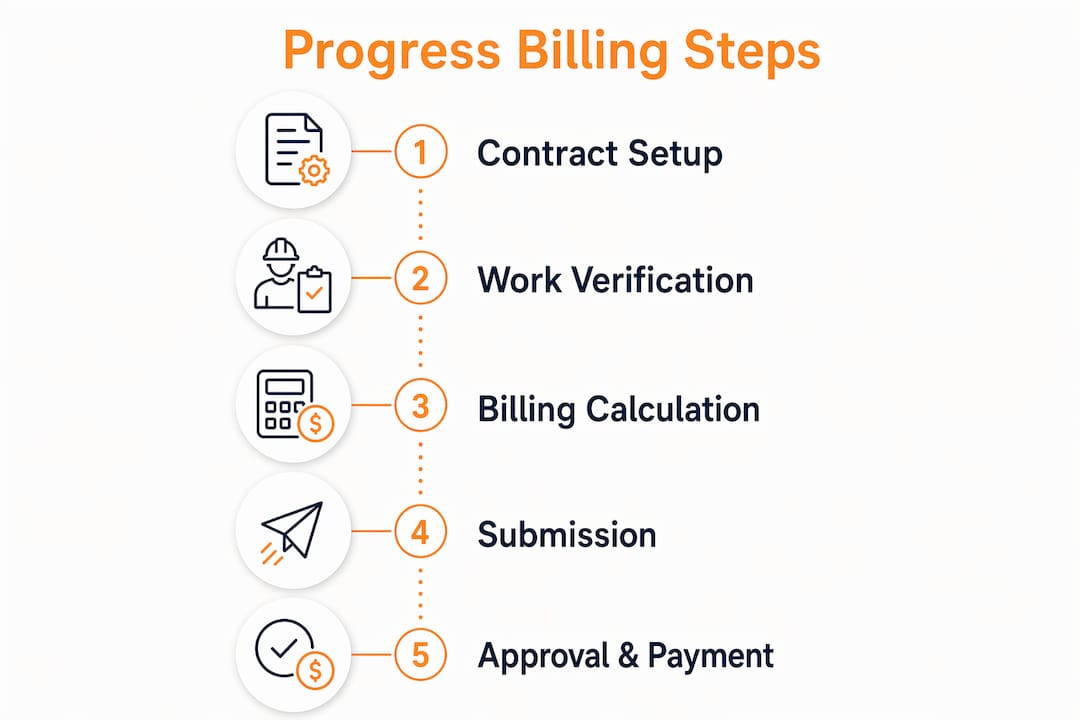
Progress billing is the standard payment method in US commercial construction. Instead of waiting until a project wraps up to collect a lump sum, you invoice the owner periodically, usually monthly, based on the percentage of work completed during each billing cycle. The American Institute of Architects (AIA) established the documentation norms that govern this process across the industry, making it the closest thing construction has to a universal billing language.
The financial logic is straightforward. Large commercial projects run for months or years, and labor, materials, and equipment costs hit your accounts long before the final punch list gets signed off. Progress billing converts work-in-progress into paid receivables continuously, rather than forcing you to self-finance the entire job. Get it right, and your cash position stays healthy throughout the project. Get it wrong, and you end up financing the owner’s construction at your own expense.
Key elements that frame every progress billing arrangement:
- Billing schedule: Agreed upfront, typically monthly, tied to measurable milestones or calendar dates
- Schedule of Values (SOV): The line-item breakdown of the total contract that controls every future payment
- Pay application: The formal invoice package submitted each cycle, documenting work completed and amounts due
- Retainage: 5%–10% of each payment withheld by the owner as a performance safety net, released after final completion
- Architect certification: The owner’s representative verifies claimed progress before payment is released
How AIA G702 and G703 forms work in practice
The AIA G702 and G703 forms are the standard documents used to present and certify progress billing in US commercial construction. Understanding both is non-negotiable if you want timely approvals.
The G702 is the cover sheet. It summarizes the total contract value including approved change orders, the cumulative work completed to date, retainage held, prior payments received, and the net amount due for the current period. It also carries the architect’s certification signature, which is the formal sign-off that triggers the owner’s payment obligation. Think of it as the invoice and status report combined.
The G703 is the detailed backup. It lists every SOV line item and shows, for each one: scheduled value, work completed in prior periods, work completed this period, stored materials, total completed and stored to date, percentage complete, retainage withheld, and balance to finish. Architects scrutinize the G703 most closely. Vague line items or completion percentages that don’t match field conditions will trigger revision requests and delay your payment.
A few documentation practices that keep G702/G703 packages clean:
- Match every line item percentage to documented field progress, backed by photos and daily logs
- Apply retainage consistently at the same rate every period, at the line-item level
- Reflect all approved change orders in both the contract sum on the G702 and the SOV on the G703
- Include itemized invoices, proof of secure storage, and insurance coverage when billing for stored materials
How to calculate progress billing amounts accurately
The core rollforward formula drives every billing cycle. It builds on prior approved amounts rather than starting fresh each month, which is exactly where most errors occur.
| Component | Example (— contract) |
|---|---|
| Work completed in prior periods | — |
| New progress this period | — |
| Approved stored materials | $50,000 |
| Total completed and stored to date | — |
| Less: retainage (10%) | — |
| Less: prior payments received | — |
| Net amount due this period | — |
Billing cycles are typically monthly with net 30 payment terms. The math looks simple in isolation, but rollforward errors compound fast when “previous” totals don’t match the last approved “to date” figures.
Key steps to keep calculations accurate:
- Reconcile prior period totals against the last approved pay application before entering any new figures
- Update each SOV line item with documented field progress before calculating period amounts
- Add approved stored materials only when you have the required documentation ready
- Incorporate all approved change orders into the SOV before submitting, not after
- Verify that line items never exceed their scheduled values unless the contract sum was formally updated
Pro Tip: Send a preliminary “pencil bill” draft to the architect a few days before your official submission. Catching a discrepancy in a quick call costs nothing. Having your formal application rejected and restarted costs you weeks of cash flow.
Financial management best practices for progress billing
Treat progress billing as a cash flow strategy, not an accounting formality. Every day of delay in your billing cycle is a day you are financing the project out of your own pocket.
Agree on billing terms before the first shovel hits the ground. That means locking in the billing date, retainage percentage, payment terms, and the process for approving stored materials and change orders. Ambiguity in these areas is where disputes start. Financial transparency upfront is the most effective defense against payment delays later.
Front-loading the SOV is a legitimate and widely used technique. Assign higher values to early-stage work like mobilization, site preparation, and foundations, and lower values to late-stage finishes. You accelerate early cash collection without misrepresenting actual progress. Pair this with a disciplined habit of billing for stored materials every cycle. If you have $50,000 of ductwork sitting in a warehouse, bill for it.
Best practices that protect your cash position:
- Submit pay applications on the earliest contractually allowed date, every month without exception
- Follow up with the architect’s office within a week of submission to confirm receipt and push for timely review
- Bill for every approved change order in the same cycle it is approved, not the next one
- Negotiate retainage reduction triggers at defined completion milestones, not just at final closeout
Digital tools that improve billing accuracy and speed approvals
Modern construction billing platforms generate pay applications directly from real-time project cost and progress data, cutting preparation time from days to hours and eliminating the transcription errors that come with manual spreadsheet work. When field and office data sync automatically, the completion percentages on your G703 reflect what is actually happening on site, not what someone remembered to report last Friday.

Won2build’s suite addresses the specific workflows that affect billing accuracy. CO Hub manages change orders so approved scope changes flow directly into your billing structure without manual re-entry. Accurate labor cost tracking through Time Budge keeps job cost data current, so your SOV percentages stay defensible. Takeoff supports precise quantity calculations that feed the original schedule of values, reducing the front-end errors that create billing problems downstream.
Digital capabilities that directly support progress billing:
- Automated G702/G703 population from live job cost data
- Real-time sync between field progress reports and office billing records
- Change order integration that updates the contract sum and SOV simultaneously
- Stored material tracking with documentation checklists built into the workflow
- Audit trails that make architect review faster and approval more predictable
Common challenges and disputes in progress billing
Most billing disputes trace back to a handful of recurring problems. Overclaiming completion percentages is the most visible one. If you claim 60% complete on a line item the architect observes at 40%, expect a rejected application and a credibility hit that slows every future approval. Always be ready to defend every percentage with photos, daily logs, and delivery receipts.
Underbilling is equally damaging, just quieter. When field staff underreport progress or stored materials go unbilled, you provide interest-free financing to the owner month after month. Stored material claims are a common source of disputes because inspectors verify that what you claim to have purchased is actually in a warehouse, segregated, labeled, and insured. Missing any required documentation almost guarantees rejection.
Change orders handled outside the billing structure cause another category of problems. If the contract sum changes but your SOV doesn’t reflect it, totals drift even when each individual month looks reasonable. Keep change order management and billing tightly connected, and the math stays clean.
Legal considerations and compliance in progress billing
Most US states have prompt payment acts covering private commercial construction. Payment deadlines commonly fall in the 20–30 day range after application approval, with penalty structures that vary by state. Some impose flat interest rates on late payments; others tie penalties to the prime rate plus a margin; a few allow recovery of attorney fees. The specifics depend on your state, but once work is verified and certified, the owner cannot hold payment indefinitely without financial consequences.
Lien waivers are the other legal layer that runs parallel to every progress payment. When you receive a progress payment, the owner will require a signed waiver relinquishing your lien rights for the work covered by that payment. The critical distinction is between conditional and unconditional waivers. A conditional waiver on a progress payment protects you because lien rights survive until the check actually clears. Signing an unconditional waiver before funds are confirmed in your account means you have given up your lien rights with nothing secured. General contractors collect the same waivers from subcontractors before passing payment down the chain. Good compliance documentation practices keep this process organized and protect everyone in the payment chain.
How to communicate effectively during the billing cycle
Clear communication between contractors, owners, architects, and subcontractors is what keeps the billing cycle moving. The pencil bill process described earlier is the single most effective communication tool available. It surfaces disagreements before they become formal rejections.
Establish a consistent monthly rhythm. Send the pencil bill on a fixed date, follow up with the formal submission on the billing date, and call the architect’s office within five business days to confirm receipt. Owners and architects respond faster to contractors who are organized and predictable. Proactive follow-up on approvals, not passive waiting, is what separates contractors who get paid on time from those who don’t.
For subcontractors, the same discipline applies downstream. Collect progress reports and stored material documentation from your subs before your own billing deadline. Accurate time tracking at the subcontractor level feeds directly into defensible completion percentages on your G703. When your numbers are clean and your documentation is complete, the approval process moves at the pace it was designed to.
Key Takeaways
Progress billing converts completed work into cash continuously throughout a project, and the accuracy of your AIA G702/G703 package determines how fast that conversion happens.
| Point | Details |
|---|---|
| Retainage rate | Owners typically withhold 5%–10% per period, released only after final completion and punch list resolution. |
| Rollforward math | Prior period totals must match the last approved “to date” figures exactly, or reviewers will flag the entire package. |
| Pencil bill process | Submitting a draft before the formal application catches discrepancies early and speeds final approval. |
| Front-loading the SOV | Assigning higher values to early-scope work accelerates cash collection without misrepresenting progress. |
| Digital integration | Platforms that sync field data with billing records eliminate transcription errors and reduce approval delays. |
Take control of your billing with Won2build

Won2build’s construction software suite connects change order management, labor tracking, and digital takeoff in one platform, so your pay applications are built on accurate, real-time data every cycle. CO Hub keeps approved changes flowing directly into your billing structure. Time Budge keeps labor costs current. The result is cleaner G702/G703 packages, faster architect approvals, and a cash position that reflects the work you have actually done.
Explore Won2build’s CO Hub to see how integrated change order management protects your billing accuracy from the first approved scope change to the final pay application.
Recommended
One login for estimating, bid tracking, change orders, and labor.
The Hub is free. Pay only for the apps you turn on.
Create your free Hub account- How to Compare Plan Revisions and Control Estimate ChangesA practical guide for commercial subcontractors on comparing plan revisions, catching scope changes, and keeping estimates and change orders in step.
- Drywall Takeoff Basics: A Step-by-Step Guide for SubsLearn drywall takeoff basics: how to measure walls and ceilings, deduct openings, convert to sheets, set waste and finish levels, and avoid costly misses.
- How to Reduce Profit Fade on Subcontractor JobsProfit fade usually starts in the field and hides until closeout. Here is how subcontractors can catch it weekly and protect the margin they bid.