
1,500 Ops in 1.6s: Real Time Data Sync for Subcontractors
Field first checklist to keep subcontractors synced offline: idempotent operations, field scoped merges, reconnection storm testing, and build or buy...
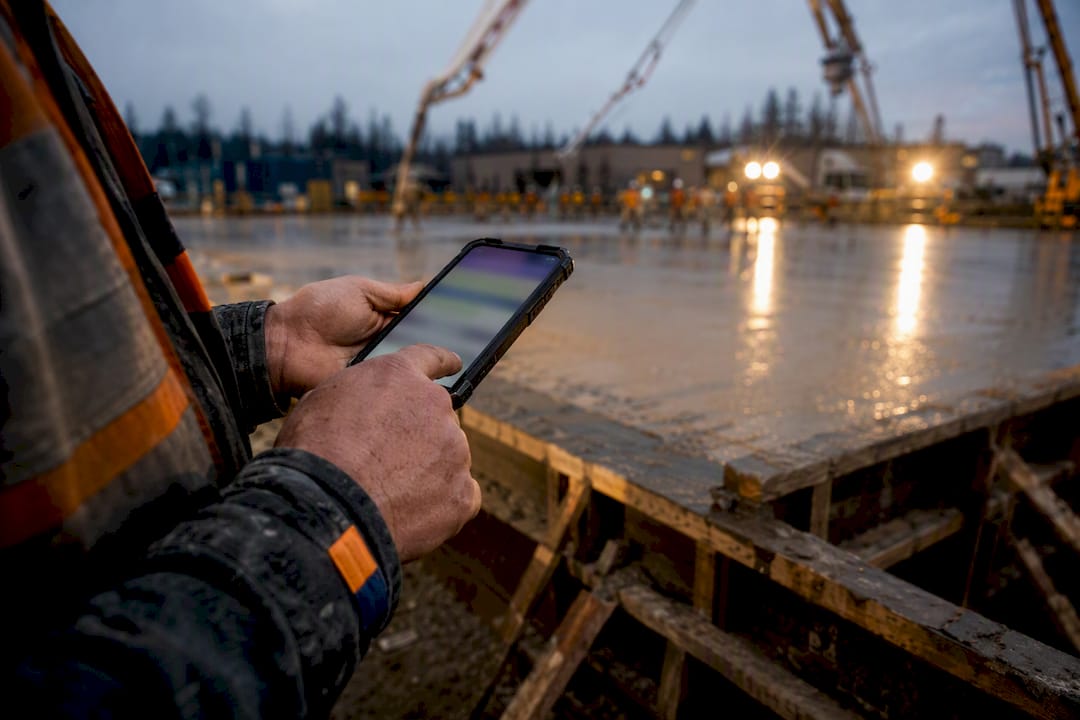
Real time data sync is the automated, continuous propagation of changes across systems the instant they occur so every connected device and database reflects the same state without manual refresh. It matters whenever a delay between an event and its record causes bad decisions, lost work, or a mismatch between what the field knows and what the office sees. Field timecards, live budget dashboards, change order approvals, and multi-user collaboration all depend on it.
TL;DR:
- Using event-native architectures offers the best ordering and replay capabilities but requires higher upfront design effort.
- Implementing idempotent operations and durable operation logs helps prevent data corruption during network disruptions and reconnect storms.
- Offline-first field sync relies on local durable storage, device-assigned identifiers, and careful merge policies to ensure data consistency in dead zones.
- Testing for reconnection storms and drift conditions is essential before deployment to avoid silent data loss and resolve common sync failure points.
- Prioritizing data convergence reliability over speed ensures lossless updates and more manageable debugging, especially during network chaos.
Table of Contents
- What Architecture Actually Delivers Real-Time Data Sync
- The Engineering Primitives That Make Sync Trustworthy
- Building Offline-First Sync for Field Teams
- An Implementation Checklist Before You Build or Buy
- Where Sync Breaks: Deduplication, Drift, and Silent Data Loss
- What Actually Matters When You’re the One Debugging This at 2 AM
- How Won2Build Hub Keeps Field and Office in Sync
- Sources
- FAQ
What Architecture Actually Delivers Real-Time Data Sync
Not all “real time” claims mean the same thing under the hood, and the architecture you pick determines your latency floor, your debugging headaches, and how much you’ll spend on infrastructure.
Event-native systems treat every change as a named, immutable event rather than a row update. That gives you replay, audit trails, and clean downstream consumption almost for free, since event-native architectures simplify replay and auditability compared to bolting a cache on top of change data capture. Change data capture (CDC) reads the database’s own transaction log and turns row-level changes into a stream, which is low-intrusion because you’re not rewriting application code, just tailing the log. Database-native streaming goes further: Supabase Realtime listens to Postgres logical replication and pushes INSERT, UPDATE, and DELETE events straight to clients over WebSockets, with row-level authorization built in, so subscriptions stay scoped to what a user is allowed to see.
Transport matters too. WebSockets keep a persistent bidirectional connection, ideal for chatty, high-frequency updates like live cursors or dashboards. Server-Sent Events (SSE) are simpler and one-directional, a good fit for status feeds where the client only listens. Polling still shows up in legacy systems, but it trades latency and server load for simplicity, and it’s the first thing most sync migrations eliminate.
Here’s the trade-off in short form:
- Event-native: best ordering and replay, higher upfront design cost.
- CDC: fast to bolt onto an existing database, weaker on business-level semantics.
- Database-native streaming: low latency, tight coupling to one database engine.
- WebSockets: lowest latency, most connection management overhead.
- Polling: simplest to build, worst latency and resource cost.
The Engineering Primitives That Make Sync Trustworthy
Latency gets the attention, but the primitives underneath are what keep a sync system from quietly corrupting data during a bad network week.
Start with idempotency. Idempotent operations carry a unique operation ID so a replayed action after a dropped connection can’t apply the same change twice. Without that, a flaky cell signal on a job site turns one timecard entry into three. An operation log, or oplog, is the second piece: instead of only storing current state, you store the sequence of changes, which lets a reconnecting client ask “what happened since my last checkpoint” and replay only the gap.
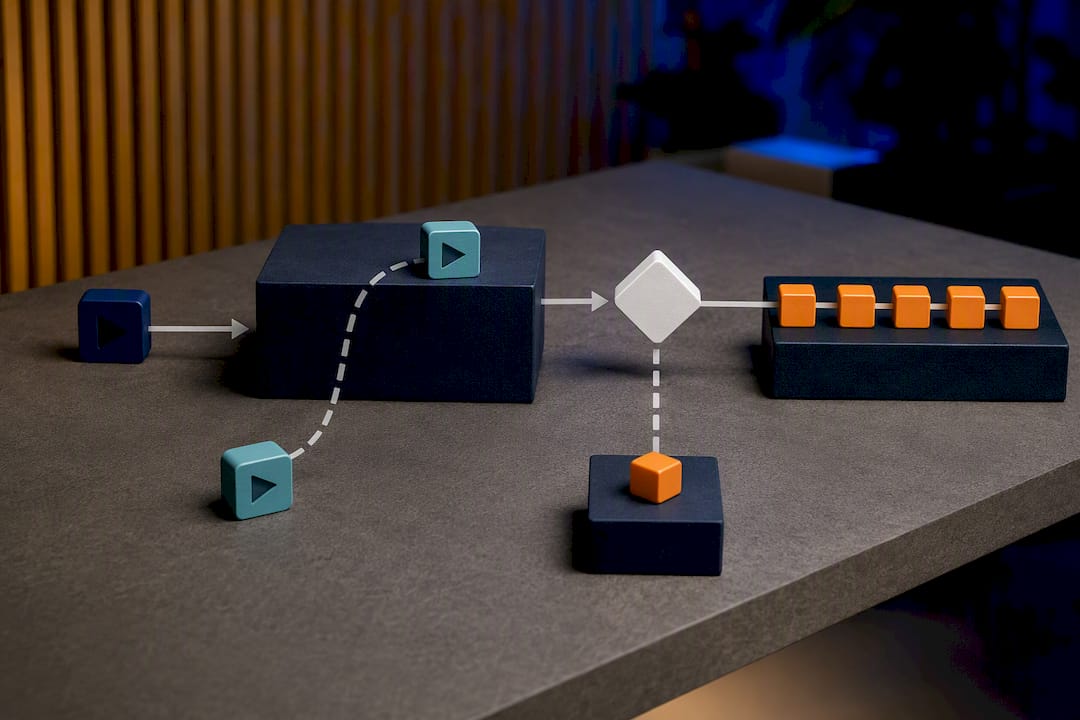
Clock trust is the next trap. Device clocks drift, and construction tablets left in a truck cab overnight are notorious for it. Hybrid logical clocks (HLCs) combine physical time with a logical counter so the system can order events by causality rather than by whatever a device’s clock happens to say.
A practical build sequence looks like this:
- Assign every client operation a unique ID and a device signature before it leaves the client.
- Write the operation durably to an oplog before attempting to interpret or apply it.
- Batch acknowledgments and apply backpressure so a burst of reconnecting devices can’t flood the server.
- Validate and merge after the commit, never before.
Pro Tip: Commit first, interpret second. Teams that validate business logic before writing the operation durably lose data the moment a validation step crashes mid-request. Durable-then-interpret is boring, but it survives outages.
Building Offline-First Sync for Field Teams
Office software assumes a network. Field software cannot. A crew pouring concrete in a dead zone still needs to log hours, and the system has to behave as if nothing is wrong until connectivity returns.
The client-side pattern that works starts with a local durable outbox, typically an IndexedDB store on mobile or tablet clients, holding every optimistic write until it’s confirmed. Firebase Realtime Database SDKs persist changes locally and automatically synchronize them once the device reconnects, which is the same principle field apps need to replicate regardless of backend. Operations should be scoped per field, not per record: if one worker edits hours and another edits the cost code on the same timecard, a per-field merge policy applies both instead of letting the second write silently clobber the first.
Device-minted identifiers matter more than most teams expect. Assigning a UUID or ULID at the moment of creation, on the device, rather than waiting for the server to assign one, avoids collision problems when five tablets go offline in the same trailer. Storing a trunk revision at checkout also enables three-way merges later, comparing the original, the local edit, and the server’s current state instead of a blunt overwrite.
- Queue photo and document uploads separately from data operations, and make them resumable, since a half-uploaded plan photo shouldn’t block a timecard sync.
- Report convergence status back to the crew, not just to a backend dashboard, so a foreman knows whether yesterday’s entries actually landed.
- Test reconnection storms deliberately, not incidentally, before a real job site does it for you.
Reconnection-storm testing isn’t theoretical. One project documented 1,500 operations from 20 devices converging in 1.6 seconds with zero unsynced operations, which is the kind of number that tells you whether an architecture holds up when a whole crew’s tablets come back online in a parking lot at the same time. An effective approach to connecting field operations with office workflows leans on this same logic: capture the data offline, reconcile it on a per-field basis, and never make the crew wait on a network signal to finish their day, as discussed in real-time insurance policy updates for South African fleets.
An Implementation Checklist Before You Build or Buy
Before committing to an architecture or a vendor, run the decision through a short list of concrete criteria instead of a gut check.
- Latency and SLA targets: define a number (sub-second, under 5 seconds, near-real-time) and build a test harness that measures actual round-trip time under load, not just in a demo.
- Conflict model: decide up front whether merges are automatic, per-field, or escalated to a human, and design the UI for that escalation before you need it.
- Security: TLS in transit, proper key management, and a compliance review whenever sensitive data enters the payload; healthcare-adjacent fields should check HIPAA requirements before assuming general-purpose sync tooling covers you.
- Observability: tracing across the sync path, the ability to replay a specific operation for debugging, and a defined retention window for the oplog.
- Cost drivers: message volume, how long you retain oplog history, egress fees, and how expensive a full state rebuild becomes if you ever need one.
Pro Tip: Price out oplog retention before launch, not after. Teams that keep every operation forever for “just in case” debugging often discover the storage bill outgrows the feature it supports within a year.
Where Sync Breaks: Deduplication, Drift, and Silent Data Loss
Most sync failures aren’t dramatic outages. They’re small, repeatable mistakes that slip past testing because they only show up under real network chaos.
- Duplicate operations. A retried request without an idempotent operation ID applies the same change twice. Fix it by generating the ID client-side and rejecting duplicates server-side.
- Clock drift. Ordering events by device timestamp fails the moment one tablet’s clock is off by ten minutes. Use hybrid logical clocks or a causality marker instead of trusting device time.
- Schema drift. A field app running an older app version sends a payload the server no longer expects. Negotiate schema versions explicitly during the sync handshake rather than assuming every client is current.
- Background sync race conditions. A user closes the app mid-sync, and the local write never confirms. This is the single most common cause of “I entered it but it’s not there” complaints, and it’s solved by confirming writes before clearing them from the outbox.
Test for all four with simulated reconnection storms and randomized offline/edit schedules, not just a clean happy-path demo.
What Actually Matters When You’re the One Debugging This at 2 AM
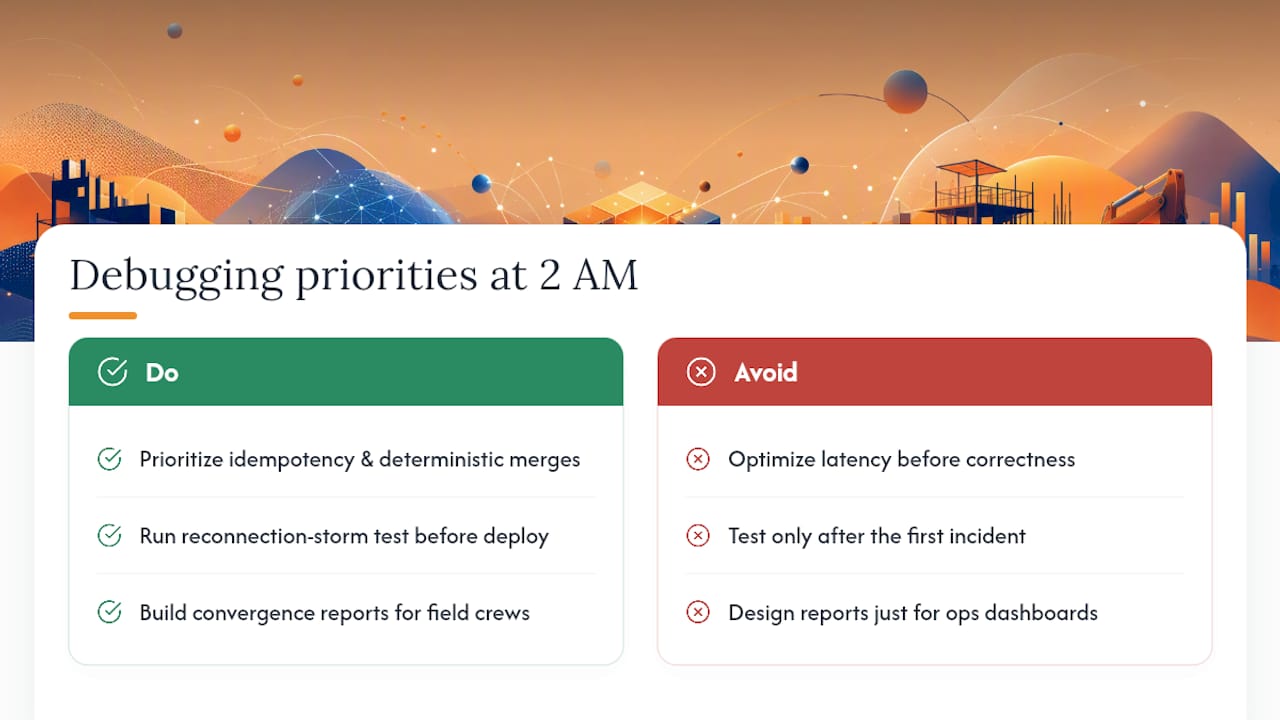
Most sync advice optimizes for latency first, because latency is the number that shows up in a demo. That’s backwards. I’d rather ship a system that takes two seconds to converge and never loses an operation than one that feels instant and occasionally eats a change order during a network hiccup. Get idempotency and deterministic per-field merges right before you touch latency at all.
Run a reconnection-storm test before your first production deploy, not after your first incident. And build the convergence report for the field crew, not just the ops team. A foreman who can see that yesterday’s hours actually synced is worth more than another dashboard nobody in the trailer will open.
— Jen Reese
How Won2Build Hub Keeps Field and Office in Sync
Won2build is built around the same principle this article just walked through: capture data where the work happens, sync it without asking the field to babysit a connection. Time Budge handles offline time tracking so crews can log hours in a dead zone and trust the entry lands once signal returns. CO Hub applies that same real-time sync to change orders and T&M tickets, so a change approved in the office shows up on the tablet that submitted it without a second phone call. Takeoff keeps digital plan quantification consistent between the estimator’s desk and the field crew referencing the same drawing.

If you’re tired of double entry eating into your margins, CO Hub is worth a direct look, since change order delays are one of the most common places subcontractors lose money silently. Pair it with Takeoff if your estimating and field teams are still reconciling plan quantities by hand. Start a trial and see how single sign-on across the suite changes how fast your numbers move from job site to office.
Sources
FAQ
What does “real-time sync” mean?
It means changes made in one system or device propagate to all connected systems within seconds, or less, without a manual refresh or scheduled batch job.
Should my sync be on or off?
Keep sync on for anything mission-critical, like timecards or change orders, and reserve manual or scheduled sync only for low-stakes, non-urgent data where a delay causes no real harm.
What are examples of real-time data?
Field timecard entries, live budget dashboards, change order approvals, chat and collaboration tools, and stock trading feeds are all common examples of real-time data in practice.
What does data sync do?
It keeps a single source of truth across every device and system by continuously propagating changes, which prevents field-office mismatches, duplicate entry, and lost updates from stale copies.
How is real-time sync different from batch data transfer?
Batch transfer moves data on a schedule, often hourly or daily, while real-time sync propagates each change as it happens, which matters when decisions depend on current, not yesterday’s, information.
Recommended
One login for estimating, bid tracking, change orders, and labor.
The Hub is free. Pay only for the apps you turn on.
Create your free Hub account- Managers: Make Mobile Field Workflows Resilient for 72 Hour OutagesPlaybook for field managers: offline first mobile workflows, resilient sync and conflict handling, compliance first AI guardrails, and practical pilot steps.
- Daily Signed Records: Force Account Tracking for Managers & InspectorsField checklist for project managers and inspectors to keep force account tracking audit-ready: use daily signed records for labor, equipment, and...
- Stop Timecard to Report Drift: Labor Cost Codes for SubcontractorsFix the timecard to report chain with labor cost codes that tie crews to budgets. Includes a 6 code starter and a burdened rate example.