
What Is a Commercial Equipment Schedule?
Discover what a commercial equipment schedule entails, including essential specs and examples crucial for project managers and subcontractors.
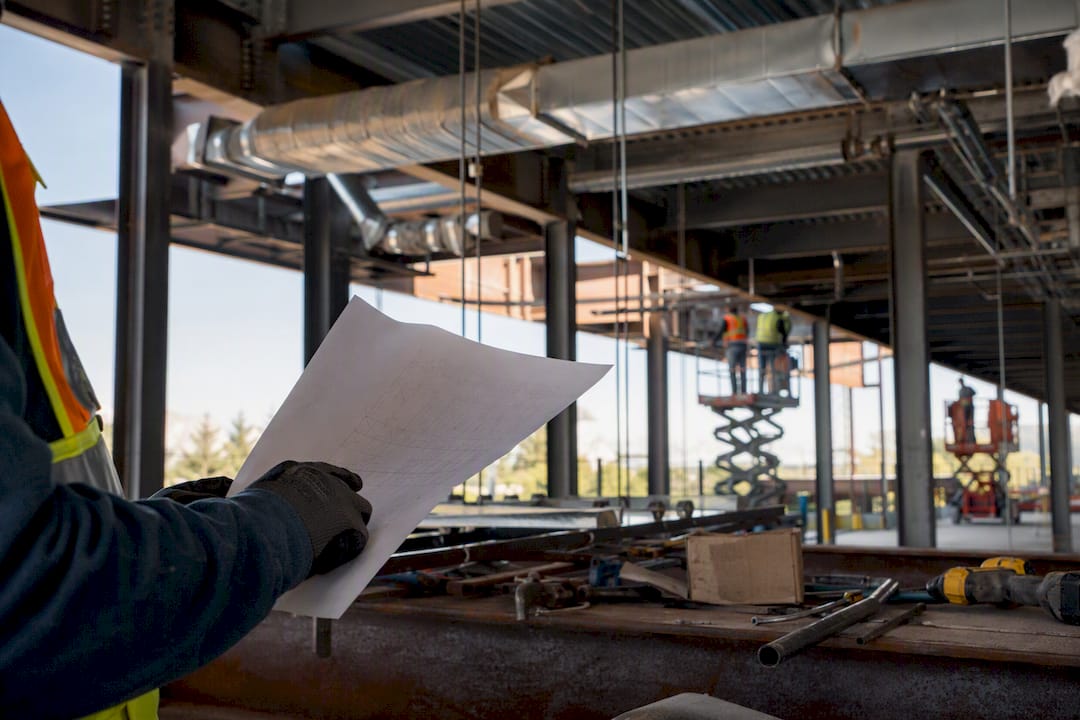
A commercial equipment schedule is a table on a project’s drawings that lists every piece of mechanical, electrical, plumbing, or specialty equipment along with its core specs, such as tag number, manufacturer, model, capacity, and electrical needs. The same term also shows up in a completely different context: an equipment schedule in a commercial lease is a legal addendum that lists serial numbers, costs, rent, and lease terms for financed assets. This article covers both, but focuses mainly on the construction version, since that’s what most project managers and subcontractors need on a daily basis.
On a project drawing, expect these fields on nearly every equipment schedule:
- Tag or mark number (e.g., CH-1, P-2)
- Description and manufacturer/model
- Capacity or output rating
- Electrical and utility requirements
- Location, quantity, and notes
Key Takeaways
A commercial equipment schedule works as a project’s procurement shopping list because it condenses tags, specs, and electrical data into one table that drives buying, delivery, and installation decisions.
| Point | Details |
|---|---|
| Two meanings exist | Construction schedules list equipment specs; lease schedules define financed asset terms and payments. |
| Tags link plans to schedules | Every tag on a plan (like CH-1) should trace to a matching row in the schedule. |
| Schedules summarize, specs detail | When they conflict, check the spec section first, then use an RFI or ASI to resolve it. |
| Utility data causes most errors | Missing electrical or utility fields are the leading cause of procurement and delivery delays. |
| Revision control prevents confusion | Log every schedule change with a date, description, and notification to procurement and field teams. |
Table of Contents
- Where Do Equipment Schedules Appear in a Drawing Set?
- What Types of Equipment Schedules Exist by Trade?
- How Do You Read an Equipment Schedule Line by Line?
- What’s the Difference Between a Schedule and a Specification?
- How Do Schedules Drive Procurement and Installation?
- What Mistakes Show Up Most Often on Equipment Schedules?
- How Do You Create an Equipment Schedule From Scratch?
- How Should You Manage Multi-Page Schedules and Revisions?
- What Does “Equipment Schedule” Mean in a Commercial Lease?
- What I’ve Learned From Watching Schedules Fail (and Work)
- Ready to Keep Your Schedules and Estimates in One Place?
- Frequently Asked Questions
- Sources
Where Do Equipment Schedules Appear in a Drawing Set?
Equipment schedules usually sit on the mechanical (M), electrical (E), and plumbing (P) sheets, often clustered near the end of each discipline’s sheet set right before the details pages. Larger projects sometimes pull them into a dedicated schedule sheet, labeled something like M6.0 or E5.1, separate from the plan views. BuildVision’s definition frames the schedule as a project’s primary shopping list, and that’s exactly why it needs its own real estate on the sheet set instead of being crammed into a plan margin.
Different trades lean on different schedules:
- Mechanical contractors reference AHU, chiller, and pump schedules.
- Electricians check panel, transformer, and switchgear schedules.
- Plumbers and fire protection crews use water heater, booster pump, and fire pump schedules.
- Kitchen equipment vendors work from foodservice-specific schedules tied to a separate architectural sheet set.
Tag numbers on the schedule match callouts on the floor plans and single-line diagrams, so a symbol you see on a plan view should always trace back to a row in the schedule.
Pro Tip: On large sets, search the PDF for the tag prefix (like “AHU” or “P-”) instead of scrolling page by page. Most schedules also list an index or legend near the front of each discipline’s sheets that tells you exactly which page holds which equipment category.
What Types of Equipment Schedules Exist by Trade?
Every trade builds its schedule around the attributes that matter for its own procurement decisions, which is why a mechanical schedule looks nothing like an electrical one.
- Mechanical schedules cover chillers, air handling units, and pumps, with fields for airflow (CFM), tonnage, and motor horsepower.
- Electrical schedules cover switchgear, transformers, and panels, listing voltage, phase, amperage, and short circuit ratings.
- Plumbing and fire protection schedules cover water heaters, booster pumps, and fire pumps, with flow rate and pressure ratings front and center.
- Commercial kitchen schedules cover hoods, refrigeration, and ranges, often built around category groupings like cooking, prep, and storage to guide purchase timing before a restaurant opens.
- Specialty schedules cover AV systems, medical gas equipment, and elevators, and typically only appear when a project has that specific scope.
Knowing which type you’re holding tells you instantly which fields to expect and which vendor conversations to start.
How Do You Read an Equipment Schedule Line by Line?
Start with the tag. A designation like CH-1 or P-2 isn’t arbitrary. It’s a shorthand code that ties directly to a symbol on the mechanical or plumbing plan, and reading a schedule always begins by matching that tag back to its physical location on the drawing. Helonic’s guide to reading equipment schedules notes that schedules exist precisely because plan views can’t hold all the detail a contractor needs. The tag is just the pointer.
Once you’ve found the row, here’s what each field is telling you:
- Description names the equipment type in plain terms (e.g., “rooftop package unit”).
- Manufacturer and model identify the exact product specified, which matters enormously for substitution requests.
- Capacity gives the performance rating, usually tons, CFM, or GPM depending on the equipment.
- Electrical requirements list voltage, phase, and full load amps, which your electrician needs before rough-in.
- Utility connections specify pipe sizes, gas requirements, or drain connections.
- Weight and mounting notes flag whether you need structural reinforcement or special rigging.
- Location and quantity confirm where the unit goes and how many you’re ordering.
- Notes and submittal requirements point you toward the spec section governing approvals.
Column logic can trip up newer readers. A capacity column might list tons for one row and MBH for another within the same schedule, so always check the unit abbreviation rather than assuming consistency down the column. If an entry looks ambiguous, that’s your cue to check the spec section referenced in the notes column rather than guessing.
A typical cross-reference workflow looks like this: find the tag on the plan, read across the schedule row for that tag, then flip to the relevant spec section for submittal and testing requirements. For procurement purposes, pull out the lead time, model and serial number, approved vendor, any delivery constraints at the site, rigging or crane needs, and commissioning notes before you release a purchase order.

What’s the Difference Between a Schedule and a Specification?
The schedule is a summary. The specification is the deep detail. A schedule tells you a chiller is rated at 200 tons; the specification tells you the acceptable manufacturers, the performance testing required, the warranty terms, and what has to be submitted before that chiller ever ships.
Contract documents generally follow a hierarchy, though the exact order should always be confirmed in your project’s general conditions: notes on the drawings, then schedules, then specifications, then the broader contract documents. When a schedule and a spec disagree, that hierarchy tells you where to start looking, not necessarily which one wins outright.
Here’s a practical conflict resolution sequence:
- Identify the exact discrepancy (model number, capacity, or electrical rating).
- Pull the referenced specification section and compare line by line.
- Submit an RFI if the conflict isn’t resolved by the spec language alone.
- Document the resolution through an addendum or an Architect’s Supplemental Instruction (ASI).
Pro Tip: Model number mismatches and missing utility requirements cause more procurement headaches than almost anything else on a schedule. Before you release a purchase order, cross-check the model number against both the schedule and the submittal, not just one or the other.
How Do Schedules Drive Procurement and Installation?
The schedule is where contract language turns into a purchase order. Procurement teams pull the model, serial number, approved vendor, quantity, delivery location, and any special handling requirements straight from the schedule rows, and that data shapes everything from submittal timing to shop drawing review.
A workable procurement checklist looks like this:
- Confirm the order date against the manufacturer’s quoted lead time.
- Lock in a delivery window that matches the site’s construction schedule.
- Arrange laydown or storage space if equipment arrives before it’s needed.
- Plan rigging or crane access for anything heavy or oversized.
On the installation side, schedule data tells your crews what utility connections to rough in, whether structural supports are needed for weight, and what clearance the equipment requires for service access. Commissioning notes on the schedule often flag startup requirements that need to be scheduled weeks in advance.
Pro Tip: Confirming amperage draw on an electrical schedule before scheduling delivery has saved more than one project from a wasted crane mobilization. A rooftop unit that needs a bigger electrical service than planned can delay a set by weeks if it’s caught late.
What Mistakes Show Up Most Often on Equipment Schedules?
Missing utility data tops the list, followed closely by capacity numbers that don’t match what’s actually being installed. Omitted quantities, mismatched model numbers between the schedule and the submittal, and missing weight or rigging information round out the usual suspects, and any one of them can stall a delivery or trigger an RFI mid-project.
A short review checklist catches most of these before they become expensive:
- Verify every tag on the schedule actually appears on the plan, and vice versa.
- Cross-check capacity and electrical fields against the specification.
- Confirm vendor lead times against your project schedule.
- Confirm site access, laydown space, and structural loads before ordering.
For multi-trade coordination, designate one person as the schedule owner and keep a single source of truth rather than letting each trade maintain its own copy.
Pro Tip: Build a short sign-off step, even just an email confirmation from the schedule owner, before any purchase order goes out. It takes five minutes and catches errors that are far more expensive to fix after the equipment ships.
Poor coordination on equipment data is one of the most preventable causes of schedule slippage, which is exactly the gap tools like Won2build’s Bid Track are built to close by keeping estimating and procurement data in one place.
How Do You Create an Equipment Schedule From Scratch?
Building a schedule doesn’t need to be complicated if you follow a consistent sequence:
- Define the project scope and settle on a tagging convention before you start filling in rows.
- Gather manufacturer cut sheets and specs for every piece of equipment in scope.
- Choose the fields your project actually needs (not every project needs a “stipulated loss value” column, for instance).
- Populate rows with real data, not placeholders.
- Cross-check every row against the plans and the specification sections.
- Issue the schedule for review before it goes out for procurement.
Standard fields worth including: tag, description, manufacturer, model, capacity, electrical requirements, utility connections, location, quantity, and notes. If you’re building the schedule inside a BIM tool, Revit schedules often require manual field mapping, since parameters like “Mark” don’t automatically translate to “Item Number” the way a spreadsheet column might.
Assign one owner, usually the design engineer, the equipment subcontractor, or the PM, and make sure that person tracks version history. Before the schedule heads to procurement, confirm it’s complete, lead times are verified, the submittal list is attached, and any open RFIs are logged.
How Should You Manage Multi-Page Schedules and Revisions?
Big projects can generate schedules spanning a dozen pages, so index them clearly, group by tag range (say, all AHU tags on one page, all pumps on another), and number pages consistently within each discipline.
Revision control matters just as much as the initial data entry:
- Mark changed rows with revision clouds and a note referencing the change.
- Log every revision with an effective date and a clear document name.
- Route schedule changes through an addendum or ASI, never as a quiet edit.
- Notify procurement and field teams the same day a schedule changes.
A simple revision log with columns for date, description, issued by, and affected tags keeps everyone working from the same version, and it takes minutes to set up in any spreadsheet.
What Does “Equipment Schedule” Mean in a Commercial Lease?
In equipment leasing, a schedule means something different entirely. It’s a signed addendum to a master lease that spells out the exact terms for a specific asset, including serial number, cost, rent amount, and lease term. Once both parties sign, those terms lock in as legally binding, which makes renegotiation difficult later.
Lease schedules carry fields you won’t see on a construction schedule: stipulated loss value, payment structure, purchase options, and benchmark rate references like SOFR for variable-rate leases.
Signing a lease schedule commits your company to specific financial terms tied to a physical asset. If a subcontractor is financing a piece of equipment for a project, that schedule deserves the same scrutiny as any other binding contract, not a quick signature at delivery.
Loop in your finance or legal counsel before signing anything that affects project cash flow. A condition report at lease signing is also worth requesting, since it documents the equipment’s state before you take on the payment obligation.
What I’ve Learned From Watching Schedules Fail (and Work)
I’ve seen a rooftop unit sit on a truck for three extra days because nobody confirmed the amperage listed on the electrical schedule against the actual service available at the site. The crane was booked, the crew was on standby, and the fix, a five-minute cross-check, should have happened weeks earlier.
The lesson holds across every trade: verify utility and capacity data against the schedule before you lock in delivery or crane dates, not after. Platforms built around a single data flow, like Won2build’s, matter here because estimating, change order, and takeoff data all stay connected instead of living in separate spreadsheets that drift apart.
Ready to Keep Your Schedules and Estimates in One Place?
Chasing down equipment data across separate spreadsheets, email threads, and PDF markups is exactly the kind of inefficiency that eats into a subcontractor’s margin. Won2build’s CO Hub keeps change orders and T&M tickets tied to the same project data your estimating team already built, so a schedule revision doesn’t turn into a week of chasing paperwork. If your team is still reconciling equipment quantities by hand between bid and buyout, it’s worth seeing how a connected system changes that math.
Frequently Asked Questions
What is a commercial equipment schedule used for? It’s used to list every piece of equipment on a project with the specs contractors need for procurement, ordering, and installation, from capacity to electrical load.
Is an equipment schedule the same as a specification? No. The schedule summarizes attributes in a table; the specification provides the detailed performance, submittal, and warranty requirements behind those attributes.
Who typically owns the equipment schedule on a project? It varies, but the design engineer, the equipment subcontractor, or the project manager usually takes ownership and manages revisions.
What happens if the schedule and the plans don’t match? Flag it immediately, check the referenced specification section, and route the discrepancy through an RFI before ordering anything.
Does “equipment schedule” always mean the same thing in construction and leasing? No. In construction, it’s a specs table on the drawings. In leasing, it’s a signed legal addendum defining serial numbers, rent, and lease terms for financed equipment.
Sources
- SEC filing (example equipment schedule fields and usage)
- What Is an Equipment Schedule? | BuildVision
- Tutorial 1 - Create an Equipment Schedule
Recommended
One login for estimating, bid tracking, change orders, and labor.
The Hub is free. Pay only for the apps you turn on.
Create your free Hub account- 7 Concrete Takeoff Steps Estimators Use to Avoid Ordering ShortfallsFollow seven concrete takeoff steps to calculate cubic yards, size rebar and formwork, convert volumes to supplier units, and verify quantities before bid...
- Are E-Signature Change Orders Legal and Worth the Switch?E-signature change orders streamline your workflow, ensuring faster approvals, fewer disputes, and quicker invoicing—discover the benefits now!
- How to Link Takeoff to Estimate for Accurate BidsLink your takeoff quantities to your estimate for accurate bids. Discover the seamless integration method that reduces errors and saves time.