
Construction Daily Report Examples for Subcontractors
See three filled-in construction daily report examples for subcontractors, the fields every report needs, and how to write entries that hold up in a dispute.

A good construction daily report answers five questions in under ten minutes: who was on site, what they did, what they used, what got in the way, and who saw it. Below are three filled-in examples written from a subcontractor’s seat, the fields every report needs, and the writing habits that turn a daily log into proof when a payment or schedule question comes up.
TL;DR
- A daily report is a same-day record of progress, labor, equipment, materials, weather and problems on one project.
- Every report needs the same core fields: project, date, author, weather, crew and hours, work performed, deliveries, delays and visitors or inspections.
- Write facts, not blame: who, what, when, where, and what it cost in time or labor.
- Sign and send it the same day. Contemporaneous records carry the most weight in disputes.
- Paper forms work, but digital reports tied to timecards save you from retyping hours.
Table of Contents
- What a construction daily report is for
- The fields every daily report needs
- Example 1: A drywall crew on a normal day
- Example 2: A day lost to a coordination conflict
- Example 3: A day with directed extra work
- How to record each part of the report
- Habits that make daily reports hold up
- Paper, spreadsheet or app
- Where Won2Build fits
- Perspective
- FAQ
- Sources
What a construction daily report is for
A daily report is a structured record of the progress, activities and site conditions on a given day. It pulls together the project, the workforce, the tasks completed and the resources used. Contractors use it to track progress, log attendance, note weather, record equipment and materials, and keep evidence for safety, contractual and legal needs.
For a subcontractor, the report has a second job. It is the document you reach for when a general contractor questions your hours, disputes a delay or pushes back on extra work. The Construction Management Association of America describes daily reports as factual evidence of what happened, when, and what it cost, and says contemporaneous documentation is central when disputes arise.
The Armed Services Board of Contract Appeals has said the same thing from the other side of the table. In a 2023 decision it noted that a contractor claiming delay must support its position with evidence, often including schedules, delay analyses and daily reports, as well as other contemporaneous records. If you ever need to prove that something slowed your crew, the daily report is the first thing anyone asks for.
The fields every daily report needs
Specifications and industry guides differ on length, but they agree on the core. For Construction Pros lists eight minimum fields: report date, author, start and finish times, weather, personnel, significant deliveries, schedule status with causes of delay, and unusual events affecting the work.
A public-owner specification such as the University of Alabama’s construction progress documentation section goes further. It names subcontractors, personnel counts by subcontractor, equipment, high and low temperatures, weather, accidents, meetings, unusual events, inspections, stoppages, delays, shortages, losses, orders from authorities, change orders, directives and tests as daily-report subjects. It also requires project staff to complete reports daily and submit them to the architect and awarding authority.
For a subcontractor, here is a practical field list:
| Field | What to write | Why it matters |
|---|---|---|
| Project and job number | Name, address, your internal job number | Ties the report to the right invoice and cost code |
| Date and shift times | Arrival and departure of the crew | Backs up payroll and billing |
| Author and foreman | Who wrote it, who ran the crew | Shows who has first-hand knowledge |
| Weather | Conditions, temperatures, and whether weather stopped work | Supports weather-delay requests |
| Crew | Names or headcount by trade, hours each | Source for labor cost and certified payroll |
| Work performed | Area, floor, grid line, quantity installed | Proves progress against the schedule of values |
| Equipment | Lifts, tools, rentals and hours used | Supports equipment charges |
| Materials | Deliveries received, material installed, shortages | Documents supply problems |
| Delays and conflicts | What, where, who was told, how many crew hours lost | The core of any delay claim |
| Directives and extra work | Who directed it, what scope, time and materials used | Starts your change order paper trail |
| Inspections and visitors | Inspector, owner rep, GC superintendent, result | Shows who saw what |
| Safety | Toolbox talk topic, incidents, near misses | Keeps safety records current |
| Signature | Foreman and, when possible, GC representative | Turns a note into an acknowledged record |
A real subcontractor form shows the same pattern. The Cook Brothers subcontractor’s daily report asks for project, job number, date, weather, subcontractor, employee count, foreman, labor hours, work description, inspections, instructions, equipment, major materials and a signed certification.
Example 1: A drywall crew on a normal day
This sample is illustrative, built to show tone and level of detail.
Project: Riverside Medical Office, Level 2 Date: Tuesday Prepared by: J. Alvarez, foreman Weather: Interior work. Clear outside, 54°F high, 38°F low. No impact. Crew: 6 finishers, 1 foreman. 8 hours each, 7:00 a.m. to 3:30 p.m. with a 30-minute lunch. Work performed: Hung board on corridor 2B walls, grid lines C to F, about 1,400 sq ft. Taped and first-coated rooms 210 to 214. Equipment: Two baker scaffolds, one drywall lift. Materials: Received 90 sheets of 5/8" Type X at 9:15 a.m., stored in room 218. Count matched the delivery ticket. Delays: None. Inspections and visitors: GC superintendent walked the corridor at 1:00 p.m. and approved the framing release for rooms 210 to 214. Safety: Toolbox talk on scaffold inspection. No incidents. Plan for tomorrow: Hang rooms 215 to 218, start second coat on 210 to 214.
Nothing here is dramatic, and that is the point. A run of ordinary reports like this one shows steady production. When one day goes wrong, the contrast is clear.
Example 2: A day lost to a coordination conflict
This is where wording matters. Compare the two versions of the same event.

Weak entry: “Plumber blocked us again. Lost the whole day because of GC’s bad scheduling.”
Strong entry:
Project: Harbor Street Warehouse, Building B Date: Thursday Prepared by: M. Chen, foreman Weather: Overcast, 61°F. No impact. Crew: 4 electricians, 1 foreman. Scheduled 8 hours each. Work performed: Pulled conduit in the north bay for 3 hours, 120 linear feet of 3/4" EMT. Delay: At 10:00 a.m. the north bay ceiling zone was occupied by the mechanical contractor’s duct installation. We were unable to continue overhead rough-in in that zone. M. Chen notified the GC superintendent, T. Brooks, at 10:10 a.m. Crew was moved to the south bay lighting layout until 2:30 p.m. and then stood by for 1 hour. Impact: 5 crew members, approximately 1 hour of standby (5 labor hours) and reduced production in the north bay. Requested: Written confirmation of north bay access date. Signature: M. Chen, foreman.
The strong version names the time, the person told, the number of hours affected and the action taken. It does not assign fault. Attorneys at ACS Lawyers recommend writing contemporaneous reports with who, what, when and where, avoiding blame and connecting events to resources or time. Neutral documentation protects your credibility better than accusatory language, and it still preserves cause and effect.
Example 3: A day with directed extra work
Extra work is where daily reports and change orders meet. If the GC’s superintendent tells your crew to do something outside the contract scope, the report is your first record of it.
Project: Summit Ridge Apartments, Building 3 Date: Monday Prepared by: R. Okafor, foreman Crew: 5 carpenters, 1 foreman. 8 hours each. Work performed (base scope): Blocking for cabinets, units 301 to 306, 5 hours per person. Directed extra work: At 1:00 p.m., GC superintendent D. Ward verbally directed relocation of blocking in units 303 and 304 to match revised cabinet drawings dated the previous Friday. Crew spent 3 hours each on this, 18 labor hours total including the foreman. About 12 sheets of 3/4" plywood and 40 linear feet of 2x6 used. Rights: We are tracking this as extra work and will submit pricing and a change order request. Acknowledged by: D. Ward, GC superintendent, signed at 3:20 p.m.
The entry follows the advice from ACS Lawyers to document directives by their authority and scope, reserve rights pending cost and schedule confirmation, and follow up through the contract’s notice process. For what happens next, see our guide to the construction change directive and our same-day field checklist for change order documentation.
How to record each part of the report
Crew hours
Write hours per person or per crew, with start and stop times. Separate productive hours from standby or rework when you know the cause. Round the way your payroll rounds, so the report and the timecard agree. If the report says 40 hours and the timecard says 44, the gap becomes a question.
Work performed
Use location and quantity: floor, room, grid line, linear feet, square feet, fixtures or pours. “Worked on framing” tells nobody anything. “Framed 220 linear feet of partitions, level 3, east wing” can be checked against the schedule of values.
Materials and deliveries
Record what arrived, when, who signed for it, and whether the count matched the ticket. Note shortages and damaged goods with the time you reported them. Also note where the material is stored, since storage and theft disputes are common.
Weather
Record conditions that affected your work, not just the forecast. Interior trades can still be affected by a lack of temporary heat or a wet building envelope. Say what it stopped and for how long.
Jobsite issues
Use a short formula: what happened, where, when, who was told, what you did next, and what it cost in crew hours. Keep opinions out. Keep dates and names in.
Safety
The federal construction safety standards require accident-prevention programs to provide for frequent and regular inspections of jobsites, materials and equipment by designated competent persons. A daily line for the toolbox talk topic and any incident or near miss gives you a simple trail that fits that expectation. Serious injuries have their own reporting rules and timelines under OSHA, so treat the daily report as a supplement to those, never a substitute.
Habits that make daily reports hold up
- Write them the same day. The Associated General Contractors of America says project records should be prepared contemporaneously and should explain the issue, its cause and effect, and any delay and cost implications. A report written a week later reads like a memory.
- Stay consistent with your other records. AGC treats daily reports as one layer of a record that also includes RFIs, notices, meeting minutes, schedules and cost records. If your daily report says the crew was idle but your timecards show full production, your credibility suffers.
- Keep it factual. Skip adjectives. State times, counts, names and quantities.
- Send it to the right people. Owner-side specifications often require daily submission to the architect or awarding authority. Florida DOT’s construction manual, for one, calls for one Daily Work Report per inspector, per day, per contract, and the information must be clear, detailed, accurate, complete and objective. Read your own contract to see who must receive yours.
- Link events to follow-up. A delay entry should lead to a notice. A directive entry should lead to a change order request. The report starts the paper trail; it rarely finishes it.
- Use the same format every day. A fixed template makes gaps obvious and makes any single report easier to find later.
Paper, spreadsheet or app
Paper forms are fast to start and hard to search. Spreadsheets are searchable but depend on someone typing at the end of a long day. The usual failure for either is double entry: foremen write the day down, then the office retypes hours into payroll, job costing and billing, and mistakes creep in.
A digital setup that captures hours and notes once, in the field, removes that step. For more on building reports that work as same-day proof, see our three subcontractor project report templates. If the real problem is that the field and the office disagree on what happened, our 30/60/90 plan for field-to-office communication walks through the fix, and our guide to real-time reporting in commercial projects covers the reporting side.
Where Won2Build fits

Won2Build Hub is built for commercial subcontractors in the United States. Time Budge handles labor tracking and job cost data from the field, CO Hub handles change orders and T&M tickets, Bid Track handles estimates and bids, and Takeoff handles digital plan quantification. All of them sit behind one login, so hours captured in the field are available in the office without retyping.
Published pricing on our pricing page is a flat monthly fee per company: $199 per month for Time Budge, $199 per month for Bid Track, $59 per month for CO Hub, and $2 per month for each active field worker where a module charges a per-worker fee. Takeoff and The Hub are listed at $0 per month.
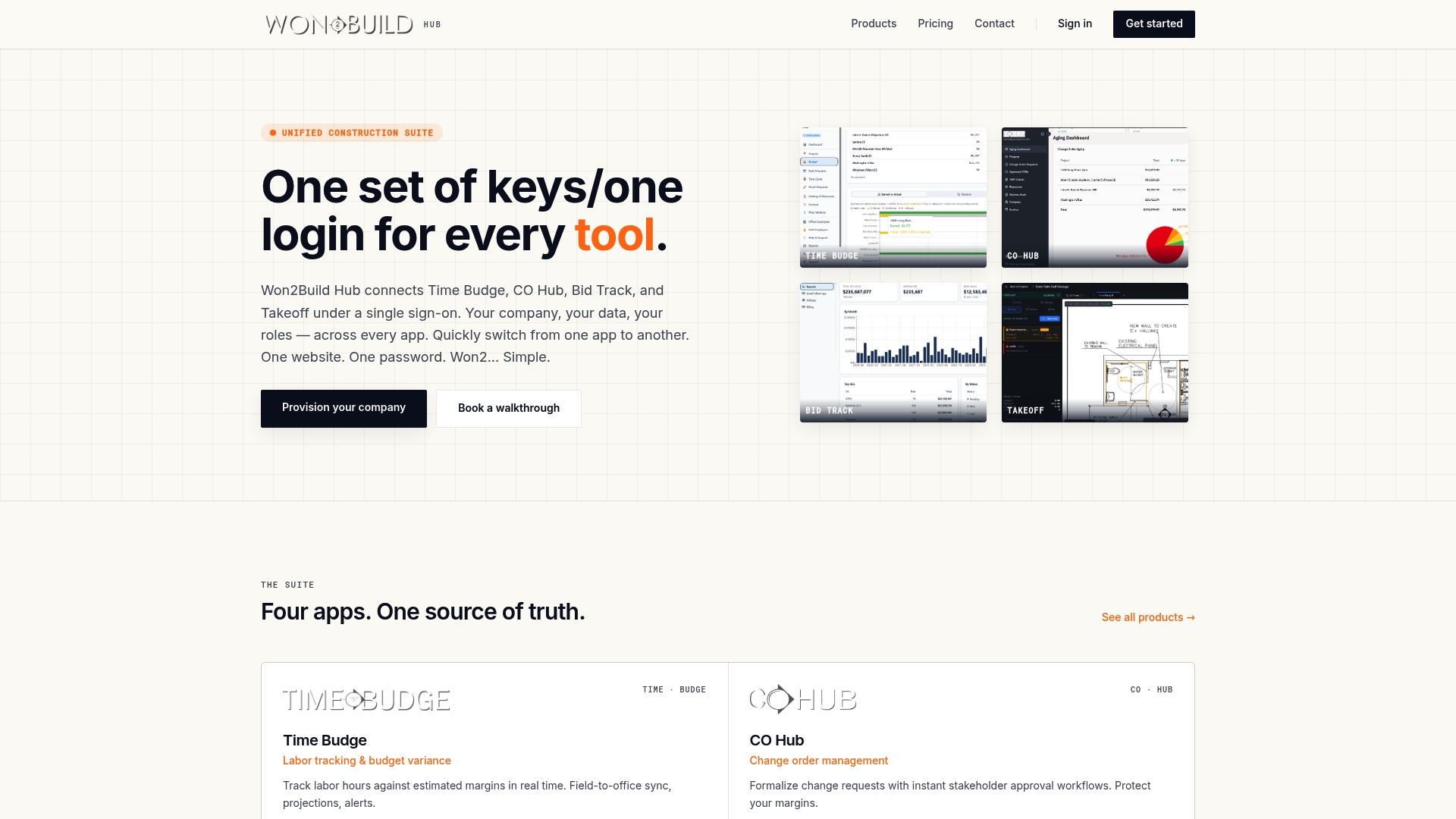
If your foremen still fill out forms at the end of the day and your office retypes them, see how the suite works on the Won2Build Hub page and start with the free trial.
Perspective
We have watched the same pattern on jobs for years. The daily report is the one document everyone agrees matters, and it is also the one that gets written last, from memory, at the end of a long shift. That is backwards.
Our view is that the report should be a by-product of work already being recorded. When a foreman logs crew hours in the field, those hours should already be the labor section of the report, the cost data for the job and the basis for any T&M ticket. Typing them again in three places is where margin leaks and where records stop agreeing with each other.
That is why we built Time Budge and CO Hub to share one login and one set of data. A directive entered in the field can become a change order record without a second pass. The foreman writes the day once, and the office sees it the same day.
Subcontractors do not lose money because they lack forms. They lose it because the proof arrives late or contradicts itself. Fix the flow, and the report writes itself.
Jen Reese
FAQ
How long should a construction daily report be?
One page is usually enough. Include every core field, and add detail only where something unusual happened, such as a delay, a directive or an incident. A routine day can run a few lines per section, while a problem day needs times, names and hours.
Who should receive a subcontractor’s daily report?
Check your subcontract. Many owner-side specifications require daily submission to the architect and awarding authority, and subcontractors commonly send theirs to the general contractor’s superintendent. Keep your own signed copy in the project file in either case.
Should I include photos?
Yes, when they show something the text cannot: stored materials, an access conflict, installed work before it is covered, or site conditions. Label each with the date, location and a short caption, and attach them to that day’s report.
Can a daily report help with a change order?
Yes. It records who directed extra work, what scope, how many hours and what materials were used, on the day it happened. That gives you the facts to price the change order and shows the work was authorized. Our guide to change order fields and templates shows what to include next.
Is a daily report the same as a daily log?
The terms overlap. A daily log is often the foreman’s own running notes, while a daily report is the structured version sent to others. Many subcontractors use one document for both to avoid keeping two versions of the day.
Sources
- University of Alabama, 01 32 00 Construction Progress Documentation
- eCFR, 29 CFR 1926.20 General safety and health provisions
- For Construction Pros, What to Include in a Construction Daily Report
- Cook Brothers, Subcontractor’s Daily Report form
- Florida DOT, Construction Project Administration Manual, Section 5.1
- ACS Lawyers, How to Document Changes and Preserve Claims
- AGC of America, The Best Evidence: The Real Time Project Record
- CMAA, What’s in Your Daily Report?
Recommended
One login for estimating, bid tracking, change orders, and labor.
The Hub is free. Pay only for the apps you turn on.
Create your free Hub account- Construction Spanish Phrases for U.S. SubcontractorsSpanish phrases for the jobsite: greetings, safety warnings, comprehension checks, tools, materials and regional variations, plus how to keep paperwork clear for your crew.
- Timecard Rounding Rules for Subcontractors: What's LegalFederal timecard rounding rules in plain English for US subcontractors: the 7-minute rule, the neutrality test, California limits, and a worked payroll example.
- Construction Software Implementation: A Plan for SubcontractorsA step-by-step plan for rolling out construction software at a commercial subcontractor: goals, data cleanup, phasing, field buy-in, training and go-live.