
Subcontractors: 6 Demo Tests to Verify Integrated Construction Software
Run six live demo checks subcontractors must demand: sync latency, offline access, change-order audit trails, and use your own project data to test...

Integrated construction software links field updates, budgets, documents, and change orders into one system of record, so every entry made on-site shows up in the office in real time. The payoff is direct: fewer data-entry errors, faster change-order approvals, and a live view of budget versus actual cost instead of a number you find out three weeks late. This guide breaks down what these platforms actually do, the features worth demanding in a demo, and how to roll one out without losing a week of productivity.
TL;DR:
- Use real-time, bi-directional data syncing and live demos with your own project data to verify that integration offers timely updates and reliable change-order workflows.
- Expect significant operational improvements such as fewer disputed change orders, faster project closeouts, and better margin protection owing to live cost tracking and automated evidence attachment.
- Prioritize platforms that provide clear API access, documented data migration plans, and proven interoperability to ensure smooth implementation and ongoing data security.
- Conduct phased pilot testing with key team members on active projects and require evidence trails for change orders to reduce disputes and ensure accurate invoicing.
- Centralize job-cost data into one ledger and mandate integration capability in every vendor RFP to improve data latency and overall decision-making accuracy.
Table of Contents
- What Does Integrated Construction Software Actually Do?
- Which Features Actually Matter in a Demo?
- What ROI Should You Expect From Integration?
- How Should You Choose an Integrated Platform?
- Rolling Out Integrated Software Without Losing a Month
- Three Moves Every Subcontractor Should Make Now
- How Won2Build Hub Fits Into This Decision
- Sources
What Does Integrated Construction Software Actually Do?
Strip away the marketing language and an integrated platform does one job: it removes the gap between what happens on a job site and what the office knows about it. A foreman logs hours on a tablet, and that entry updates labor cost against budget without anyone retyping it into a spreadsheet. A superintendent photographs a scope change, and that photo becomes evidence tied to a change order instead of sitting in a text thread.
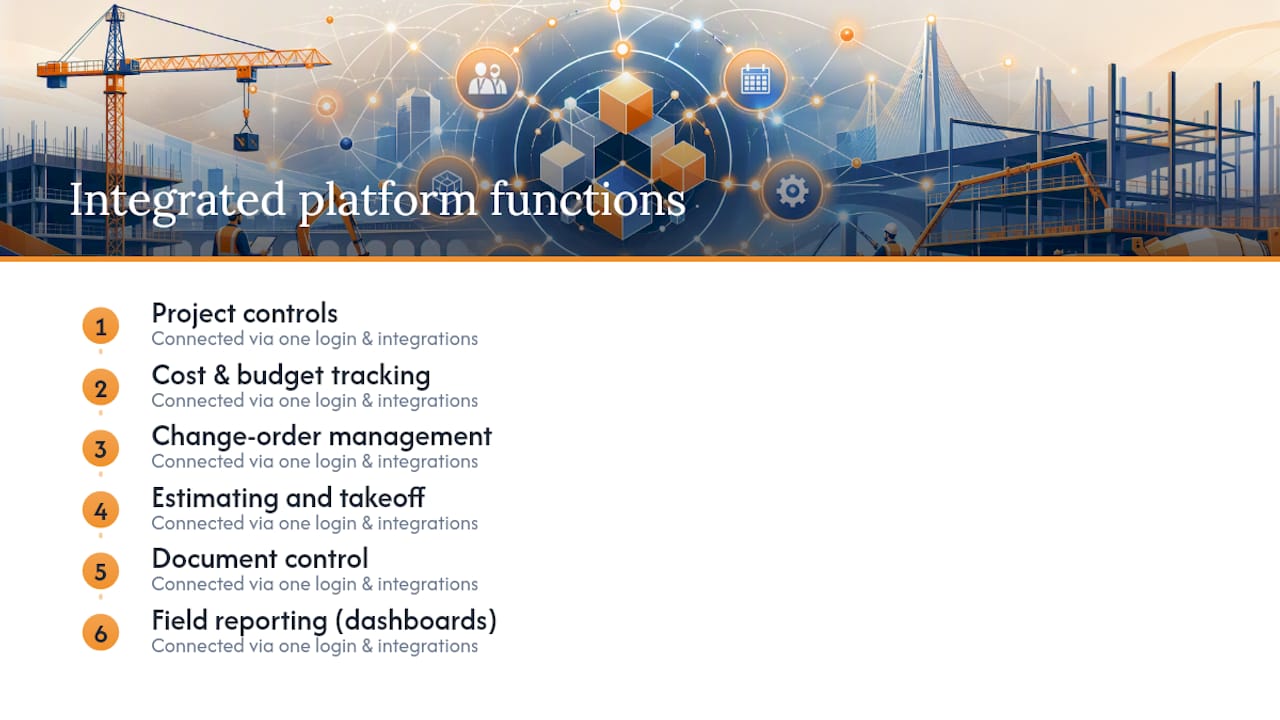
The functional core usually breaks into six areas: project controls, cost and budget tracking, change-order management, estimating and takeoff, document control, and field reporting through dashboards. What ties them together is single sign-on and open integrations. Trimble, for example, documents its “one login” approach and a marketplace of prebuilt integrations specifically to eliminate the double entry that happens when field apps and office systems don’t talk to each other.
A typical flow looks like this: a crew member logs time in the field app, that hour rolls into the cost code against the project budget, and by the time the pay application is due, the labor evidence is already attached. No spreadsheet reconciliation, no waiting for someone to remember what happened three weeks ago.
Which Features Actually Matter in a Demo?
Feature lists on vendor websites all sound similar. What separates a real integration from a glued-together workaround shows up the moment you ask a vendor to demonstrate it live, not describe it.
Test these categories directly:
- Field-to-office sync. Ask whether updates move in real time or batch overnight. A nightly import means your Monday morning budget report reflects Friday’s job site, not today’s.
- Change-order workflows. Have the vendor create a change order from a field photo, attach it to a cost code, and show it flowing into a pay application draft.
- Estimating and takeoff. Upload an actual plan set and run a quantity takeoff live. Watch how many clicks it takes to get from PDF to a usable estimate line.
- Document control. Confirm versioning works and that field crews see the current drawing set, not last month’s.
- Offline field access. Kill the Wi-Fi mid-demo. If the app locks up or loses data, that’s a problem you’ll hit on every remote site.
- Open API access. Ask directly whether they publish an API or only allow integrations they’ve built themselves.
Red flags to walk away from: any answer that starts with “you’d just export that and re-upload it,” no offline mode for field crews, or a refusal to show live data movement instead of a slide deck.
Pro Tip: Bring your own project data to the demo. Vendors demo cleanly with their sample project every time. Your actual change-order history and a messy plan set will tell you far more.
What ROI Should You Expect From Integration?
The financial case for integration comes down to timing. Change orders captured the day they happen get billed. Change orders discovered during closeout get argued about, and arguments erode margin. Real-time budget tracking works the same way: catching a cost overrun in week three is a conversation, catching it in week twelve is a crisis.
The construction management software market was valued at more than $10.64 billion in 2025 and is forecast to grow to over $16.62 billion by 2030, a signal that adoption is accelerating well beyond early adopters.
That growth matters to subcontractors specifically, because as more general contractors and owners adopt connected platforms upstream, they increasingly expect subcontractors to plug in rather than fax paperwork.
The operational gains break down into a few consistent patterns:
- Fewer disputed change orders, because photo and time evidence is attached automatically instead of reconstructed later.
- Faster closeouts, since real-time budget tracking means the final numbers aren’t a surprise.
- Better margin protection, because cost overruns surface while there’s still time to act on them.
How Should You Choose an Integrated Platform?
Picking the right platform is less about feature checklists and more about how the software behaves under real field conditions. Start with the decision criteria that actually differentiate vendors, not the ones every sales deck claims.
Decide early whether you want an all-in-one suite or a modular stack with best-in-class tools connected by APIs. All-in-one platforms reduce integration risk but may force compromises on any single function. Modular setups give you flexibility but demand real interoperability, which is why Autodesk built Forma Construction Connect as a no-code layer connecting its tools to hundreds of business systems without custom development work.
Run the evaluation in order:
- Map your current workflow gaps before you take a single demo. Know exactly where double entry happens today.
- Shortlist three vendors and require a live demo using your own data, not theirs.
- Ask each vendor for their data migration process in writing, including timeline and rollback plan.
- Confirm API access and ask for a list of existing integrations, not just capability claims.
- Run a 30 to 60 day pilot on one active project before company-wide rollout.
During demos, ask pointed questions: How long does onboarding actually take? What happens to our data if we cancel? Is sync bi-directional or one-way? Archdesk positions its subcontractor-focused platform around exactly this kind of traceability, combining bidding, labor, and cost tracking so pricing reflects work as it happens.
Trust signals worth weighing: documented single sign-on, audit trails on every change order, published integration lists rather than vague “we can connect to anything” claims, and security certifications you can actually verify.
Rolling Out Integrated Software Without Losing a Month
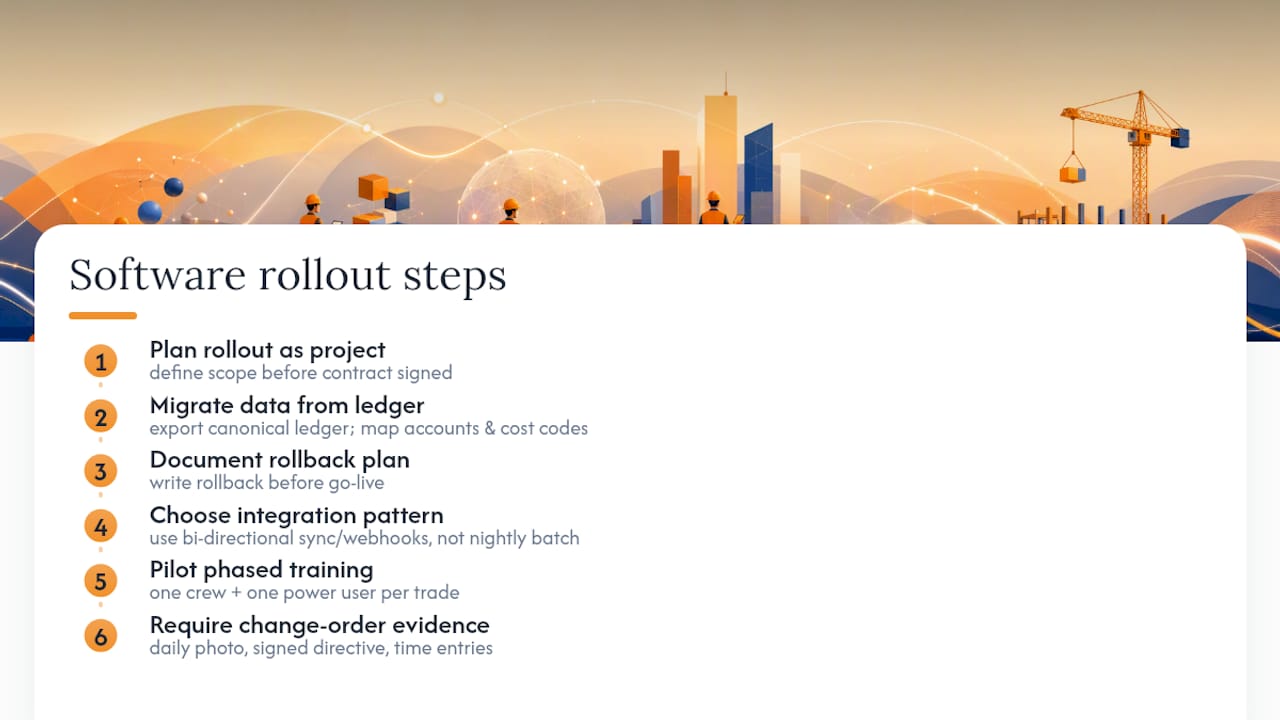
Implementation is where good software plans fall apart. The fix is treating rollout as a project with its own scope, not an afterthought after the contract is signed.
Start data migration with your canonical job-cost ledger, not your messiest project. Export it, map every account and cost code to the new system, and keep the rollback plan documented before go-live, not after something breaks.
On integration patterns, bi-directional sync or webhooks beat nightly batch imports every time. A nightly batch job means your Tuesday morning numbers reflect Monday’s field activity, and stale numbers cause bad decisions.
Training works best as a phased pilot: pick one crew and one power user per trade, run it on a single active job for a few weeks, then expand once the kinks are worked out. Won2Build Hub’s own subcontractor customers typically start this way, using single sign-on to move between Time Budge for labor tracking, CO Hub for change orders, and Takeoff for digital quantification, without re-entering data between apps.
Pro Tip: Require a linked evidence trail on every change order: a daily log photo, a signed change directive, and the time entries that roll up into the pay application. That trail is what turns a disputed change into an approved one.
Three Moves Every Subcontractor Should Make Now
Centralize job-cost data first. If your labor, materials, and change orders don’t hit one ledger in real time, everything else is guesswork dressed up as reporting.
Pilot one integration before committing to a full platform swap. And start requiring integration capability in every RFP you send vendors, not as a nice-to-have but as a disqualifier if the answer is no.
Watch data latency as your primary success metric. If field updates take longer than a day to show up in office reports, the integration isn’t doing its job, no matter how good the dashboard looks.
— Jen Reese
How Won2Build Hub Fits Into This Decision
Won2Build Hub is built for exactly the buyer this guide describes: a commercial subcontractor juggling labor tracking, change orders, bid estimates, and digital takeoff across separate tools that don’t talk to each other. Instead of logging into four systems and re-entering the same job number four times, single sign-on moves you between Time Budge, CO Hub, Bid Track, and Takeoff without losing data or duplicating entry.
If change orders keep slipping through the cracks between the field and your accounting system, CO Hub gives you the documented evidence trail this guide recommends, tied directly to labor and budget data instead of living in a separate spreadsheet. If your estimating team is still measuring off printed plans, Takeoff turns digital plan sets into quantities without the manual retracing. Start a trial and run one active project through the suite before deciding whether to move everything over.
Sources
- Construction Management Software Market — Mordor Intelligence
- Construction software interoperability & Trimble integrations | Trimble
- Subcontractor & specialty contractor software | Archdesk
Recommended
One login for estimating, bid tracking, change orders, and labor.
The Hub is free. Pay only for the apps you turn on.
Create your free Hub account- Managers: Make Mobile Field Workflows Resilient for 72 Hour OutagesPlaybook for field managers: offline first mobile workflows, resilient sync and conflict handling, compliance first AI guardrails, and practical pilot steps.
- Daily Signed Records: Force Account Tracking for Managers & InspectorsField checklist for project managers and inspectors to keep force account tracking audit-ready: use daily signed records for labor, equipment, and...
- Stop Timecard to Report Drift: Labor Cost Codes for SubcontractorsFix the timecard to report chain with labor cost codes that tie crews to budgets. Includes a 6 code starter and a burdened rate example.