
Why Commercial Subcontractors Need Multi-App Platforms
Discover why commercial subcontractors need multi-app platforms to reduce workflow friction, save hours, and protect margins on projects.

Commercial subcontractors who run multiple disconnected apps are losing significant hours every month to toggling, manual re-entry, and login management. That is not a minor inconvenience. At typical labor costs, it is a recurring margin hit that compounds across every project. The fix is a unified, integrated platform that connects your workflows so data moves without human routing.
The bottom line: integrated multi-app platforms reduce workflow friction, recover administrative hours, and protect margins on commercial jobs.
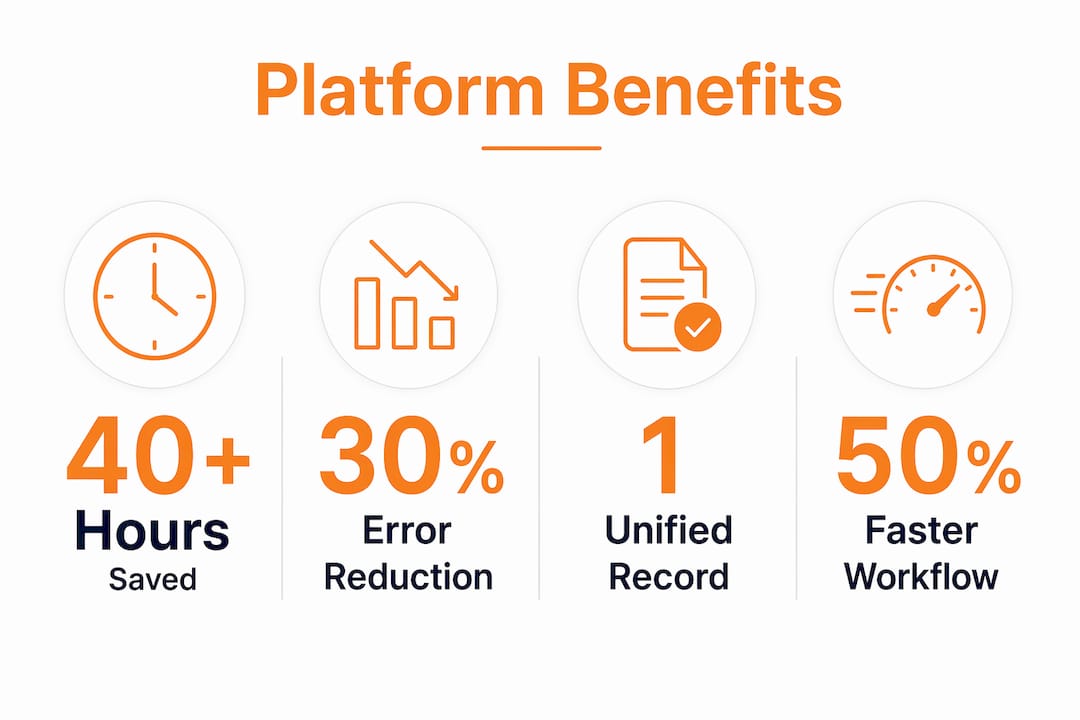
- Industry research indicates that the average small contracting business uses 7–10 different apps and loses more than 40 hours of productivity per month to toggling, login management, and manual reconciliation.
- Won2Build Hub delivers single sign-on (SSO) and real-time field-to-office data sync across four purpose-built subcontractor apps
- Emily Correa of Hyphen Solutions frames the real problem as “workflow friction” — tools that don’t share data force people to become the data pipeline
- If you’re evaluating platforms now, jump to the checklist section; for quick wins, go straight to implementation
Table of Contents
- Why disconnected apps create workflow friction for commercial subcontractors
- What do multi-app platforms actually do for subcontractors?
- How much does a multi-app platform actually improve your margins?
- How do you evaluate and choose the right platform?
- How Won2Build Hub reduces friction for subcontractors
- Quick wins and change-management tips for smooth adoption
- Key Takeaways
- The case for integrated platforms is stronger than most subcontractors realize
- Won2Build Hub: built for subcontractors who are done re-entering data
- Sources and further reading
Why disconnected apps create workflow friction for commercial subcontractors
Fragmented toolchains don’t just slow you down. They create a specific kind of operational drag that is hard to see until you measure it.
Every time a field supervisor logs a time entry in one app and a project manager re-enters it into accounting, that is a manual handoff. Every time a change order lives in an email thread instead of a linked job record, that is a dispute waiting to happen. Hidden administrative costs from manual re-entry, password resets, and data reconciliation can exceed 40 hours per month for a small team.
The failure modes are predictable:
- Manual re-entry across scheduling, payroll, and accounting apps introduces errors and eats hours
- Multiple logins mean password resets, lockouts, and wasted time before crews even start work
- Missed updates between field and office lead to stale data, wrong quantities, and billing delays
- Duplicate records across systems create disputes with GCs over change orders and labor counts
Each additional standalone app also expands your security attack surface because every tool requires its own credentials and access controls. For commercial subcontractors handling sensitive bid data and payroll, that risk is real.
What do multi-app platforms actually do for subcontractors?
Integrated platforms remove human routing by connecting workflows, centralizing identity, and keeping a single record of truth across every job function. The architecture matters more than the feature count.

| Capability | Friction it removes | Subcontractor scenario |
|---|---|---|
| Single sign-on (SSO) | Password resets, lockouts | Field crew logs in once; accesses time, plans, and change orders |
| Real-time data sync | Double entry, stale records | Labor hours posted in the field update job cost reports instantly |
| Unified job records | Billing disputes, version conflicts | Change orders link directly to original bid and approved scope |
| Mobile-first offline support | Downtime on sites with poor signal | Crews capture data offline; it syncs when connectivity returns |
| Role-based access and audit trails | Compliance gaps, unauthorized edits | Foremen see their jobs; estimators see bid data; admins see everything |
For commercial subcontractors specifically, the must-have capabilities are:
- Integration APIs and native connectors to accounting and payroll (not middleware patches)
- Field mobile UX that works on a phone with one hand in a hard hat
- Payroll and time sync that eliminates the spreadsheet-to-payroll transfer step
- Change order linking that ties approved scope changes back to the original estimate
Pro Tip: Before evaluating any platform, map your three highest-friction handoffs. If a vendor can’t show you exactly how their system eliminates each one, keep looking.
How much does a multi-app platform actually improve your margins?
Recovered hours translate directly into margin protection. For example, lost productivity and rework costs can amount to a significant monthly value for a commercial subcontracting team.
At a typical platform license cost for a small team, payback windows run 3–12 months depending on team size and the number of workflows consolidated. Cross-system automations in documented enterprise implementations have cut process cycle times by 40–60%, and commercial subcontractors running integrated suites see similar compression in time-to-invoice and bid turnaround.
Secondary financial gains that rarely show up in the initial business case:
- Fewer GC disputes because change orders are linked and timestamped
- Lower IT overhead from eliminating third-party middleware subscriptions
- Reduced password support tickets (SSO alone removes a recurring time sink)
- Lower breach risk from centralized credential management
For a deeper look at how digital tools on commercial projects translate to measurable ROI, the Won2Build blog covers the numbers in detail.
How do you evaluate and choose the right platform?
Focus on integration quality, field UX, and vendor support. Feature counts are marketing. What matters is whether the platform eliminates your specific handoffs.
Evaluation checklist:
- Migration scope — What data moves over, and who owns the migration?
- Integration APIs — Are connections to your accounting and payroll tools native or middleware-dependent?
- SSO and security — Does the platform offer single sign-on for construction teams, and how is access audited?
- Mobile and offline behavior — Can field crews capture data without a signal?
- Data ownership and export — Can you pull your data in a standard format if you leave?
- Training and onboarding plan — Is there a structured rollout, or do you get a PDF?
- Pricing model — Per-user versus per-feature pricing affects total cost as you scale
- Partner ecosystem — Does the platform connect to the tools your GCs already use?
Red flags to watch for:
- Core sync relies on a third-party middleware connector (Zapier-style patches break under load)
- Pricing is opaque until you’re deep in a sales cycle
- No documented migration playbook or reference customers in commercial subcontracting
Pro Tip: Pilot a single high-friction workflow — time capture or change order routing — for 30 days before committing to full rollout. You’ll know within two weeks whether the integration actually holds.
A solid construction project management workflow framework can help you map your current state before vendor conversations begin.
How Won2Build Hub reduces friction for subcontractors
Won2Build Hub integrates four workflows that commercial subcontractors run every day: labor tracking (Time Budge), change order management (CO Hub), bid estimating (Bid Track), and digital plan quantification (Takeoff). SSO connects all four, so a field supervisor and an estimator share the same login and the same live job data.
The practical outcomes:
- Eliminated double entry between field time capture and job cost reporting
- Faster change order cycles because CO Hub links directly to the original bid scope in Bid Track
- Accurate plan quantities from Takeoff feed directly into estimates, reducing manual transfer errors
- Real-time field-to-office sync means the office sees updated labor hours as they’re posted, not the next morning
Subcontractors who benefit most are commercial specialty trades managing 5–50 field workers across multiple active jobs, where the volume of daily data handoffs makes manual reconciliation genuinely painful. Onboarding typically involves a structured setup for each of the four apps, with SSO configured first so the team experiences the connected workflow from day one. For more on accurate subcontractor time cards and payroll reconciliation, the Won2Build blog has a practical walkthrough.
Quick wins and change-management tips for smooth adoption
A phased rollout focused on your highest-friction workflow delivers the fastest return. Going all-in on day one is the most common adoption mistake.
Step-by-step rollout:
- Identify the highest-friction workflow — where do hours disappear and errors cluster most?
- Pilot small — one crew, one job, 30 days
- Secure executive sponsorship — field adoption stalls without visible leadership buy-in
- Train core users first — two or three power users who can support the rest of the team
- Instrument KPIs before you start — you need a baseline to prove value
- Iterate — gather field feedback in week two and fix friction before full rollout
KPIs worth tracking from day one: admin hours recovered per week, time-to-invoice, number of password reset tickets, and data reconciliation time per payroll cycle. Workforce management practices for subcontractors offer a useful framework for setting those baselines.
Common pitfalls and how to avoid them:
- Over-ambitious scope — consolidating every workflow at once overwhelms users; start with high-impact workflows and expand
- Undertrained superusers — if your internal champions can’t answer basic questions, adoption stalls
- Ignoring field feedback — office-driven rollouts that don’t account for jobsite realities fail fast
Pro Tip: Measure your baseline admin hours before the pilot starts. Without a before number, you can’t prove the after.
Key Takeaways
Integrated multi-app platforms recover more than 40 hours per month for commercial subcontractors by eliminating the manual re-entry and login friction that disconnected apps create.
| Point | Details |
|---|---|
| Quantified productivity cost | Disconnected apps cost small contracting teams more than 40 hours per month in toggling, re-entry, and reconciliation. |
| Priority capabilities to require | Demand native integration APIs, SSO, mobile offline support, and change-order linking — not middleware patches. |
| ROI and payback | At $42/hour blended labor, recovered hours represent $1,680+/month; payback typically runs 3–12 months. |
| Phased rollout wins faster | Piloting one high-friction workflow for 30 days validates ROI before full commitment. |
| Won2Build Hub | Connects time tracking, change orders, bid estimating, and takeoff under one SSO for commercial subcontractors. |
The case for integrated platforms is stronger than most subcontractors realize
The conventional wisdom in construction software is to buy the best tool for each job function and connect them later. That logic sounds reasonable until you price the connections. Middleware breaks. Manual handoffs scale with headcount. And every new standalone app adds another credential set, another attack surface, and another place where data can go stale.
What the research actually shows is that the problem was never the tools. It was the routing between them. Emily Correa’s framing at Hyphen Solutions gets it right: connected data is the goal, not a longer feature list. The subcontractors who protect margins in commercial work are the ones who stop treating admin overhead as a fixed cost and start treating it as a solvable problem.
Won2Build Hub is the clearest example I’ve seen of a platform built for this specific audience. It doesn’t try to be everything. It connects the four workflows that actually drive subcontractor profitability and leaves the rest alone. That focus is what makes it worth piloting.
Won2Build Hub: built for subcontractors who are done re-entering data
Commercial subcontractors running disconnected apps spend real money on invisible admin work. Won2Build Hub closes that gap with four connected applications — Takeoff for digital plan quantification, Bid Track for estimating and bid pipeline management, CO Hub for change order control, and Time Budge for labor tracking — all under a single login.

No middleware. No duplicate records. Field hours post in real time, change orders link back to the original bid, and your estimators and foremen work from the same live data. For commercial specialty trades managing multiple active jobs, that means faster invoicing, fewer disputes, and margins that stay where you set them. Request a pilot through Won2Build’s product pages and see the connected workflow in your own jobs within 30 days.
Sources and further reading
The claims in this article draw on industry research, expert commentary, and Won2Build’s published resources. All figures are sourced and linked inline.
Primary research and expert sources:
- General Contractor Software: Why 26 Systems Beat Your 10-App Setup in 2026 — Quantra (7–10 apps, 40+ hours/month stat)
- Stop Switching Between Five Tools and Start Building with Connected Workflows — Hyphen Solutions (Emily Correa, workflow friction framing)
- Why Enterprises Need Super Apps in 2026 — Super Apps.ai (cycle time reduction data, phased rollout guidance)
Won2Build blog posts for deeper reading:
- Why Commercial Projects Require Digital Tools in 2026
- Single Sign-On for Construction: What IT Teams Need to Know
- How to Create Subcontractor Time Cards That Hold Up
- Subcontractor Workforce Management Explained for PMs
- Construction Bid Submission Checklist for Subcontractors
Recommended
One login for estimating, bid tracking, change orders, and labor.
The Hub is free. Pay only for the apps you turn on.
Create your free Hub account- Construction Change Directive: A Subcontractor's GuideWhat a construction change directive is, how it differs from a change order, and how subcontractors should document and price directed work to get paid.
- Notice of Change: What Subcontractors Must Send and WhenA notice of change protects a subcontractor's right to extra time and money. Learn what to include, who to send it to, and how to document changed work.
- Per Diem Tracking for Construction SubcontractorsHow construction subcontractors track per diem by worker, project and date, keep IRS-ready records, and write a policy that keeps payments tax-free.