
Role of Integrated Estimating in Commercial Work: Cost Predictability for PMs
Discover the role of integrated estimating in commercial work for enhancing cost predictability, improving bid speed, and reducing errors.

Integrated estimating makes the estimate the single source of truth for budgets, cost control, and forecasting on commercial construction projects. When quantities, labor hours, productivity rates, and cost assumptions carry forward into project controls, your team can compare actual performance against the original plan at any point in the job. That connection is what separates a project that finishes on budget from one that discovers a $200,000 shortfall in week eight.
The immediate benefits of integrated estimating in commercial work:
- Cost predictability — the estimate becomes the financial baseline, not just a bid document
- Fewer re-entries — quantities and cost codes flow directly into budgets, cutting manual transcription errors
- Faster bids — reusing validated estimate logic builds estimates faster on repeat project types
- Better variance analysis — when assumptions travel with the estimate, you can diagnose why a line item drifted, not just that it did
- Tighter margin control — on commercial projects where a small estimating error can erase profit, continuity from estimate to execution is not optional
Table of Contents
- How integrated estimating turns estimate data into a financial baseline
- How to connect estimate line items to budgets, cost control, and forecasts
- How to keep estimate continuity from preconstruction through execution
- How to validate estimate assumptions before and during execution
- Using integrated estimating to drive more accurate forecasts
- Which connected estimating features matter most as projects scale
- Practical implementation checklist and a subcontractor example
- Key Takeaways
- Why the estimate handoff is where most commercial projects lose control
- Won2build connects your estimate to every phase of the project
- Useful sources
How integrated estimating turns estimate data into a financial baseline
The estimate is only as useful as the data it carries forward. Labor hours, unit quantities, productivity assumptions, material unit costs, equipment rates, and allowances all need to land in the budget with the same structure they had in the estimate. When they do, every cost-code line in your budget has a corresponding estimate line to measure against. When they do not, you are managing a budget that has already drifted from the plan before the first shovel hits the ground.
Commercial estimating is less about producing a number and more about building a reliable financial framework that connects to procurement and schedule. That framing matters because it changes what you protect during the handoff. The number is easy to transfer. The assumptions behind it are what teams routinely lose.
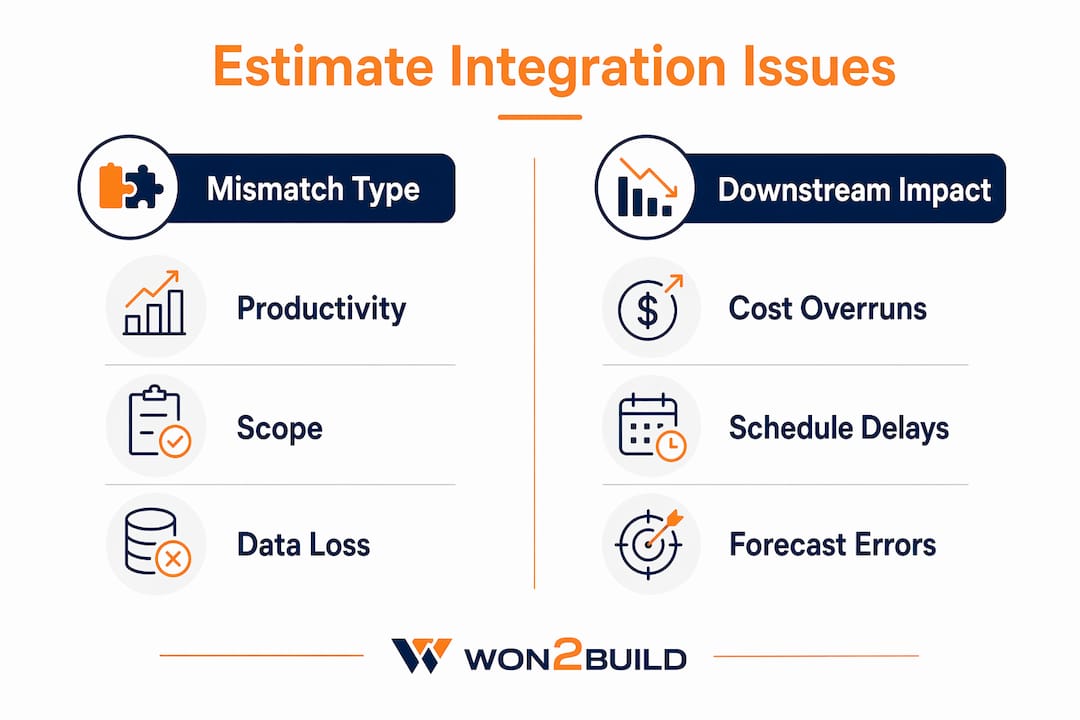
Common mismatches that destroy predictability:
| Mismatch Type | What Gets Lost | Downstream Impact |
|---|---|---|
| Productivity rate not carried forward | Assumed crew output vs. actual crew output | Labor cost variance with no root cause |
| Allowances dropped in budget transfer | Contingency or provisional sums | Unbudgeted costs absorbed as overruns |
| Scope split between cost codes | Estimate line vs. budget line misalignment | Variance masked across codes |
| Material unit cost not locked | Estimate price vs. procurement price | Margin erosion at PO stage |
| Subcontractor scope not itemized | Lump sum vs. detailed breakdown | No visibility into sub-scope changes |
Pro Tip: Before you transfer any estimate to a budget, run a line-count check. If the budget has fewer lines than the estimate, something was collapsed or dropped. Every collapsed line is an assumption you can no longer track.
Point solutions and manual re-entry create hidden costs precisely because copy-paste errors change scope pricing in ways that are harder to detect than arithmetic mistakes. A transposed productivity rate looks like a valid number until week four, when the labor curve breaks.
How to connect estimate line items to budgets, cost control, and forecasts
Getting estimate data into your cost-control system is a governance problem as much as a software problem. The mapping has to be deliberate, and someone has to own it.
The mapping checklist
- Standardize cost codes before the estimate is built. Use the same Work Breakdown Structure (WBS) across estimating, procurement, and cost control. Different codes between teams break integrations regardless of software quality.
- Map every estimate line to a budget line item. No lump-sum transfers. Each scope element gets its own cost code with the estimate quantity, unit cost, and hours attached.
- Carry productivity rates as a separate field. Do not bury them in the unit cost. You need them visible to run earned value analysis later.
- Assign a budget owner to each cost code. One person is accountable for variance on each line. Shared ownership means no ownership.
- Lock the baseline. Once the estimate transfers to the budget, freeze it. All changes go through a formal change-order process, not a quiet edit.
- Connect the budget to your forecast engine. The forecast starts as a copy of the budget. As actuals post, the forecast updates; the baseline does not.
- Set a single source of truth. One system holds the approved budget. Field reports, procurement records, and change orders all feed it. No parallel spreadsheets.
KPIs to set at project kickoff
An integrated platform gives teams real-time visibility into how changes affect estimate, schedule, and budget before decisions are locked in. Measure that visibility with these KPIs:
- Estimate-to-budget carry rate — percentage of estimate line items that transferred intact to the budget. The goal is that every estimate line carries across without loss for full traceability.
- Forecast variance to estimate — dollar and percentage difference between current forecast and original estimate baseline, tracked weekly
- Cost Performance Index (CPI) — earned value divided by actual cost; CPI below 1.0 signals overspend relative to work completed
- Schedule Performance Index (SPI) — earned value divided by planned value; SPI below 1.0 signals schedule slippage that will affect cost
- Change-order capture rate — percentage of scope changes formally processed vs. absorbed informally
How to keep estimate continuity from preconstruction through execution
Estimate continuity breaks at handoffs. The estimator finishes the bid, hands it to the PM, and the PM builds a budget from memory or a PDF. That gap is where assumptions disappear.
The fix is a structured handoff protocol with defined roles and a single, version-controlled estimate file.

| Phase | Key Action | Role Responsible | Control Point |
|---|---|---|---|
| Bid finalization | Lock estimate baseline; document all assumptions | Estimator | Signed-off estimate package |
| Budget transfer | Map estimate lines to cost codes; verify line count | PM + Estimator | Budget reconciliation sign-off |
| Procurement | Match POs to estimate unit costs; flag variances | Project Controller | PO variance report |
| Execution kickoff | Brief field supervisors on productivity targets | PM | Field kickoff checklist |
| Monthly review | Compare actuals to estimate by cost code | PM + Controller | Monthly cost report |
| Change events | Process all scope changes through CO workflow | PM | Approved change order |
| Project closeout | Compare final cost to original estimate; log lessons | PM + Estimator | Closeout variance report |
A standardized WBS that is identical across bidding, procurement, and cost control is the precondition for this workflow to function. Without it, the audit trail breaks the moment a PO hits a different cost code than the estimate line it came from.
Moving ticketing and field reporting out of spreadsheets into connected systems creates the higher-quality field data that makes this audit trail usable. A spreadsheet ticket has no timestamp, no cost-code link, and no version history. A digital ticket has all three.
How to validate estimate assumptions before and during execution
Assumptions are the part of an estimate that age the fastest. A productivity rate valid in February may be wrong by April if crew composition changes or site conditions shift. Validation is not a one-time pre-bid task.
Pre-bid validation
- Confirm schedule logic against the estimate’s crew sequencing. If the schedule compresses a phase, the productivity assumption needs to reflect it.
- Get at least two supplier quotes for major material line items. Lock the lower of the two into the estimate; flag the spread as a risk.
- Walk the site with a field supervisor before finalizing labor hours. Productivity rates from a previous project may not transfer to this site’s access, layout, or conditions.
- Check subcontractor scope inclusions and exclusions line by line. A sub’s number that looks competitive often excludes something your estimate assumed they covered.
- Run a commercial bid estimating review against historical actuals for similar project types. Flag any line where the current estimate deviates more than 10% from your historical average without a documented reason.
In-flight validation during execution
- Compare actuals to estimate by cost-code line at least monthly, not just at the total project level. A project that looks on budget overall can hide a labor overrun offset by an early material saving that will not repeat.
- Set re-forecast trigger rules. A common threshold: if CPI drops below 0.95 on any cost code for two consecutive reporting periods, require a revised forecast for that line.
- Run what-if scenarios quarterly: a 5% productivity drop, a 10% material escalation, and a scope addition equal to 3% of contract value. If any scenario pushes the forecast past the contingency, escalate.
KPIs for assumption risk
- Assumption variance rate — number of estimate assumptions that required revision during execution divided by total assumptions documented
- Forecast accuracy at 25% complete — how close the forecast at project quarter-point is to the final cost (a leading indicator of estimate quality)
- Productivity variance by crew — actual output vs. estimated output, tracked weekly per trade
Using integrated estimating to drive more accurate forecasts
A forecast built on estimate-linked actuals is fundamentally different from one built on gut feel and a spreadsheet. The estimate gives you the denominator; actuals give you the numerator. Earned value metrics give you the diagnostic.
Steps to produce estimate-linked forecasts
- Start every forecast from the estimate baseline. The forecast is not a fresh document. It is the estimate, updated with actuals and revised assumptions.
- Post actuals to cost codes weekly. The faster actuals hit the system, the sooner you see a trend before it becomes a problem.
- Calculate CPI at the cost-code level, not just the project level. A project-level CPI of 0.98 can hide a structural steel line running at 0.82 and a concrete line running at 1.15. The detail is where the decision lives.
- Use SPI to flag schedule-driven cost risk. A slipping schedule on a fixed-overhead project means more weeks of site costs. SPI below 0.90 should trigger a cost-impact review, not just a schedule recovery plan.
- Update the Estimate at Completion (EAC) every reporting cycle. EAC = Budget at Completion divided by CPI. If EAC exceeds the contract value plus contingency, you have a problem that needs a decision now, not at project closeout.
- Document forecast changes with reasons. “Revised per October site conditions” is not a reason. “Concrete productivity revised from 85 CY/day to 72 CY/day based on weeks 6–9 actuals” is a reason. The difference matters when you are defending a change order or explaining a variance to an owner.
Real-time reporting closes the loop between field performance and forecast updates, cutting the lag between when a cost event happens and when it shows up in the numbers.

Which connected estimating features matter most as projects scale
Not all integration features deliver equal value. The ones that protect margin and predictability most directly are worth prioritizing first.
Takeoff-to-estimate linkage is the highest-leverage feature. When quantities flow directly from the digital takeoff into estimate line items, you eliminate the re-entry step where most quantity errors originate. Edits in the takeoff sync to the estimate automatically. Cloud-based takeoff software makes this accessible without a server infrastructure investment.
Bid-leveling tools let you compare subcontractor and supplier quotes against estimate line items side by side. Without them, leveling happens in a spreadsheet, and scope inclusions get missed.
Change-order sync is where margin goes to die on unintegrated platforms. When a change order is approved, it needs to update the budget, the forecast, and the cost-code structure simultaneously. A system where the PM updates the budget and then separately emails the controller to update the forecast has already created a version-control problem.
PO matching to estimate lines catches procurement variance before it becomes a cost overrun. When a PO is issued at a unit cost higher than the estimate, the system flags it. Without that flag, the variance surfaces only when the invoice arrives.
Additional features worth prioritizing as teams scale:
- WBS enforcement at data entry (prevents ad hoc cost codes that break reporting)
- Schedule integration (links cost-code progress to schedule activities for SPI calculation)
- Field reporting with cost-code tagging (closes the feedback loop between site and office)
- Digital tools for commercial projects that support mobile access so field supervisors can log progress without returning to the office
Pro Tip: Automate PO matching and change-order sync before you automate reporting. Reporting tells you what happened. PO matching and CO sync prevent the problem from happening in the first place.
Practical implementation checklist and a subcontractor example
Implementation does not have to be a six-month IT project. A pilot on one project with one trade scope can demonstrate measurable results in 60–90 days.
High-level implementation checklist
| Step | Action | Owner | Success Metric |
|---|---|---|---|
| 1. Governance | Define WBS/cost-code standard; assign budget owners | PM + Controller | Approved cost-code library |
| 2. Standards | Build or import cost catalog with productivity rates | Estimator | Catalog covers typical scope |
| 3. Training | Train estimators and PMs on data handoff protocol | PM | Zero lump-sum budget transfers |
| 4. Pilot project | Run one project end-to-end with integrated workflow | PM | All estimate lines transferred to the budget without loss |
| 5. KPI review | Measure forecast accuracy at 25% complete | Controller | Forecast is tightly aligned to final cost |
| 6. Scale-up | Roll out to all active projects; enforce WBS compliance | PM + Controller | All projects on single platform |
Subcontractor example workflow
A mechanical subcontractor piloting integrated estimating on a mid-size commercial office fit-out might run the workflow like this. The estimator builds the bid in a digital estimating tool, with quantities pulled directly from a takeoff of the issued-for-construction drawings. Every line item carries a cost code, a labor hour count, and a productivity rate. When the bid is awarded, the estimate transfers to the project budget with one export, not a manual re-entry. The PM reviews the line count, confirms it matches the estimate, and locks the baseline.
During execution, the field supervisor logs daily progress against cost codes using a mobile app. The controller posts actuals weekly and calculates CPI by trade. By week four, the piping rough-in is running at a CPI of 0.91. That is early enough to adjust crew size or sequencing before the variance compounds. Subcontractors who move compliance and admin workflows out of spreadsheets and into connected systems report faster reporting cycles and fewer data gaps between field and office.
Early wins to measure in the pilot:
- Estimate-to-budget transfer time should be streamlined for a typical scope
- Number of manual re-entries required should be minimized for quantities and cost codes
- Forecast accuracy at 25% complete vs. final cost
- Change-order processing time from field event to approved budget update
Key Takeaways
Integrated estimating works because it makes the original estimate the living baseline for every cost decision from bid day through project closeout, not just a document filed after award.
| Point | Details |
|---|---|
| Estimate continuity prevents overruns | Carrying quantities, hours, and productivity rates into the budget eliminates the assumption gaps that cause late-stage surprises. |
| WBS standardization is the foundation | A single cost-code structure across estimating, procurement, and cost control is the precondition for any integration to function. |
| CPI and SPI at the line-item level | Tracking earned value by cost code, not just project total, reveals where problems are forming before they compound. |
| Validate assumptions in flight | Set re-forecast trigger rules (e.g., CPI below 0.95 for two periods) so teams act on data, not on end-of-project surprises. |
| Won2build for subcontractors | Won2build’s Bid Track, Takeoff, and CO Hub modules connect estimate creation, quantity takeoff, and change-order management under one login to enforce continuity from bid to closeout. |
Why the estimate handoff is where most commercial projects lose control
The conventional wisdom on integrated estimating focuses on software features: takeoff links, cost catalogs, automated POs. Those features matter, but they are not where most commercial subcontractors actually lose money. The loss happens at the handoff between the estimator and the PM, in the 48 hours after bid award when everyone is moving fast and no one is checking whether the budget matches the estimate.
The estimate is built with care. It has productivity assumptions, allowances, and scope exclusions documented in the estimator’s head or in a notes column no one reads after award. The PM builds the budget from the estimate total and a few major line items, collapsing the detail that the estimator spent days building. By the time execution starts, the budget is already a different document than the estimate.
The fix is not more software. It is a governance rule: the estimator and the PM review the budget together before the project kicks off, line by line, and sign off that the budget reflects the estimate. That conversation takes two hours and prevents weeks of variance investigation later. Software makes it easier to enforce, but the discipline has to come first.
For subcontractors specifically, the commercial estimating process is evolving from a quick pricing exercise into a disciplined financial framework. The teams that treat the estimate as a living document, not a bid artifact, are the ones consistently finishing within margin.
Won2build connects your estimate to every phase of the project
Most subcontractors already know their estimates are good. The problem is what happens to them after award. Won2build’s integrated suite keeps the estimate alive through execution by connecting the tools that typically operate in silos.

Bid Track handles the estimating and bid pipeline, so quantities and cost codes are structured from the start. Takeoff pulls quantities directly from digital plans and feeds them into Bid Track, eliminating the re-entry step where most quantity errors originate. CO Hub captures change orders and T&M tickets in the field and syncs them to the budget, so approved changes update the cost picture in real time rather than surfacing as surprises at month-end. All three modules run under a single login with real-time field-to-office sync, so the PM, estimator, and field supervisor are always working from the same numbers. Start a free trial or explore Bid Track to see how the workflow maps to your next commercial project.
Useful sources
| Source | What it covers |
|---|---|
| Integrated Estimating for Better Cost Control and Forecasting — InEight | Core mechanics of carrying estimate data into project controls; the source for the faster estimating and forecast accuracy claims in this article. |
| The Advantages of Integrated Construction Estimating Software — InEight | Explains how takeoff-to-estimate linkage and integration with accounting and PM software improve accuracy and reduce rework. |
| Construction Estimating Within an Integrated Platform — InEight | Makes the single-source-of-truth case; useful for the cost-control and forecasting sections. |
| How to Estimate Commercial Construction Projects Step-by-Step — Buildern | Practical breakdown of commercial estimate structure including labor, materials, overhead, and contingency. |
| Commercial Construction Estimating Software — Buildern | Source for the 2–3% estimating error margin claim and the case for tighter estimate-to-budget continuity. |
| 3 Reasons to Add Integrated Estimating Tools — ConstructConnect | Covers bid-leveling, cost catalogs, and PO generation from estimate lines; supports the feature checklist section. |
| The Complete Guide to Commercial Construction Estimating — ConstructionOnline | Broad reference on commercial estimate components, tracking actuals, and improving future estimates. |
| Stop Managing Construction Tickets in Spreadsheets — TradiePass | Partner article on replacing spreadsheet ticketing with digital workflows to improve field data quality and traceability. |
| How Civil Subcontractors Can Submit Compliance Docs Faster — TradiePass | Partner article on reducing admin friction and improving data continuity between field and office for subcontractors. |
| Won2Build Hub | Product reference for the Bid Track, Takeoff, and CO Hub modules discussed in the implementation and promo sections. |
Recommended
One login for estimating, bid tracking, change orders, and labor.
The Hub is free. Pay only for the apps you turn on.
Create your free Hub account- Construction Change Directive: A Subcontractor's GuideWhat a construction change directive is, how it differs from a change order, and how subcontractors should document and price directed work to get paid.
- Notice of Change: What Subcontractors Must Send and WhenA notice of change protects a subcontractor's right to extra time and money. Learn what to include, who to send it to, and how to document changed work.
- Per Diem Tracking for Construction SubcontractorsHow construction subcontractors track per diem by worker, project and date, keep IRS-ready records, and write a policy that keeps payments tax-free.