
Offline Data Sync for Subcontractors: How It Works
How offline data sync works for commercial subcontractors: what is stored on the phone, how changes merge, what conflicts look like, and what to check on every job.

Offline data sync lets a field app keep working without a signal, then reconcile what crews entered with the office’s records once the phone reconnects. For a commercial subcontractor it decides whether hours, change order tickets and quantities entered in a basement stairwell show up in the office the same day or get lost. We build Won2Build Hub as one login across time tracking, change orders, bidding and takeoff, so field and office data stay in one place instead of being re-keyed. This guide explains the mechanics and gives you a checklist you can use on any job.
TL;DR
- Offline storage only keeps data on the phone. Offline sync is the second step: it reconciles the phone’s copy with the server when a connection returns.
- Whatever the field enters offline is not visible to the office until a successful sync, so crews need to see each record’s status.
- Conflicts happen when two people change the same record while disconnected. The rule for settling them should match the kind of data.
- Before a job starts, test with real phones in airplane mode, agree on who owns which records, and lock down the data stored on each device.
- Fewer apps means fewer sync points. One suite with a single login removes the double entry that creates most mismatches.
Table of Contents
- What offline data sync actually means
- How the phone and the server trade data
- What subcontractors need offline in the field
- What happens when two people edit the same record
- Why double entry is the real sync problem
- A pre-job offline sync checklist
- Where this shows up in your daily paperwork
- Perspective
- Try the suite built for subcontractor workflows
- FAQ
- Sources
What offline data sync actually means
Two ideas get mixed up. Offline storage keeps data on the device. Offline synchronization is the process that reconciles the local copy with the network copy when connectivity returns, according to Android’s developer documentation. An app built this way, often called offline-first, can run all or a critical subset of its core functions without internet access.
For a foreman, that means you can open a punch list, log hours or photograph a T&M (time and materials) ticket on a floor with no signal, and the app behaves normally. The data goes into a queue on the phone. Nothing reaches your project manager until the sync completes.
A note on wording: the phrase “offline” also appears in advertising, where booked jobs are sent back to ad platforms as offline conversions in advertising. That is a different subject. Here we mean field apps on construction sites.

How the phone and the server trade data
Most field apps follow the same pattern. Microsoft’s description of its mobile offline design is a clear, public example of it:
- Download while connected. The app first needs network access to download the data set configured for offline use. Only what was downloaded is available later.
- Read and write locally. The app works from a local SQLite-based cache, so screens respond instantly whether or not a signal exists.
- Queue changes. Edits made offline wait in a queue.
- Push up, pull down. When connectivity returns, queued changes go to the server, and server-side changes come back to the device.
- Sync only what changed. Later syncs can fetch only records inserted, updated or deleted since the previous one, which keeps them quick on weak signal.
The practical consequence is the one Microsoft states plainly: a connection is required to synchronize device data with the server. Working offline does not mean the office can see your changes. It means you are not blocked from making them.
“Connected” does not always mean online
A phone showing two bars can still be effectively offline. Microsoft’s field service guidance notes that an app can stay in offline-only mode when its connectivity check finds no network or a response slower than five seconds. It also notes that background syncing is limited and new syncs do not start in the background. On a crowded or shielded site, that is exactly the situation you will hit: a weak connection, a stalled sync and a crew that assumes everything went through.
Battery and data use matter as well. Android’s guidance suggests fetching network updates with battery and data availability in mind, for example waiting for Wi-Fi or charging when that is appropriate. For crews, the habit that follows is simple: before leaving the site, open the app on Wi-Fi and let it finish.
What subcontractors need offline in the field
Not every record needs to work without a signal. Think in terms of what stops a crew if it is missing, and what the office needs to see by the end of the day.
| Field task | Needs to work offline? | Why it matters |
|---|---|---|
| Clocking in and out, hours by cost code | Yes | Payroll and job cost depend on it. A missed punch becomes a correction later. |
| T&M tickets and change order notes | Yes | Extra work is documented at the moment it happens, with the signature and the photo. |
| Daily reports and progress notes | Yes | Same-day proof of what was done and who was on site. |
| Plans and quantities for the work area | Yes, downloaded beforehand | A crew cannot pull a drawing in a dead zone. |
| Bid pipeline and estimate editing | Usually office work | Needs the full data set and happens at a desk with a connection. |
Only data the app has downloaded ahead of time is available offline, so the question to ask before each phase is what a crew will need in the next several days and whether it has been pulled onto their phones.
If you want to see how one approach handles the time side, our posts on offline time tracking for field teams and making mobile workflows resilient through multi-day outages walk through it from the crew and manager sides.
What happens when two people edit the same record
The hard part of sync is not storing data offline. It is deciding what happens when two devices change the same thing before either one has synced. Say a foreman adjusts the hours on a crew member’s entry on his phone, while an office administrator corrects the same entry on a desktop. Both edits are valid. The system has to pick.
The common strategies are:
- Last write wins. The most recent change overwrites the earlier one. This is simple, and some platforms work this way by design. In Microsoft’s Power Apps, for example, the last update to each column is stored so sync does not fail on conflicting changes, and changes that fail server-side validation are reverted on the device and logged as sync errors.
- Field-level merging. If one person changed the hours and another changed the cost code, both edits can be kept.
- Flag for review. When the same field was changed two ways, a person decides.
What matters is that “last write wins” is a policy choice, not a neutral default. For a note field it is harmless. For approved hours, a change order amount or a quantity on a billing form, you want a person to see the clash. The same rule can be tuned by data type: let the newest note win, but hold approved or billed records for review.
The best conflict is the one that never happens
Most conflicts come from unclear ownership, not from software. A few habits remove the majority of them:
- Each record has one owner at a time: the foreman owns the daily report, the PM owns the change order amount.
- Crews sync whenever a connection is available, not once at the end of the week.
- People work on their own project and role sets rather than everyone editing everything.
- The crew knows where to look to see whether a record has been accepted.
That last point is a design question to ask of any app. Records should show a clear state: saved on the device, waiting in the queue, syncing, accepted or in conflict. If a foreman cannot tell the difference between “saved” and “received by the office,” disputes about missing hours follow.
Why double entry is the real sync problem
Most subcontractors do not have one sync problem. They have several. Hours live in one tool, change orders in a spreadsheet, quantities in a PDF markup, bids in an inbox. Every handoff between them is a manual sync, done by a person, usually late in the day, with the same conflict risks and none of the status tracking.
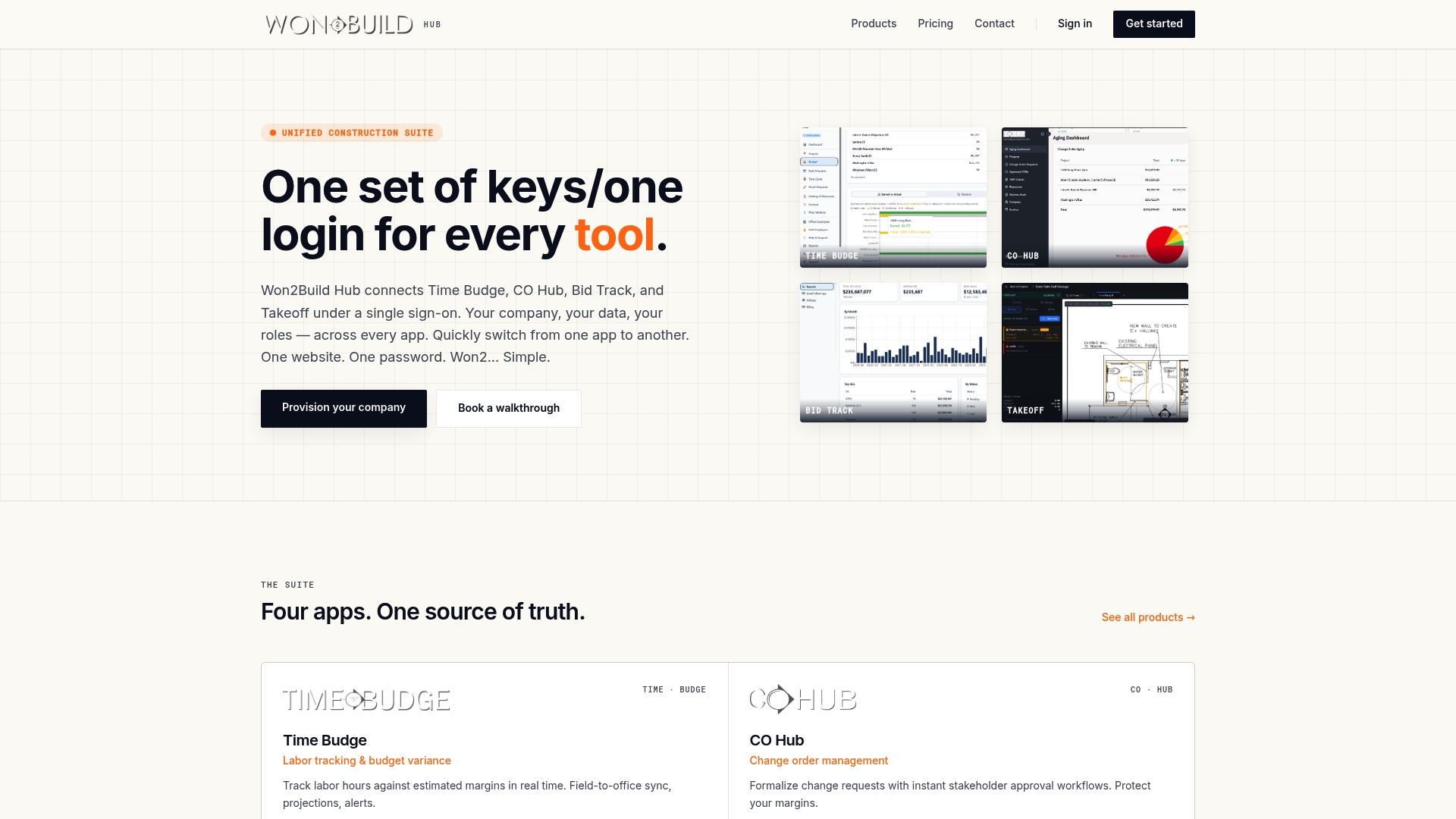
That is the reason we build Won2Build Hub as four apps under one sign-on: Time Budge for labor tracking, CO Hub for change orders and T&M tickets, Bid Track for bids and estimates, and Takeoff for digital plan quantities. With one login and real-time field-to-office data sync, the information a crew enters is the same information the office reads, rather than a copy that someone retypes. Our write-up on real-time data sync for subcontractors goes into the numbers behind how we handle it.
Fewer places where data is copied by hand means fewer places where two versions can disagree.

A pre-job offline sync checklist
This is the routine we would run before any crew depends on a field app in a basement, a parking structure or a rural site.
Test on the real devices
Put a crew member’s actual phone in airplane mode, and run the day’s tasks: clock in, add a note, create a ticket, attach a photo, open the drawings. Security researchers at Ironfield Cyber recommend this same test, including what project data can be downloaded and what happens if a device is lost before syncing. Then turn the connection back on and confirm every record arrives in the office.
Confirm the downloads
Before people leave Wi-Fi, check that the plans, scopes, cost codes and worker lists they need are already on the phone. Anything not downloaded is not there when the signal drops.
Agree on ownership and timing
Decide who owns each record type, when crews should sync (at break, at lunch, before leaving the site) and who reviews conflicts. Write it in one paragraph and put it in the kickoff meeting notes.
Make sync status visible
Teach crews to look for the status of their records, and make “nothing pending” the expected state at the end of each day. A forgotten queue on a phone that goes home in a pocket is the most common way hours vanish.
Protect the data on the device
Phones get lost, and an offline copy of project data goes with them. The same Ironfield guidance recommends limiting the sensitive data stored locally, requiring encryption and screen locks, using named role-based accounts, enabling remote wipe and removing downloads when projects end. Named accounts also mean every entry is traceable to a person, which helps when you need to reconcile a disputed record.
Where this shows up in your daily paperwork
Offline sync is invisible when it works and expensive when it does not. The costs show up as missing hours on a payroll run, an undocumented extra-work ticket that the general contractor will not pay, or a daily report that arrives two days late. Each of these is a sync failure with a dollar amount on it.
The records that carry the most money are the ones to protect first: T&M tickets and signed change order backup, labor hours by cost code, and daily reports. If you want templates for the last of these, see our subcontractor project report templates and daily report examples. For the human side of the problem, our 30/60/90 plan for field-to-office communication covers how to make same-day updates a habit.
Perspective
We built Won2Build around one conviction: subcontractors lose margin in the gaps between tools, not inside them. A timesheet in one app, a change order in another and a quantity in a third means three places where something can be late, wrong or missing.
When we talk about sync, we mean the whole path from the field to the office. The crew’s phone, the foreman’s ticket and the project manager’s report should all be reading the same record. That is why Time Budge, CO Hub, Bid Track and Takeoff share a single sign-on and real-time field-to-office data sync, and why we price by company with unlimited team members rather than by seat.
Our advice to any sub is to judge a field app by the worst day on the site, not the best. Ask what the foreman sees when the signal is gone, how the office knows a record has arrived and who decides when two edits clash. A suite that answers those questions once, for every module, saves you from answering them four times.
Jen Reese
Try the suite built for subcontractor workflows
Won2Build Hub puts labor tracking, change orders, bids and takeoff behind one login, so the data your field crews capture is the data your office works from. Pricing is published and simple: Time Budge is $199 per month per company, Bid Track is $199 per month per company, CO Hub is $59 per month per company, and active field workers are $2 per month each on the tools that use that fee. Takeoff and The Hub are $0 per month. You can start with a free trial and subscribe to the full bundle or to individual apps.
See the full breakdown on our pricing page, or start with Time Budge for labor tracking and job cost if hours are where your numbers leak. If quantities are the problem, our Takeoff app handles digital plan quantification. Our timesheet guide and roundup of digital timecard apps are useful if you are comparing how crews record time.
FAQ
What does “syncing data” mean?
Syncing means making two copies of the same information match. In a field app, one copy sits on the phone and the other on the company’s server. The sync sends the phone’s new entries up, brings the server’s changes down, and leaves both sides with the same records.
What is the difference between offline storage and offline sync?
Offline storage means the data is saved on the device so you can see and edit it without a signal. Offline sync is the later step that reconciles those local changes with the server once you are connected. Storage keeps the crew working, and sync is what gets the work to the office.
Can the office see what my crew enters while they are offline?
Not until the phone connects and the sync completes. Offline changes sit in a queue on the device and are pushed to the server afterward. This is why syncing at breaks, at lunch and before leaving the site is a good routine, and why crews should watch the status of their records.
What happens if two people change the same record?
It depends on the rules the system uses. Some keep the most recent change, some merge edits to different fields, and some flag the record so a person can choose. For approved hours, billed quantities and change order amounts, a review step is the safer rule.
How do I keep offline data secure on a lost phone?
Store as little sensitive data on the device as possible, and require a screen lock and encryption. Use named accounts with roles, and make sure someone can wipe a lost phone remotely. Remove downloaded project data when the job ends.
Sources
- Build an offline-first app, Android Developers
- Mobile offline for model-driven apps overview, Microsoft Learn
- How mobile offline works in Power Apps, Microsoft Learn
- Resolve sync conflicts with the server, Microsoft Learn
- Best practices for offline mode in the Field Service mobile app, Microsoft Dynamics 365
- Offline-first field work: planning for dead zones and outages, Ironfield Cyber
Recommended
One login for estimating, bid tracking, change orders, and labor.
The Hub is free. Pay only for the apps you turn on.
Create your free Hub account- Sheet Set Organization for Subcontractors: A Plan Set SystemHow commercial subcontractors can organize a construction sheet set: sort by discipline, track revisions, name files, and keep takeoff, bids and change orders tied to it.
- Addenda Tracking in Construction: A Sub's PlaybookHow commercial subcontractors track addenda: build a log, read each change against your scope, update takeoffs and quotes, and confirm acknowledgment before bid day.
- Data Security for Construction Subcontractors: A Practical GuideWhat data a commercial subcontractor must protect, where it leaks between field and office, and the controls that cut the risk: MFA, access, backups, contracts.